
1. Introduction
This manual provides essential information for the proper use and maintenance of your XIAOMI Redmi Note 15 Pro 5G smartphone. Please read it carefully before using your device.
The Redmi Note 15 Pro 5G features a Glacier Blue finish, 5G connectivity, 8GB RAM, and 256GB of internal storage.
2. Setup
2.1 Package Contents
- XIAOMI Redmi Note 15 Pro 5G Smartphone
- USB Type-C Cable
- SIM Ejector Tool
- Quick Start Guide
Note: A power adapter is not included in the package and must be purchased separately.
2.2 Inserting the SIM Card
- Locate the SIM card tray on the side of your device.
- Insert the SIM ejector tool into the small hole next to the tray and push gently until the tray pops out.
- Place your Nano-SIM card(s) into the tray with the gold contacts facing down. Ensure proper orientation.
- Carefully push the tray back into the phone until it clicks into place.
2.3 Initial Power On and Setup
- Press and hold the Power button until the XIAOMI logo appears.
- Follow the on-screen instructions to select your language, region, connect to Wi-Fi, and set up your Google account.
- You can transfer data from an old device during this process or set up as a new device.
3. Operating Your Device
3.1 Display and Navigation
Your Redmi Note 15 Pro 5G features a 6.83-inch 1.5K CrystalRes AMOLED display, offering vibrant colors and sharp details.

Image: The Redmi Note 15 Pro 5G showcasing its 6.83-inch 1.5K CrystalRes AMOLED display, highlighting its visual clarity.
- Touch Gestures: Swipe, tap, pinch-to-zoom for navigation and interaction.
- Home Screen: Customize with widgets and app shortcuts.
- Notifications: Swipe down from the top of the screen to access notifications and quick settings.
3.2 Calls and Messaging
- Making Calls: Open the Phone app, enter the number, and tap the call icon.
- Sending Messages: Open the Messages app, start a new conversation, enter the recipient and your message.
3.3 Internet and Connectivity
The device supports 5G connectivity for high-speed internet access. Connect to Wi-Fi for faster data speeds and to conserve mobile data.
- Wi-Fi: Go to Settings > Wi-Fi to connect to available networks.
- Mobile Data: Enable or disable mobile data in Quick Settings or Settings > SIM cards & mobile networks.
3.4 Camera Usage
Capture high-quality photos and videos with the 200MP ultimate-clarity camera system.

Image: The rear camera module of the Redmi Note 15 Pro 5G, highlighting its 200MP ultimate-clarity camera system.
- Open Camera: Tap the Camera app icon.
- Take Photo: Tap the shutter button.
- Switch Modes: Swipe left or right to select different modes like Portrait, Video, Pro, etc.
3.5 Battery Management
The device is equipped with a massive 6580mAh battery for extended usage.

Image: An internal view illustrating the large 6580mAh battery capacity of the Redmi Note 15 Pro 5G.
- Charging: Use a compatible USB Type-C charger.
- Battery Saver: Enable Battery Saver mode in Settings to extend battery life.
4. Maintenance
4.1 Cleaning Your Device
- Use a soft, lint-free cloth to clean the screen and body.
- Avoid using harsh chemicals or abrasive materials.
4.2 Software Updates
Regularly check for software updates to ensure optimal performance and security. Go to Settings > About phone > MIUI version to check for updates.
4.3 Durability Features
The Redmi Note 15 Pro 5G is built with Corning Gorilla Glass Victus 2 for enhanced screen protection and features IP66/IP68/IP69/IP69K dust and water resistance.
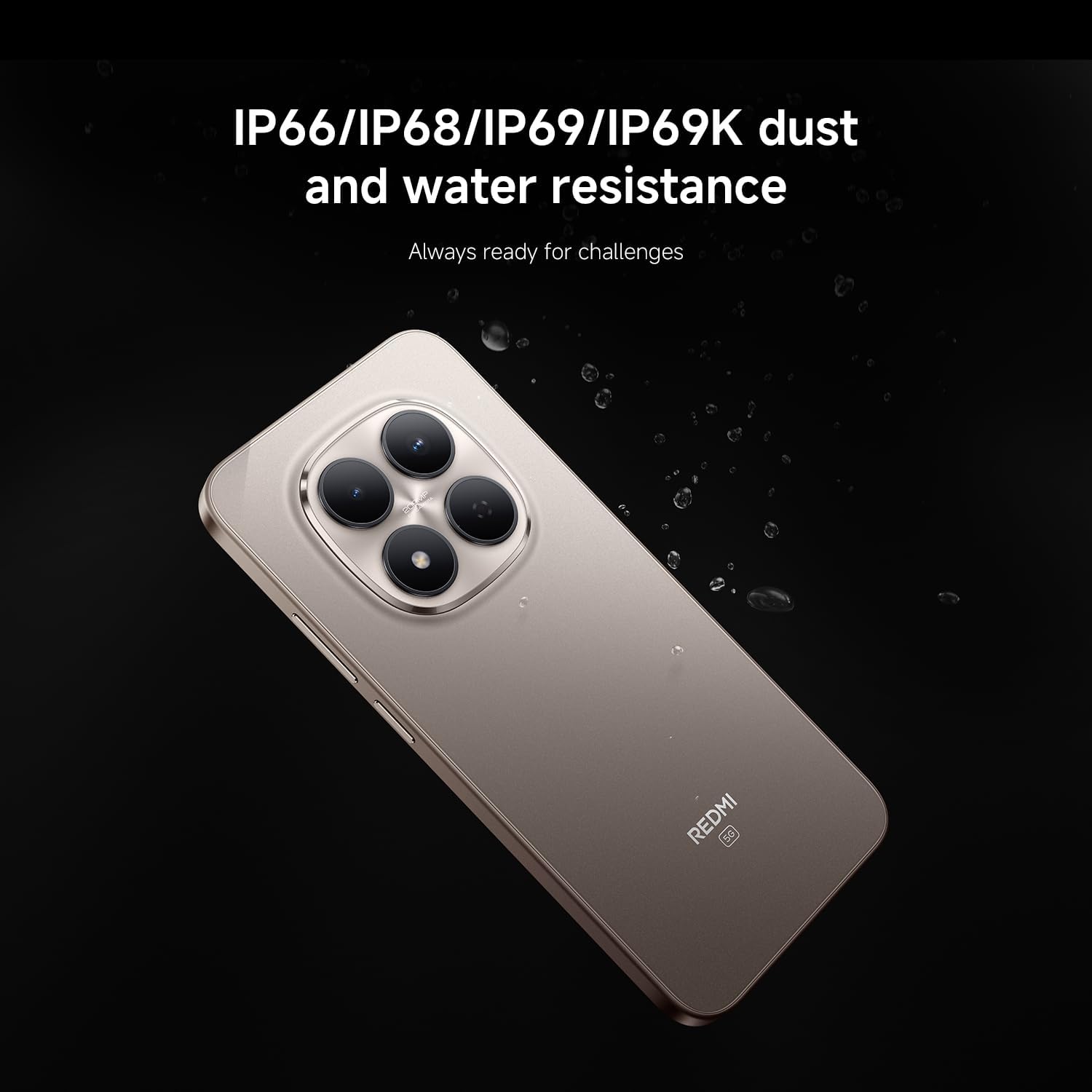
Image: The Redmi Note 15 Pro 5G shown with water splashes, illustrating its IP66/IP68/IP69/IP69K dust and water resistance.

Image: A protective layer of Corning Gorilla Glass Victus 2 being applied to the Redmi Note 15 Pro 5G screen, indicating enhanced durability.
While resistant, avoid intentional exposure to water or dust, and ensure all ports are dry before charging.
5. Troubleshooting
5.1 Common Issues and Solutions
- Device Not Powering On: Ensure the battery is charged. Press and hold the Power button for 10-15 seconds to force a restart.
- Network Issues: Check if the SIM card is properly inserted. Try restarting the device. Verify mobile data settings.
- Apps Crashing: Clear the app's cache (Settings > Apps > [App Name] > Storage > Clear cache). Update the app to the latest version.
- Slow Performance: Close unnecessary background apps. Clear cache and temporary files. Consider a factory reset as a last resort (back up data first).
- Storage Full: Delete unnecessary files, photos, and videos. Uninstall unused apps. Utilize cloud storage.
6. Specifications
| Feature | Specification |
|---|---|
| Brand | XIAOMI |
| Model Name | Note 15 Pro 5G |
| Operating System | Android |
| RAM | 8 GB |
| CPU Model | Snapdragon 870 |
| Storage Capacity | 256 GB |
| Screen Size | 6.83 Inches |
| Resolution | 2400 x 1080 |
| Refresh Rate | 60 Hz |
| Wireless Provider | All carriers |
| Battery Capacity | 6580mAh (Typical) |
| Dust and Water Resistance | IP66/IP68/IP69/IP69K |
| Front Panel Protection | Corning Gorilla Glass Victus 2 |
| Camera System | 200MP Ultimate-Clarity |
7. Warranty and Support
7.1 Warranty Information
Your XIAOMI Redmi Note 15 Pro 5G is covered by a limited warranty. Please refer to the warranty card included in your package or visit the official XIAOMI website for detailed terms and conditions.
7.2 Customer Support
For technical assistance, troubleshooting, or service inquiries, please visit the official XIAOMI support website or contact their customer service. You can find contact information on the XIAOMI official website: www.mi.com/global/support


