
1. Introduction
This manual provides essential information for the proper use and maintenance of your XIAOMI Redmi Note 15 Pro 5G smartphone. Please read this guide thoroughly before using your device to ensure optimal performance and longevity.
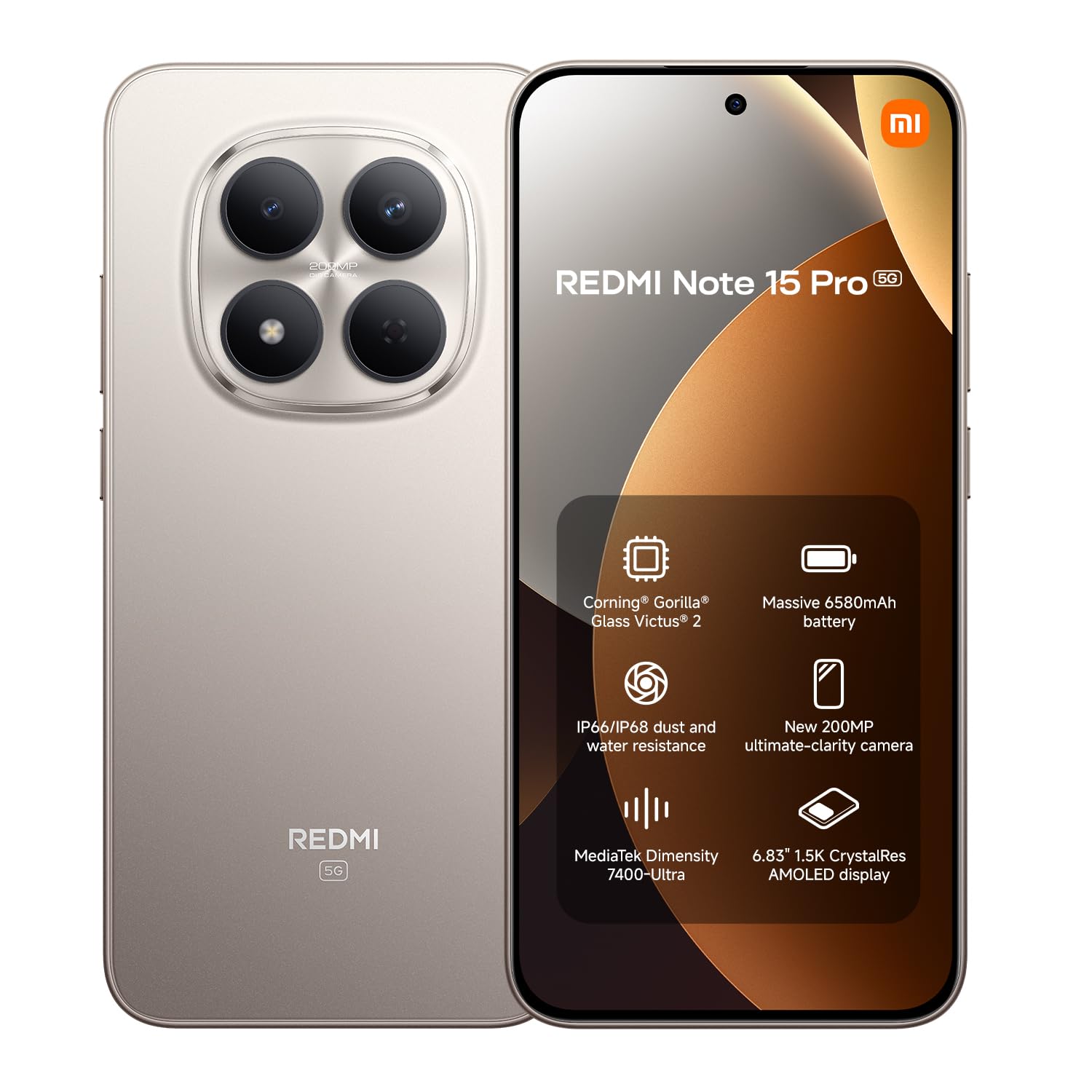
Image: Front view of the XIAOMI Redmi Note 15 Pro 5G smartphone.
2. Device Overview
The Redmi Note 15 Pro 5G features a large AMOLED display, a powerful processor, and a high-resolution camera system. Familiarize yourself with the physical components of your device.
2.1. Front View
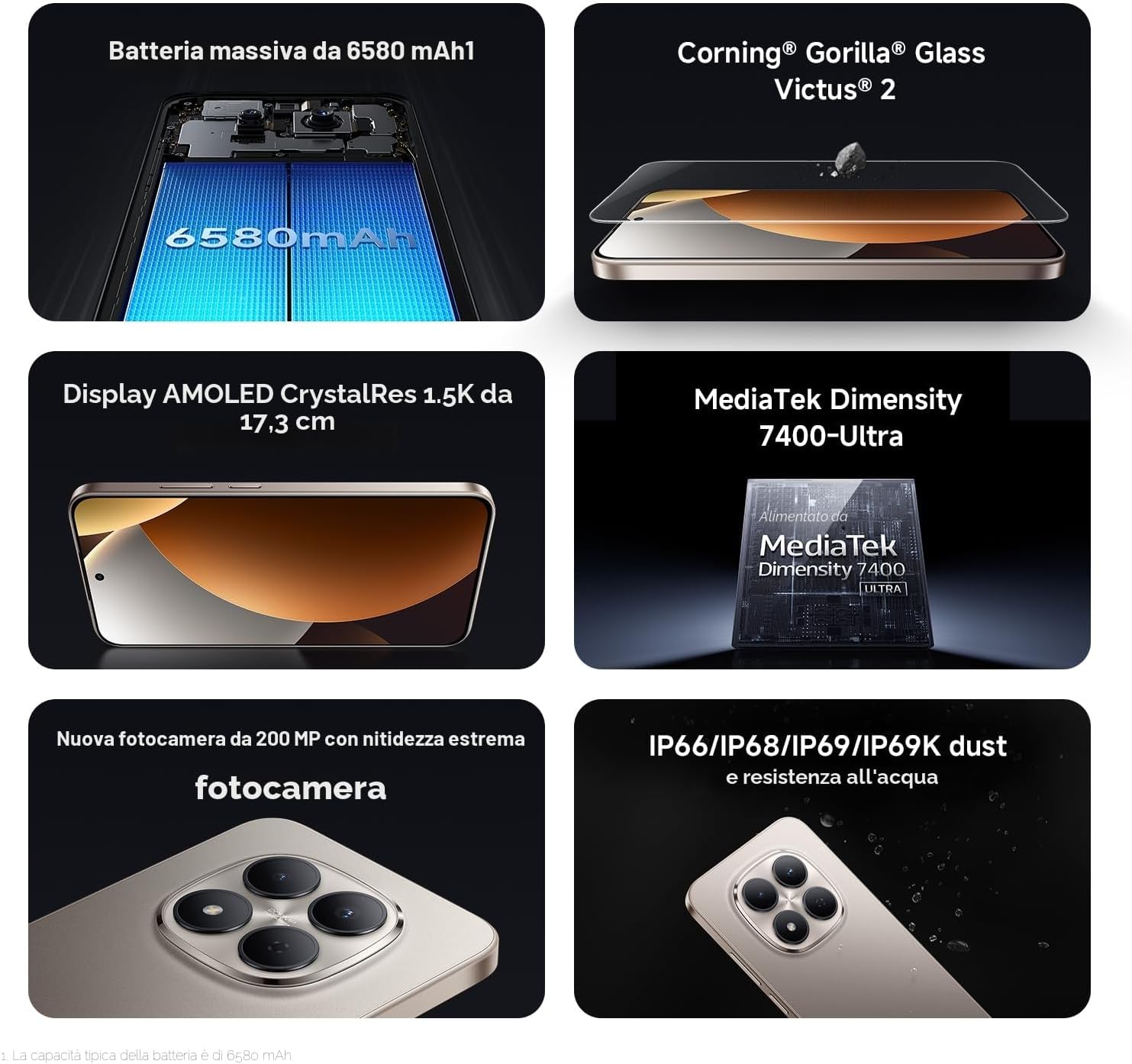
Image: Front view of the Redmi Note 15 Pro 5G, highlighting the display and punch-hole front camera.
2.2. Rear View

Image: Rear view of the Redmi Note 15 Pro 5G, showcasing the circular camera module and Redmi branding.
3. Setup
Follow these steps to set up your new Redmi Note 15 Pro 5G.
3.1. Inserting SIM Cards
- Locate the SIM card tray on the side of your device.
- Insert the SIM ejector tool into the small hole next to the tray and press firmly until the tray pops out.
- Place your Nano-SIM cards (up to two) into the designated slots on the tray. Ensure the gold contacts face downwards.
- Carefully reinsert the SIM tray into the device.
3.2. Initial Power On and Setup
- Press and hold the Power button until the XIAOMI logo appears.
- Follow the on-screen instructions to select your language, region, connect to Wi-Fi, and set up your Google account.
- You may be prompted to transfer data from an old device or set up a new device.
3.3. Charging the Device
Your Redmi Note 15 Pro 5G comes with a USB cable. Please note that a power adapter is not included. Use a compatible USB-C power adapter (sold separately) to charge your device. Connect the USB cable to the phone's USB-C port and to the power adapter, then plug the adapter into a wall outlet.

Image: Redmi Note 15 Pro 5G shown with a USB-C cable and a power adapter (adapter not included with product).
4. Operating Instructions
This section covers the basic operation of your smartphone.
4.1. Display and Navigation
The device features a 6.83-inch 1.5K CrystalRes AMOLED display with a 120Hz refresh rate for smooth visuals. Navigate using gestures or on-screen buttons, configurable in settings.

Image: The 6.83-inch 1.5K CrystalRes AMOLED display of the Redmi Note 15 Pro 5G.
4.2. Camera Usage
Your Redmi Note 15 Pro 5G is equipped with a 200 MP rear camera and a 20 MP front camera. Open the Camera app to access various modes like Photo, Video, Portrait, and Night mode. Tap to focus and use the zoom controls for desired framing.

Image: Close-up of the 200 MP rear camera system on the Redmi Note 15 Pro 5G.
4.3. Performance and Connectivity
Powered by the MediaTek Dimensity 7400 processor and running Android 15, the device offers smooth performance. It supports 5G cellular networks, Bluetooth, NFC for contactless payments, and Wi-Fi for internet connectivity.

Image: Graphic representation of the MediaTek Dimensity 7400-Ultra processor.
4.4. Battery Management
The 6580 mAh battery provides extended usage. To optimize battery life, manage background app activity, reduce screen brightness, and enable power-saving modes when needed.

Image: Illustration of the 6580 mAh battery capacity.
5. Maintenance
Proper care ensures the longevity and optimal functioning of your Redmi Note 15 Pro 5G.
5.1. Cleaning Your Device
Use a soft, lint-free cloth to clean the screen and body of your phone. Avoid abrasive materials or harsh chemicals. For stubborn smudges, slightly dampen the cloth with water.
5.2. Software Updates
Regularly check for and install system updates to ensure your device has the latest features, security patches, and performance improvements. Go to Settings > About phone > MIUI version to check for updates.
5.3. Screen Protection
The display is protected by Corning Gorilla Glass Victus 2, offering enhanced durability against drops and scratches. For additional protection, consider using a screen protector.

Image: Representation of Corning Gorilla Glass Victus 2 protecting the display.
5.4. Water and Dust Resistance
The device features IP68/IP69K dust and water resistance. While designed to withstand splashes and dust, avoid intentional submersion in water or exposure to high-pressure water jets. Damage caused by liquid exposure is not covered under warranty.

Image: Redmi Note 15 Pro 5G demonstrating its IP68/IP69K dust and water resistance.
6. Troubleshooting
Here are solutions to common issues you might encounter.
6.1. Device Not Turning On
- Ensure the battery is charged. Connect the device to a charger for at least 30 minutes.
- Press and hold the Power button for 10-15 seconds to force a restart.
6.2. Apps Crashing or Freezing
- Close and reopen the app.
- Clear the app's cache and data (Settings > Apps > Manage apps > [App Name] > Clear data).
- Ensure the app is updated to its latest version.
6.3. Connectivity Issues (Wi-Fi/Bluetooth/5G)
- Toggle Wi-Fi/Bluetooth/Mobile Data off and on.
- Restart your device.
- For Wi-Fi, forget the network and reconnect. For 5G, ensure your SIM card and plan support 5G and you are in a 5G coverage area.
6.4. Factory Reset
If issues persist, you may perform a factory reset. Warning: This will erase all data on your device. Back up important data before proceeding. Go to Settings > About phone > Factory reset and follow the instructions.
7. Specifications
Detailed technical specifications for the Redmi Note 15 Pro 5G.
| Feature | Specification |
|---|---|
| Brand | XIAOMI |
| Model Name | Redmi Note 15 Pro 5G |
| Operating System | Android 15 |
| Processor | Mediatek Dimensity 7400 (2.6 GHz) |
| RAM | 12 GB |
| Internal Storage | 256 GB |
| Display Size | 6.83 Inches |
| Display Type | AMOLED |
| Resolution | 1920 x 1080 (1080p Full HD) |
| Refresh Rate | 120 Hz |
| Rear Camera | 200 MP |
| Front Camera | 20 MP |
| Battery Capacity | 6580 mAh |
| SIM Card Slots | Dual SIM (eSIM) |
| Connectivity | 5G, Bluetooth, NFC, Wi-Fi |
| Water Resistance | IP68/IP69K (Not water resistant for intentional submersion) |
| Dimensions | 19 x 9 x 4 cm |
| Weight | 406 Grams |
| Included in Box | USB Cable (Power adapter not included) |
8. Warranty and Support
8.1. Product Warranty
Your XIAOMI Redmi Note 15 Pro 5G is covered by a 2-year manufacturer's warranty. Please retain your proof of purchase for warranty claims. The availability of spare parts in the EU is guaranteed for 6 years.
8.2. Customer Support
For further assistance, technical support, or warranty inquiries, please visit the official XIAOMI support website or contact their customer service. You can also find additional information and FAQs on the XIAOMI Store on Amazon.
Additional documents:


