
1. Introduction
Thank you for choosing the AIMIBO G124 5G Wireless USB C HDMI Transmitter. This device allows for seamless wireless transmission of audio and video signals from various source devices to an HDMI display, supporting a long range of up to 165 feet (50 meters). It features dual USB-C and HDMI input ports, making it compatible with a wide range of modern devices. Please read this manual carefully before use to ensure proper operation and to maximize the product's performance and lifespan.
2. Safety Information
Please observe the following safety precautions to prevent damage to the device and ensure user safety:
- Do not expose the device to water, moisture, or extreme temperatures.
- Avoid dropping or subjecting the device to severe impact.
- Do not attempt to disassemble or modify the device. This will void the warranty.
- Use only the provided power adapter or a certified equivalent.
- Keep the device away from heat sources and direct sunlight.
- Ensure proper ventilation around the device during operation.
- Clean the device with a soft, dry cloth only.
3. What's in the Box
Carefully unpack the box and ensure all items are present and in good condition:
- 1 × AIMIBO Wireless HDMI Display Adapter (Transmitter & Receiver)
- 1 × HDMI Cable
- 1 × USB-C Power Cable
- 1 × User Manual
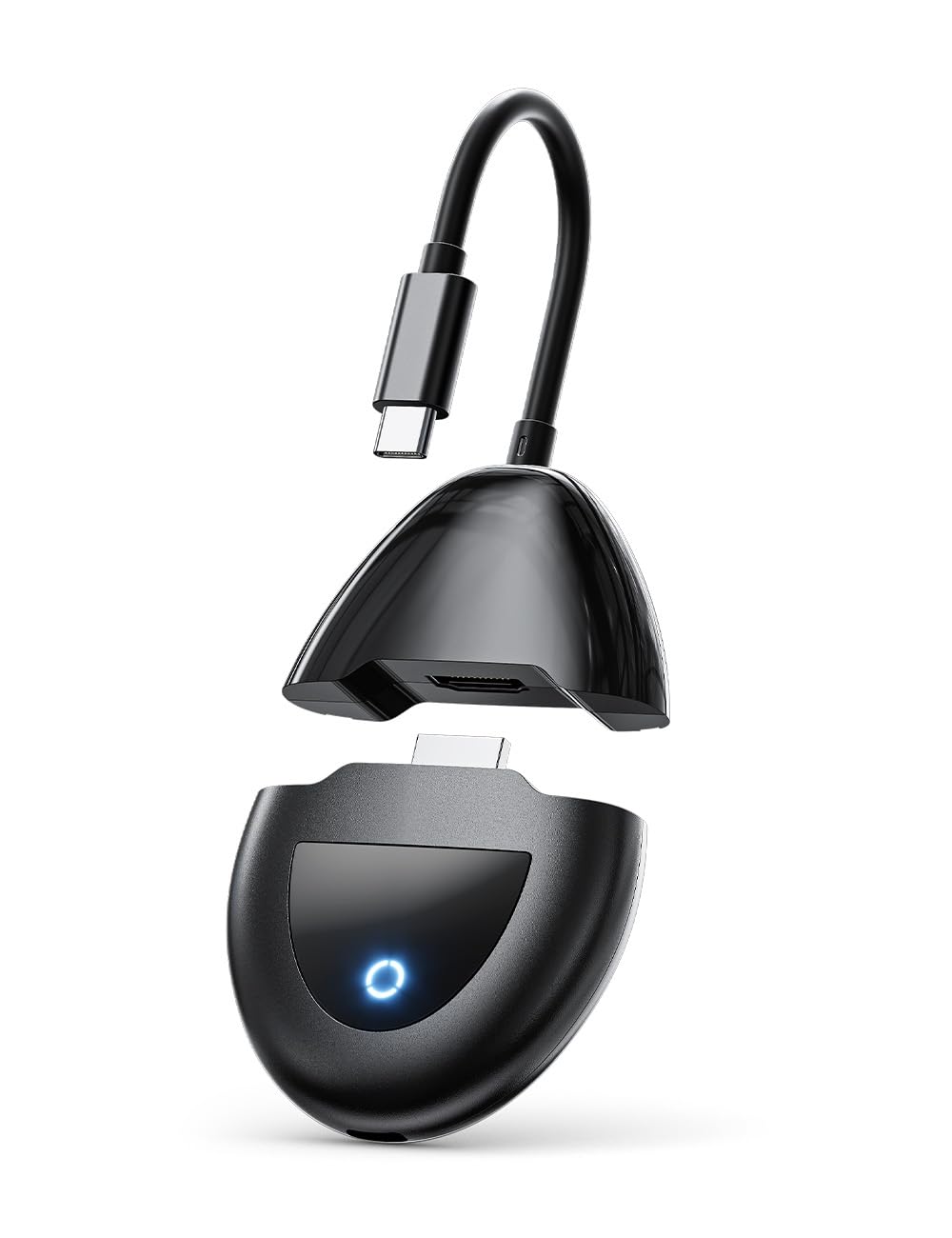
Figure 1: Package Contents (Illustrative)
4. Product Overview
The AIMIBO G124 system consists of a Transmitter unit and a Receiver unit. Both units are compact and designed for ease of use.
Transmitter Unit
The Transmitter unit connects to your source device (e.g., laptop, phone, DVD player) and sends the audio/video signal wirelessly.
- USB-C Input: For connecting USB-C enabled devices (DP Alt Mode).
- HDMI Input: For connecting HDMI enabled devices.
- Power Port: USB-C port for power supply.
- Status Indicator: LED light indicating connection status.
Receiver Unit
The Receiver unit connects to your display device (e.g., TV, monitor, projector) and receives the wireless signal from the Transmitter.
- HDMI Output: Connects to the HDMI input of your display.
- Power Port: USB-C port for power supply.
- Status Indicator: LED light indicating connection status.

Figure 2: Transmitter and Receiver Units (Illustrative)
5. Setup Instructions
Follow these steps for initial setup:
- Connect the Receiver:
- Connect the HDMI output of the Receiver unit to an available HDMI input port on your TV, monitor, or projector.
- Connect the USB-C power cable to the Receiver's power port and then to a USB power adapter (5V/2A recommended, not included) or a powered USB port on your display device.
- Power on your display device and select the correct HDMI input source.
- Connect the Transmitter:
- For USB-C Source Devices (e.g., MacBook, USB-C Tablet, compatible smartphones): Connect the USB-C cable from your source device to the USB-C input port on the Transmitter unit. Ensure your USB-C port supports DisplayPort Alternate Mode (DP Alt Mode).
- For HDMI Source Devices (e.g., PC, TV Box, DVD Player): Connect an HDMI cable from your source device's HDMI output to the HDMI input port on the Transmitter unit.
- Connect the USB-C power cable to the Transmitter's power port and then to a USB power adapter (5V/2A recommended, not included) or a powered USB port on your source device.
- Pairing (Automatic): The Transmitter and Receiver units are pre-paired at the factory. Once both units are powered on and connected, they should automatically establish a wireless connection. The status indicators on both units will show a steady light when connected.
- Display Content: Your source device's screen content should now be mirrored or extended to your display device.

Figure 3: Typical Setup Diagram
6. Operating Instructions
6.1 Basic Operation
- Ensure both the Transmitter and Receiver are powered on and connected as per the setup instructions.
- The system will automatically detect the input signal from your source device (either USB-C or HDMI).
- The content from your source device will be wirelessly transmitted to the connected display.
6.2 Switching Input Sources (Transmitter)
If your Transmitter has both USB-C and HDMI sources connected, the device will prioritize the active signal. If both are active, you may need to disconnect one or refer to specific device instructions for input switching if available (not typically required for this model as it auto-detects).
6.3 Optimal Performance Tips
- For best performance, ensure a clear line of sight between the Transmitter and Receiver units.
- Avoid placing the units near strong sources of interference (e.g., Wi-Fi routers, microwave ovens).
- While the range is up to 165 feet, obstacles like walls and furniture can reduce effective range.
- Ensure your source device is capable of outputting the desired resolution (up to 4K input supported, output is 1080P).
7. Maintenance
To ensure the longevity and optimal performance of your AIMIBO G124:
- Cleaning: Use a soft, dry, lint-free cloth to clean the device. Do not use liquid cleaners or aerosols.
- Storage: When not in use for extended periods, store the device in a cool, dry place, away from direct sunlight and extreme temperatures.
- Handling: Handle the units with care. Avoid dropping or subjecting them to physical shock.
8. Troubleshooting
If you encounter issues, please refer to the following common problems and solutions:
| Problem | Possible Cause | Solution |
|---|---|---|
| No signal on display |
|
|
| Poor video/audio quality, flickering |
|
|
| Transmitter not recognized by source device (USB-C) |
|
|
9. Specifications
Detailed technical specifications for the AIMIBO G124 Wireless HDMI Transmitter:
| Feature | Detail |
|---|---|
| Model Number | G124 |
| Brand | AIMIBO |
| Connectivity Technology | Wireless (5G) |
| Connector Type | HDMI, USB-C |
| Input Resolution | Up to 4K (3840x2160) |
| Output Resolution | 1080P |
| Transmission Range | Up to 165 FT (50 Meters) |
| Compatible Devices | Phone, Tablet, Laptop, MacBook, TV, Monitor, Projector, TV Box, DVD Player |
| Product Dimensions (L x W x H) | 7.87" x 2.75" x 0.59" |
| Color | Black |
| Video Codec | Mov |
10. Warranty and Support
10.1 Manufacturer's Warranty
The AIMIBO G124 Wireless USB C HDMI Transmitter comes with a 1-Year Manufacturer's Warranty from the date of purchase. This warranty covers defects in materials and workmanship under normal use. It does not cover damage caused by misuse, accident, unauthorized modification, or external causes.
10.2 Technical Support
For technical assistance, troubleshooting, or warranty claims, please contact AIMIBO customer support through the official website or your point of purchase. Please have your model number (G124) and proof of purchase ready when contacting support.
AIMIBO Official Website: Visit the AIMIBO Store on Amazon


