
1. Introduction
This manual provides essential information for setting up, operating, and maintaining your Redmi 15C 5G smartphone. Please read this manual carefully before using your device to ensure proper functionality and safety. Keep this manual for future reference.
2. Package Contents
Verify that all items are present in your product package:
- Redmi 15C 5G Smartphone
- Charger
- USB Type-C Cable
- SIM Eject Tool
- Warranty Card
- User Guide (this document)
- Protective Case

Figure 2.1: Redmi 15C 5G key features and typical package contents.
3. Device Layout
Familiarize yourself with the physical components of your Redmi 15C 5G smartphone.
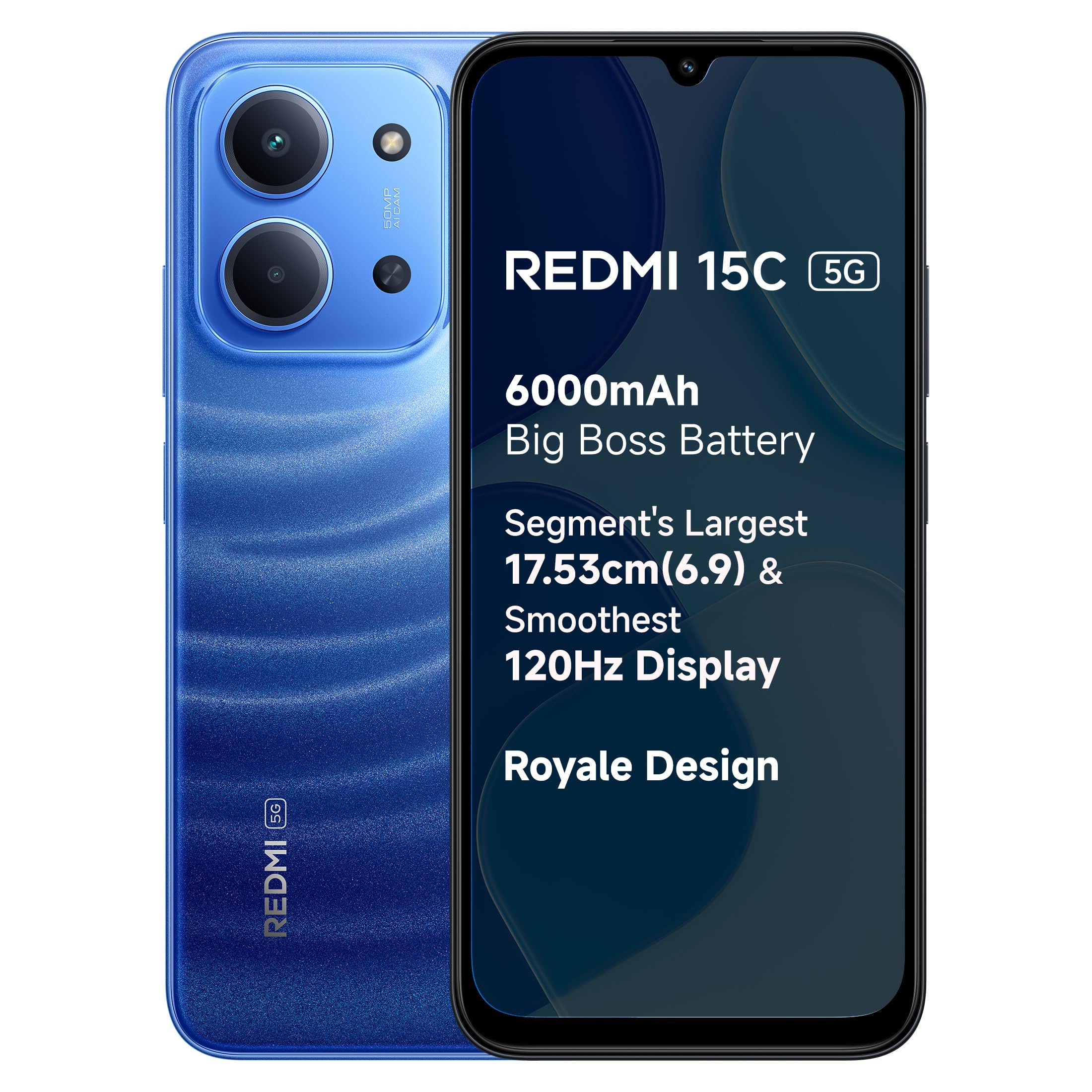
Figure 3.1: Rear view of the Redmi 15C 5G in Moonlight Blue, showing the camera module and design.

Figure 3.2: Side view of the Redmi 15C 5G, illustrating button placement and SIM tray location.
3.1. Buttons and Ports
- Power Button: Located on the right side. Press and hold to power on/off or restart. Press briefly to lock/unlock the screen.
- Volume Buttons: Located above the power button. Press to adjust media volume or ringtone volume.
- USB Type-C Port: Located at the bottom. Used for charging and data transfer.
- SIM Card Tray: Located on the side. Use the provided SIM eject tool to open.
- Headphone Jack: Location is not specified in product details.
4. Setup
4.1. Inserting SIM Cards
- Power off your device.
- Locate the SIM card tray on the side of the phone.
- Insert the SIM eject tool into the small hole on the tray to open it.
- Place your Nano-SIM cards into the designated slots on the tray. Ensure the gold contacts face downwards. The device supports Dual SIM functionality.
- Carefully push the tray back into the phone until it clicks into place.
4.2. Initial Power On and Setup
- Press and hold the Power button until the Redmi logo appears.
- Follow the on-screen instructions to complete the initial setup, including language selection, Wi-Fi connection, Google account login, and security settings (fingerprint recognition).
4.3. Charging the Battery
Your Redmi 15C 5G is equipped with a 6000mAh battery and supports 33W fast charging.
- Connect the USB Type-C cable to the phone's charging port.
- Connect the other end of the cable to the provided charger.
- Plug the charger into a power outlet.
- The charging indicator will appear on the screen.
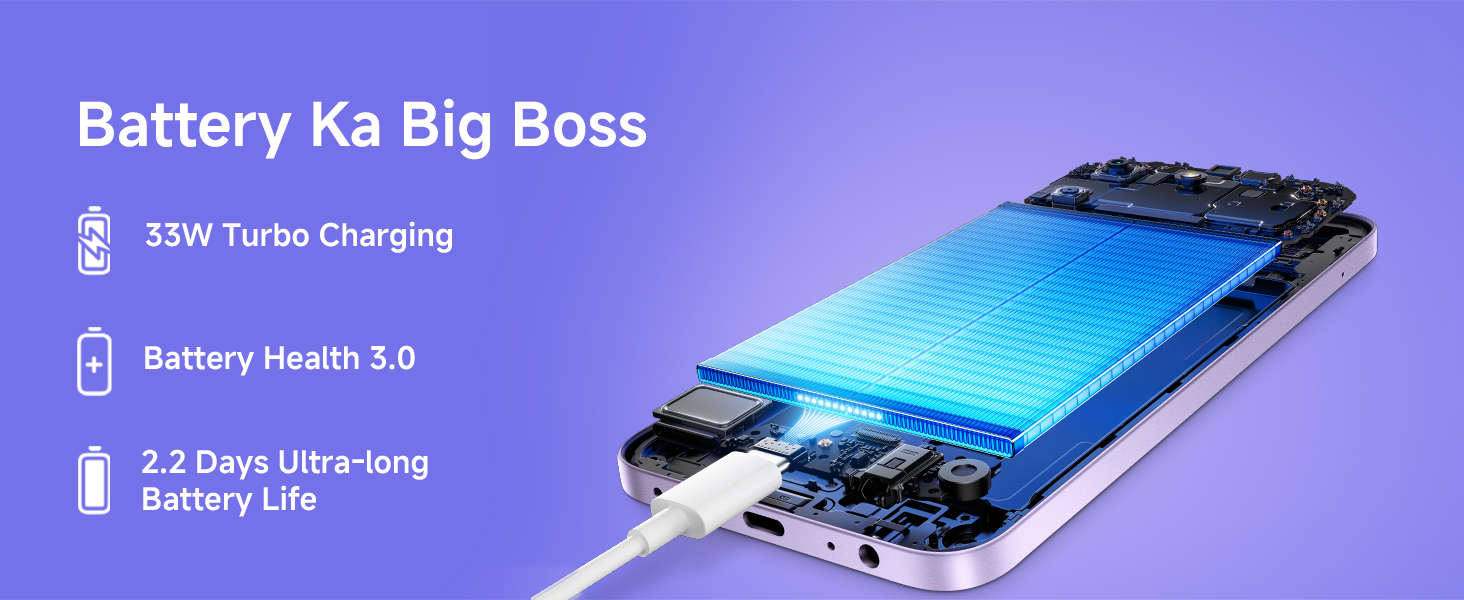
Figure 4.1: Illustration of the internal battery and charging process.
5. Operating Instructions
5.1. Basic Navigation
The Redmi 15C 5G features a 17.53cm (6.9-inch) LCD touchscreen with up to 120Hz refresh rate. Navigate the device using touch gestures:
- Tap: Select an item or open an application.
- Swipe: Scroll through screens or lists.
- Pinch: Zoom in or out on images and web pages.
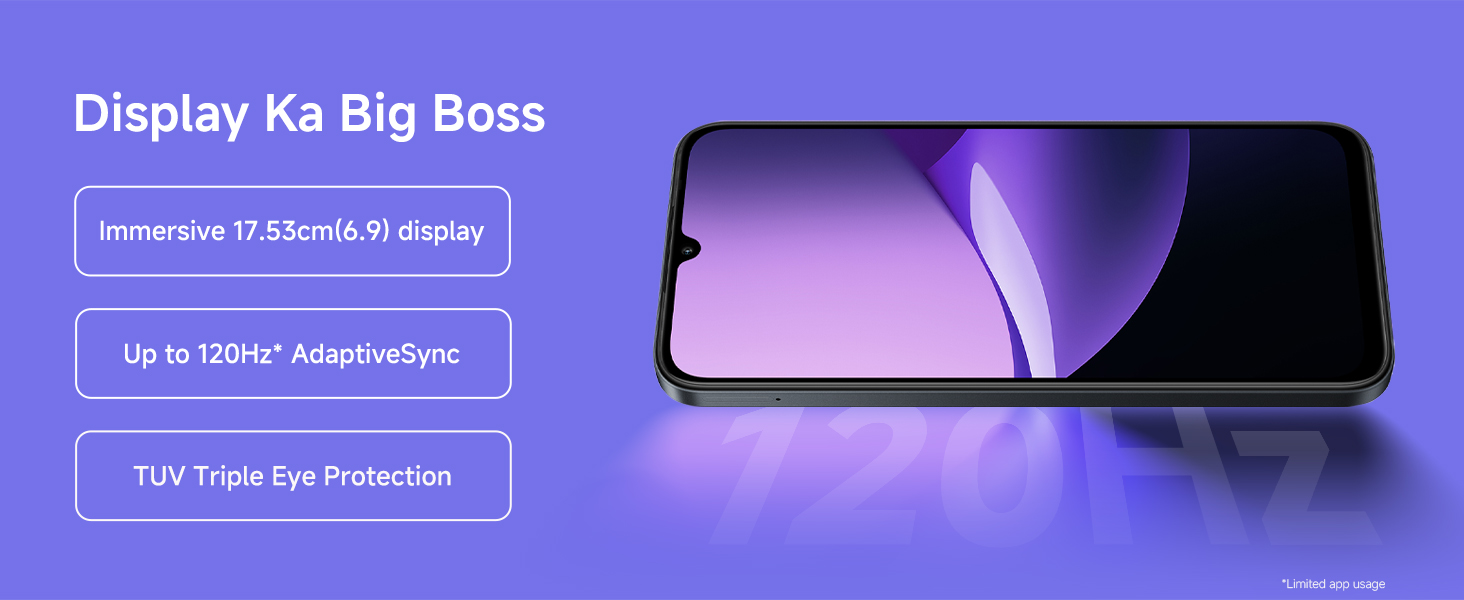
Figure 5.1: The Redmi 15C 5G features a large, smooth display.
5.2. Fingerprint Recognition
Unlock your device securely using the fingerprint sensor. During initial setup, you will be prompted to register your fingerprints. You can manage fingerprint settings in the Security section of your device settings.
5.3. Operating System
The Redmi 15C 5G runs on Android 15 with Xiaomi HyperOS, offering a customized user experience. Regular software updates may be available to enhance performance and security.
5.4. 5G Connectivity
The device supports 5G cellular technology for faster network speeds where available. Ensure your SIM card and mobile plan support 5G services.
6. Camera Usage
The Redmi 15C 5G is equipped with a 50MP AI Dual Camera system on the rear and an 8MP front camera.
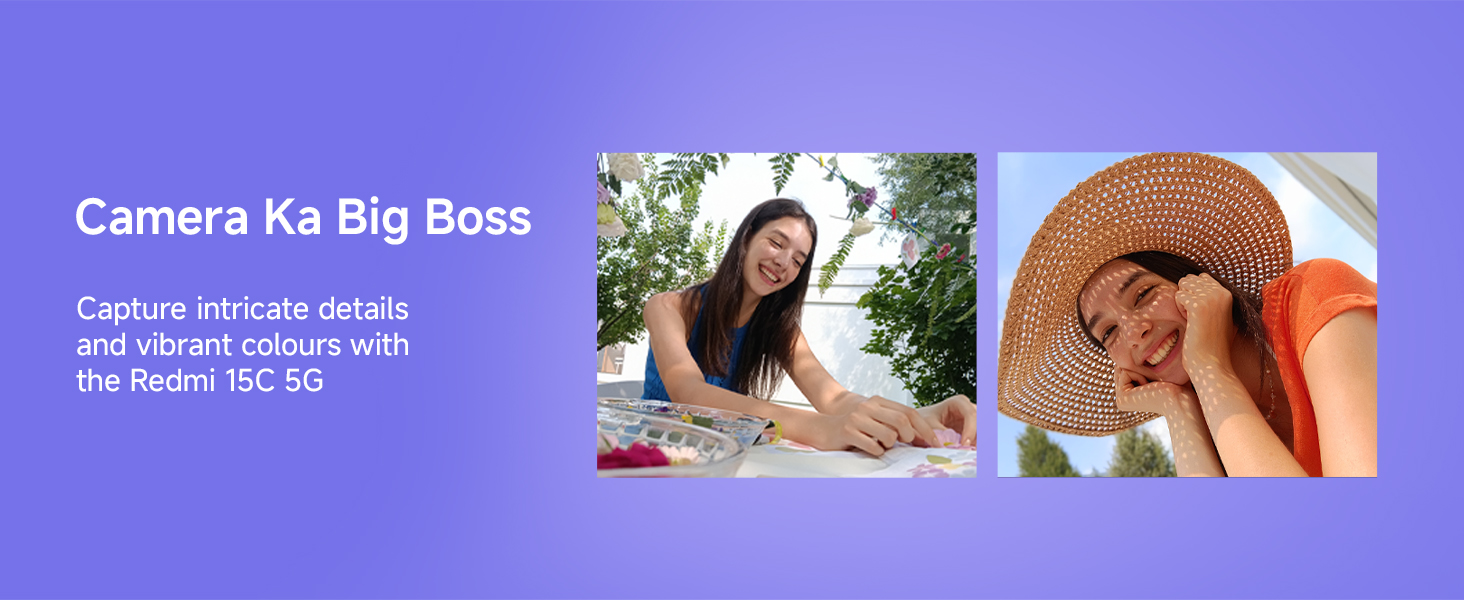
Figure 6.1: The 50MP AI Dual Camera system captures detailed images.
6.1. Taking Photos and Videos
- Open the Camera application.
- Select your desired mode (Photo, Portrait, Video, etc.).
- Tap the shutter button to take a photo or start/stop video recording.
- The rear camera supports video capture at 1080p resolution and 120 frames per second (fps).
7. Battery Management
The Redmi 15C 5G is equipped with a large 6000mAh battery for extended usage.

Figure 7.1: Typical battery performance for the 6000mAh battery.
7.1. Optimizing Battery Life
- Reduce screen brightness.
- Disable Wi-Fi, Bluetooth, and GPS when not in use.
- Close background applications.
- Enable battery saver mode in settings.
8. Maintenance
Proper care ensures the longevity of your device.
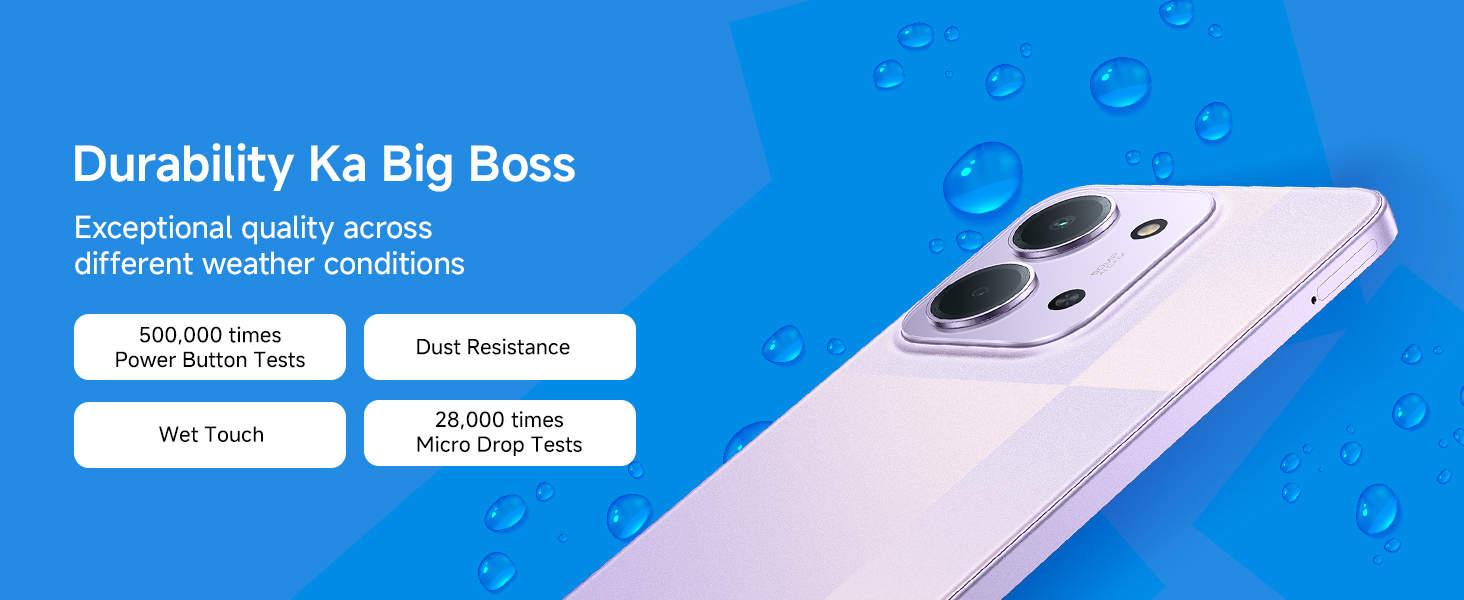
Figure 8.1: The Redmi 15C 5G offers IP64 dust and water resistance.
8.1. Cleaning
Use a soft, lint-free cloth to clean the screen and body of the phone. Avoid using harsh chemicals or abrasive materials.
8.2. Water and Dust Resistance
The Redmi 15C 5G is IP64 rated for dust and water resistance. This means it is protected against dust ingress and splashing water from any direction. It is not designed for submersion in water. Avoid exposing the device to high-pressure water or extreme humidity.
8.3. Temperature
Operate the device within recommended temperature ranges. Avoid exposing it to extreme heat or cold, which can affect battery life and performance.
9. Troubleshooting
This section addresses common issues you might encounter.
9.1. Device Not Powering On
- Ensure the battery is charged. Connect the charger and wait a few minutes before attempting to power on.
- Press and hold the Power button for at least 10-15 seconds to force a restart.
9.2. Screen Unresponsive
- Force restart the device (see 9.1).
- Ensure the screen is clean and free from moisture.
9.3. Poor Network Connectivity
- Check if your SIM card is properly inserted.
- Ensure you are in an area with network coverage.
- Restart the device.
- Go to Settings > SIM cards & mobile networks and verify settings.
9.4. Battery Draining Quickly
- Refer to Section 7.1 for tips on optimizing battery life.
- Check battery usage in Settings to identify power-consuming apps.
10. Specifications
Detailed technical specifications for the Redmi 15C 5G.
| Brand | Redmi |
| Model | 15C 5G |
| Operating System | Android 15, Xiaomi HyperOS |
| Processor | MediaTek Dimensity 6300 (Octa-core, up to 2.4 GHz) |
| RAM | 8 GB |
| Internal Storage | 128 GB |
| Expandable Memory | Up to 128 GB (via microSD, if supported) |
| Display Size | 17.53 cm (6.9 Inches) |
| Display Type | LCD |
| Resolution | 720 x 1560 (Max Display Resolution: 1080 x 2400) |
| Refresh Rate | Up to 120 Hz |
| Rear Camera | 50 MP AI Dual Camera |
| Front Camera | 8 MP |
| Video Capture Resolution | 1080p at 120 fps |
| Battery Capacity | 6000 mAh |
| Charging | 33W Fast Charging (Charger included) |
| SIM Card Type | Dual Nano SIM |
| Connectivity | 5G |
| Connector Type | USB Type-C |
| Biometric Security | Fingerprint Recognition |
| Water Resistance Level | IP64 (Water Resistant) |
| Dimensions (L x W x H) | 17.2 x 7.9 x 0.8 Centimeters |
| Weight | 212 Grams |
| Country of Origin | India |
11. Warranty and Support
11.1. Warranty Information
Your Redmi 15C 5G comes with a 1-year manufacturer warranty for the device from the date of purchase. In-box accessories, including batteries, are covered by a 6-month manufacturer warranty from the date of purchase. Please retain your proof of purchase for warranty claims.
11.2. Manufacturer Contact
For service and support, please contact:
Manufacturer: BYD INDIA PRIVATE LIMITED, DEVELOPED PLOT NO.OZ-7, SIPCOT ORAGADAM, SRIPERUMBUDUR (TK) KANCHEEPURAM DISTRICT 602105 TAMIL NADU, India.
Importer: Xiaomi Technology India Private Limited, Building Orchid. Block E, Embassy Tech Village, Marathahalli Outer Ring Road, Devarabisanahalli, Bengaluru 560103, India.
For further assistance, please visit the official Redmi support website or contact their customer service.


