1. Introduction
This manual provides detailed instructions for the safe and effective use of your Retoo Laser Rangefinder 50m. This compact digital meter integrates a laser distance measurement function with a spirit level and protractor, offering high precision for various applications. Please read this manual thoroughly before operating the device.
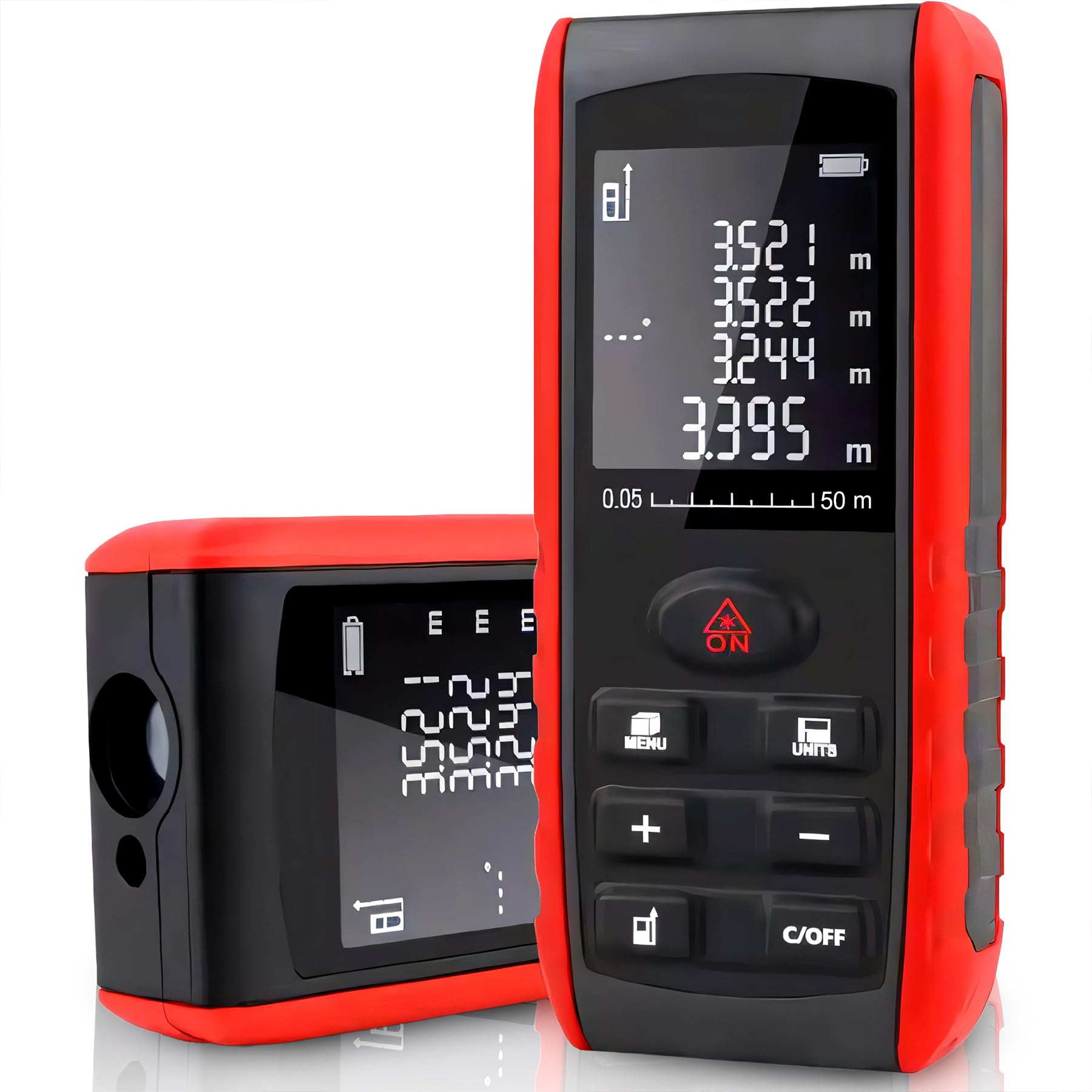
Figure 1: Retoo Laser Rangefinder 50m. This image displays the overall design of the device, highlighting its display screen and control buttons.
2. Safety Information
Observe the following safety precautions to prevent injury and damage to the device:
- This device uses a Class II laser (<1mW, 620-690nm). Do not stare directly into the laser beam or direct it towards other people's eyes.
- Do not attempt to modify or disassemble the device. Repairs should only be performed by authorized personnel.
- Keep the device out of reach of children.
- Avoid using the device in explosive atmospheres or near flammable materials.
- Ensure batteries are inserted with correct polarity. Remove batteries if the device will not be used for an extended period.

Figure 2: Battery installation. This image shows the open battery compartment of the device and two AAA batteries, indicating the power source.
3. Setup
3.1. Battery Installation
- Locate the battery compartment cover on the back of the device.
- Slide or unclip the cover to open the compartment.
- Insert two 1.5V AAA alkaline batteries, ensuring correct polarity (+/-) as indicated inside the compartment.
- Close the battery compartment cover securely.
3.2. Initial Power On
Press the ON button to power on the device. The backlit display will illuminate, and the device will be ready for use.
4. Operating Instructions
4.1. Basic Measurement
- Point the laser rangefinder at the target surface.
- Press the ON button once to activate the laser.
- Press the ON button again to take a measurement. The distance will be displayed on the screen within 0.25 seconds.

Figure 3: Taking a measurement. This image illustrates a hand holding the rangefinder, pointing its laser beam towards a surface to measure distance.
4.2. Unit Switching (m/in/ft)
To change the measurement unit (meters, inches, or feet), press the UNITS button repeatedly until the desired unit is displayed.
4.3. Spirit Level and Protractor Function
The device features an integrated spirit level and protractor. The angle measurement will be displayed on the screen automatically when the device is tilted. This allows for quick checks of horizontal and vertical alignment.

Figure 4: Angle measurement in use. This image shows a user measuring a wall, with a close-up inset of the device's display indicating both distance and angle readings.
4.4. Automatic Shut-off
To conserve battery life, the laser automatically shuts off after 30 seconds of inactivity. The entire device will power off after 180 seconds of inactivity.
4.5. Menu and Additional Functions
Press the MENU button to access additional functions or settings. Refer to the on-screen prompts for navigation. Use the + and - buttons to adjust settings or scroll through options.

Figure 5: Control panel details. This image provides a detailed view of the device's buttons, including ON, MENU, UNITS, +, -, and C/OFF, for operational control.
5. Maintenance
5.1. Cleaning
Wipe the device with a soft, damp cloth. Do not use abrasive cleaners or solvents. Ensure the laser lens is clean and free of dust for accurate measurements.
5.2. Storage
Store the device in a dry place, away from direct sunlight and extreme temperatures. If storing for an extended period, remove the batteries to prevent leakage.
6. Troubleshooting
| Problem | Possible Cause | Solution |
|---|---|---|
| Device does not power on. | Dead or incorrectly inserted batteries. | Check battery polarity or replace with new AAA batteries. |
| Inaccurate measurements. | Dirty laser lens, unstable surface, or measurement beyond range. | Clean the laser lens. Ensure a stable measurement surface. Verify target is within 0.05m to 50m range. |
| Laser not visible. | Bright ambient light or laser not activated. | Use in lower light conditions if possible. Press ON button to activate laser. |
7. Specifications
| Feature | Detail |
|---|---|
| Measuring Range | 0.05 m to 50 m |
| Accuracy | ±1.5 mm |
| Measuring Time | 0.25 seconds |
| Laser Class | Class II |
| Laser Wavelength | 620-690nm |
| Laser Power | <1mW |
| Units | m / in / ft |
| Batteries | 2 x AAA 1.5V (not included) |
| Display | Illuminated |
| Auto Shut-off Laser | After 30 seconds |
| Auto Shut-off Device | After 180 seconds |
| Storage Temperature | -20 to +65 °C |
| Dimensions | 115 x 50 x 23 mm |
| Weight | Approx. 82 g (without batteries) |
| Color | Black and Yellow |
| Material | Metal |

Figure 6: Device dimensions. This image shows the Retoo Laser Rangefinder with its approximate height (12 cm), width (5.2 cm), and depth (2.4 cm) indicated.
