
Introduction
Thank you for choosing SNOW DEER Heated Mittens. These mittens are designed to provide warmth and comfort in cold weather conditions, featuring 7.4V 2200mAh rechargeable lithium batteries for up to 6 hours of continuous warmth. With three adjustable heat settings and touchscreen compatibility, they are suitable for various outdoor activities. Please read this manual thoroughly before use to ensure proper operation and maintenance.
What's in the Box
Upon opening your SNOW DEER Heated Mittens package, you should find the following items:
- 1 Pair of SNOW DEER Heated Mittens
- 2 Rechargeable 7.4V 2200mAh Lithium Polymer Batteries
- 1 Dual Charger (US Standard)
- 1 Storage Bag
- 1 User Manual
- 1 Gift Box (packaging)
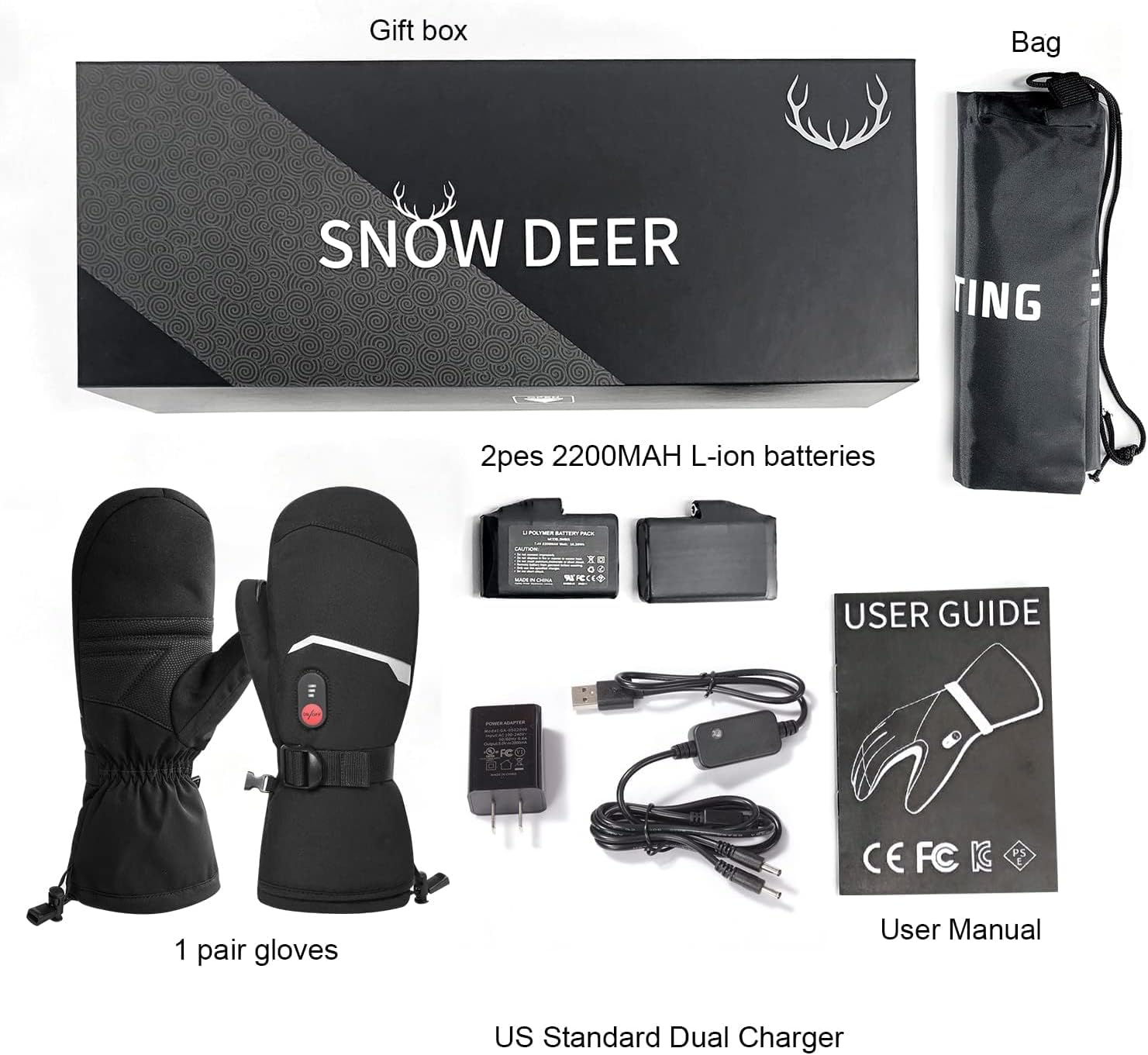
Image: All components included in the SNOW DEER Heated Mittens package.
Setup Instructions
1. Charging the Batteries
Before first use, fully charge both 7.4V 2200mAh lithium polymer batteries. Connect the batteries to the provided dual charger and plug the charger into a standard US power outlet. The charging time is approximately 3-4 hours. The indicator lights on the charger will change to indicate a full charge.
2. Installing the Batteries
Locate the battery pocket inside the cuff of each mitten. Insert one fully charged battery into each pocket and securely connect the battery cable from the mitten to the battery. Close the pocket to ensure the battery is held firmly in place.

Image: Detailed view of the mitten, highlighting the battery pocket, adjustable wrist buckle, and touchscreen area.
3. Adjusting Fit
The mittens feature an adjustable wrist buckle and a drawstring at the cuff to ensure a snug and comfortable fit. Adjust these to prevent cold air from entering and to keep warmth inside.
Operating Instructions
1. Powering On and Adjusting Heat Settings
To power on the mittens, press and hold the 'ON/OFF' button located on the back of the mitten for approximately 3 seconds. The mittens will typically start on the highest heat setting (indicated by three red LED lights).
- High Heat (Red): Press and hold the button for 3 seconds to turn on. Provides 140°-150°F for 2-2.5 hours.
- Medium Heat (Orange): Press the button once to switch from High to Medium. Provides 122°-131°F for 3-4 hours.
- Low Heat (Green): Press the button once to switch from Medium to Low. Provides 100°-113°F for 5-6 hours.
To turn off the mittens, press and hold the 'ON/OFF' button for approximately 3 seconds until the lights turn off.

Image: Heating elements and heat level indicators with corresponding temperatures and durations.
2. Touchscreen Functionality
The thumb of each mitten is equipped with a sensitive touchscreen material, allowing you to operate smartphones, tablets, and other touchscreen devices without removing your mittens. This feature ensures you stay warm and connected.

Image: User interacting with a smartphone while wearing the SNOW DEER Heated Mittens, showcasing the touchscreen feature.
Maintenance
Cleaning Instructions
To maintain the longevity and performance of your heated mittens:
- Always remove batteries before cleaning.
- Hand wash the mittens gently with mild detergent in cold water. Do not machine wash, tumble dry, or bleach.
- Do not wring the mittens. Hang them to air dry completely before reinserting batteries or storing.
- Avoid dry cleaning or ironing.
Battery Care and Storage
Proper battery care is crucial for optimal performance and lifespan:
- Charge batteries fully every 3-6 months, even when not in use, to prevent deep discharge.
- Store batteries in a cool, dry place away from direct sunlight and extreme temperatures.
- Do not expose batteries to water or fire.
Troubleshooting
If you encounter issues with your SNOW DEER Heated Mittens, please refer to the following common solutions:
- Mittens not heating: Ensure batteries are fully charged and correctly inserted into the pockets. Verify that the battery cables are securely connected to the mittens.
- Short battery life: Battery life varies with heat setting. High heat consumes power faster. Ensure batteries are fully charged before each use. Cold temperatures can also reduce battery efficiency.
- Uneven heating: Check that the heating elements are not creased or damaged. Ensure batteries are providing consistent power.
- Touchscreen not responding: Ensure the touchscreen area on the thumb is clean and dry. Make sure your finger makes full contact with the touchscreen material.
If problems persist after attempting these solutions, please contact SNOW DEER customer support.
Specifications
| Model Name | SD66E |
| Brand | SNOW DEER |
| Color | Black |
| Material | Polyester |
| Battery Type | 7.4V 2200mAh Lithium Polymer |
| Charging Time | 3-4 Hours |
| Heat Settings | High (140°-150°F), Medium (122°-131°F), Low (100°-113°F) |
| Max Heat Duration | Up to 6 hours (on Low setting) |
| Recommended Uses | Camping, Hiking, Skiing, Snowboarding |
| Item Package Dimensions | 14.7 x 5.3 x 3.7 inches |
| Package Weight | 1.8 Pounds |
Warranty and Support
Warranty Information
SNOW DEER Heated Mittens come with a 1-Year Warranty from the date of purchase. This warranty covers manufacturing defects and issues arising from normal use. It does not cover damage caused by misuse, accidents, unauthorized modifications, or improper maintenance.
Customer Support
For any questions, concerns, or warranty claims, please contact SNOW DEER customer support through the retailer where the product was purchased or visit the official SNOW DEER website for contact information. Please have your purchase receipt and product model number (SD66E) ready when contacting support.