
1. Introduction
This manual provides detailed instructions for the safe and efficient use of your Alpicool MF35 Portable Car Refrigerator Freezer. This versatile appliance is designed for cooling and freezing food and beverages, suitable for various applications including vehicles, RVs, boats, camping, and home use. Please read this manual thoroughly before operating the unit and retain it for future reference.
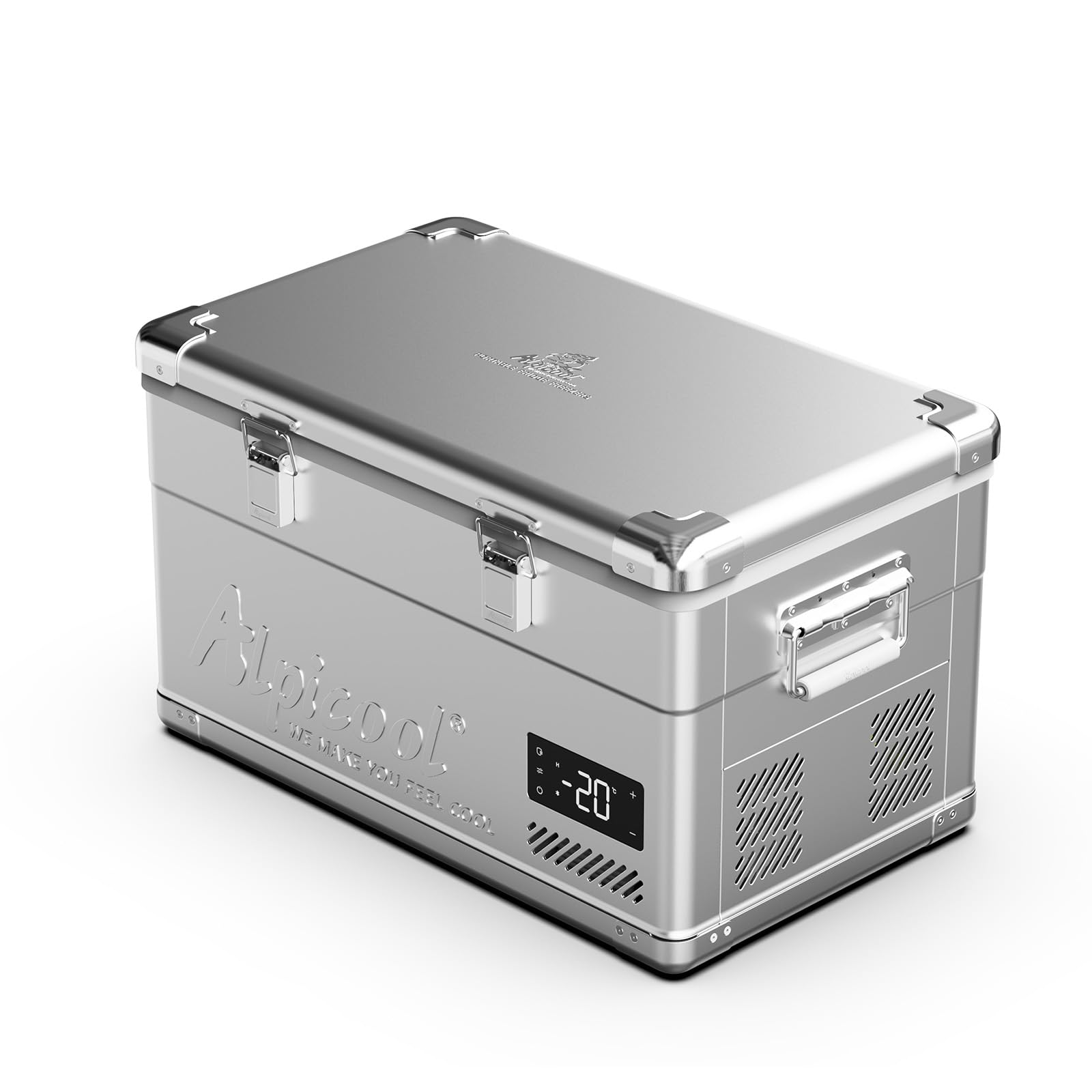
Image: Alpicool MF35 Portable Car Refrigerator Freezer, a silver-colored unit with a black lid, shown in an outdoor setting.
2. Safety Instructions
- Ensure the power supply matches the voltage requirements of the unit (12/24V DC or 100-240V AC).
- Do not operate the appliance if the power cord is damaged. Contact qualified service personnel for repairs.
- Keep ventilation openings clear of obstructions to ensure proper airflow and prevent overheating.
- Avoid placing the unit in direct sunlight or near heat sources to maintain optimal cooling performance and energy efficiency.
- Do not immerse the unit in water or expose it to heavy rain.
- Always disconnect the power supply before cleaning or performing maintenance.
- Handle the unit with care, especially when moving it, to prevent damage.
3. Product Overview
The Alpicool MF35 is a robust portable refrigerator freezer designed for convenience and performance. Key features include:
- Dual Voltage Compatibility: Operates on both 12/24V DC and 100-240V AC power sources.
- Wide Temperature Range: Capable of cooling from -4°F to 68°F (-20°C to 20°C), functioning as both a refrigerator and a freezer.
- Spacious Capacity: 40-quart (37.5 liter) interior for ample storage.
- Digital Controls: LED display panel for precise temperature monitoring and adjustment.
- Portable Design: Compact construction with sturdy handles for easy transport.
- Detachable Bottle Opener: Conveniently located for easy access.
- External USB Type-C Interface: For charging mobile devices.
- Built-in LED Light: For clear visibility inside the unit, day or night.
- Storage Basket: Equipped with internal storage baskets for organized content.
- Removable Door: For effortless deep cleaning and hygiene.
- Vent Cover: Streamlines condenser airflow, reducing energy consumption and noise.
- 3-Level Battery Protection: Protects your vehicle battery from excessive discharge.
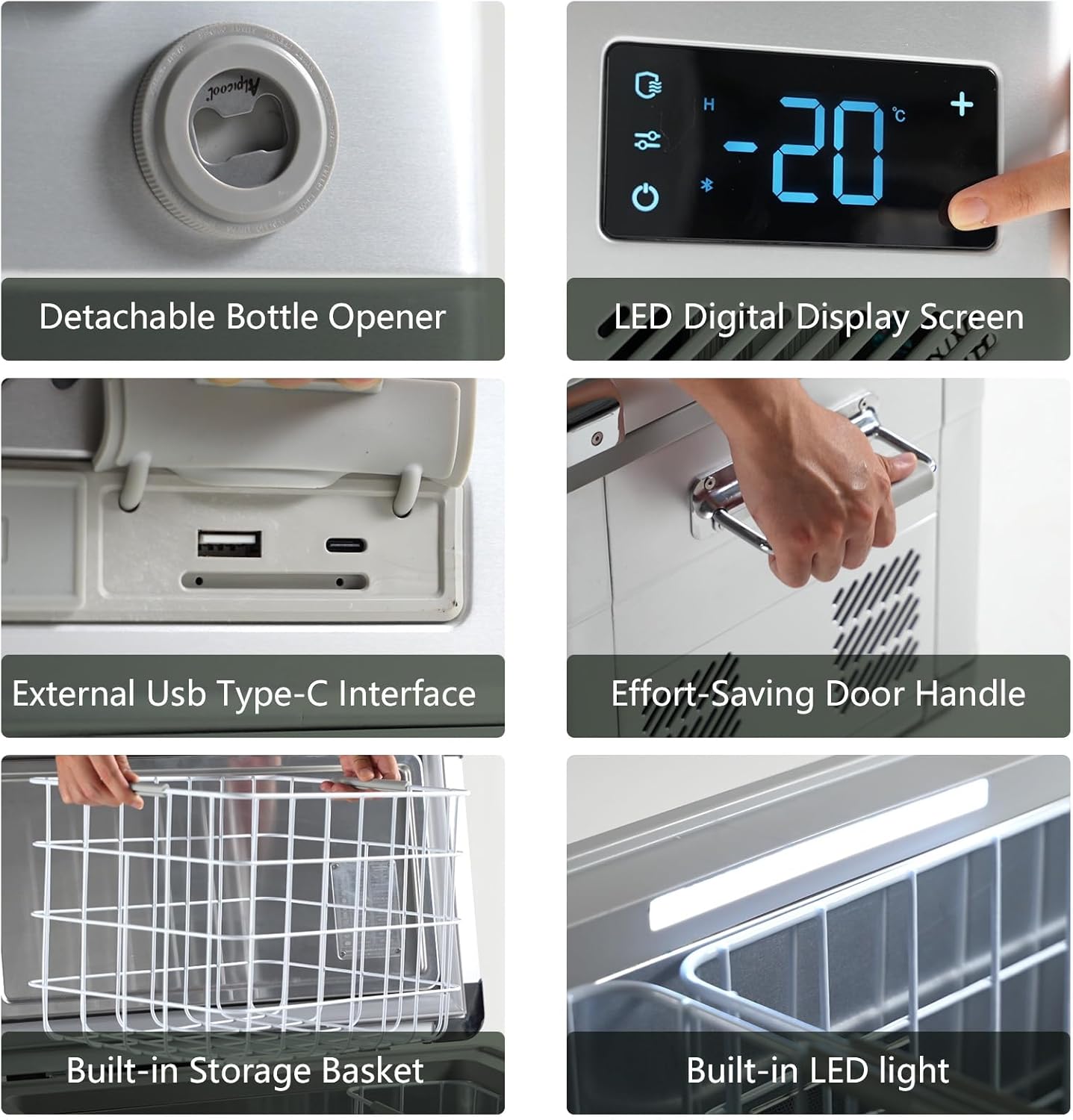
Image: Close-up views of the Alpicool MF35 showing its detachable bottle opener, LED digital display screen, external USB Type-C interface, effort-saving door handle, built-in storage basket, and built-in LED light.

Image: Diagram illustrating the internal dimensions of the Alpicool MF35 (14.8in x 11.1in x 11.8in x 21.5in x 4.7in) and its capacity to hold approximately 48 x 12 oz cans, 23 x 16.9 oz bottles, or 13 x 25 oz bottles.
4. Setup
- Unpacking: Carefully remove the refrigerator freezer from its packaging. Inspect for any shipping damage.
- Placement: Place the unit on a flat, stable surface. Ensure adequate ventilation around the unit, leaving at least 6 inches of space from walls or other objects. Avoid direct sunlight or heat sources.
- Power Connection:
- DC Power (12/24V): Connect the DC power cable to the unit's DC input port and then to your vehicle's cigarette lighter socket or a compatible 12V/24V power source.
- AC Power (100-240V): Connect the AC power adapter to the unit's AC input port and then plug it into a standard household outlet.
- Initial Cooling: For optimal performance, it is recommended to pre-cool the unit for at least 30 minutes before loading food or beverages.
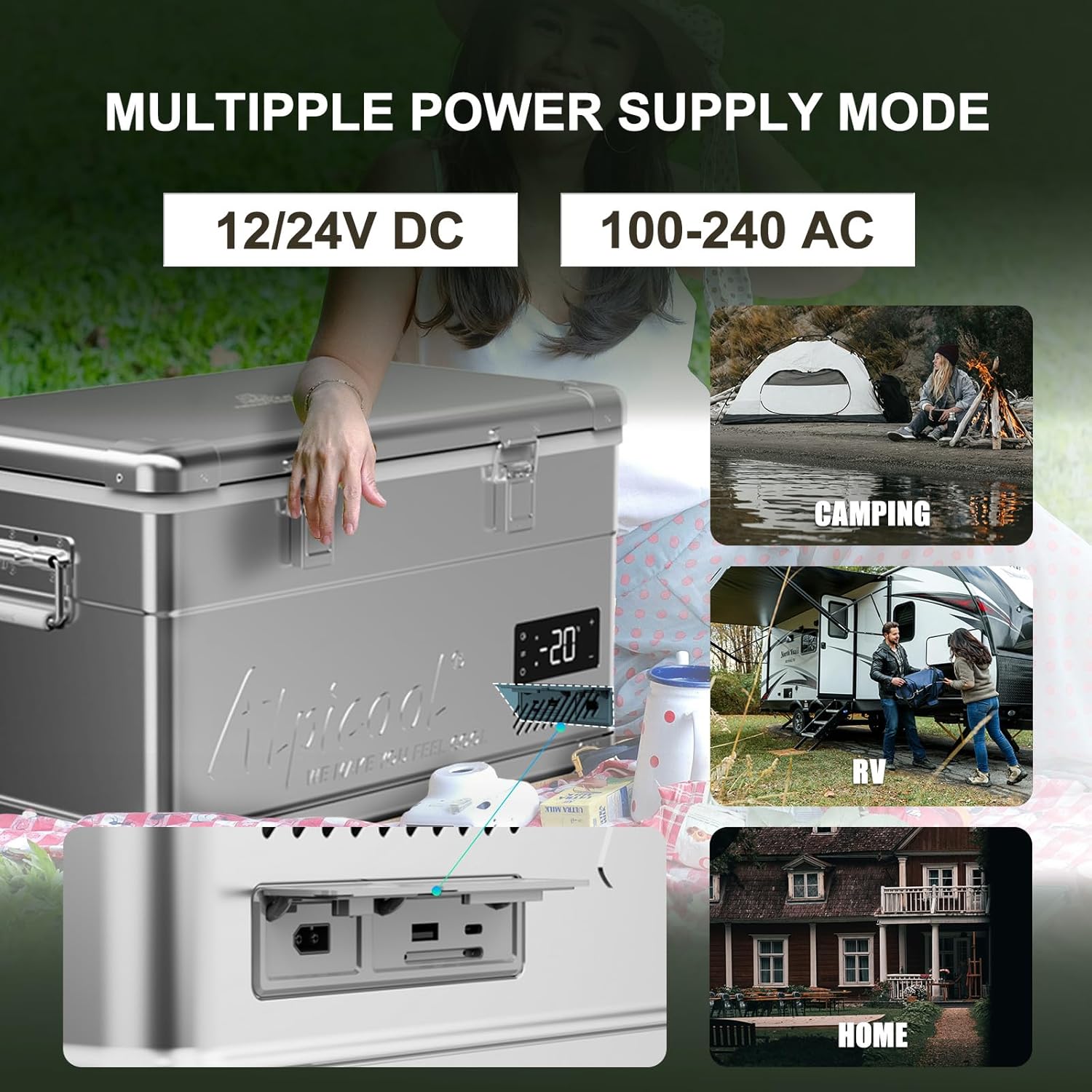
Image: The Alpicool MF35 demonstrating its multiple power supply modes (12/24V DC and 100-240V AC) and various application scenarios such as camping, RV, and home use.
5. Operating Instructions
5.1. Powering On/Off
Press the power button on the LED display panel to turn the unit on or off.
5.2. Temperature Control
- Use the '+' and '-' buttons on the LED display to adjust the desired temperature.
- The unit can operate as a refrigerator (e.g., 32°F to 68°F / 0°C to 20°C) or a freezer (e.g., -4°F to 32°F / -20°C to 0°C).
- The LED display will show the current internal temperature.
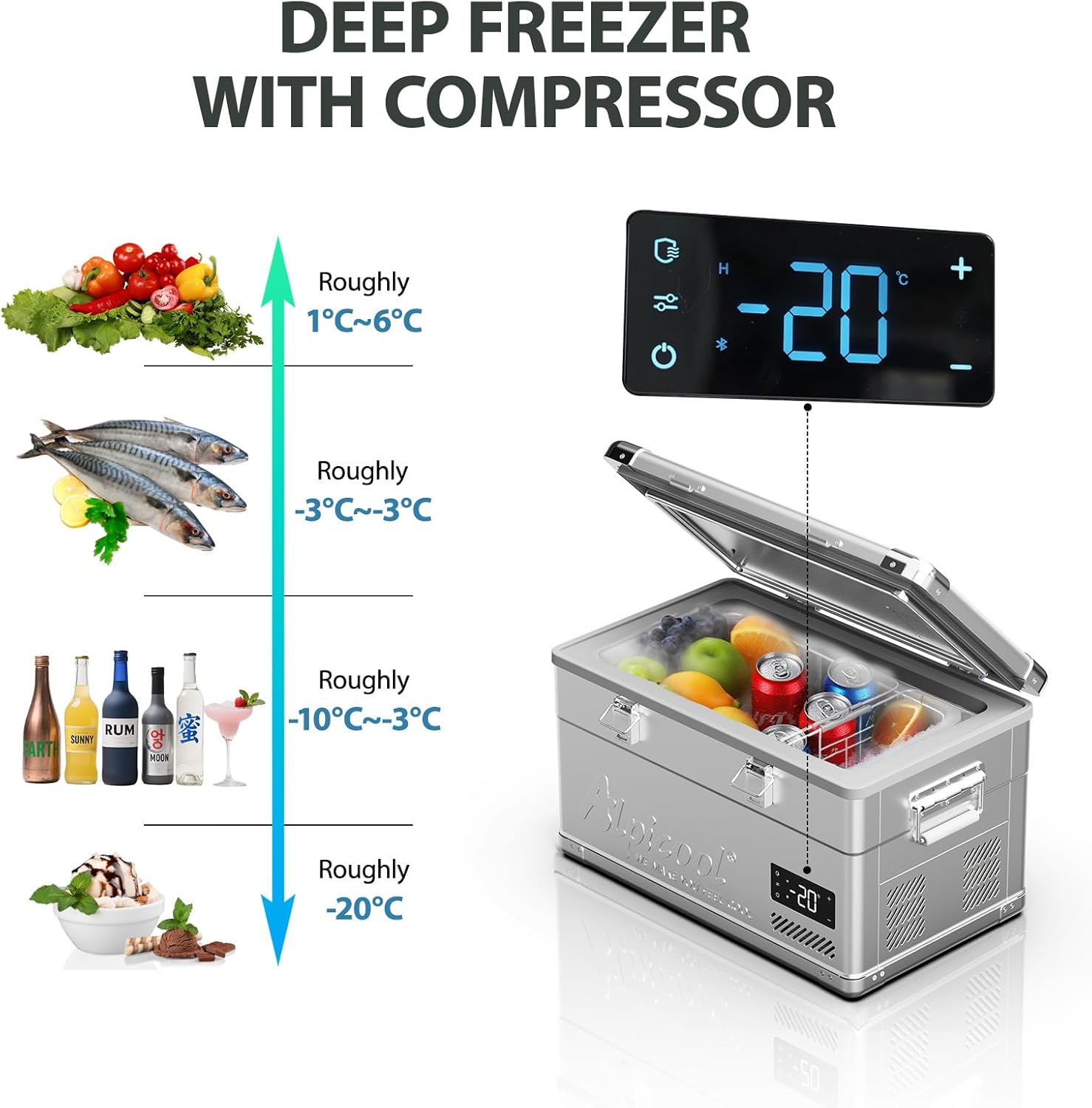
Image: The Alpicool MF35 operating as a deep freezer with its compressor, illustrating recommended temperature settings for different items: roughly 1°C~6°C for vegetables, -3°C~-3°C for fish, -10°C~-3°C for beverages, and roughly -20°C for ice cream.

Image: The Alpicool MF35 showcasing its 2-in-1 refrigerator and freezer capabilities, with a graph demonstrating fast cooling from 68°F (20°C) to 32°F (0°C) in just 15 minutes.
5.3. Battery Protection Mode
The unit features a 3-level battery protection system (High, Medium, Low) to prevent your vehicle battery from draining. The factory setting is typically 'High'. Adjust this setting based on your power source and vehicle battery condition. Refer to the specifications table for cut-out and cut-in voltages for each mode.

Image: Diagram detailing the 3-level battery protection settings (High, Medium, Low) for 12V DC and 24V DC, showing the cut-out and cut-in voltage values for each mode. The image also shows the refrigerator in an outdoor setting with people.
5.4. Low Noise Operation
The Alpicool MF35 is designed for quiet operation, typically producing noise levels below 45dB, making it suitable for use in quiet environments like bedrooms or tents.

Image: Illustration showing the Alpicool MF35 operating with low noise (≤45dB) in a bedroom setting, comparing its sound level to other common sounds like a whisper, normal conversation, music, and car driving.
5.5. Product Video Overview
Video: An official overview of the Alpicool MF35 Portable Car Refrigerator, highlighting its features such as door latches, snap-on door cover, transport handles, storage baskets, dual AC/DC power use, LED display with temperature control, USB and Type-C charging ports, detachable bottle opener, built-in LED light, and 40-quart capacity.
6. Maintenance
- Cleaning: Regularly clean the interior and exterior of the unit with a damp cloth and mild detergent. Avoid abrasive cleaners. The removable door facilitates thorough cleaning.
- Defrosting: If ice builds up, turn off the unit and allow the ice to melt naturally. The unit has an automatic defrost system, but manual defrosting may be necessary for heavy ice accumulation.
- Draining: The unit is equipped with a drain plug at the bottom for easy water removal after cleaning or defrosting.
- Storage: When not in use for extended periods, ensure the unit is clean, dry, and stored in a well-ventilated area. Leave the lid slightly ajar to prevent odors.

Image: Detailed view of the Alpicool MF35 highlighting its removable door for easy cleaning, vent cover for optimized airflow, and sturdy handles for transport.
7. Troubleshooting
If you encounter issues with your Alpicool MF35, please refer to the following common troubleshooting steps:
- Unit Not Powering On:
- Check if the power cable is securely connected to both the unit and the power source.
- Verify that the power source (vehicle outlet or wall socket) is functional.
- If using DC power, check your vehicle's battery voltage. The battery protection mode might have shut off the unit to prevent battery drain.
- Insufficient Cooling:
- Ensure the temperature setting is appropriate for your needs.
- Check if the ventilation openings are clear and not obstructed.
- Avoid opening the lid frequently, as this can affect internal temperature.
- Ensure the lid is properly sealed.
- The ambient temperature might be too high; consider moving the unit to a cooler, shaded area.
- Unusual Noise:
- Ensure the unit is on a stable, flat surface to prevent vibrations.
- Check for any loose items inside or around the unit.
If these steps do not resolve the issue, please contact Alpicool customer support for further assistance.
8. Specifications
| Feature | Detail |
|---|---|
| Model Name | MF35 |
| Capacity | 40 Quart (37.5 Liters) |
| Cooling Range | -4°F to 68°F (-20°C to 20°C) |
| Power Source | 12/24V DC, 100-240V AC |
| Product Dimensions (D x W x H) | 14.4"D x 22.6"W x 13.8"H (67.5 x 42.1 x 39.1 cm) |
| Item Weight | 31.7 Pounds (14.4 kg) |
| Annual Energy Consumption | 175 Kilowatt Hours Per Year |
| Defrost System | Automatic |
| Number of Doors | 1 |
| Battery Protection (12V DC Cut Out/Cut In) | High: 11.1V/12.4V, Medium: 10.1V/11.4V, Low: 9.0V/10.9V |
| Battery Protection (24V DC Cut Out/Cut In) | High: 24.3V/25.7V, Medium: 22.3V/23.7V, Low: 21.3V/22.7V |

Image: A detailed specification table for the Alpicool MF35, including model name, capacity, cooling range, power source, dimensions, and net weight, alongside a product image.
9. Warranty and Support
The Alpicool MF35 Portable Car Refrigerator Freezer comes with a 1-year warranty from the date of purchase, covering manufacturing defects and malfunctions under normal use. Please retain your proof of purchase for warranty claims.
For technical support, warranty service, or any questions regarding your product, please contact Alpicool customer service through the retailer where you purchased the unit or visit the official Alpicool website for contact information.


