
Introduction
The Kewig M29-C1 Motorcycle Phone Mount is designed to securely hold your smartphone on various vehicle handlebars, including motorcycles, bicycles, scooters, and ATVs. It features a camera-friendly design, one-hand operation for quick lock and release, 360-degree rotation, and robust construction for stability on rough rides. This manual provides detailed instructions for installation, operation, maintenance, and troubleshooting to ensure optimal performance and longevity of your phone mount.
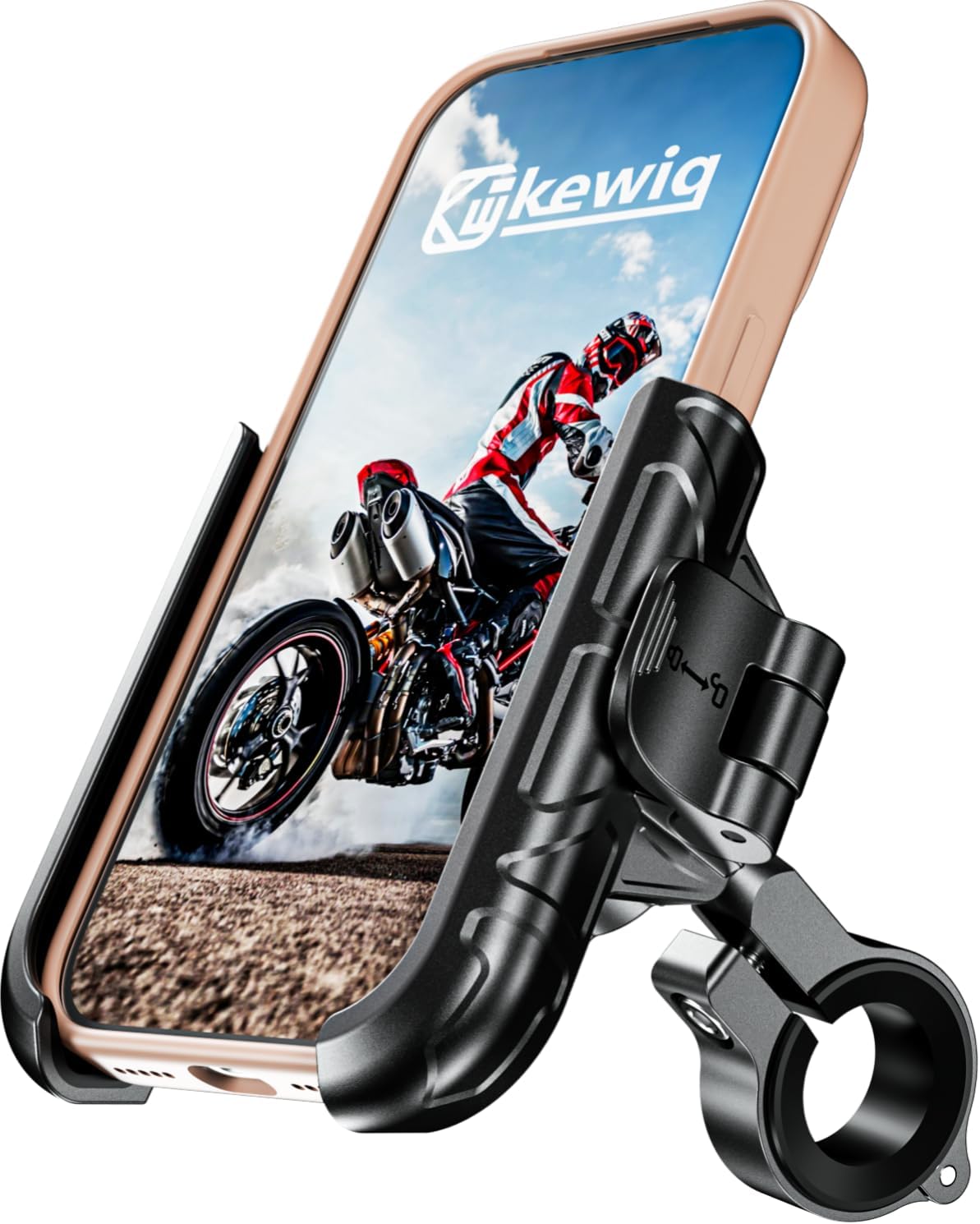
Figure 1: Kewig M29-C1 Motorcycle Phone Mount
Package Contents
- Motorcycle phone mount main body
- Aluminum alloy mounting base
- Rubber gaskets for various handlebar sizes (1.0''/25.4mm, 1.125''/28.6mm, or 1.26''/32mm)
- Allen wrench for installation
Setup
1. Handlebar Mount Installation
- Select the appropriate rubber gasket that matches your handlebar diameter (1.0''/25.4mm, 1.125''/28.6mm, or 1.26''/32mm). Place the gasket around the handlebar at your desired mounting position.
- Position the aluminum alloy mounting base over the rubber gasket on the handlebar.
- Insert the screw through the mounting base and tighten it securely using the provided Allen wrench. Ensure the mount is firm and does not rotate freely.
- Attach the phone mount main body to the ball joint of the installed mounting base. Loosen the nut on the mount body, place it over the ball, and then tighten the nut to secure the phone mount.

Figure 2: Installing the mount base on the handlebar.

Figure 3: Handlebar diameter compatibility with included gaskets.
Installation Video Guide
Video 1: Step-by-step guide on how to install the Kewig motorcycle phone holder.
Operating Instructions
1. Adjusting Phone Holder Width
Rotate the knob on the side of the phone holder to adjust its width. Turn counter-clockwise to increase the width and clockwise to reduce it. Adjust until the holder is slightly wider than your phone (with case).

Figure 4: Rotate the knob to adjust the phone holder width.
2. One-Hand Operation: Inserting and Removing Your Phone
- To Insert: With the holder adjusted to the correct width, place your phone into the holder. The side arms will automatically secure the phone. Push the safety switch (lever) to the locked position to ensure your phone is firmly held.
- To Remove: Push the safety switch (lever) to the unlocked position. The side arms will release, allowing you to easily remove your phone with one hand.

Figure 5: Demonstrating one-hand operation and 1-second lock & release.
3. 360° Rotation
The phone mount features a 360-degree rotation design. Loosen the nut connecting the phone holder to the ball joint, adjust your phone to the desired landscape or portrait orientation, and then tighten the nut to secure it.
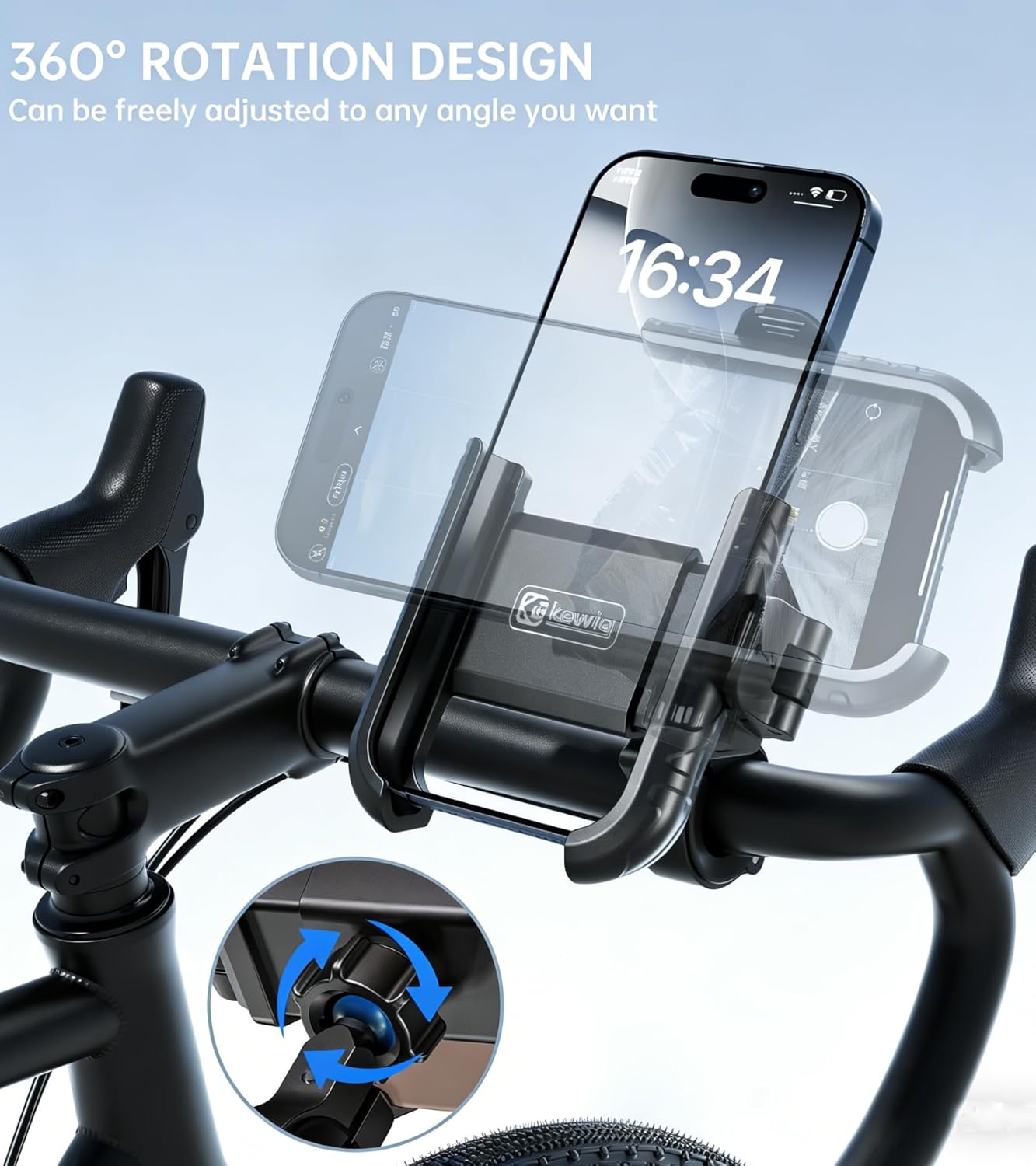
Figure 6: Adjusting the phone mount for 360-degree rotation.
4. Camera Friendly Design
The mount is designed to not block your phone's camera, allowing you to record videos or take photos while your phone is securely mounted.

Figure 7: Phone mount designed not to block the camera.
Operation Video Guide
Video 2: Demonstrating the Kewig Motorcycle Phone Mount's camera-friendly design and one-hand operation.
Maintenance
- Regularly check all screws and nuts to ensure they are tight, especially after riding on rough terrain.
- Clean the mount with a soft, damp cloth. Avoid using harsh chemicals or abrasive cleaners.
- Inspect the rubber padding and gaskets periodically for wear and tear. Replace if necessary to maintain optimal grip and protection.
- Store the mount in a cool, dry place when not in use for extended periods.

Figure 8: The mount features shock absorption silicone and a protective lock for phone security.
Troubleshooting
- Phone not fitting securely: Ensure the width adjustment knob is properly set for your phone's dimensions (including case). The maximum width is 3.46'' (88mm) and maximum thickness is 0.62'' (16mm).
- Mount slipping on handlebar: Verify that the correct size rubber gasket is used and that the mounting base screws are tightened firmly with the Allen wrench.
- Difficulty rotating the width adjustment knob: If the knob feels stiff, try pulling it slightly outwards before rotating. This can disengage the internal indexing mechanism, allowing for smoother adjustment.
- Phone mount rotates freely: Tighten the nut on the ball joint connection to secure the desired viewing angle.
Specifications
| Feature | Detail |
|---|---|
| Brand | Kewig |
| Model Name | M29-C1 |
| Color | Black |
| Compatible Devices | Smartphones |
| Compatible Phone Dimensions | Width: 2.6-3.46" (66-88 mm), Max Thickness: 0.62" (16 mm). Fits 5.4-7.2" screen diagonal. |
| Mounting Type | Handlebars, round rails |
| Compatible Handlebar Diameters | 1.0" (25.4mm), 1.125" (28.6mm), 1.26" (32mm) |
| Additional Features | 1s Lock & Release, Camera Friendly, Aluminum alloy mounting base, 360° Rotation, Shock Absorption Silicone |
| Compatible Vehicle Types | Bicycle, Golf Cart, Motorcycle, Scooter, Stroller, ATV/UTV, Truck |
| Enclosure Material | High-strength material, aluminum handlebar mounting base |
Warranty & Support
The Kewig M29-C1 Motorcycle Phone Mount comes with a 1-year warranty. For any product inquiries, technical support, or warranty claims, please visit the official Kewig Store or contact customer service through the platform where the product was purchased.


