
1. Important Safety Instructions
Please read all safety instructions carefully before using the WANBO Cube 1 Projector. Keep this manual for future reference.
- Power Supply: Use only the provided power adapter. Ensure the voltage matches the projector's requirements.
- Ventilation: Do not block ventilation openings. Ensure adequate airflow around the projector to prevent overheating.
- Liquid Exposure: Keep the projector away from water or other liquids. Do not operate with wet hands.
- Cleaning: Unplug the projector before cleaning. Use a soft, dry cloth. Do not use liquid or aerosol cleaners.
- Placement: Place the projector on a stable, flat surface. Avoid placing it in direct sunlight or near heat sources.
- Eye Protection: Do not look directly into the projector lens when the device is on.
- Disassembly: Do not attempt to disassemble or repair the projector yourself. Contact qualified service personnel for assistance.
2. Product Overview
The WANBO Cube 1 is a compact and versatile smart projector designed for home entertainment. Featuring Android TV 11.0, a 360-degree rotating stand, and a built-in 8W HiFi speaker, it delivers an immersive viewing experience with ease of use.
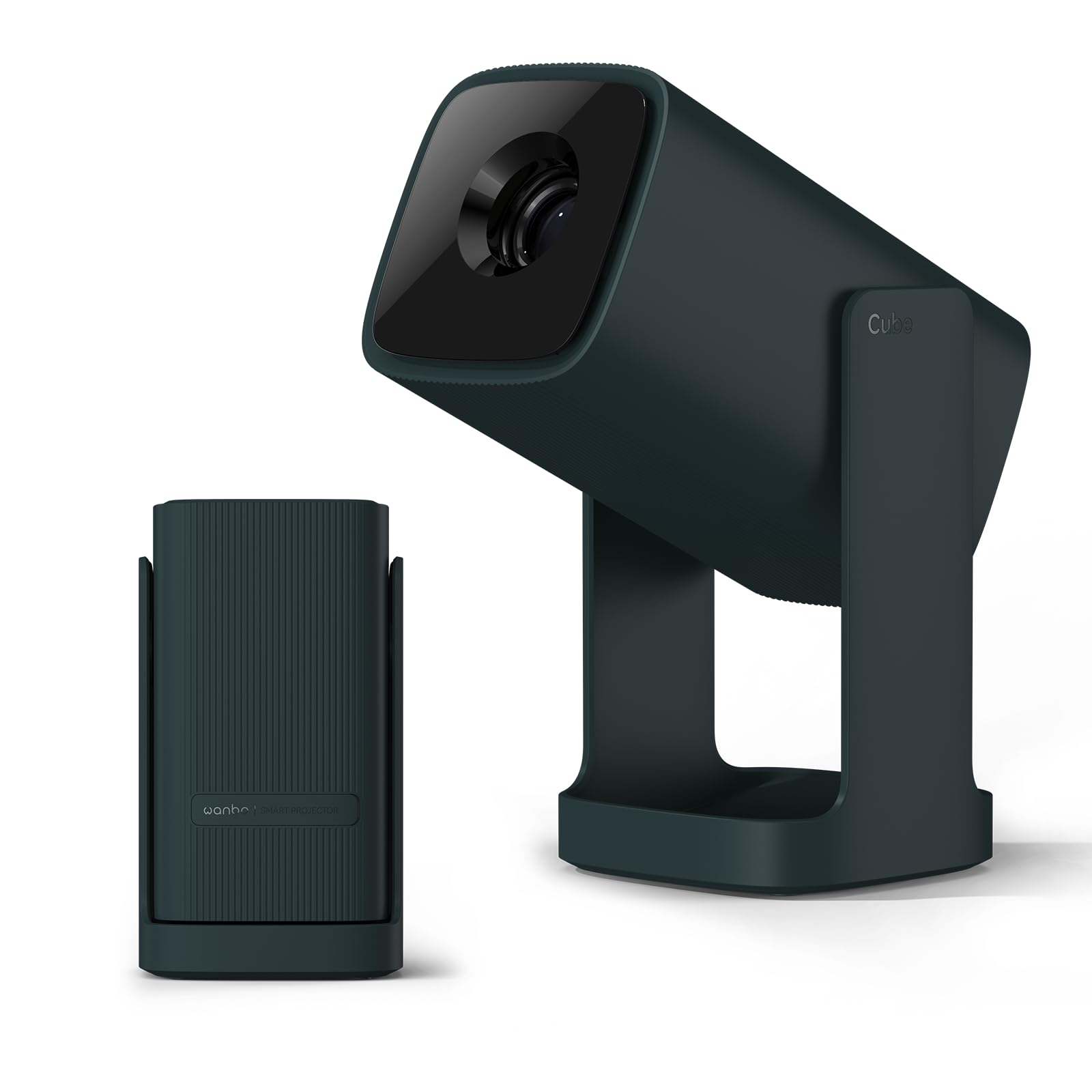
Image: The WANBO Cube 1 Projector in its dark green finish.

Image: A close-up view of the WANBO Cube 1, highlighting its compact and sleek design.
Video: An overview of the WANBO Cube 1 Projector's features, including its design, automatic adjustments, and smart capabilities.
Key Features:
- Android TV 11.0: Access popular streaming apps directly from Google Play Store, including Netflix, Prime Video, YouTube, Disney+, and more.
- 360° Rotating Stand: Project onto walls, ceilings, or any surface with flexible angle adjustments. The integrated stand also protects the lens when folded.
- Compact & Portable: Weighing approximately 0.9kg, its small size makes it easy to carry for various uses.
- High-Quality Projection: 200 ISO lumens brightness and a 1.2:1 throw ratio allow for a 100-inch screen from approximately 2.7 meters.
- Immersive Audio: Built-in 8W HiFi speaker delivers rich sound without the need for external speakers.
- Smart Image Adjustment: Features electric focus, automatic vertical keystone correction, and 4-point manual correction for a perfectly rectangular image.
- Versatile Connectivity: Supports HDMI (ARC), USB, 3.5mm audio jack, 5GHz/2.4GHz dual-band Wi-Fi, and Bluetooth 5.0 for seamless connection to various devices.
- Quiet Operation: Operates at a low noise level of 28dB, ensuring an undisturbed viewing experience.
3. Package Contents
Verify that all items are included in your package:
- WANBO Cube 1 Projector
- Remote Control
- Power Cord
- User Manual (this document)
4. Getting Started: Setup
4.1 Initial Power On
- Connect the power cord to the projector and then to a power outlet.
- Press the power button on the projector or the remote control to turn it on.
4.2 Remote Control Pairing
If the remote control is not responsive, it may need to be paired:
- Ensure the projector is on.
- Point the remote control towards the projector.
- Press and hold the indicated pairing button (refer to remote control diagram in the physical manual if available) until the pairing indicator appears on screen.
4.3 Network Connection
- From the Android TV home screen, navigate to Settings.
- Select Network & Internet.
- Choose your Wi-Fi network and enter the password.
4.4 Image Adjustment
The WANBO Cube 1 offers several ways to achieve a perfect image:
- Electric Focus: Use the remote control to fine-tune the image sharpness.
- Automatic Vertical Keystone Correction: The projector automatically adjusts the image to be rectangular when placed at an angle vertically.
- 4-Point Manual Keystone Correction: For precise adjustments, especially when projecting from a side angle, use the manual 4-point correction feature in the settings.
- Zoom Function: Adjust the screen size from 50% to 100% to fit your projection surface without moving the projector.

Image: Illustration of the one-touch adjustment capabilities, including electric focus and keystone correction.

Image: Visual representation of the short-throw lens, showing different screen sizes at various distances.
5. Operation
5.1 Android TV 11.0 Interface
The projector runs on official Android TV 11.0, providing a user-friendly interface for navigating content and apps.

Image: The Android TV 11.0 home screen displaying various streaming applications.
5.2 App Installation and Streaming
Access a wide range of entertainment by installing apps directly from the Google Play Store:
- Navigate to the Google Play Store icon on the home screen.
- Search for your desired apps (e.g., Netflix, Prime Video, YouTube, Disney+, Hulu, U-NEXT, AbemaTV, TVer).
- Install and open the apps to start streaming.

Image: The Netflix interface projected by the WANBO Cube 1, demonstrating high-quality streaming.
5.3 Google Cast and Voice Assistant
- Google Cast: Easily mirror content from your smartphone or PC to the projector. Ensure both devices are connected to the same Wi-Fi network.
- Voice Assistant: Use the built-in voice assistant by pressing the dedicated button on your remote and speaking commands for search, playback, and more.

Image: A user interacting with the Google Assistant feature on the WANBO Cube 1 Projector.
5.4 Audio Output
The projector features an integrated 8W HiFi speaker for clear and powerful audio. No additional speakers are required for a complete audio-visual experience.

Image: The WANBO Cube 1 Projector highlighting its powerful 8W HiFi speaker for immersive sound.
5.5 Sleep Timer
Utilize the sleep timer function to automatically power off the projector after a set period, ideal for watching content before sleep.

Image: The projector operating quietly, with a visual of the sleep timer function on the screen.
6. Connectivity
The WANBO Cube 1 offers multiple wired and wireless connection options:
- HDMI (ARC compatible): Connect gaming consoles, TV sticks, laptops, and other HDMI-enabled devices.
- USB: Connect USB drives for media playback or other peripherals.
- 3.5mm Audio Jack: Connect external headphones or speakers.
- Dual-band Wi-Fi (5GHz/2.4GHz): For fast and stable internet connection and wireless mirroring.
- Bluetooth 5.0: Pair with wireless speakers, headphones, or other Bluetooth devices.

Image: A close-up of the projector's rear panel, showing the HDMI, USB, and audio ports.
7. Maintenance
7.1 Cleaning the Projector
- Ensure the projector is powered off and unplugged before cleaning.
- Use a soft, dry, lint-free cloth to wipe the exterior.
- For the lens, use a specialized lens cleaning cloth or brush. Do not use abrasive materials or harsh chemicals.
7.2 Lens Protection
The integrated 360° rotating stand doubles as a lens cover. When the stand is folded, it protects the lens from dust and scratches, eliminating the need for a separate lens cap.

Image: The WANBO Cube 1's minimalist design, showing how the integrated stand protects the lens when closed.
8. Troubleshooting
If you encounter issues with your WANBO Cube 1 Projector, refer to the following table for common problems and solutions:
| Problem | Possible Cause | Solution |
|---|---|---|
| No power/Does not turn on | Power cord not connected properly; Power outlet issue; Projector fault. | Check power cord connection. Try a different outlet. Contact support if issue persists. |
| Blurry image | Focus not adjusted; Keystone not corrected; Projector too far/close to screen. | Use electric focus to sharpen. Apply automatic or manual keystone correction. Adjust projection distance. |
| No sound or poor sound quality | Volume too low; Muted; External audio device not connected correctly; Source audio issue. | Increase volume. Unmute. Check external audio connections. Verify audio output from source device. |
| Remote control not working | Batteries low/dead; Not paired; Obstruction. | Replace batteries. Re-pair the remote control (see Section 4.2). Ensure no obstructions between remote and projector. |
| Cannot connect to Wi-Fi | Incorrect password; Router issue; Out of range. | Double-check Wi-Fi password. Restart router. Move projector closer to router. |
9. Specifications
| Feature | Detail |
|---|---|
| Brand | WANBO |
| Model Number | Cube 1 |
| Recommended Use | Home Cinema |
| Operating System | Android TV 11.0 |
| Brightness | 200 ISO Lumens |
| Native Resolution | 1280 x 720 pixels |
| Throw Ratio | 1.2:1 (Short Throw) |
| Speaker | 8W HiFi Built-in Speaker |
| Connectivity | HDMI (ARC), USB, 3.5mm Audio, Infrared |
| Wireless Connectivity | 5GHz/2.4GHz Dual-band Wi-Fi, Bluetooth 5.0, Chromecast |
| Weight | Approx. 0.9 kg |
| Noise Level | 28 dB |
| Special Features | Internet compatible, Built-in speaker, Short throw, Automatic Keystone Correction, Electric Focus, 360° Rotating Stand |
| Country of Origin | China |
10. Warranty and Support
For warranty information and technical support, please refer to the warranty card included with your product or visit the official WANBO website. Keep your purchase receipt as proof of purchase.
If you require further assistance, please contact WANBO customer service.


