
Important Safety Information
Please read all safety instructions carefully before using this product. Keep this manual for future reference.
- Do not expose the speaker to extreme temperatures or direct sunlight for prolonged periods.
- Avoid dropping or subjecting the speaker to strong impacts.
- Do not attempt to disassemble, repair, or modify the speaker yourself. Contact qualified service personnel.
- Keep the speaker away from medical devices, as it may interfere with their operation.
- Use only the provided charging cable or a certified equivalent.
- Ensure the charging port cover is securely closed when near water to maintain IPX7 water resistance.
Package Contents
Verify that all items listed below are included in your package:
- IKT Portable Bluetooth Speaker (S19-1) x 1
- Type-C Charging Cable x 1
- AUX Cable x 1
- Lanyard x 1
- User Manual x 1
Product Overview
Familiarize yourself with the speaker's components and controls.

The speaker features a simple control panel on the top surface. These buttons allow for power control, volume adjustment, track navigation, and managing the RGB lighting effects.
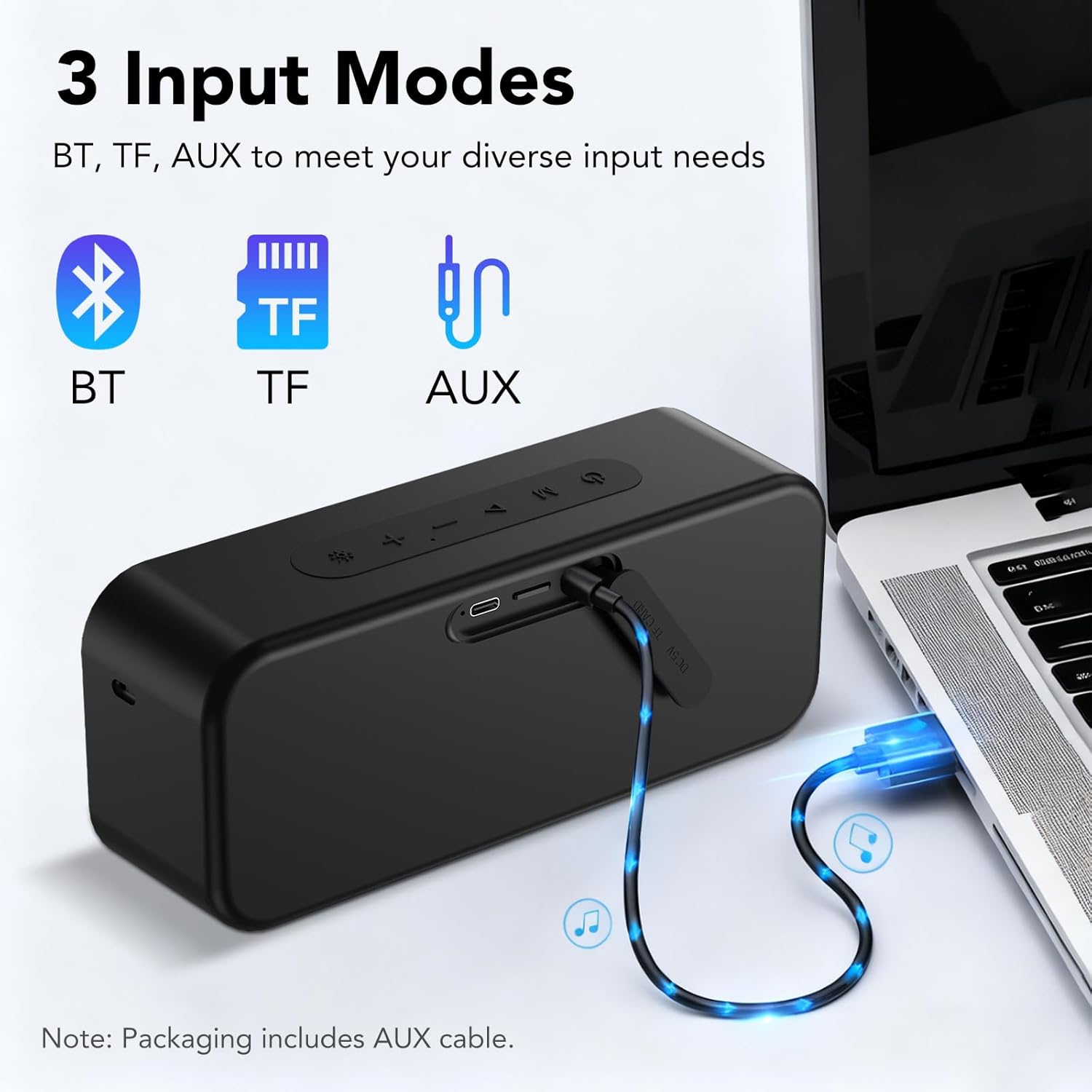
On the side, you will find the Type-C charging port, a TF card slot for direct music playback, and an AUX audio input for wired connections.
Setup
1. Charging the Speaker
Before first use, fully charge the speaker. Connect the provided Type-C charging cable to the speaker's charging port and the other end to a USB power adapter (not included) or a computer's USB port. The charging indicator light will show the charging status.
2. Powering On/Off
- To Power On: Press and hold the Power button for 2 seconds. You will hear an audible prompt.
- To Power Off: Press and hold the Power button for 2 seconds. You will hear an audible prompt.
3. Bluetooth Pairing
- Ensure the speaker is powered on and in Bluetooth pairing mode (indicated by a flashing LED).
- On your device (smartphone, tablet, computer), enable Bluetooth and search for available devices.
- Select "IKT S19-1" from the list of devices.
- Once connected, the LED indicator will become solid, and you will hear a confirmation tone.
The speaker uses Bluetooth 5.4 for stable connections up to 20 meters (66 feet).
4. TWS (True Wireless Stereo) Pairing
For an immersive 360° stereo sound experience, you can pair two IKT S19-1 speakers together.
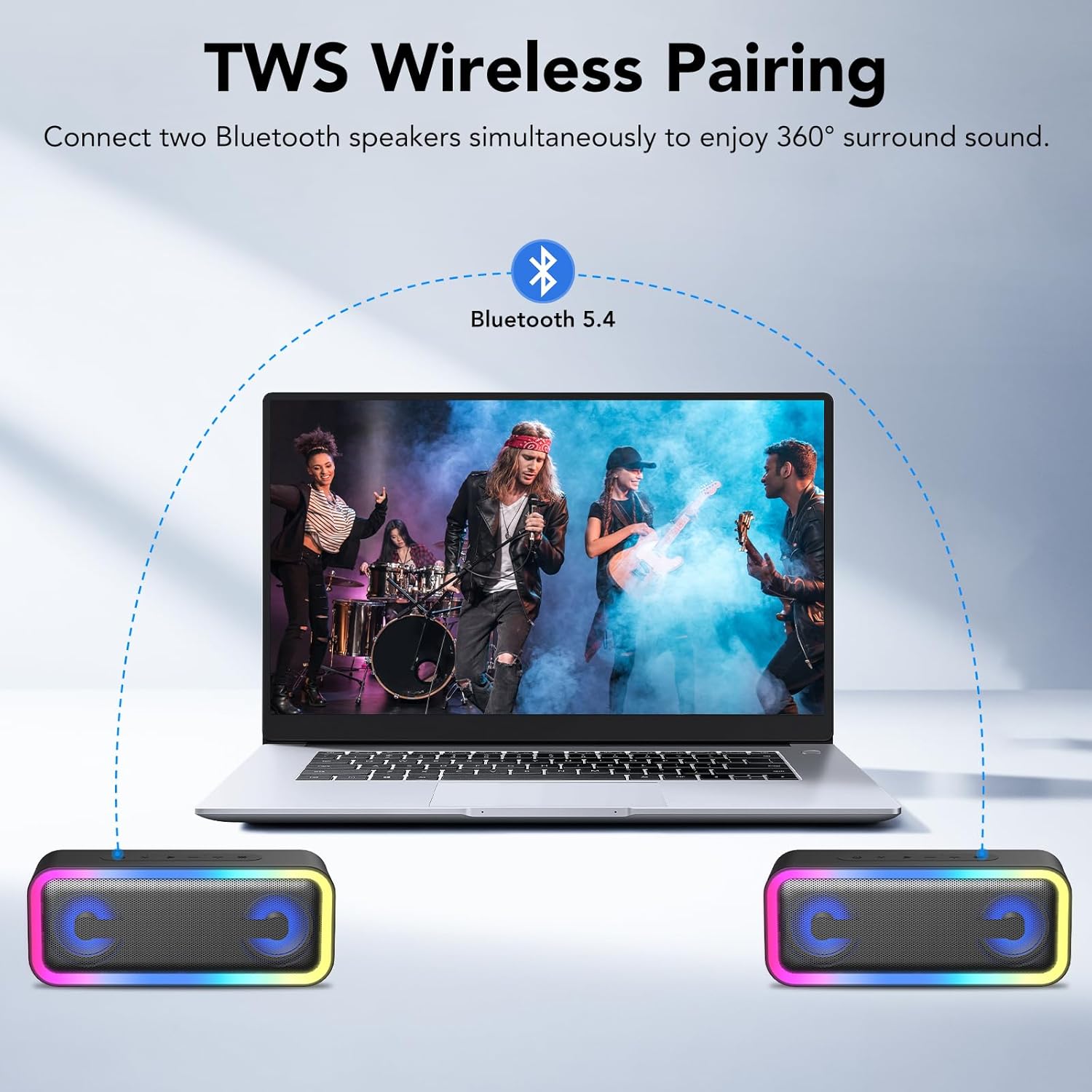
- Ensure both speakers are powered on and not connected to any other Bluetooth device.
- On one speaker (this will be the primary speaker), double-press the TWS button (usually indicated by a Bluetooth icon or "TWS"). The speaker will enter TWS pairing mode.
- The two speakers will automatically connect to each other. You will hear a confirmation tone once paired.
- Now, connect your device to the primary speaker via Bluetooth as described in step 3. Both speakers will play audio in stereo.
Operating Instructions
1. Basic Audio Controls
- Play/Pause: Press the Play/Pause button once.
- Volume Up: Press the '+' button.
- Volume Down: Press the '-' button.
- Next Track: Press and hold the '+' button for 2 seconds.
- Previous Track: Press and hold the '-' button for 2 seconds.
2. RGB Lighting Modes
The speaker features 7 dynamic RGB lighting modes to enhance your listening experience.
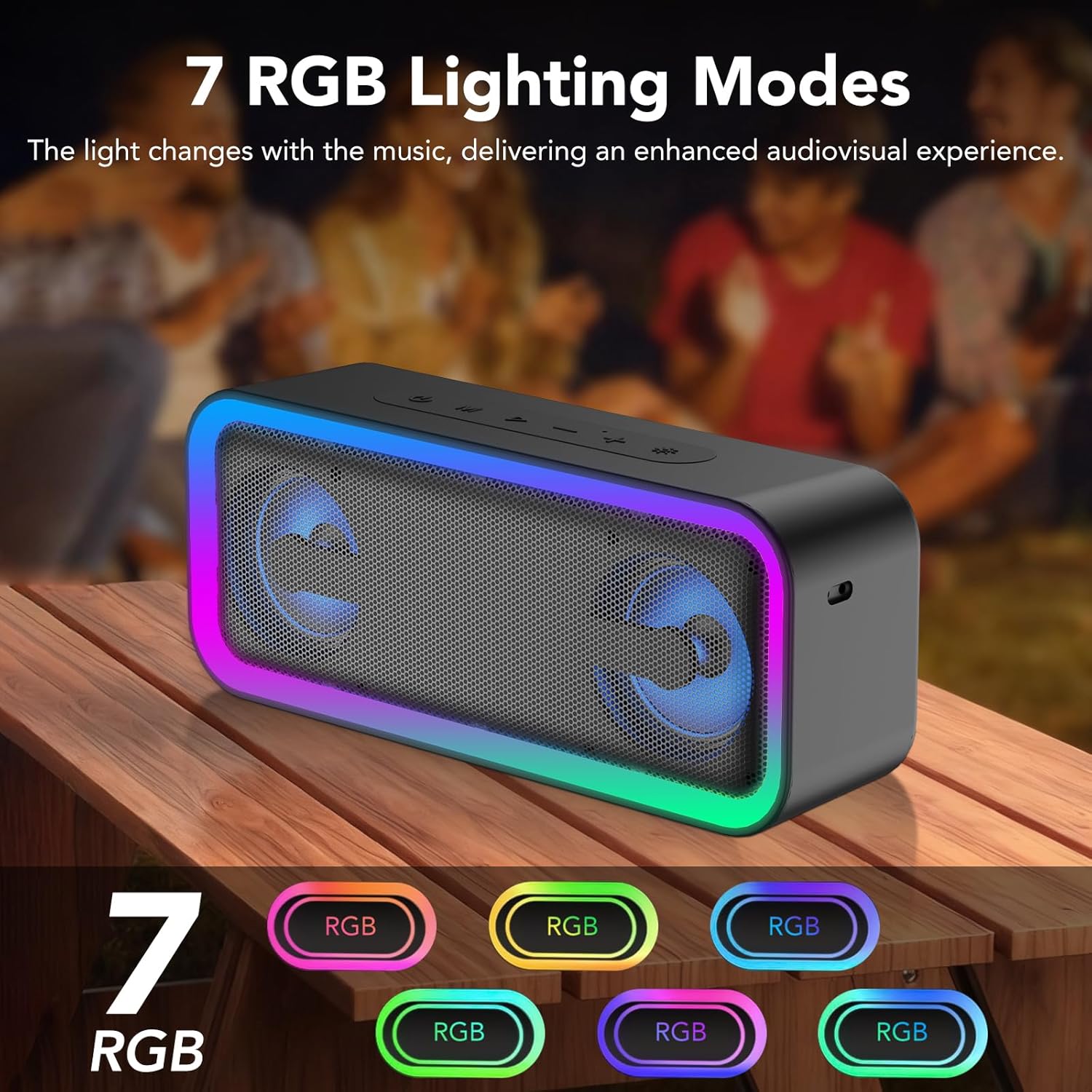
- Change Mode: Press the Light button (often indicated by a sun or lightbulb icon) once to cycle through the available RGB modes.
- Turn Off Lights: Press and hold the Light button for 3 seconds to turn off the RGB lighting. Press it again briefly to reactivate the last used mode.
3. Multi-Mode Connectivity
In addition to Bluetooth, the speaker supports TF card and AUX input.
- TF Card Playback: Insert a TF card (up to 32GB) with music files into the TF card slot. The speaker will automatically switch to TF card mode and begin playback.
- AUX Input: Connect your audio device to the speaker's AUX port using the provided 3.5mm AUX cable. The speaker will automatically switch to AUX mode.
4. Hands-Free Calling
With its built-in microphone, the speaker allows for hands-free calls when connected via Bluetooth to your smartphone.
- Answer Call: Press the Play/Pause button once.
- End Call: Press the Play/Pause button once during a call.
- Reject Call: Press and hold the Play/Pause button for 2 seconds.
Maintenance
1. Cleaning
Wipe the speaker with a soft, damp cloth. Do not use abrasive cleaners or solvents. Ensure the speaker is powered off and all ports are sealed before cleaning.
2. Water Resistance (IPX7)

The IKT S19-1 speaker is IPX7 waterproof, meaning it can be submerged in water up to 1 meter for 30 minutes. However, it is important to:
- Ensure the charging port and AUX port covers are completely sealed before exposure to water.
- Do not expose the speaker to saltwater or other chemicals, as this may damage the seals.
- Dry the speaker thoroughly after exposure to water, especially before charging.
3. Battery Care
The speaker is equipped with a built-in 4000mAh lithium battery, providing up to 30 hours of playtime (at 40% volume with lights off).
- To prolong battery life, avoid fully discharging the battery frequently.
- Store the speaker in a cool, dry place when not in use for extended periods.
- Charging in extreme temperatures can affect battery performance and lifespan.
Troubleshooting
If you encounter issues with your speaker, refer to the following common problems and solutions:
| Problem | Possible Cause | Solution |
|---|---|---|
| Speaker does not power on. | Low battery. | Charge the speaker fully. |
| Cannot pair via Bluetooth. | Speaker not in pairing mode; device Bluetooth off; too far from device. | Ensure speaker is in pairing mode. Turn Bluetooth on your device. Move speaker closer to device (within 20m). |
| No sound. | Volume too low; incorrect input mode; device not playing. | Increase speaker and device volume. Check if the correct input mode (Bluetooth, TF, AUX) is selected. Ensure audio is playing on your device. |
| TWS pairing fails. | Speakers already connected to other devices; incorrect pairing procedure. | Disconnect both speakers from any Bluetooth devices. Follow TWS pairing instructions carefully. |
| RGB lights not working. | Lights turned off. | Press the Light button briefly to reactivate. |
Specifications
Key technical specifications for the IKT Portable Bluetooth Speaker S19-1:
| Model Name | S19-1 |
| Brand | IKT |
| Connectivity Technology | Bluetooth 5.4 |
| Speaker Maximum Output Power | 30W (as per feature bullets) |
| Audio Output Mode | Stereo |
| Battery Capacity | 4000 mAh |
| Playtime | Up to 30 hours (at 40% volume with lights off) |
| Waterproof Rating | IPX7 |
| Product Dimensions | 2.2"D x 7.91"W x 3.27"H |
| Item Weight | 1.76 pounds (approx. 635g) |
| Special Features | 7 RGB Dynamic Modes, TF card slot, AUX audio input, Built-in Microphone, TWS Pairing |
Warranty and Support
The IKT Portable Bluetooth Speaker S19-1 comes with a Limited Warranty.
For warranty claims, technical support, or further assistance, please contact IKT customer service through the retailer where the product was purchased or visit the official IKT website.