
1. Introduction
This manual provides essential information for the safe operation, assembly, maintenance, and troubleshooting of your VOLPAM Electric Scooter. Please read this manual thoroughly before your first ride to ensure proper use and to maximize your riding experience. Retain this manual for future reference.
2. Safety Information
Riding an electric scooter carries inherent risks. To minimize these risks, always adhere to the following safety guidelines:
- Always wear a helmet and appropriate protective gear (knee pads, elbow pads) when riding.
- Ensure all components are securely fastened and in good working order before each ride.
- Do not ride in wet conditions, heavy rain, or through puddles deeper than 0.8 inches (2 cm).
- Avoid riding on slippery surfaces, uneven terrain, or steep inclines exceeding 15%.
- Maintain a safe distance from other vehicles, pedestrians, and obstacles.
- Obey all local traffic laws and regulations.
- Do not allow children under the age of 16 to operate the scooter.
- Do not exceed the maximum weight limit of 264 pounds (120 kg).
- Avoid sudden acceleration or braking. Use the dual braking system (E-ABS and drum brake) smoothly.
- Be aware of your surroundings and avoid distractions while riding.
- Use headlights and taillights during low-light conditions or at night to enhance visibility.
3. Package Contents
Verify that all items are present in the package:
- VOLPAM Electric Scooter
- Charging Adapter
- User Manual
- Assembly Tools (if required)
4. Setup and Assembly
Your VOLPAM Electric Scooter comes partially assembled. Follow these steps to complete the setup:
- Unfolding the Scooter: Carefully lift the stem until it locks into place. Ensure the folding mechanism is securely engaged.
- Attaching the Handlebars: Insert the handlebar into the stem. Align the handlebar with the front wheel and tighten any screws using the provided tools.
- Initial Charge: Before first use, fully charge the scooter's battery. Connect the charger to the charging port and then to a power outlet. The charging indicator will change when fully charged (approximately 4-5 hours).
5. Operating Instructions
5.1 Powering On/Off
Press and hold the power button on the handlebar display to turn the scooter on or off.
5.2 Display Overview

The high-definition full-color LCD display shows current speed, speed mode, and battery life.
The LCD display provides real-time information:
- Current Speed: Displays your speed in MPH.
- Speed Mode: Indicates the selected riding mode (Eco, Daily, Sport).
- Battery Life: Shows the remaining battery charge.
- Lighting Indicator: Shows if headlights/taillights are active.
5.3 Riding Modes

Illustration of the three adjustable speed modes: Eco, Daily, and Max Speed.
The scooter offers multiple riding modes suitable for various conditions:
- Eco Mode (7 MPH): For extended range and energy efficiency.
- Daily Mode (11 MPH): Balanced speed for everyday commuting.
- Sport Mode (19 MPH): Maximum speed for dynamic riding.
Switch between modes using the power button or via the mobile application.
5.4 Acceleration and Braking
To accelerate, gently press the throttle lever. To brake, use the brake levers on the handlebars. The scooter features a dual braking system (E-ABS and drum brake) for responsive and safe stopping.
5.5 Lighting System

The scooter's headlight and taillight ensure visibility and safety during night rides.
The scooter is equipped with a bright headlight and a warning taillight. The taillight flashes when braking to alert others. Activate lights via the display or app for improved visibility.
6. Smart APP Control
Enhance your riding experience by connecting your VOLPAM Electric Scooter to the dedicated mobile application via Bluetooth.
The mobile application allows for advanced control and monitoring of your scooter.
Through the app, you can:
- Check remaining battery level.
- Set a custom maximum speed.
- Activate or deactivate cruise control.
- Lock and unlock the scooter.
- View ride statistics and history.
Download the official VOLPAM app from your device's app store.
7. Folding and Portability
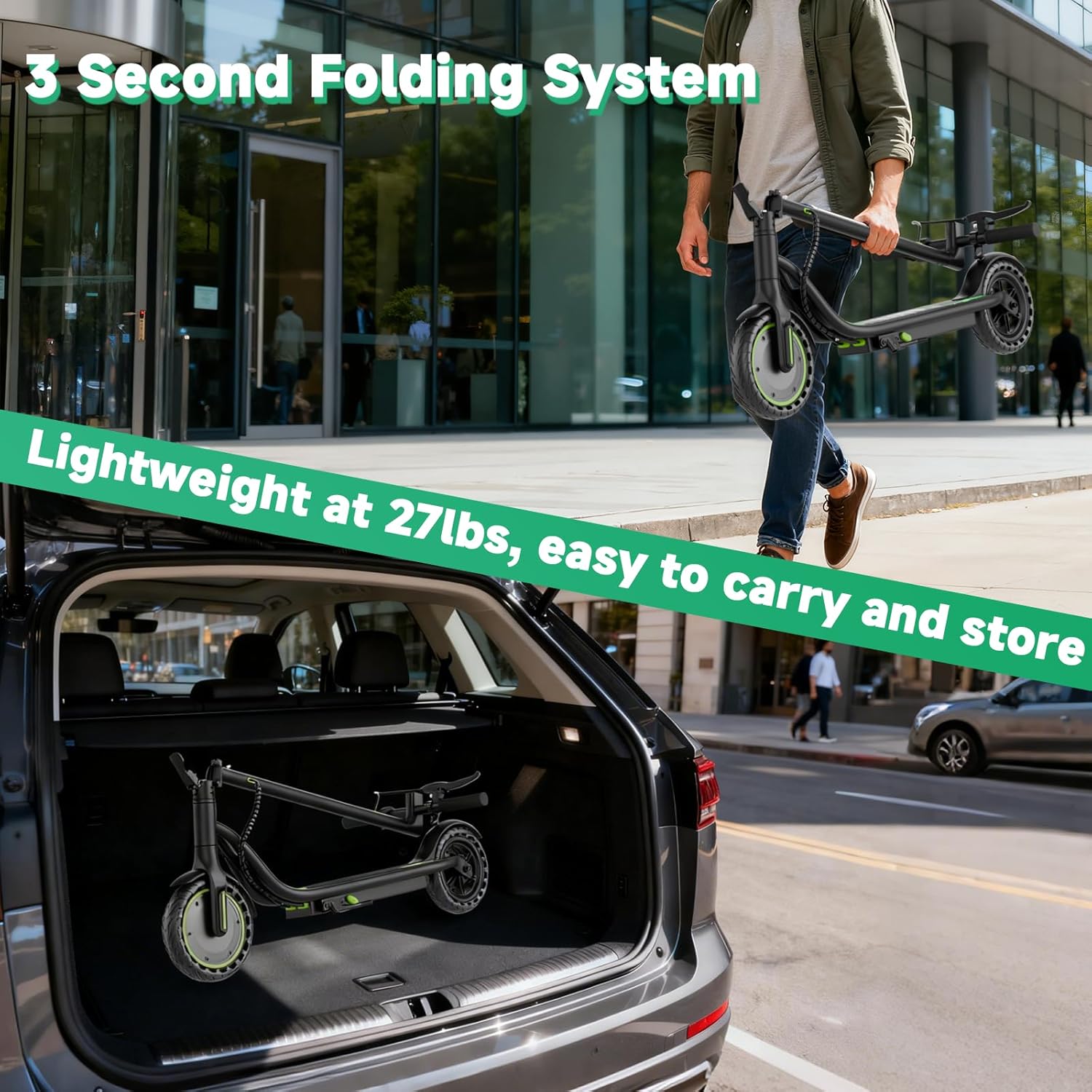
The scooter features a quick 3-second folding system for easy transport and storage.
The VOLPAM Electric Scooter is designed for convenience and portability:
- Quick Folding: The scooter can be folded in approximately 3 seconds with simple actions.
- Lightweight Design: Weighing only 28 pounds (12.7 kg), it is easy to carry.
- Compact Storage: The folded dimensions allow for easy storage in car trunks, on public transport, or in small spaces.
To fold the scooter, locate the folding mechanism near the base of the stem, release the latch, and carefully fold the stem downwards until it clicks into place.
8. Maintenance
Regular maintenance ensures the longevity and safe operation of your scooter.
- Tire Care: The 8.5-inch solid honeycomb rear tire is maintenance-free and puncture-resistant. Periodically inspect both tires for wear and tear.
- Brake System: Regularly check the dual braking system for proper function. Ensure brake levers are responsive and brake pads are not excessively worn. Adjust if necessary.
- Battery Care: Charge the battery regularly, even if the scooter is not in use, to maintain battery health. Avoid completely draining the battery. Store the scooter in a cool, dry place.
- Cleaning: Clean the scooter with a damp cloth. Do not use high-pressure water jets or immerse the scooter in water.
- Fasteners: Periodically check all screws and bolts for tightness. Tighten any loose fasteners to prevent accidents.
9. Troubleshooting
This section addresses common issues you might encounter with your VOLPAM Electric Scooter.
| Problem | Possible Cause | Solution |
|---|---|---|
| Scooter does not power on | Low battery; Loose connections; Power button malfunction | Charge the battery; Check all cable connections; Contact support if issue persists. |
| Reduced range or speed | Low battery; Overload; Tire wear; Riding conditions | Fully charge battery; Ensure rider weight is within limits; Inspect tires; Adjust riding style for conditions. |
| Brakes not effective | Worn brake pads; Loose brake cable; Brake system malfunction | Inspect and replace brake pads; Adjust brake cable tension; Contact support for brake system issues. |
| App connectivity issues | Bluetooth off; App not updated; Scooter not discoverable | Ensure Bluetooth is enabled on your device; Update the app; Restart scooter and try pairing again. |
For issues not listed here or if solutions do not resolve the problem, please contact VOLPAM customer support.
10. Specifications

Key dimensions of the VOLPAM Electric Scooter in both unfolded and folded states.
| Feature | Detail |
|---|---|
| Brand | VOLPAM |
| Model Names | Q1/Q2/SP03/SP06/SPT6/SP08/SP01 |
| Motor Power | 350W Brushless (up to 500W peak) |
| Top Speed | Up to 19 MPH (30 km/h) |
| Max Distance Range | 15-28 Miles (24-45 km) |
| Battery Charge Time | 4-5 Hours |
| Climbing Ability | 15% Incline |
| Weight Limit | 264 Pounds (120 kg) |
| Scooter Weight | Approximately 28 Pounds (12.7 kg) |
| Wheel Size | 8.5 Inches (Solid Rubber) |
| Brake Style | Dual Braking (E-ABS & Drum) |
| Frame Material | Aluminum |
| Special Features | Cruise Control, Digital Display, Foldable, Smart App Connectivity |
11. Warranty and Support
VOLPAM offers a comprehensive warranty and dedicated customer support for your electric scooter.
- Warranty Period: The VOLPAM Electric Scooter comes with a one-year warranty. Specific components may have a 12-month or 180-day warranty period.
- Customer Support: For any questions, troubleshooting assistance, or maintenance inquiries, please contact VOLPAM customer support. Our team aims to reply within 24 hours to help resolve any in-use issues.
Please refer to your purchase documentation or the official VOLPAM website for detailed warranty terms and contact information.