
1. Introduction
Thank you for choosing the Energizer X-400 Rechargeable Pen Light Flashlight. This compact and durable penlight is designed for everyday use, providing bright and reliable illumination. This manual provides essential information for the safe and efficient operation of your new device. Please read it thoroughly before use and retain it for future reference.
2. Safety Information
Always follow basic safety precautions when using electrical products to reduce the risk of fire, electric shock, and personal injury.
- Do not look directly into the LED light.
- Keep out of reach of children.
- Do not disassemble or modify the flashlight. This may cause damage and void the warranty.
- Use only the provided charging cable or a compatible micro-USB cable.
- Avoid exposing the flashlight to extreme temperatures or direct sunlight for prolonged periods.
- Ensure the charging port cover is securely closed when not charging to maintain water resistance.
3. Package Contents
Verify that all items are present in your package:
- 1 x Energizer X-400 Rechargeable Pen Light Flashlight
- 1 x USB Charging Cable

Image: The Energizer X-400 Pen Light shown alongside its included USB charging cable.
4. Setup
4.1 Initial Charging
Before first use, fully charge your Energizer X-400 Pen Light. The device is equipped with a Lithium-Ion battery.
- Locate the micro-USB charging port on the flashlight, typically covered by a protective red or green slider/cap.
- Gently slide or lift the cover to expose the charging port.
- Insert the small end of the provided USB charging cable into the flashlight's port.
- Connect the larger end of the USB cable to a standard USB power source (e.g., computer, wall adapter, power bank).
- The charging indicator light will illuminate (color may vary) to show that the device is charging.
- Once fully charged, the indicator light will change or turn off. Disconnect the cable and securely close the charging port cover to maintain water resistance.
Image: The Energizer X-400 Pen Light with the USB charging cable connected to its port.
5. Operating Instructions
5.1 Power On/Off and Mode Selection
The Energizer X-400 Pen Light features a single rear button for controlling power and light modes.
- To Turn On: Press the rear button once. The flashlight will typically turn on in High mode.
- To Change Modes: While the flashlight is on, press the button again to cycle through modes: High (400 lumens) → Low (125 lumens) → Strobe.
- To Turn Off: Press the button after cycling through all modes, or if the light has been in one mode for several seconds, a single press will turn it off.
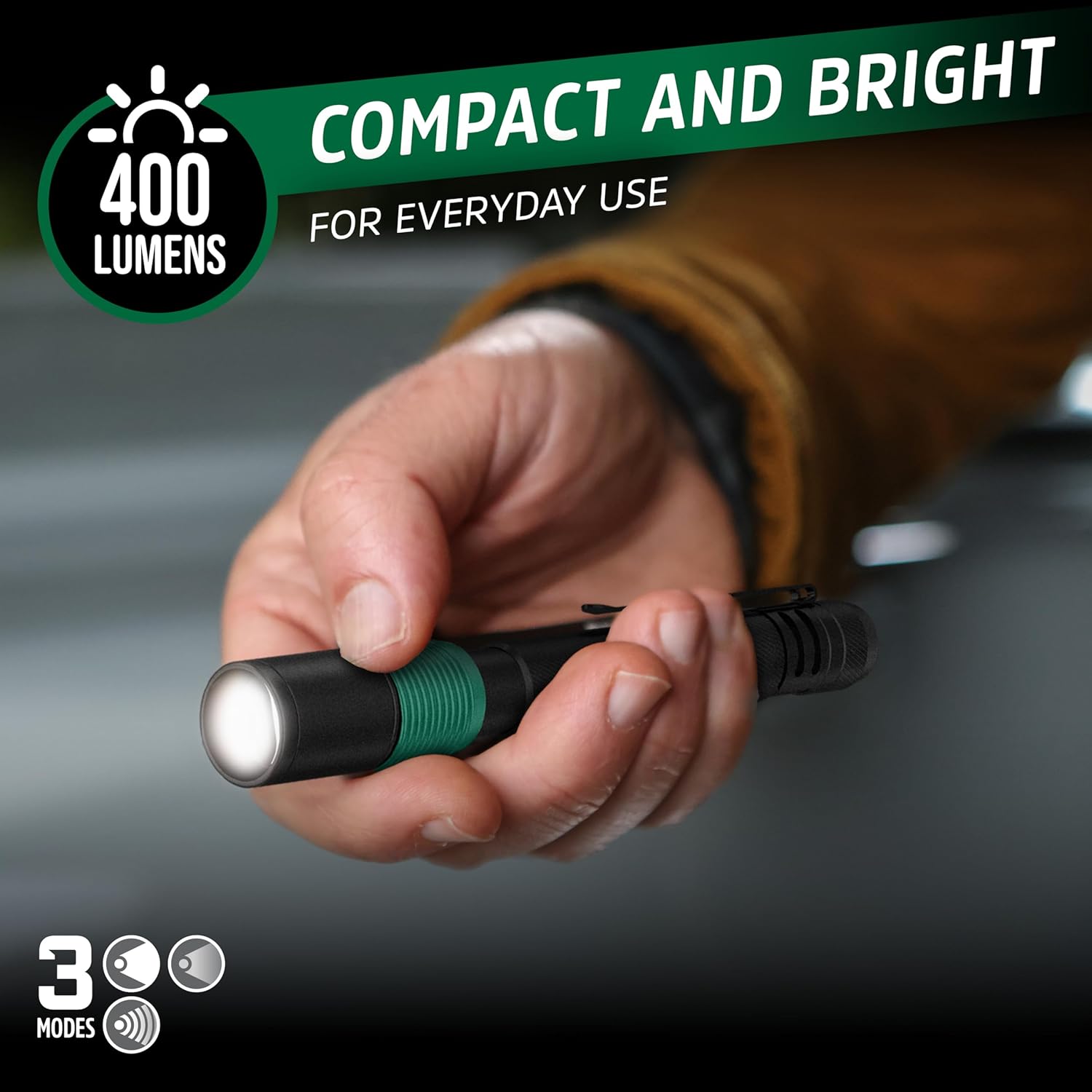
Image: A hand holding the Energizer X-400 Pen Light, demonstrating its illumination.
5.2 Practical Applications
The compact size and powerful beam make the X-400 suitable for various tasks.

Image: A person using the Energizer X-400 Pen Light to illuminate a car engine compartment, highlighting its utility for detailed inspection.

Image: A person using the Energizer X-400 Pen Light to provide light inside a dark kitchen cabinet, illustrating its use for close-up tasks.
5.3 Product Overview Video
Video: This video demonstrates the compact size and portability of the Energizer Pen Light, showing how it can be easily clipped onto a backpack for convenient access during activities like cycling.
5.4 Usage Scenarios Video
Video: This video illustrates various practical uses of the Energizer Pen Light, including roadside assistance and setting up camp in low-light conditions, highlighting its brightness and ease of use.
6. Maintenance
6.1 Cleaning
To ensure optimal performance and longevity, keep your flashlight clean.
- Wipe the exterior of the flashlight with a soft, damp cloth.
- Do not use abrasive cleaners or solvents, as these can damage the finish or internal components.
- Ensure the charging port is free of dust and debris. Use a dry, soft brush if necessary.
6.2 Storage
When not in use for extended periods, store the flashlight in a cool, dry place. It is recommended to partially charge the battery every few months to maintain battery health.
7. Troubleshooting
If you encounter issues with your Energizer X-400 Pen Light, refer to the following common problems and solutions:
| Problem | Possible Cause | Solution |
|---|---|---|
| Flashlight does not turn on. | Battery is depleted. | Charge the flashlight using the provided USB cable. |
| Flashlight does not charge. | Charging cable or power source issue; charging port obstructed. | Try a different USB cable or power source. Ensure the charging port is clean and the cable is fully inserted. |
| Light output is dim. | Low battery; lens is dirty. | Recharge the flashlight. Clean the lens with a soft cloth. |
| Flashlight gets hot during use. | Normal operation for high brightness; prolonged use. | This can be normal. If it becomes excessively hot or emits smoke, discontinue use immediately and contact support. |
8. Specifications
Key technical details for the Energizer X-400 Pen Light:
- Model Name: Energizer Rechargeable Penlight, 400 Lumens
- Light Output: 400 Lumens (High), 125 Lumens (Low)
- Beam Distance: Up to 40 meters
- Run Time: 1 hour (High), 3 hours (Low)
- Power Source: Battery Powered (1 Nonstandard Lithium Ion Battery, included)
- Light Source Type: LED
- Material: Metal (Aircraft Grade Aluminum)
- Water Resistance Level: IPX4 Water Resistant
- Impact Resistance: Up to 1 meter
- Product Dimensions: 1.85"D x 1.85"W x 6.89"H
- Included Components: Charging Cable
- Manufacturer: Energizer
- Model Number: 039800148674

Image: An infographic highlighting key features of the Energizer X-400 Pen Light, including its IPX4 water resistance, rechargeable capability, versatile clip, compact size, and durable aircraft-grade aluminum construction.
9. Warranty Information
This Energizer product is covered by a manufacturer's warranty. For specific details regarding warranty coverage, terms, and conditions, please refer to the documentation included with your purchase or visit the official Energizer website. Please retain your proof of purchase for warranty claims.
10. Customer Support
For further assistance, technical support, or inquiries regarding your Energizer X-400 Pen Light, please visit the official Energizer website or contact their customer service department. Contact information can typically be found on the product packaging or the brand's official online presence.


