
Introduction
This manual provides instructions for the BoxWave miniSync USB-A to USB Type-C Retractable Cable. It covers setup, operation, maintenance, troubleshooting, and product specifications to ensure proper and safe use of your cable.
Setup
Upon receiving your BoxWave miniSync cable, inspect it for any visible damage. The cable is designed for immediate use without complex setup procedures.
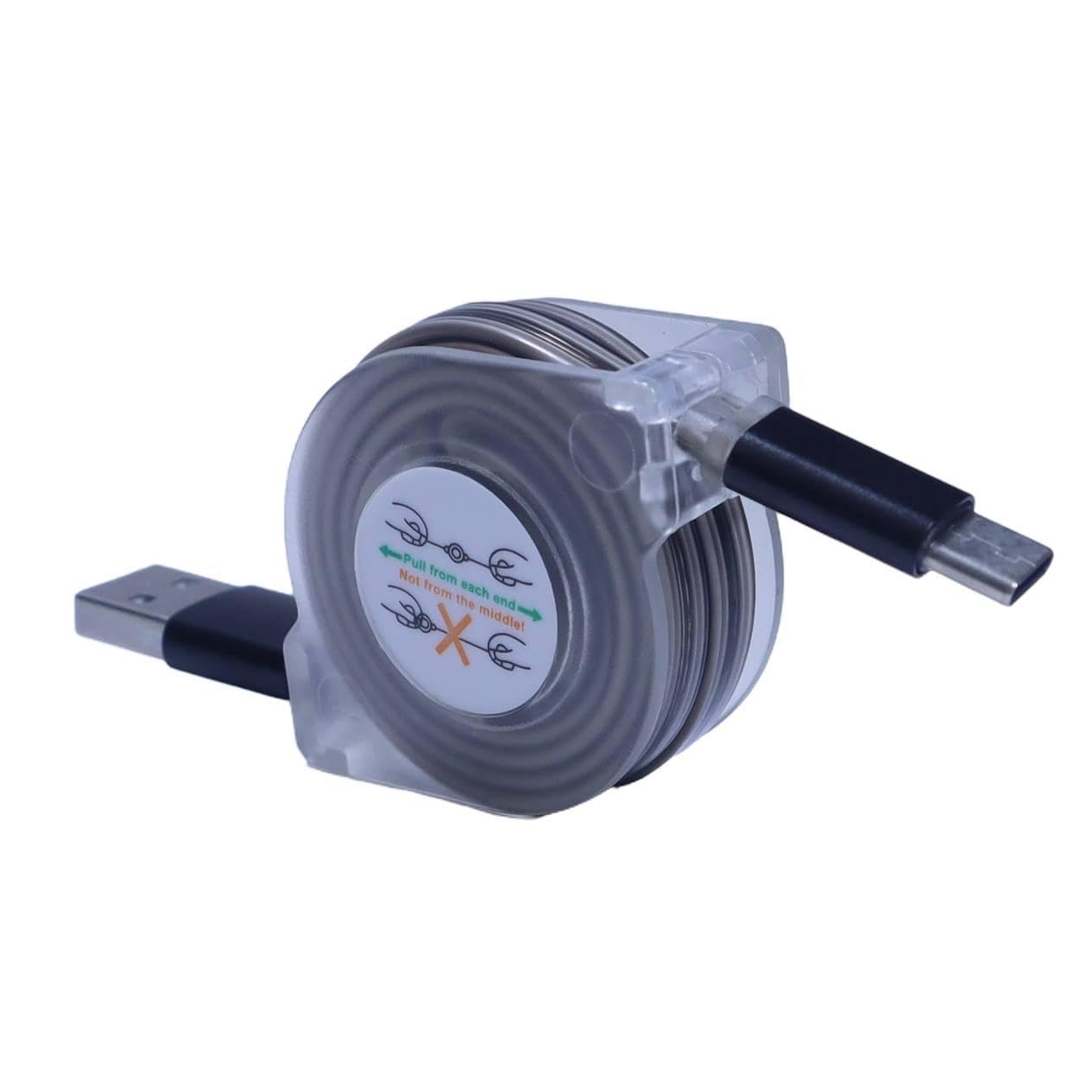
Image: The BoxWave miniSync retractable cable in its compact form, ready for use.
The miniSync cable features a unique retraction mechanism. To extend, gently pull both ends simultaneously. To retract, give a slight tug on both ends, and the cable will coil back into its compact housing.
Operating Instructions
Extending and Retracting the Cable
To extend the miniSync cable, grasp both the USB-A and USB Type-C connectors and gently pull them away from the central housing. The cable will lock into one of five pre-set lengths, extending up to 37 inches (93 cm). To retract, pull both ends slightly further apart, then release, allowing the cable to coil back into the housing automatically.

Image: Demonstrating the extension of the miniSync cable by pulling both ends.
Charging Your Device
Connect the USB-A end of the miniSync cable to a compatible USB power adapter or a computer's USB-A port. Connect the USB Type-C end to your device's charging port. The cable supports charging up to 15W.
Data Synchronization
For data transfer, connect the USB-A end of the miniSync cable to a computer's USB-A port. Connect the USB Type-C end to your device. The cable supports high-speed USB 2.0 data transfers for efficient file synchronization.

Image: The miniSync cable facilitating connection between a laptop and a smartphone.
Maintenance
To ensure the longevity and optimal performance of your miniSync cable, follow these maintenance guidelines:
- Cleaning: Keep the cable clean and free from dust and debris. Use a soft, dry cloth for cleaning. Avoid using harsh chemicals or abrasive materials.
- Storage: Always store the cable in its fully retracted, compact form when not in use. This prevents tangles and protects the cable from damage.
- Handling: When extending or retracting, pull both ends evenly and gently. Avoid applying excessive force or pulling only one end, as this can damage the internal retraction mechanism.
- Environment: Avoid exposing the cable to extreme temperatures, direct sunlight, or moisture.

Image: Storing the compact miniSync cable in a pocket.
Troubleshooting
If you encounter issues with your miniSync cable, consider the following troubleshooting steps:
- Device Not Charging or Syncing:
- Verify Connections: Ensure both the USB-A and USB Type-C connectors are fully and securely inserted into their respective ports on your power source/computer and device.
- Test Power Source/Port: Try connecting the miniSync cable to a different USB power adapter or a different USB-A port on your computer.
- Device Compatibility: Confirm that your device is compatible with USB Type-C charging and data transfer.
- Cable Integrity: Inspect the cable for any visible signs of damage. If damage is present, discontinue use.
- Retraction Mechanism Issues: If the cable does not extend or retract smoothly, ensure you are pulling both ends simultaneously and evenly. Avoid twisting the cable during extension or retraction.
Specifications
| Feature | Detail |
|---|---|
| Model | miniSync |
| Connectors | USB-A to USB Type-C |
| Retracted Length | Approximately 4 inches (10 cm) |
| Extended Length | Up to 37 inches (93 cm) |
| Data Transfer Speed | High-speed USB 2.0 |
| Charging Power | Up to 15W |
| Material | Durable high-quality polycarbonate, heavy-duty ribbon-style cable |
| Item Weight | 1.2 ounces (34 grams) |
Warranty and Support
For detailed warranty information regarding your BoxWave miniSync cable, please refer to the official BoxWave website or the product packaging. For technical support or further assistance, please contact BoxWave customer service directly through their official channels.