
1. Introduction
This user manual provides essential information for the proper setup, operation, maintenance, and troubleshooting of your Generic Flipper Zero 2 AMZ-US2 Programming Machine. Please read this manual thoroughly before using the device to ensure safe and efficient operation. This device is designed for programming tasks and is compatible with the Flipper Zero 2.
2. Safety Information
- Always handle the device with care to prevent damage.
- Ensure the device is used in a clean, dry environment, away from extreme temperatures and humidity.
- Do not attempt to disassemble or modify the device unless specifically instructed by a qualified technician. Unauthorized modifications can void the warranty and pose safety risks.
- Before connecting the device, verify that all power sources and cables meet the required specifications.
- This product is manufactured in China.
3. Package Contents
Upon opening the package, please verify that all components are present and undamaged. The package should contain:
- 1 x Generic Flipper Zero 2 AMZ-US2 Programming Machine (Main Unit)
- Any necessary connecting cables or accessories (refer to product packaging for a complete list).
If any items are missing or damaged, please contact your retailer immediately.
4. Product Overview
The Generic Flipper Zero 2 AMZ-US2 Programming Machine is a dedicated device designed to facilitate programming tasks, specifically compatible with the Flipper Zero 2. It is a compact unit weighing approximately 0.5 kilograms.
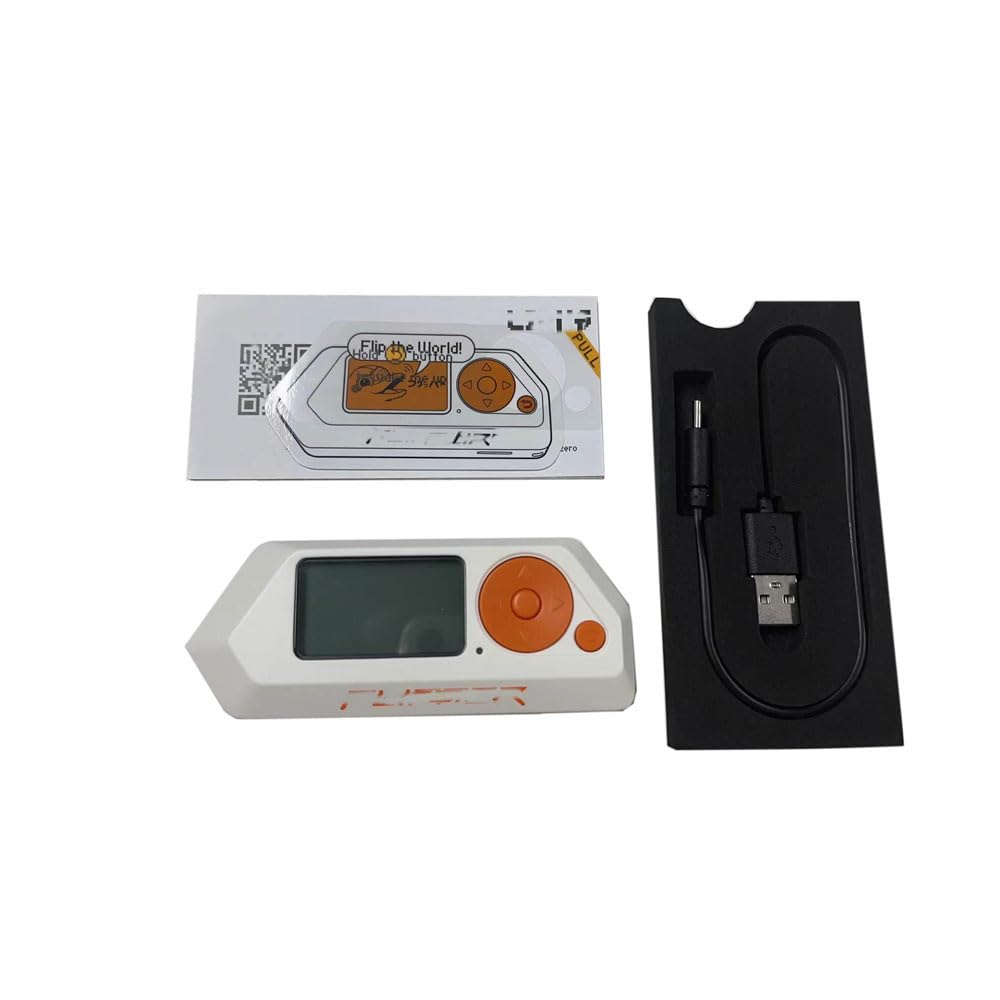
Image 1: Generic Flipper Zero 2 AMZ-US2 Programming Machine. This image displays the compact design of the programming machine.
Key characteristics:
- Model Name: Flipper Zero 2 AMZ-US2
- Specific Uses: Programming
- Compatible Devices: Flipper Zero 2
- Features: Does not include webcam capability or Bluetooth support.
- RAM Type: DDR4 SDRAM (Note: This specification refers to the type of RAM supported by the compatible system, not necessarily integrated into this specific programming machine unit itself, if it is a replacement part.)
5. Setup
Before proceeding with setup, it is crucial to ensure compatibility. Please carefully check your laptop model or the product part number of the device you intend to use this programming machine with, especially if it is a replacement component.
- Unpack the Device: Carefully remove the programming machine from its packaging.
- Identify Connection Points: Locate the appropriate ports or connection points on your Flipper Zero 2 device or host system where the programming machine will interface.
- Connect Cables: Connect any necessary cables (e.g., USB, data cables) from the programming machine to your Flipper Zero 2 or computer. Ensure connections are secure.
- Power On: If the programming machine requires external power, connect it to a suitable power source. Then, power on your Flipper Zero 2 and the programming machine.
- Driver Installation (if applicable): Your operating system may require specific drivers for the programming machine. Refer to the Flipper Zero 2 documentation or the programming software's instructions for driver installation procedures.
Important Note: If this programming machine is a replacement part for an internal component, professional installation is highly recommended to avoid damage to your Flipper Zero 2 or host system.
6. Operating
Once the Generic Flipper Zero 2 AMZ-US2 Programming Machine is properly set up and connected, you can begin your programming tasks. The operation of this machine is typically integrated with the Flipper Zero 2's software environment.
- Launch Programming Software: Open the relevant programming software or interface on your computer or directly on the Flipper Zero 2, if applicable.
- Select Device: Within the software, select the connected programming machine or Flipper Zero 2 as the target device for your programming operations.
- Execute Programming Tasks: Follow the specific instructions provided by your programming software or the Flipper Zero 2 documentation to perform desired programming functions, such as flashing firmware, reading/writing data, or debugging.
- Monitor Progress: Observe the software interface for progress indicators and status messages during programming.
- Disconnect Safely: After completing programming, ensure all operations are finished and then safely disconnect the device according to software prompts or operating system guidelines.
For detailed programming procedures and specific software functionalities, refer to the official Flipper Zero 2 documentation and the documentation for your chosen programming software.
7. Maintenance
Proper maintenance ensures the longevity and optimal performance of your programming machine.
- Cleaning: Use a soft, dry, lint-free cloth to gently wipe the exterior of the device. Avoid using harsh chemicals, solvents, or abrasive materials.
- Storage: When not in use, store the programming machine in a cool, dry place, away from direct sunlight and extreme temperatures. Keep it protected from dust and physical impacts.
- Cable Care: Inspect cables regularly for any signs of wear or damage. Replace damaged cables immediately to prevent electrical hazards or connectivity issues.
- Firmware Updates: Periodically check for firmware updates for your Flipper Zero 2 and associated programming software, as these may include performance improvements or bug fixes relevant to the programming machine's operation.
8. Troubleshooting
If you encounter issues with your Generic Flipper Zero 2 AMZ-US2 Programming Machine, refer to the following common troubleshooting steps:
- Device Not Recognized:
- Ensure all cables are securely connected.
- Try connecting to a different USB port or computer.
- Verify that necessary drivers are installed correctly.
- Restart your computer and Flipper Zero 2.
- Programming Errors:
- Confirm that the correct programming software and settings are being used for your Flipper Zero 2.
- Check the integrity of the firmware or data files you are attempting to program.
- Ensure the Flipper Zero 2 has sufficient power during programming.
- Intermittent Connectivity:
- Inspect cables for damage and replace if necessary.
- Avoid electromagnetic interference from other electronic devices.
- Physical Damage: If you suspect physical damage, especially after disassembly, it is recommended to send pictures to the seller or a qualified technician for verification before attempting further repairs.
If problems persist, consult the Flipper Zero 2 community forums or contact customer support.
9. Specifications
| Feature | Detail |
|---|---|
| Brand | Generic |
| Model Name | Flipper Zero 2 AMZ-US2 |
| Model Number | For Flipper Zero 2 AMZ-US2 |
| Item Weight | 0.5 Kilograms |
| Specific Uses | Programming |
| Compatible Devices | Flipper Zero 2 |
| RAM Type | DDR4 SDRAM (Note: Refers to compatible system RAM type) |
| Webcam Capability | No |
| Bluetooth Support | No |
| Unit Count | 1.0 Count |
| Manufacturer | Generic |
| ASIN | B0G22ZFMGF |
10. Warranty and Support
This Generic Flipper Zero 2 AMZ-US2 Programming Machine comes with a limited warranty.
- Warranty Period: The product is covered by a 3-month warranty from the date of purchase. This warranty typically covers manufacturing defects.
- Claiming Warranty: For warranty claims or technical support, please refer to the warranty card included with your product or contact the seller directly through your purchase platform.
- Exclusions: The warranty does not cover damage caused by misuse, accidents, unauthorized modifications, or improper installation.
For further assistance, please retain your proof of purchase.