
1. Introduction
Thank you for choosing the syitren N200 Bluetooth Speaker. This manual provides essential information for setting up, operating, and maintaining your device. Please read it thoroughly before use to ensure optimal performance and longevity.
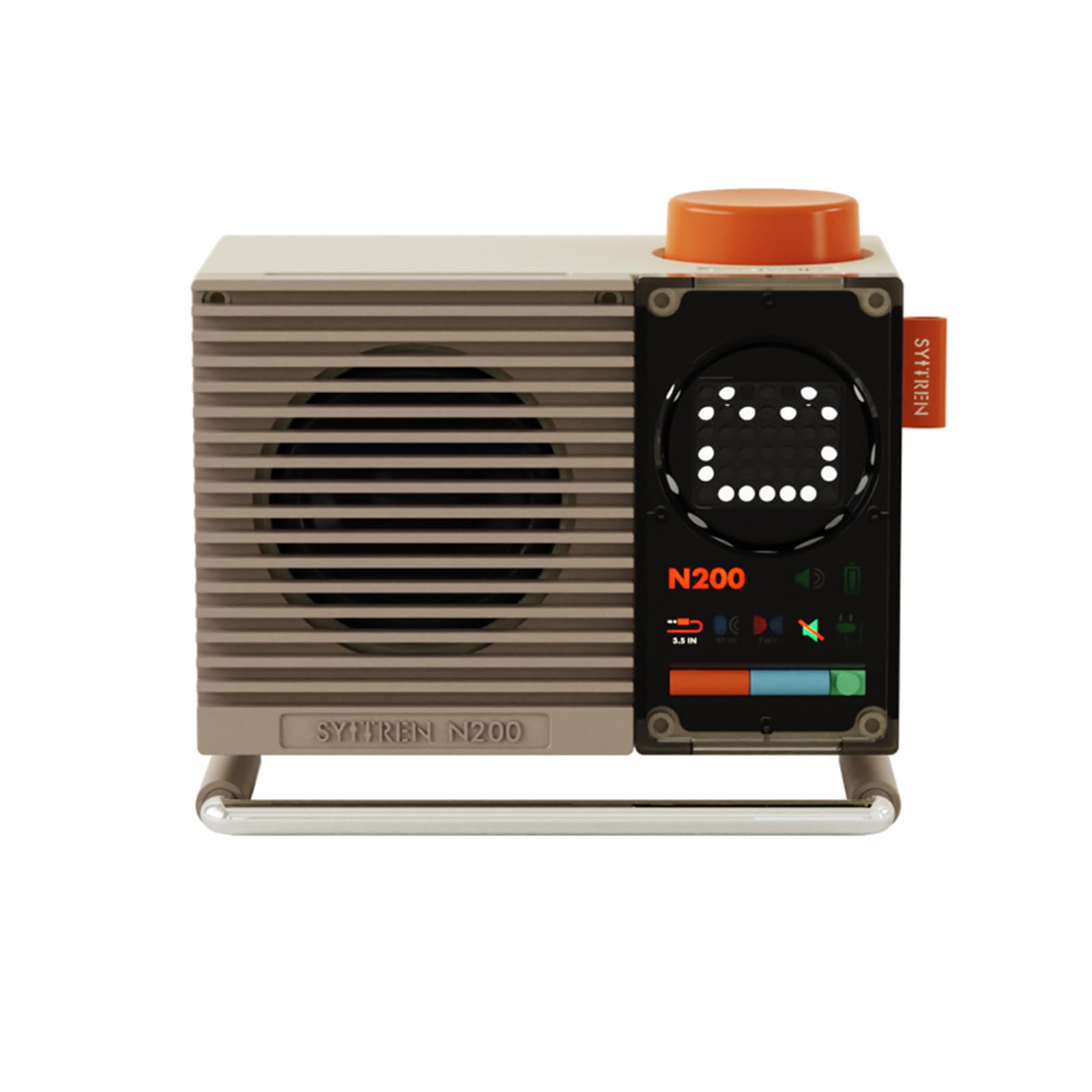
Image: Front view of the syitren N200 Bluetooth Speaker.
2. What's in the Box
Upon unboxing your syitren N200 Bluetooth Speaker, please verify that all the following items are included:
- syitren N200 Bluetooth Speaker
- Power Cable (USB-C)
- Quick Start Guide (This manual)

Image: Diagram showing the syitren N200 speaker, USB-C charging cable, and product manual.
3. Product Features
- Modern Aesthetic: Cream-white body with an orange knob, designed for a retro-modern look.
- Clear Dot-Matrix Display: Front display shows volume, mode, and battery status.
- Compact Yet Powerful Sound: Features a sealed acoustic chamber, 2-inch full-range Hi-Fi driver, and passive radiator for enhanced audio.
- Adjustable Metal Stand: Allows for angle adjustment to optimize sound direction.
- Portable Design: Built-in rechargeable battery for flexible indoor and outdoor use.

Image: Close-up of the syitren N200 highlighting the concave knob and color scheme.

Image: Detailed view of the dot-matrix display and status indicators on the syitren N200.

Image: The syitren N200 speaker showcasing its adjustable metal stand for optimal sound projection.
4. Setup and Basic Operation
4.1 Power On/Off
- To Power On: Long press the volume knob (orange knob on top) until the dot-matrix screen lights up.
- To Power Off: Long press the volume knob again.
Note: If there is no audio input for 18 minutes, the device will automatically shut down to conserve battery.
4.2 Button Functions
The syitren N200 features intuitive controls:
- Orange Button (Volume Knob): Long press for Power On/Off. Rotate to adjust volume.
- Orange Mode Button (Bottom Left): Short press to switch between AUX input mode and Type-C input mode.
- Blue Mode Button (Bottom Middle): Short press to switch to Bluetooth mode. Long press to disconnect Bluetooth.
- Green Mode Button (Bottom Right): Short press to cycle through display modes (volume, battery level, sound wave). Long press to enter silent mode.
Image: Close-up of the syitren N200 showing the volume knob and control buttons.
5. Connectivity
5.1 Bluetooth Pairing
- Power on the syitren N200 speaker.
- Short press the blue mode button to enter Bluetooth pairing mode. The Bluetooth icon on the display will flash.
- On your mobile device (smartphone, tablet, laptop), enable Bluetooth and search for "SYITREN N200".
- Select "SYITREN N200" to connect. A notification sound will play upon successful pairing, and the Bluetooth icon will remain solid.
Video: Official syitren N200 Bluetooth Speaker User Manual Video, demonstrating various functions including Bluetooth pairing.
5.2 Wired Connection (AUX / Type-C)
The syitren N200 supports both AUX and Type-C wired audio input.
- Type-C Connection: Connect your device (e.g., PC) to the speaker's 5V2A/USB port using a USB-C cable. The speaker will default to Type-C input.
- AUX Connection: Connect your device (e.g., MP3 player, iPod) to the speaker's AUX IN port using a 3.5mm audio cable.
- Switching Modes: If both Type-C and AUX are connected, short press the orange mode button to switch between them. The wired indicator light will be on when in wired mode.
Video: Instructions on how to connect the syitren R400 CD player to the N200 speaker via wired connection.
Video: Instructions on how to connect the syitren R300 CD player to the N200 speaker via wired connection.
5.3 TWS (True Wireless Stereo) Pairing
To achieve stereo sound, two syitren N200 speakers can be paired wirelessly via TWS mode. Ensure both speakers are powered on and within approximately 10 meters of each other.
- On the first N200 speaker (main unit), long press the orange mode button. The display will show "L".
- On the second N200 speaker (auxiliary unit), long press the blue mode button. The display will show "R".
- The speakers will automatically enter TWS pairing mode. Upon successful pairing, the TWS indicator light will illuminate, and the main unit will display "L" while the auxiliary unit displays "R".
Note: TWS mode only supports Bluetooth input. If no search is conducted within two minutes, the TWS mode will automatically exit.
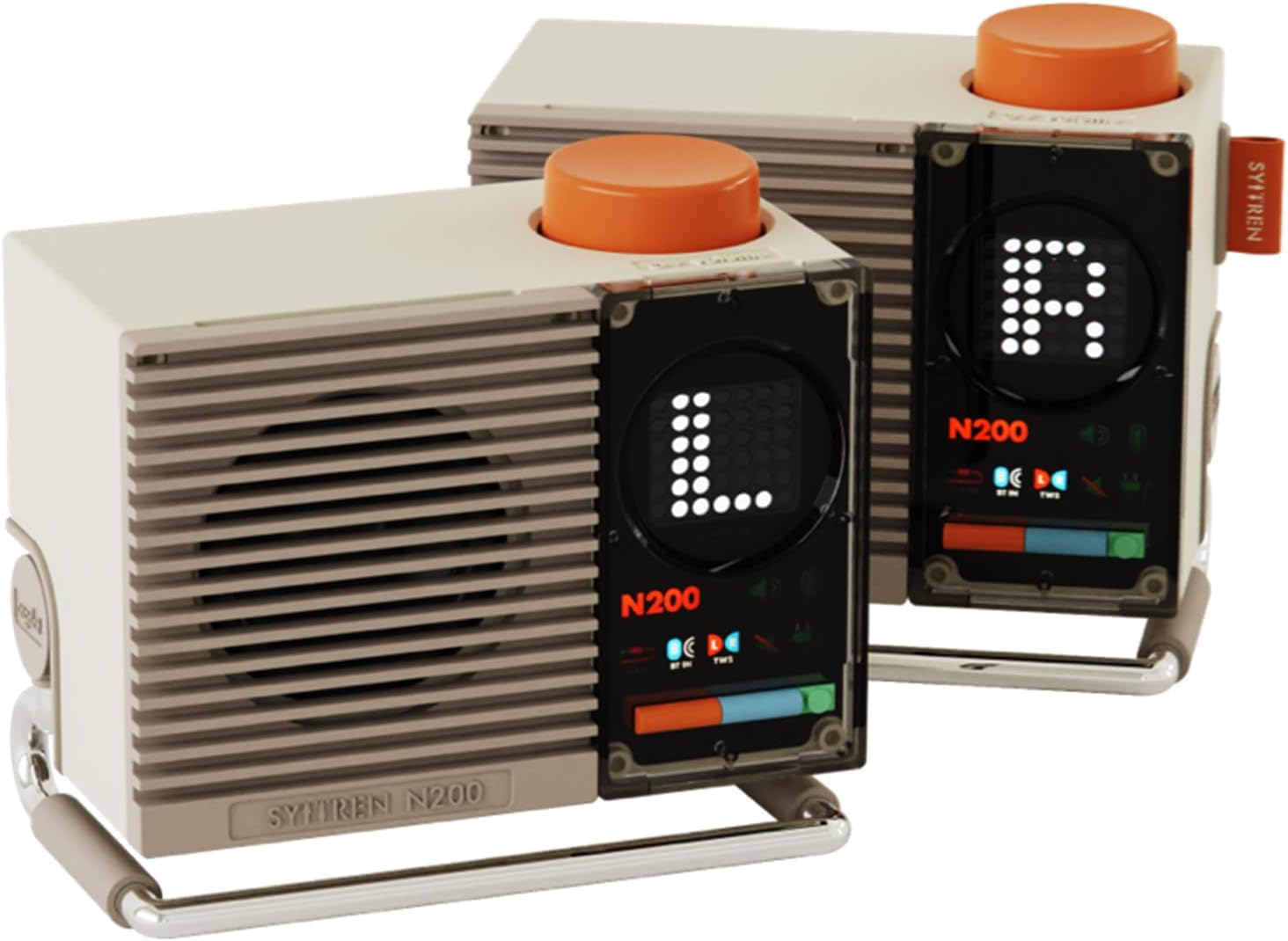
Image: Two syitren N200 speakers set up for True Wireless Stereo (TWS) pairing.
6. Charging
To charge your syitren N200 speaker:
- Insert the provided USB-C charging cable into the 5V2A/USB port at the rear of the speaker.
- Connect the other end of the cable to a compatible USB power adapter (not included).
- The indicator light will be red while charging and turn green when fully charged.

Image: Rear view of the syitren N200 speaker, showing the USB-C charging port and other connections.
7. Specifications
| Feature | Detail |
|---|---|
| Brand | syitren |
| Model Number | N200 |
| Connectivity Technology | Bluetooth |
| Bluetooth Version | 5.3 |
| Speaker Maximum Output Power | 10 Watts |
| Frequency Response | 170 Hz - 20,000 Hz (20 KHz) |
| Signal-to-Noise Ratio | 95 dB |
| Audio Driver Type | Dynamic Driver (2-inch full range) |
| Battery Capacity | 1800 mAh |
| Battery Average Life | 8 Hours |
| Charging Time | 1.5 - 2 Hours |
| Control Method | Touch (Knob and Buttons) |
| Item Dimensions (D x W x H) | 5.2"D x 2.91"W x 4.25"H |
| Net Weight | 489 g |
| Enclosure Material | Plastic |
| Color | White |
| Water Resistance Level | Not Water Resistant |
8. Maintenance
To ensure the longevity and optimal performance of your syitren N200 Bluetooth Speaker, follow these maintenance guidelines:
- Cleaning: Use a soft, dry cloth to clean the exterior of the speaker. Avoid using abrasive cleaners, solvents, or strong chemicals.
- Storage: Store the speaker in a cool, dry place away from direct sunlight, extreme temperatures, and high humidity.
- Handling: Handle the speaker with care. Avoid dropping it or subjecting it to strong impacts.
- Water Exposure: This device is not water resistant. Avoid exposing it to water or other liquids.
9. Troubleshooting
If you encounter any issues with your syitren N200 Bluetooth Speaker, try the following troubleshooting steps:
- No Power: Ensure the speaker is fully charged. Connect it to a power source using the USB-C cable.
- Cannot Pair Bluetooth: Make sure the speaker is in Bluetooth pairing mode (flashing Bluetooth icon). Check that your device's Bluetooth is enabled and within range. Try restarting both the speaker and your device.
- No Sound: Check the volume levels on both the speaker and your connected device. Ensure the correct input mode (Bluetooth, AUX, or Type-C) is selected.
- TWS Pairing Issues: Ensure both N200 speakers are powered on and within range. Follow the TWS pairing steps carefully, ensuring one is set as the main unit ("L") and the other as the auxiliary unit ("R").
- Factory Reset: If problems persist, long press the RESET button on the back of the speaker to perform a factory data reset. This will clear all settings and connections.
10. Warranty and Support
The syitren N200 Bluetooth Speaker comes with a 1-Year Manufacturer's Limited Warranty. This warranty covers defects in materials and workmanship under normal use.
For warranty claims or technical support, please contact syitren customer service through their official website or the retailer where you purchased the product. Keep your proof of purchase for warranty validation.


