
Introduction
This manual provides detailed instructions for the assembly, use, and maintenance of your NEWBULIG 31.5-inch Small Computer Desk. Please read all instructions carefully before assembly and use to ensure proper function and safety. Keep this manual for future reference.
Safety Information
Always ensure that the total weight placed on the desk does not exceed 176 lbs (80 kg). Use caution when assembling the desk, as the metal frame and steel structure can cause injury if not handled properly. Always follow the included instructions for safe assembly. Do not stand or sit on the desk. Keep small parts away from children during assembly.
Package Contents
Before beginning assembly, verify that all parts listed below are present and undamaged. If any parts are missing or damaged, please contact customer support.
- Desktop Panel (1)
- Left Leg Frame (1)
- Right Leg Frame (1)
- X-shaped Crossbars (2)
- Assembly Hardware (screws, washers, Allen wrench)
- Instruction Manual (1)
Setup and Assembly
Assembly typically takes less than 30 minutes. Follow these steps carefully:
- Unpack Components: Carefully remove all parts from the packaging and lay them out on a clean, soft surface to prevent scratches.
- Attach Crossbars: Connect the X-shaped crossbars to the pre-drilled holes on the leg frames using the provided screws. Initially, tighten screws to about 50% to allow for adjustments.
Video: How to Assemble the NEWBULIG Computer Desk. This video shows the step-by-step process of assembling the desk frame and attaching the desktop.
- Secure Leg Frames: Once the crossbars are in place, fully tighten all screws on the leg frames and crossbars. Ensure the frame is stable and level.
- Attach Desktop: Place the desktop panel upside down on a soft surface. Align the assembled leg frame with the pre-drilled holes on the underside of the desktop. Secure the desktop to the frame using the remaining screws.
- Final Check: Carefully flip the desk upright. Ensure all connections are secure and the desk is stable.

Image: Key structural components of the NEWBULIG desk, highlighting the premium MDF board, X-shaped stability structure, and durable metal frames.
Operating Instructions
Your NEWBULIG computer desk is designed for versatile use in various environments.
- Placement: Position the desk on a flat, stable surface to prevent wobbling.
- Weight Capacity: Do not exceed the maximum weight capacity of 176 lbs (80 kg) to ensure stability and prevent damage.
- Intended Use: This desk is suitable for home offices, study areas, gaming setups, and general writing tasks.
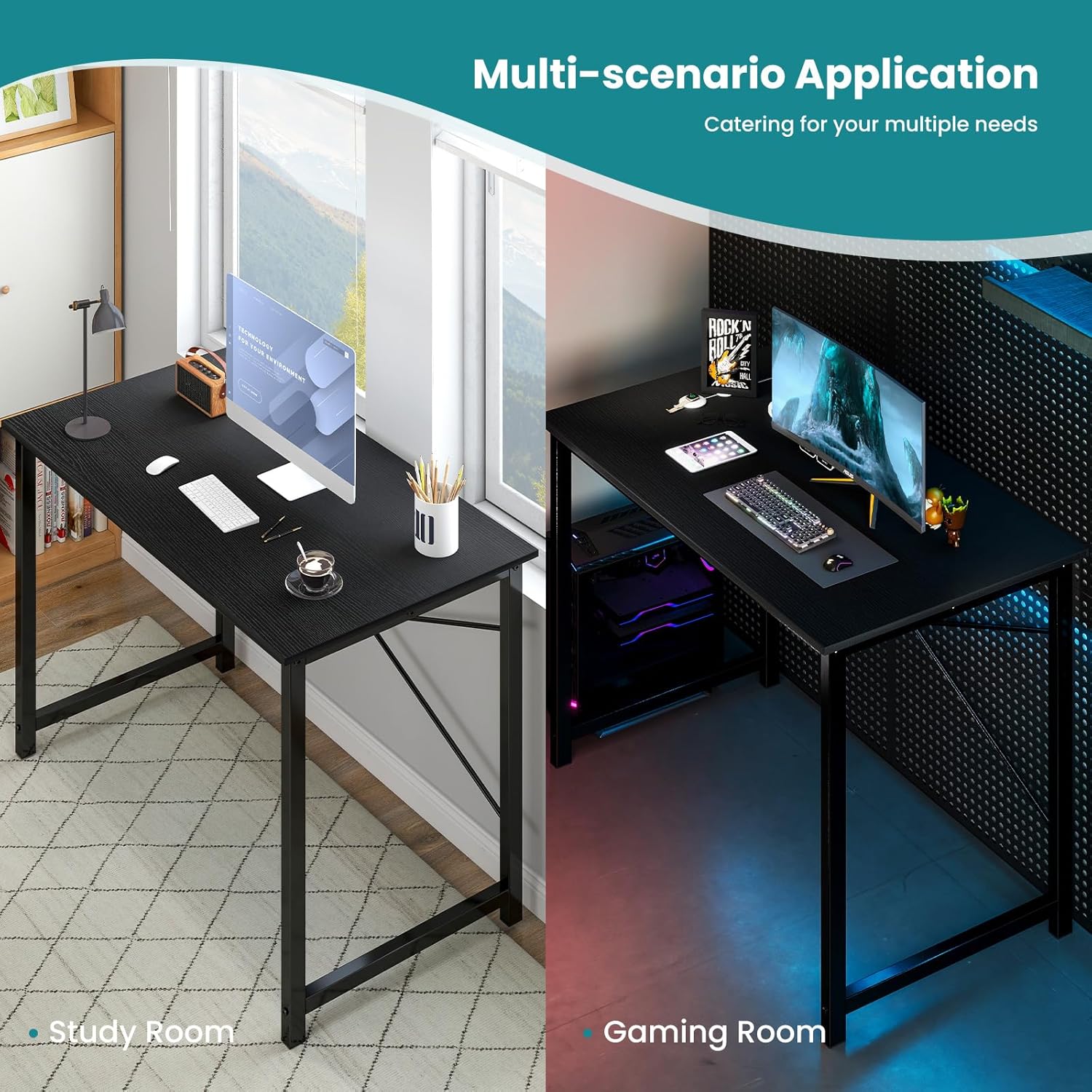
Image: The NEWBULIG desk in different settings, illustrating its adaptability for study and gaming.
Maintenance
To keep your NEWBULIG desk in optimal condition:
- Cleaning: Wipe the desktop and metal frame with a soft, damp cloth. Avoid harsh chemicals or abrasive cleaners, which can damage the finish.
- Spills: Promptly clean up any spills to prevent staining or water damage to the wood tabletop.
- Inspection: Periodically check all screws and connections to ensure they remain tight. Retighten if necessary.

Image: Illustration of the desk's durable tabletop construction, emphasizing its anti-scratch, water-resistant, and easy-to-clean properties.
Troubleshooting
If you encounter any issues with your desk, refer to the following common solutions:
- Desk Wobbles: Ensure all screws are fully tightened. Check that the desk is placed on a level surface. Adjust leg levelers if present.
- Missing Parts: Double-check the packaging. If parts are genuinely missing, contact customer support with your purchase details.
- Scratches/Damage: For minor scratches, furniture repair pens or markers matching the desk color may be used. For significant damage, contact customer support.
Specifications
| Feature | Detail |
|---|---|
| Brand | NEWBULIG |
| Model Number | NBIEKDIS |
| Product Dimensions (D x W x H) | 19.7"D x 31.5"W x 29.7"H |
| Item Weight | 13.6 pounds |
| Maximum Weight Recommendation | 176 pounds (80 kg) |
| Color | Black |
| Top Material Type | Wood (MDF) |
| Base Material | Metal (Alloy Steel) |
| Finish Type | Polished |
| Special Feature | Compact, Lightweight |
| Assembly Instructions | Included |
| Product Care Instructions | Wipe with Damp Cloth |
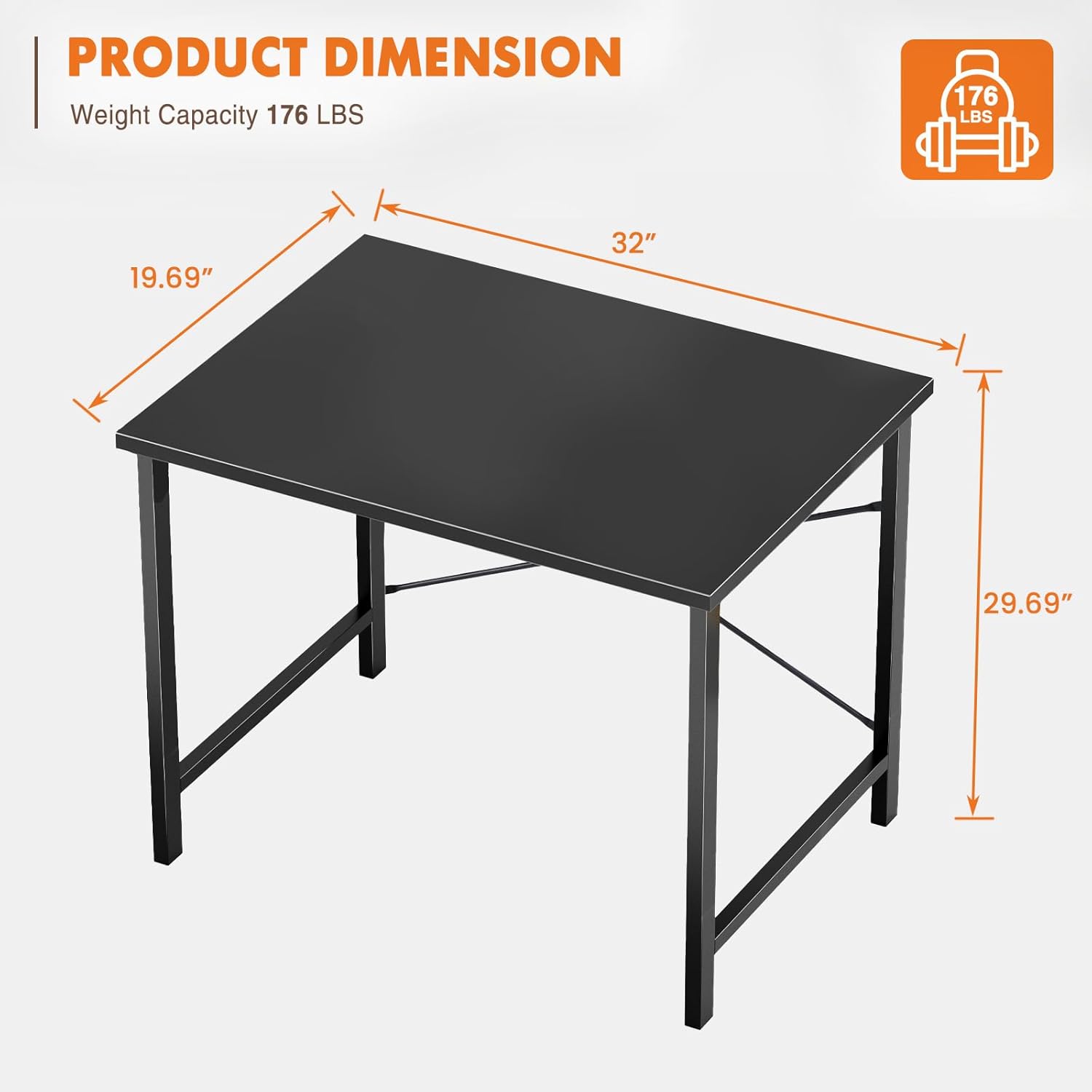
Image: Detailed product dimensions and maximum weight capacity of the NEWBULIG 31.5-inch computer desk.
Warranty Information
This NEWBULIG product comes with a Limited Warranty. Please refer to the warranty card included in your package for specific terms, conditions, and duration. The warranty typically covers manufacturing defects under normal use.
Customer Support
For any questions, concerns, or assistance with your NEWBULIG 31.5-inch Small Computer Desk, please contact our customer support team. Have your model number (NBIEKDIS) and purchase information ready for faster service.
Contact Information:
- Refer to your purchase documentation for specific contact details.
- Visit the official NEWBULIG brand store on Amazon: NEWBULIG Store