
Introduction
This manual provides essential information for the safe and efficient use of your Portronics AAA Lithius Type C Rechargeable Batteries. These lithium-ion batteries are designed as a sustainable alternative to disposable batteries, featuring an integrated Type-C charging port for convenience. They offer a stable 1.5V output with a 440mAh capacity (666mWh) and incorporate advanced protection features to ensure longevity and safety.
Setup
Before initial use, fully charge the batteries. The Portronics Lithius Cell AAA batteries feature a built-in Type-C charging port, eliminating the need for a separate charger. Simply connect a standard USB Type-C cable to the battery and a compatible power source (e.g., USB wall adapter, computer USB port, car charger).

Image: Charging Made Crystal Clear. This image illustrates the charging process. The blue light on the battery blinks during charging and becomes stable when fully charged. Examples show charging via a multi-port adapter, a laptop, and a car charger.
Charging Indicator:
- Blue light blinks: Battery is in charging mode.
- Blue light stable: Battery is fully charged.
Operating Instructions
Inserting Batteries: Ensure correct polarity (+ and -) when inserting the batteries into your device. Refer to your device's manual for specific battery insertion instructions.
Charging: To charge, connect a USB Type-C cable directly to the battery's charging port. Use a compatible USB power source. Charging time may vary depending on the power source output.
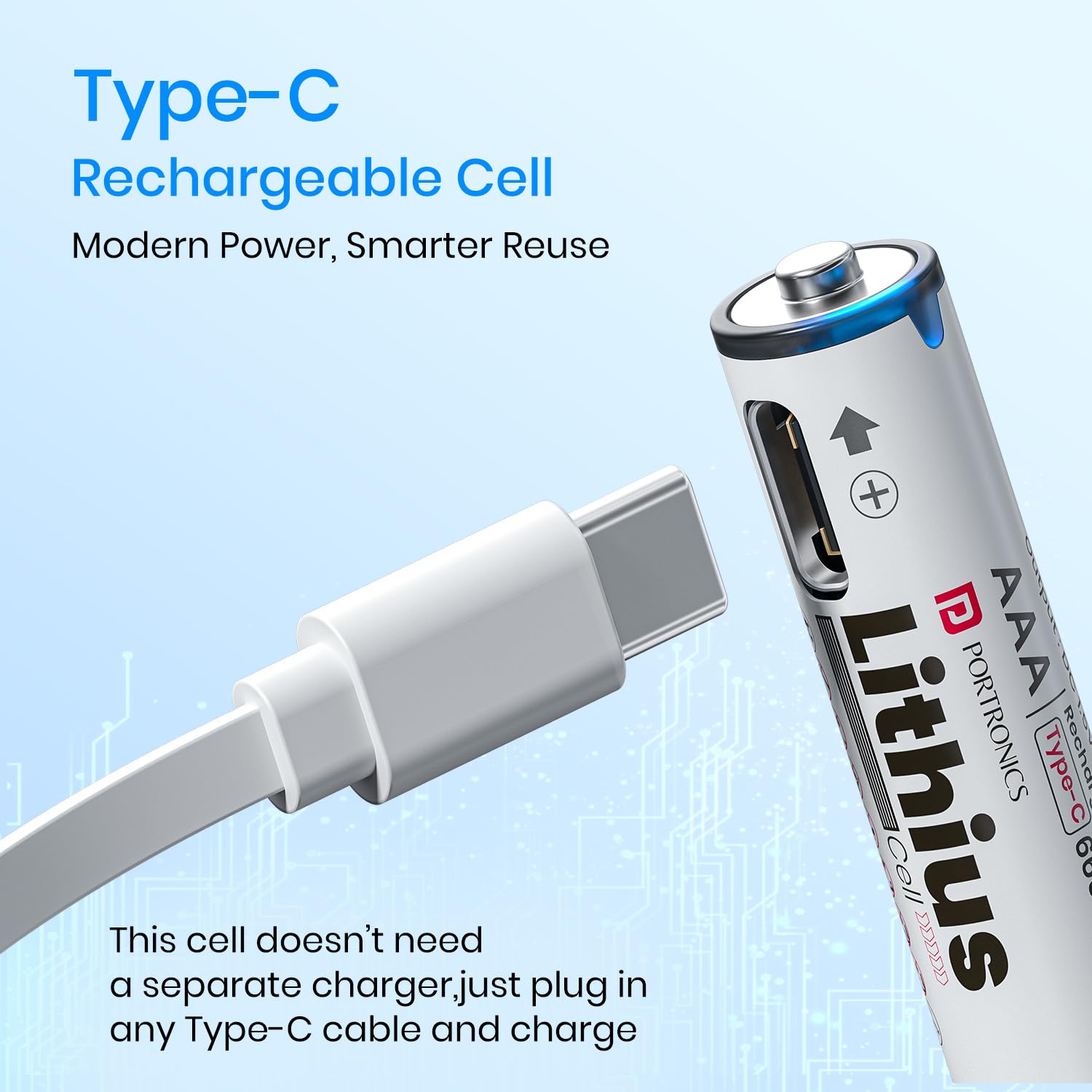
Image: Type-C Rechargeable Cell. This image highlights the integrated Type-C charging port on the battery, demonstrating how a Type-C cable connects directly for charging.
Compatibility: These AAA Lithius batteries are compatible with a wide range of devices that use standard AAA batteries. This includes, but is not limited to, remote controls, wireless mice and keyboards, toys, flashlights, electric toothbrushes, and blood pressure monitors.

Image: Wide Compatibility. This image displays several common devices such as a clock, remote control, toy car, game controller, blood pressure machine, and keyboard, indicating the broad compatibility of the AAA Lithius batteries.
Maintenance
To ensure optimal performance and longevity of your Portronics Lithius batteries, follow these maintenance guidelines:
- Storage: Store batteries in a cool, dry place away from direct sunlight and extreme temperatures.
- Low Self-Discharge: These batteries feature low self-discharge technology, meaning they retain most of their charge even after long periods of non-use. However, for best results, recharge them periodically if stored for extended durations.
- Regular Use: Regular charging and discharging cycles help maintain battery health.
- Cleaning: Keep battery terminals clean and dry. Use a clean, dry cloth to wipe off any dust or debris.

Image: Low Self-Discharge Long Lasting Power Supply. This graph compares the charge retention of Portronics Lithius batteries against other batteries over a three-year period, demonstrating superior low self-discharge performance.

Image: Charge. Reuse. Repeat. This image emphasizes the sustainable aspect of the batteries, showing recycling symbols and a recycling bin, promoting reuse and waste reduction.
Troubleshooting
If you encounter issues with your Portronics Lithius batteries, consider the following:
- Battery Not Charging: Ensure the Type-C cable is securely connected to both the battery and the power source. Verify the power source is active. Try a different Type-C cable or power source.
- Device Not Powering On: Check if the batteries are inserted with correct polarity. Ensure the batteries are fully charged. Test the batteries in another compatible device to rule out a device issue.
- Reduced Performance: Over time, all rechargeable batteries may experience a slight decrease in capacity. Ensure batteries are fully charged before use.
The batteries are equipped with advanced multi-layer protection features to prevent common issues:

Image: Advanced Multi-Layer Protection. This diagram highlights various safety features including Fireproof Shell & Intelligent Protection, Short-Circuit Protection, Surge Protection, Over-Voltage Protection, and Overheating Protection.
Additionally, the batteries feature a leak-proof design for enhanced safety:

Image: Leak Proof Design. This image details the leak-proof construction, including a Short-Circuit Guard, Pressure Relief Valve, Dual-Lock Ring, and Reinforced Steel Shell, designed to withstand pressure without bursting.
Specifications
| Brand | Portronics |
| Model Name | Lithius Cell |
| Model Number | POR-2510 |
| Battery Type | Lithium Ion |
| Capacity | 440mAh (666mWh) |
| Voltage | 1.5V |
| Input | DC 5V/0.1A (USB Type-C) |
| Output | 1.5V/1.5A max |
| Special Features | Durable & Cost Effective Cell, Low Self Discharge, Type C Rechargeable Batteries, Upto 440mAh Capacity |
| Product Dimensions | 7.8 x 5.9 x 1.9 cm |
| Item Weight | 39 g |
| Country of Origin | China |
Safety Information
Your Portronics Lithius batteries are designed with multiple safety features to protect both the batteries and your devices:
- Over-Current Protection: Prevents damage from excessive current flow.
- Over-Discharge Protection: Safeguards the battery from being discharged too deeply, extending its lifespan.
- Fireproof Shell & Intelligent Protection: Enhances safety against fire hazards.
- Short-Circuit Protection: Automatically cuts off power in case of a short circuit.
- Surge Protection: Protects against sudden voltage spikes.
- Over-Voltage Protection: Prevents damage from excessive charging voltage.
- Overheating Protection: Monitors and regulates battery temperature to prevent overheating.
- Pressure Relief Valve: A safety mechanism to release internal pressure.
- Dual-Lock Ring & Reinforced Steel Shell: Contributes to the leak-proof and durable design.
Warning:
- Do not disassemble, puncture, or modify the battery.
- Do not expose to water or extreme temperatures.
- Keep out of reach of children.
- Dispose of batteries according to local regulations.
Warranty and Support
For warranty information and customer support, please contact Portronics directly. The manufacturer details are provided below:
- Manufacturer: Portronics Digital Pvt. Ltd.
- Email: help@portronics.com
- Phone: +91 9555-245-245
- Address: First Floor Property No D 8 Upper Basement Sector 8 Noida Uttar Pradesh 201301, India
Please retain your proof of purchase for warranty claims.


