
Introduction
Thank you for choosing the OFNEX X19 Bluetooth 5.4 Sport Headphones. These wireless earbuds are designed to provide a high-quality audio experience with features like Active Noise Cancellation (ANC), IPX7 water resistance, and a secure fit for active lifestyles. This manual will guide you through the setup, operation, and maintenance of your new headphones.

Image: OFNEX X19 ANC Wireless Sports Headphones with charging case. The image shows the open charging case with both earbuds inside, displaying LED indicators, alongside a single earbud with an earhook. Text highlights features like 90H Playtime, One-key Reset, Dual Digital Display, Dual Volume Control, Wireless Charging, Secure Earhooks, Active Noise Cancellation, and Transparency.
Setup
1. What's in the Box
- OFNEX X19 Bluetooth Sport Headphones (Left and Right Earbuds)
- Charging Case
- USB-C Charging Cable
- User Manual
- Multiple sizes of Comfort Eartips (L, M, S, XS)
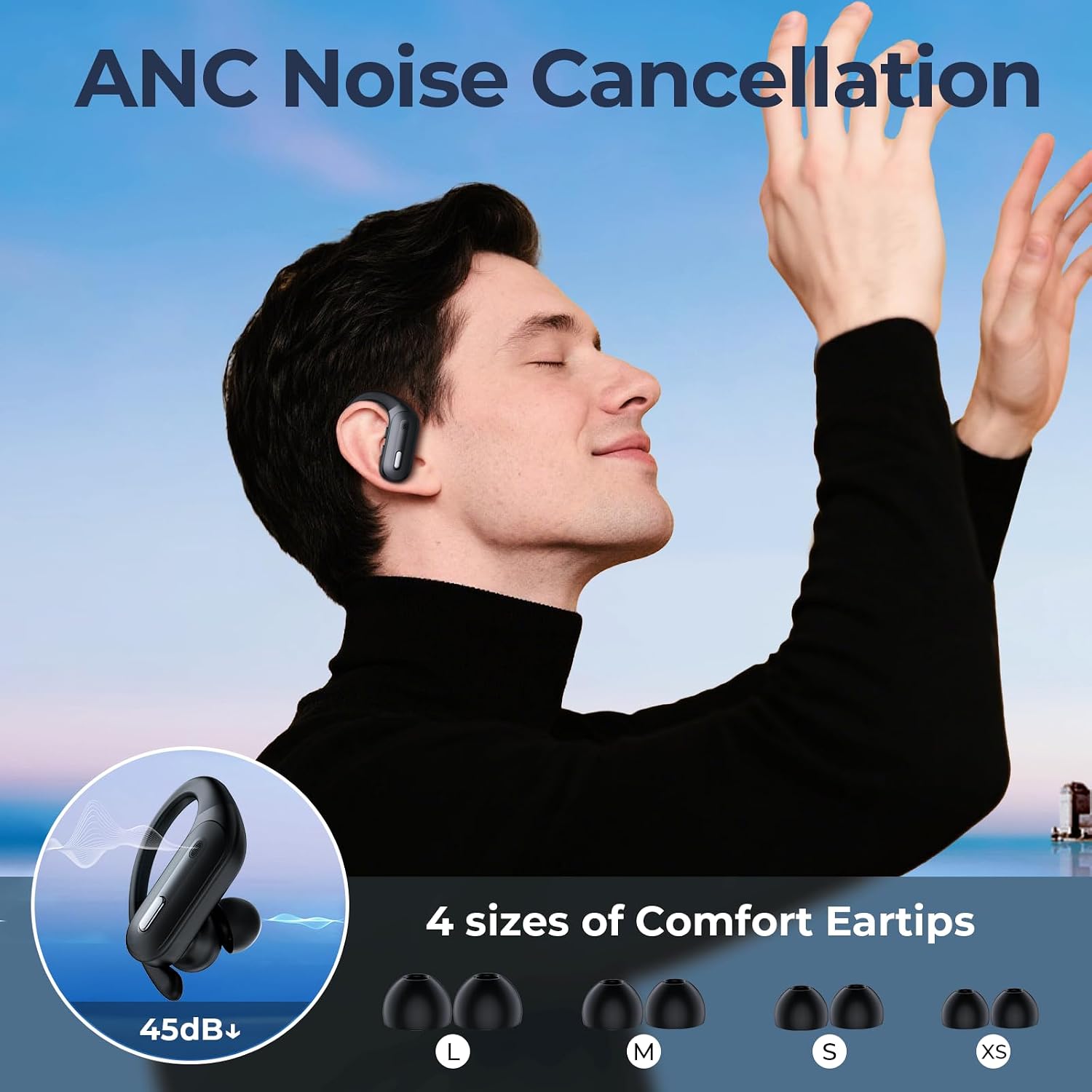
Image: OFNEX X19 box contents. The image displays the product packaging, the charging case with earbuds, a USB-C charging cable, the user manual, and various sizes of eartips (L, M, S, XS).
2. Charging the Headphones
Before first use, fully charge the headphones and charging case. The charging case supports both USB-C cable charging and wireless charging.
- USB-C Charging: Connect the provided USB-C cable to the charging port on the case and to a power source.
- Wireless Charging: Place the charging case on a compatible wireless charging pad.
The charging case features a dual LED digital display showing the charging case capacity and individual earbud power levels. A full charge takes approximately 2 hours. The earbuds provide up to 8 hours of playback on a single charge, with the charging case extending total playtime to approximately 90 hours.

Image: OFNEX X19 Ultra-long battery life. The image shows the open charging case with earbuds, highlighting '90hrs With Charging Case' and '9hrs On Single Charge'.

Image: OFNEX X19 Dual LED Digital Display. The image shows the open charging case with earbuds, displaying digital percentages for the charging case capacity and bar indicators for individual earbud power.

Image: OFNEX X19 Wireless or USB-C Charging. The image depicts the closed charging case on a wireless charging pad, with icons for wireless charging and USB-C charging.
3. Pairing with Your Device
The OFNEX X19 headphones feature one-step pairing for convenience.
- Open the charging case. The earbuds will automatically enter pairing mode.
- On your device (smartphone, tablet, etc.), go to Bluetooth settings.
- Select "X19" from the list of available devices.
- Once connected, you will hear a confirmation tone.
The headphones utilize Bluetooth 5.3 technology for stable transmission and effective anti-interference, with a range of up to 10 meters.
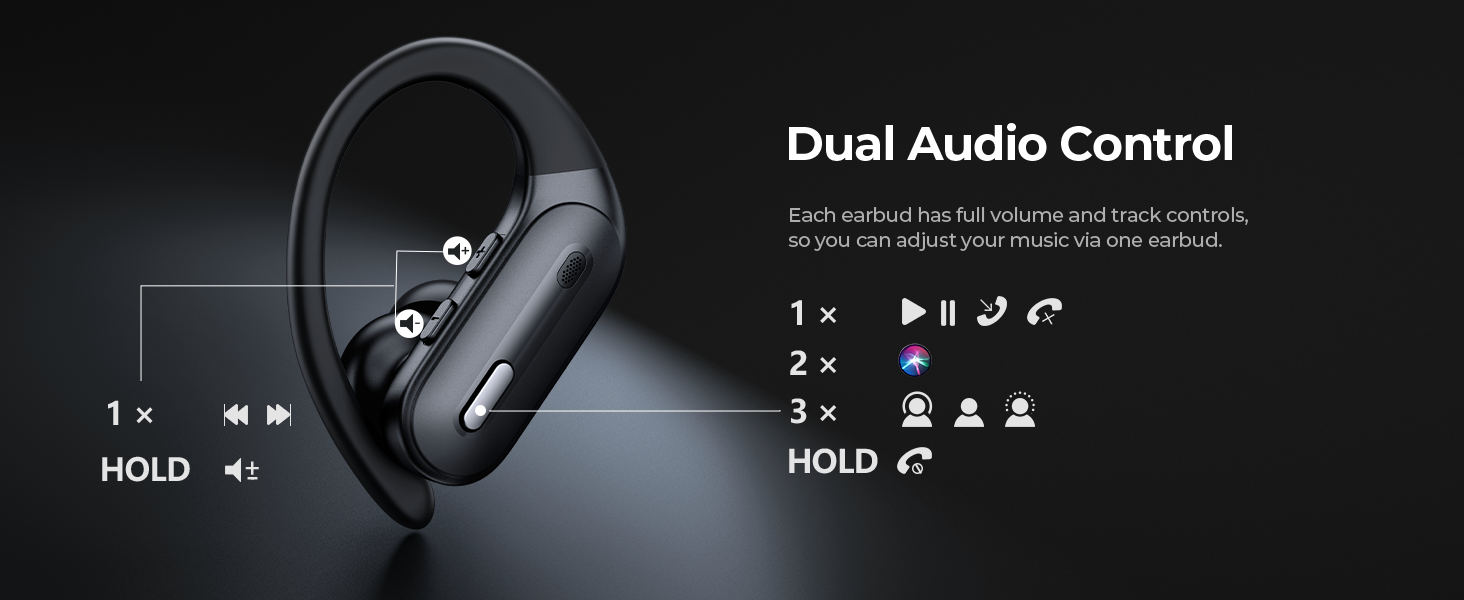
Image: OFNEX X19 One-step Pairing and Wide Compatibility. The image shows the charging case and an earbud surrounded by various compatible devices like smartphones, tablets, and smartwatches, with icons for one-step pairing and wide compatibility.
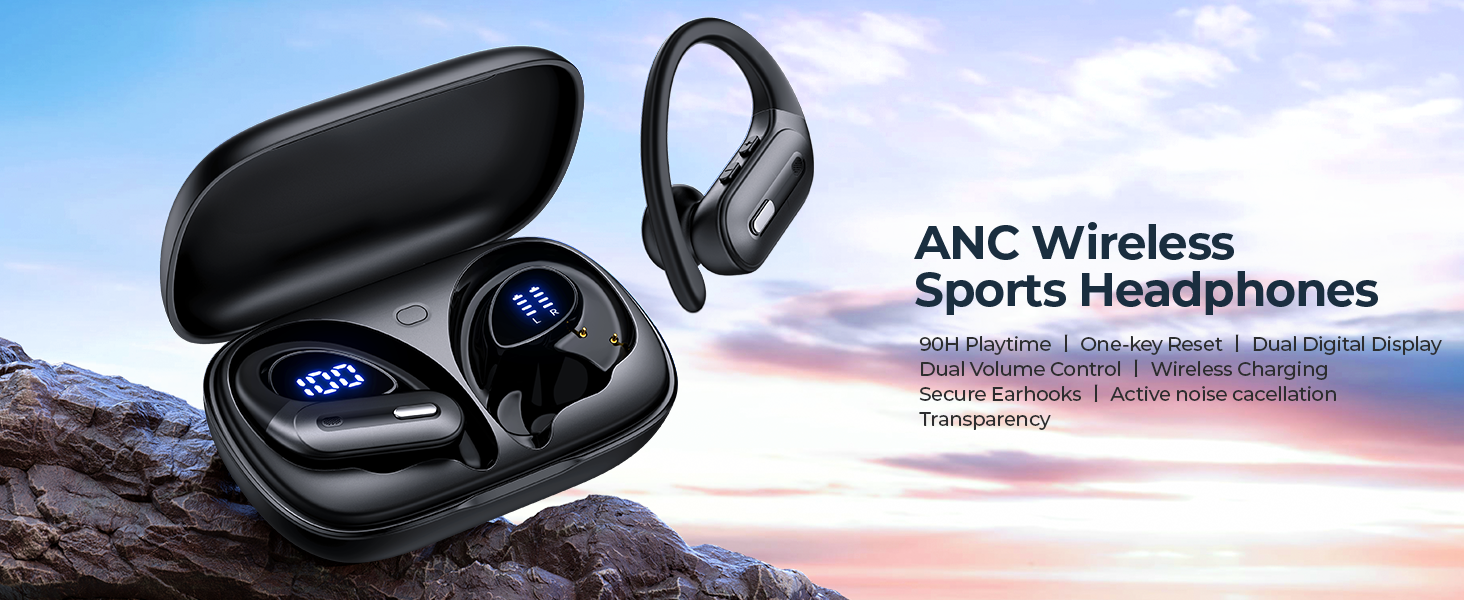
Image: OFNEX X19 Upgraded Bluetooth 5.3 Technology. The image features a stylized representation of the Bluetooth 5.3 chip with circuit board patterns, indicating stable transmission and effective anti-interference.
4. Achieving a Secure Fit
For optimal sound quality and comfort, ensure a proper fit. The X19 headphones come with secure earhooks and multiple eartip sizes (L, M, S, XS) to suit different ear shapes.
- Choose the eartip size that provides a snug seal in your ear canal.
- Adjust the earhook over your ear for a stable and comfortable fit, especially during physical activity.

Image: OFNEX X19 Comfy & Secure Fit For Workout. The image shows a person wearing the earbuds during a workout, with icons indicating secure & fit earhooks, wind resistance, and multiple eartip sizes.
Operating Instructions
1. Power On/Off
- Power On: Open the charging case, or take the earbuds out of the case. They will automatically power on.
- Power Off: Place the earbuds back into the charging case and close the lid. They will automatically power off and begin charging.
2. Controls
The OFNEX X19 headphones feature physical buttons for control. Each earbud has independent controls for volume, track management, and call functions.
| Action | Left Earbud | Right Earbud |
|---|---|---|
| Play/Pause | 1x Press | 1x Press |
| Next Track | 2x Press | 2x Press |
| Previous Track | 3x Press | 3x Press |
| Volume Up | Hold (Right button) | Hold (Right button) |
| Volume Down | Hold (Left button) | Hold (Left button) |
| Answer/End Call | 1x Press | 1x Press |
| Reject Call | Hold | Hold |
| Activate Voice Assistant | 2x Press | 2x Press |
| Switch ANC/Normal/Transparency Mode | 3x Press | 3x Press |

Image: OFNEX X19 Dual Audio Control. The image illustrates the physical buttons on both earbuds and their corresponding functions for single, double, triple presses, and holding.
3. Sound Modes (ANC, Normal, Transparency)
The X19 headphones offer three distinct sound modes to adapt to your environment. Triple-tap either earbud to cycle through these modes.
- Active Noise Cancellation (ANC): Reduces ambient noise by up to 45dB, creating a quiet listening experience. Ideal for travel or noisy environments.
- Normal Mode: Standard audio playback without noise cancellation or transparency features.
- Transparency Mode: Allows you to hear your surroundings clearly while still enjoying your audio. Useful for awareness in urban areas or during conversations.
Image: OFNEX X19 ANC Noise Cancellation. The image shows a person wearing an earbud, with an inset graphic illustrating 45dB noise reduction and various eartip sizes.
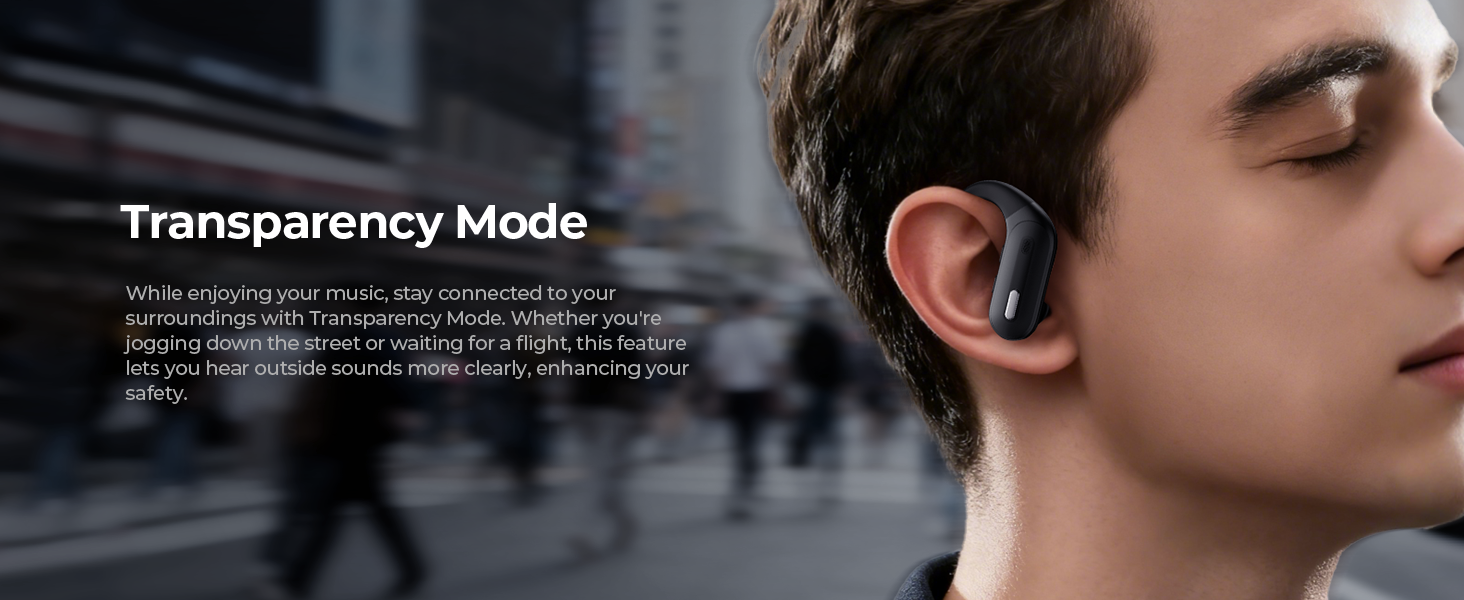
Image: OFNEX X19 Transparency Mode. The image shows a person wearing an earbud in an outdoor setting, with text explaining how Transparency Mode allows users to hear surroundings.
Image: OFNEX X19 Personal Space Switch Anytime. The image shows a person cycling while wearing an earbud, with icons representing ANC, Normal, and Transparency modes, indicating easy switching.
4. Single & Dual Ear Use
You can use either earbud independently or both together. Simply take one earbud out of the case for single-ear use, or both for stereo sound.
Image: OFNEX X19 Single & Dual Ear Switch freely. The image shows a man and a woman wearing the earbuds, with icons illustrating the flexibility of using a single earbud or both.
5. Voice-activated Assistance
Activate your device's voice assistant (e.g., Siri, Google Assistant) by double-pressing either earbud.
Image: OFNEX X19 Hey Siri for Voice-activated Assistance. The image shows a woman wearing an earbud, with icons for Siri, Google Assistant, and another voice assistant, indicating compatibility.
Maintenance
1. Cleaning
Regularly clean your earbuds and charging case to ensure optimal performance and hygiene.
- Use a soft, dry, lint-free cloth to wipe the earbuds and charging case.
- For eartips, remove them from the earbuds and clean with a mild soap solution if necessary, then rinse and dry thoroughly before reattaching.
- Avoid using abrasive materials or harsh chemicals.
2. Water Resistance (IPX7)
The OFNEX X19 headphones are IPX7 water-resistant, meaning they can withstand immersion in water up to 1 meter for 30 minutes. This makes them suitable for workouts and protection against sweat and rain.
- Do not intentionally submerge the charging case.
- Ensure earbuds are dry before placing them back into the charging case to prevent damage.
- IPX7 rating does not mean they are waterproof for swimming or prolonged submersion.

Image: OFNEX X19 IPX7 Water Resistance. The image shows an earbud with water droplets, emphasizing its IPX7 water resistance rating.
3. Storage
When not in use, store the headphones in their charging case to protect them and keep them charged.
Troubleshooting
Common Issues and Solutions
- No Sound/Cannot Pair:
- Ensure both earbuds are charged.
- Turn off Bluetooth on your device and turn it back on.
- Forget/delete "X19" from your device's Bluetooth list and re-pair.
- Perform a factory reset (see below).
- One Earbud Not Working:
- Place both earbuds back in the charging case, close the lid, and then open it again.
- Ensure both earbuds are charged.
- Perform a factory reset.
- Charging Issues:
- Ensure the charging cable is securely connected or the case is properly placed on the wireless charger.
- Clean the charging contacts on the earbuds and inside the case with a dry cotton swab.
Factory Reset
If you experience persistent issues, a factory reset can often resolve them.
- Place both earbuds into the charging case.
- Locate the reset button inside the charging case (usually a small button near the earbuds).
- Press and hold the reset button for approximately 10 seconds until the LED indicators on the earbuds flash, indicating a successful reset.
- Remove "X19" from your device's Bluetooth list and re-pair the headphones.
Image: OFNEX X19 One-key Reset. The image shows the open charging case with earbuds, highlighting the location of the reset button inside the case.
Specifications
| Feature | Detail |
|---|---|
| Brand | OFNEX |
| Model Number | X19 |
| Color | Black |
| Ear Placement | In Ear |
| Form Factor | In Ear |
| Noise Control | Active Noise Cancellation |
| Connectivity Technology | Wireless (Bluetooth) |
| Bluetooth Version | 5.3 |
| Bluetooth Range | 10 Meters |
| Control Method | Push Button |
| Audio Driver Type | Dynamic Driver |
| Frequency Range | 20Hz - 20,000Hz |
| Battery Average Life (Earbuds) | 8 Hours |
| Battery Charge Time | 2 Hours |
| Total Playtime (with case) | Up to 90 Hours |
| Water Resistance Level | IPX7 |
| Specific Uses For Product | Sport |
| Compatible Devices | Smartphones, Tablets, Computers, Smart TVs, Smart Watches, etc. |
Warranty Information
OFNEX products are designed and manufactured to the highest quality standards. For detailed warranty information, please refer to the warranty card included with your purchase or visit the official OFNEX website. Keep your proof of purchase for any warranty claims.
Customer Support
If you have any questions, concerns, or require technical assistance with your OFNEX X19 headphones, please contact our customer support team. Contact details can typically be found on the OFNEX official website or on the packaging of your product.
You can also visit the OFNEX Store on Amazon for more product information and support resources.

