
1. Important Safety Instructions
Please read all instructions carefully before using this appliance. Failure to follow these instructions may result in electric shock, fire, or serious injury.
- This appliance is for household use only. Do not use outdoors or on wet surfaces.
- Do not allow children to operate the vacuum cleaner. Close supervision is necessary when used near children.
- Do not pick up flammable or combustible liquids, such as gasoline, or use in areas where they may be present.
- Do not pick up anything that is burning or smoking, such as cigarettes, matches, or hot ashes.
- Do not use without the dust cup and/or filters in place.
- Turn off the appliance before connecting or disconnecting the battery pack, or before performing any maintenance.
- Use only manufacturer-recommended attachments.
- Store the appliance indoors in a cool, dry place.
- Do not immerse the vacuum cleaner or its components in water or other liquids.
- If the power cord or plug is damaged, do not use the appliance. Contact customer support for repair.
2. Product Components
Familiarize yourself with the parts of your UWANT V600 vacuum cleaner for proper assembly and operation.
- Main Unit: Contains the motor, dust cup, and control panel.
- Extension Wand: Connects the main unit to the floor brush or other attachments.
- Floor Brush: Features a TangleFree X Dual-Path Suction roller brush, Dual Side Brushes, and 110° Green LED Lights for dust detection.
- Detachable Battery Pack: Provides power to the vacuum.
- Auto Dust Collection Station: A docking station that automatically empties the vacuum's dust cup into a larger dust bag.
- Various Attachments: Includes multi-functional brushes for different cleaning scenarios (e.g., crevice tool, upholstery brush).
- Dust Cup: Located on the main unit, capacity 0.4L.
- Dust Bag (2.5L): Located within the auto dust collection station.
- Filters: Multi-stage filtration system.

Figure 2.1: Overview of UWANT V600 key features and components.

Figure 2.2: The UWANT V600 configured for different cleaning tasks.
3. Setup and Assembly
3.1 Unpacking
Carefully remove all components from the packaging. Retain packaging materials for future storage or transport if needed. Ensure all parts listed in Section 2 are present and undamaged.
3.2 Assembling the Vacuum Cleaner
- Attach the Extension Wand: Insert the extension wand into the main unit until it clicks securely into place.
- Attach the Floor Brush: Connect the floor brush to the other end of the extension wand, ensuring it locks firmly.
- Install Battery: Slide the detachable battery pack into the designated slot on the main unit until it clicks.
3.3 Setting Up the Auto Dust Collection Station
- Place the auto dust collection station on a flat, stable surface near a power outlet.
- Connect the power adapter to the station and plug it into the outlet.
- Ensure a 2.5L dust bag is correctly installed inside the station.
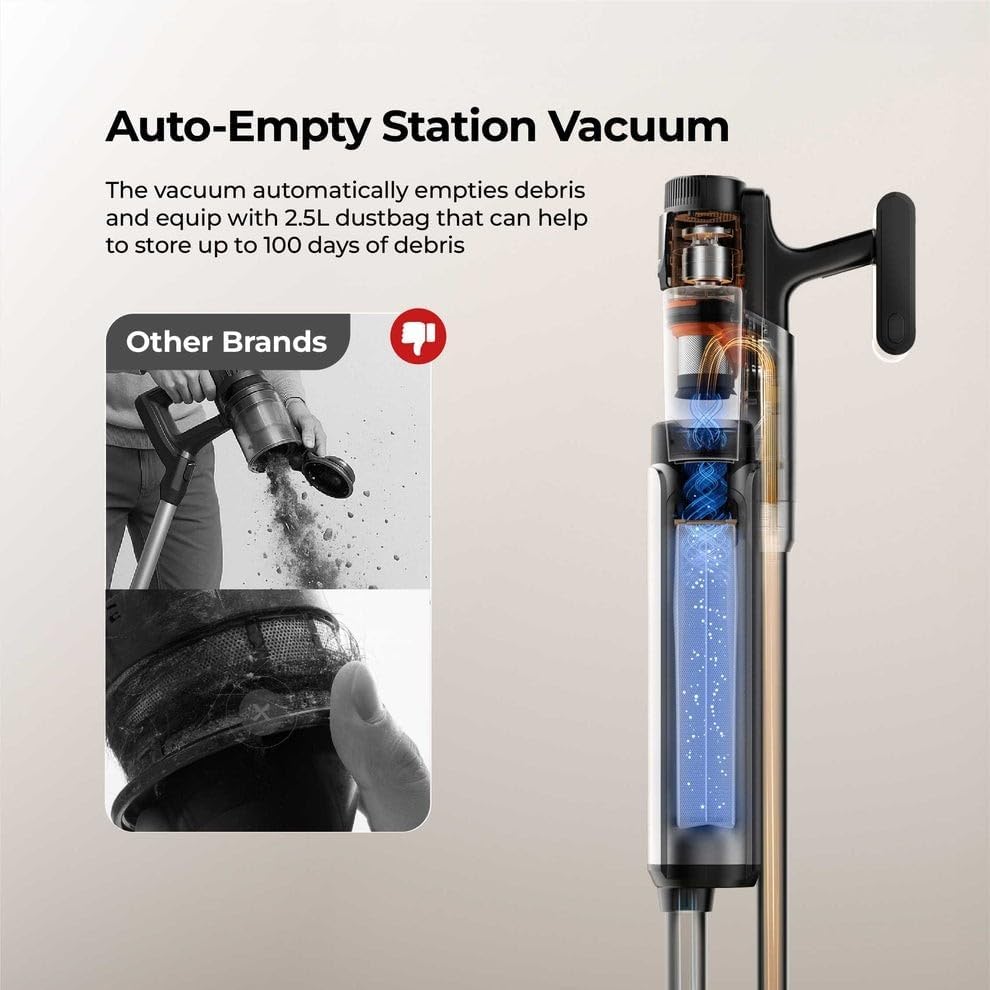
Figure 3.1: The UWANT V600 docked in its Auto-Empty Station.
3.4 Charging the Battery
Before first use, fully charge the battery. You can charge the battery by:
- Docking the assembled vacuum cleaner into the auto dust collection station.
- Removing the detachable battery and charging it directly using the provided charger (if applicable, not explicitly stated but common).
The charging indicator lights will show the charging status. A full charge provides up to 60 minutes of runtime.
4. Operating the Vacuum Cleaner
4.1 Power On/Off and Suction Modes
- Press the power button on the main unit to turn the vacuum on.
- Press the mode button (if available) to cycle through different suction power settings (e.g., Eco, Standard, Max). The UWANT V600 offers 210AW high suction power.
- Press the power button again to turn the vacuum off.

Figure 4.1: The UWANT V600 provides 210AW suction and up to 60 minutes runtime.
4.2 Using the Floor Brush and Green LED Lights
The floor brush is designed for multi-surface cleaning, effective on carpets and hard floors.
- Dual Side Brushes: These brushes actively sweep dust from edges and corners, ensuring thorough cleaning.
- 110° Green LED Lights: These wide-angle lights illuminate hidden dust particles on the floor, especially in dark areas and under furniture, making them visible for effective cleaning.

Figure 4.2: Dual Side Brush Design for edge cleaning.

Figure 4.3: 110° Green LED Lights revealing hidden dust.
4.3 Using Attachments
Detach the extension wand and floor brush to use the main unit with various attachments for specialized cleaning tasks, such as upholstery, crevices, or delicate surfaces.
4.4 Auto Dust Collection
When the vacuum is docked in the auto dust collection station, it will automatically empty the dust cup into the larger 2.5L dust bag within the station. This process typically takes about 10 seconds and minimizes direct contact with dust.
5. Maintenance
Regular maintenance ensures optimal performance and extends the lifespan of your UWANT V600 vacuum cleaner.
5.1 Emptying the Dust Cup (Manual)
While the auto-empty station handles most dust disposal, you may occasionally need to manually empty the 0.4L dust cup on the main unit, especially if not using the station.
- Ensure the vacuum is turned off and disconnected from any power source.
- Locate the dust cup release button and press it to detach the dust cup from the main unit.
- Open the dust cup lid and empty its contents into a waste bin.
- Close the lid and reattach the dust cup to the main unit until it clicks.
5.2 Replacing the Dust Bag in the Auto Dust Collection Station
The 2.5L dust bag in the auto-empty station can hold debris for up to 90 days, depending on usage.
- Open the dust bag compartment on the auto dust collection station.
- Carefully remove the full dust bag, ensuring the opening is sealed to prevent dust leakage.
- Dispose of the full dust bag responsibly.
- Insert a new 2.5L dust bag into the compartment, ensuring it is properly seated.
- Close the dust bag compartment securely.
5.3 Cleaning Filters
The UWANT V600 features a 6-stage filtration system. Regular cleaning of filters is crucial for maintaining suction power.
- Turn off the vacuum and remove the dust cup.
- Locate and remove the filters (refer to the product diagram for exact locations).
- Tap filters gently to remove loose dust. If washable, rinse under cold running water until the water runs clear.
- Allow filters to air dry completely for at least 24 hours before reinserting. Do not use a dryer or heat.
- Reassemble the filters and dust cup.
5.4 Cleaning the Roller Brush (TangleFree X Dual-Path Suction)
The TangleFree X design minimizes hair tangles, but occasional cleaning may still be required.
- Ensure the vacuum is off.
- Detach the floor brush from the extension wand.
- Locate the roller brush release mechanism (usually a latch or button) and remove the roller brush.
- Use scissors or a cleaning tool to carefully cut and remove any tangled hair or debris from the brush.
- Clean the brush housing.
- Reinsert the roller brush and secure it.

Figure 5.1: TangleFree X Dual-Path Suction Roller Brush mechanism.
5.5 Cleaning the Dust Tank Auto-Scraper (VortexScrape™)
The VortexScrape™ feature automatically removes hair and debris from the dust tank, preventing clogs. However, if you notice reduced performance, inspect and clean it.
- Ensure the vacuum is off.
- Remove the dust cup.
- Inspect the internal dust tank and the auto-scraper mechanism for any accumulated debris.
- Use a soft brush or cloth to clean the scraper and surrounding areas. Do not use water unless specified in the full manual.
- Reattach the dust cup.

Figure 5.2: VortexScrape™ Dust Tank Auto-Scraper in action.
6. Troubleshooting
Before contacting customer support, refer to this section for common issues and their solutions.
| Problem | Possible Cause | Solution |
|---|---|---|
| Vacuum does not turn on. | Battery is not charged or not properly installed. | Ensure battery is fully charged and securely clicked into place. |
| Low suction power. | Dust cup is full, filters are clogged, or there is a blockage. | Empty dust cup. Clean or replace filters. Check for blockages in the floor brush, wand, or main unit. |
| Roller brush not spinning. | Hair or debris tangled in the brush, or a blockage. | Turn off the vacuum. Remove and clean the roller brush. Check for obstructions in the brush head. |
| Auto dust collection not working. | Dust bag in station is full, station is not powered, or vacuum is not docked correctly. | Replace dust bag. Ensure station is plugged in. Re-dock the vacuum firmly. |
| Unusual noise during operation. | Blockage in the air path or foreign object in the brush. | Turn off and inspect all parts for blockages or foreign objects. |
7. Product Specifications
| Feature | Detail |
|---|---|
| Model Name | UWANT V600 |
| Suction Power | 31kPa / 210AW |
| Run Time | Up to 60 Minutes |
| Dust Cup Capacity | 0.4 Liters |
| Dust Bag Capacity (Station) | 2.5 Liters |
| Item Weight | 1.7 Kilograms |
| Form Factor | Stick |
| Voltage | 220 Volts |
| Wattage | 500 watts |
| Noise Level | 75.6 Decibels |
| Product Dimensions | 33L x 33W x 76H centimetres |
| Battery | Detachable, Rechargeable (Yes) |
| Special Features | Auto Dust Collection, 110° Green LED Lights, TangleFree X Dual-Path Suction, VortexScrape™ Dust Tank Auto-Scraper, Dual Side Brush, 6-Stage Filtration |


