
Introduction
Thank you for purchasing the UYTGXEN DC40V Retro Handheld Game Console. This device offers a vast library of over 20,000 classic games across various genres, powered by an open-source Linux system. Designed for portable entertainment, it features a vibrant 4-inch IPS display, customizable LED modes, and innovative replaceable joysticks for an enhanced gaming experience. Please read this manual thoroughly to ensure proper setup, operation, and maintenance of your console.
Product Overview and Components
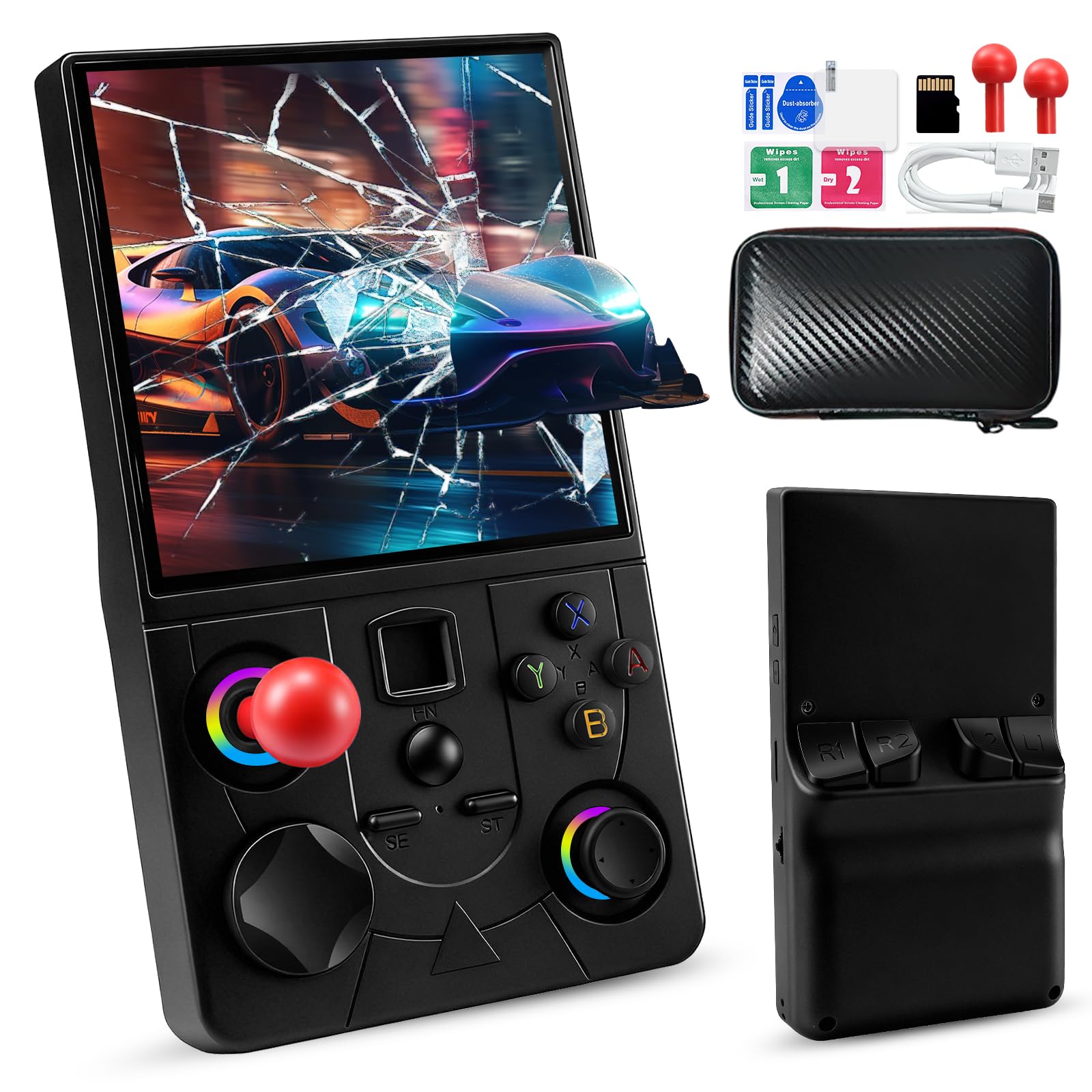
The DC40V console is designed for ease of use and portability. Familiarize yourself with its features and included accessories.
What's in the Box
- 1x DC40V Handheld Gaming Console
- 1x Type-C Charging Cable
- 1x 64GB TF Card (pre-installed)
- 2x Screen Film
- 1x Storage Case
- 1x Instruction Manual

Console Features
- 4-inch IPS Display: 720x720 resolution for vibrant visuals.
- Replaceable Joysticks: Dual-length detachable joysticks for customized control.
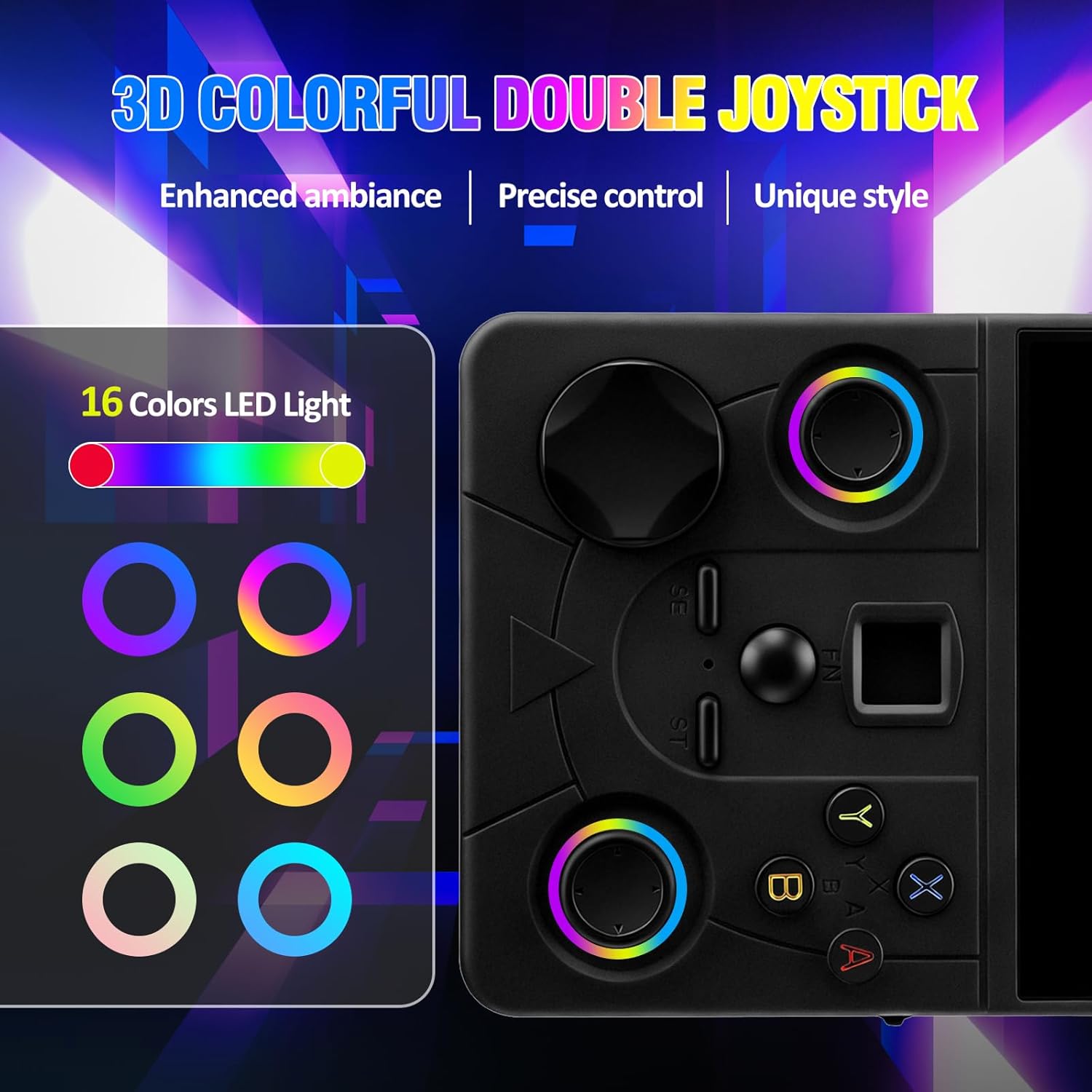
- 16 Customizable LED Modes: Dynamic lighting around joysticks for personalized ambiance.
- Built-in Wi-Fi: For wireless multiplayer gaming.
- Pre-installed Games: Over 20,000 classic games supporting 20+ emulators.
- 4000mAh Battery: Provides up to 6 hours of continuous gameplay.

Setup
Initial Charging
Before first use, fully charge the console using the provided Type-C charging cable. Ensure the charger does not exceed 5V2A. Do not press the reset button during the charging state.
Powering On/Off
- To power on: Press and hold the power button located on the side of the console until the screen illuminates.
- To power off: Press and hold the power button until a shutdown option appears on the screen, then confirm.
Inserting/Removing TF Card
The console comes with a 64GB TF card pre-installed. If you need to access or replace it, locate the TF card slot on the side of the device. Gently push the card to eject it, or insert a new card until it clicks into place.
Operating Instructions
Navigating the Menu
Use the D-pad or joysticks to navigate through the main menu and game selection screens. The A, B, X, Y buttons are used for selection and actions within the menu.
Selecting and Playing Games
The console is preloaded with over 20,000 classic games. Browse through the emulator categories or use the search function to find your desired game. Select a game to launch it.

In-Game Controls
- Basic Gameplay: Utilize the D-pad, joysticks, and A/B/X/Y buttons for in-game actions as per the specific game's controls.
- Exiting a Game: To exit from a single game screen and return to the main menu, press the "ST" + "SE" buttons twice simultaneously.
- Replaceable Joysticks: The console features unique dual-length detachable joysticks. These can be swapped to suit different game genres or personal preference, providing ergonomic advantages and reducing hand fatigue.
Wireless Multiplayer (Wi-Fi)
Connect wirelessly via Wi-Fi to challenge friends in local multiplayer mode. This feature allows for face-to-face battles or cooperative gameplay without additional controllers or cables.
Customizable LED Modes
The joysticks feature 16 dynamic LED lighting modes. Explore the console's settings to customize these lights and create a personalized gaming atmosphere.
Maintenance
Battery Care
- Always use a charger that does not exceed 5V2A to prevent damage to the console's built-in 4000mAh rechargeable battery.
- Avoid pressing the reset button while the device is charging.
- The battery provides up to 6 hours of continuous gameplay on a full charge.

General Care
- Keep the console clean by wiping it with a soft, dry cloth.
- Store the device in its provided storage case when not in use to protect it from dust and scratches.
- Avoid exposing the console to extreme temperatures, direct sunlight, or moisture.
Troubleshooting
If you encounter any issues with your UYTGXEN DC40V console, please refer to the following common solutions:
- Console not powering on: Ensure the battery is fully charged. Connect the console to the charger and wait a few minutes before attempting to power it on again.
- Game not loading or freezing: Try exiting the game by pressing "ST" + "SE" twice. If the issue persists, restart the console. Ensure the TF card is properly inserted.
- Controls unresponsive: Check if the joysticks are securely attached. If using replaceable joysticks, ensure they are correctly seated.
- Sound issues: Adjust the volume using the dedicated buttons. Ensure no headphones are partially plugged in if you intend to use the internal speaker.
For further assistance, please contact customer support.
Specifications
| Feature | Detail |
|---|---|
| Model Number | DC40V RETRO HANDHELD GAME |
| Brand | UYTGXEN |
| Screen Size | 4.0 inches IPS |
| Screen Resolution | 720x720 |
| Memory Storage Capacity | 64 GB (TF Card included) |
| Battery Type | Lithium-Ion |
| Battery Capacity | 4000mAh |
| Battery Average Life | Up to 8 Hours |
| Item Dimensions (L x W x H) | 5.83" x 3.35" x 1.46" |
| Material Type | Plastic |
| Included Components | 1*DC40V Handheld Gaming Console |
Helpful Videos
Unboxing and Demo
Video: A detailed unboxing and demonstration of the DC40V console, showcasing its features and initial setup.
Retro Gaming Console Overview
Video: An overview of the retro gaming console, highlighting its design, controls, and game library.
Warranty and Support
For warranty information or technical support regarding your UYTGXEN DC40V Retro Handheld Game Console, please refer to the contact details provided in the packaging or visit the official UYTGXEN store on Amazon.