
Introduction
Thank you for choosing the Vipbear HOD02 59-inch Executive Desk. This manual provides detailed instructions for assembly, operation, maintenance, and troubleshooting to ensure optimal use and longevity of your desk. Please read all instructions carefully before beginning assembly and retain this manual for future reference.
Product Features
- Spacious Desktop: Measures 59" W x 22" D x 29" H, supporting up to 200 lbs, accommodating multiple monitors and work essentials.
- Generous Storage: Includes a large lockable file cabinet for letter-size documents, 4 standard drawers for office supplies, and a storage area behind a door with an adjustable shelf.
- Integrated Power Outlet: Equipped with 2 AC outlets and 2 USB charging ports for convenient device charging.
- Durable Construction: Made from high-quality engineered wood, scratch-resistant, waterproof, and easy to clean.
- Farmhouse Design: Features a vintage-inspired farmhouse style with embossed drawer door frames and a rustic wood finish.
Setup and Assembly
Assembly is required for the Vipbear HOD02 Executive Desk. An installation kit with all necessary parts and a detailed manual are included. It is recommended that two people assemble the desk to ensure stability and ease of construction.
Assembly Instructions Video
Official Product Installation Tutorial by CARPETNAL HOME. This video provides a step-by-step guide for assembling your desk. Ensure all parts are identified before starting.
Key Assembly Steps (Visual Guide)

Product Dimensions: A detailed diagram showing the overall dimensions of the desk and individual drawer capacities. Ensure you have adequate space for assembly and placement.

Adjustable Shelf: This image illustrates how to adjust or remove the shelf within the storage cabinet. The shelf pins can be repositioned to different height options to customize storage space.

Drawer Assembly: This visual guide demonstrates the assembly process for the desk drawers, highlighting the smooth-gliding drawer slides. Follow the numbered steps in the included manual for precise assembly.
Operating Instructions
Drawers and Storage
- Standard Drawers: Gently pull the knobs to open and push to close. The smooth-gliding slides ensure effortless operation.
- Lockable File Drawer: Insert the provided key into the lock on the file drawer. Turn the key to lock or unlock the drawer. The internal rails are adjustable to accommodate letter-size or legal-size documents.
- Storage Cabinet: Open the cabinet door to access the internal storage. The adjustable shelf can be moved to different heights by repositioning the shelf pins.

Lockable File Drawer: This image demonstrates the lockable file drawer, compatible with letter and legal-size documents. The keys are provided for secure storage.

Drawer Depths: Visual representation of the three different drawer depths, offering versatile storage for various items from small accessories to larger documents.
Power Outlet Usage
- The integrated power strip features 2 standard AC outlets (120V/12A) and 2 USB-A charging ports (5V/2A).
- Plug your devices directly into the available ports for convenient charging and power access.
- Ensure the desk's main power cord is securely plugged into a wall outlet.
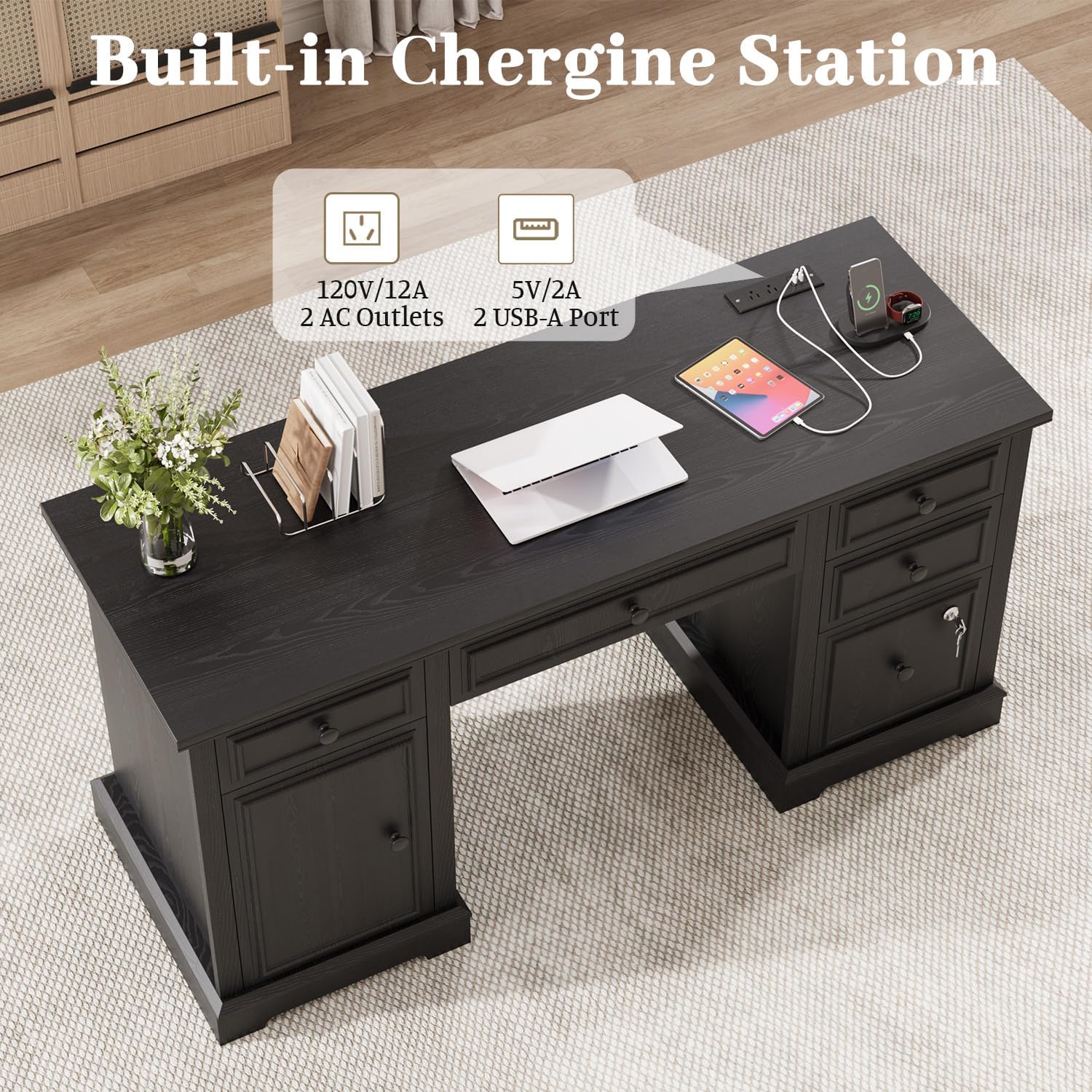
Built-in Charging Station: This image highlights the integrated power outlet with 2 AC and 2 USB ports, providing easy access to power for your electronic devices directly on the desktop.
Maintenance
- Cleaning: Wipe the desk surfaces with a soft, damp cloth. Avoid harsh chemicals or abrasive cleaners that may damage the finish.
- Spills: Immediately wipe up any spills to prevent staining or water damage.
- Hardware: Periodically check all screws and fasteners to ensure they are tight. Tighten if necessary to maintain stability.
- Sunlight Exposure: Avoid prolonged exposure to direct sunlight to prevent fading or discoloration of the wood finish.
Troubleshooting
- Wobbly Desk: Ensure all cam locks and screws are fully tightened. Verify that the desk is placed on a level surface.
- Drawers Not Sliding Smoothly: Check that the drawer slides are correctly installed and free from obstructions. Apply a silicone-based lubricant if needed.
- Power Outlet Not Working: Confirm the desk's main power cord is securely plugged into a functional wall outlet. Check for any tripped circuit breakers.
- Damaged Parts: If any parts are damaged upon arrival or during assembly, contact Vipbear customer support for a satisfactory solution. Spare parts are provided in case of hardware loss.
Specifications
| Feature | Specification |
|---|---|
| Brand | Vipbear |
| Model Number | HOD02 |
| Product Dimensions | 21.6"D x 58.6"W x 29"H |
| Color | Black |
| Material Type | Engineered Wood |
| Item Weight | 122 Pounds |
| Number of Drawers | 5 |
| Special Features | 59" Large Tabletop, File Drawer with lock, Adjustable Storage Cabinet, 2 AC outlets, 2 USB charging ports |
| Recommended Uses | Gaming, Studying, Working, Writing |
| Assembly Required | Yes (2 people recommended) |
Warranty and Support
Vipbear is committed to customer satisfaction. If you encounter any issues with your product, please contact Vipbear customer support for assistance. The product includes a 30-day easy return policy. Detailed installation instructions and a pack of spare parts are included with every package.