
1. Introduction
The G Keni K66 is a versatile portable cassette player and recorder, designed to offer both classic audio playback and modern digital media options. It features an integrated AM/FM/SW radio, a cassette deck for playback and recording, and ports for USB and TF card media. This device supports dual power sources, allowing for use with an AC power cord or batteries, making it suitable for various environments.
2. Product Features
- Multi-functional Playback and Recording: Supports cassette tape playback and recording, as well as digital audio playback from USB drives and TF cards.
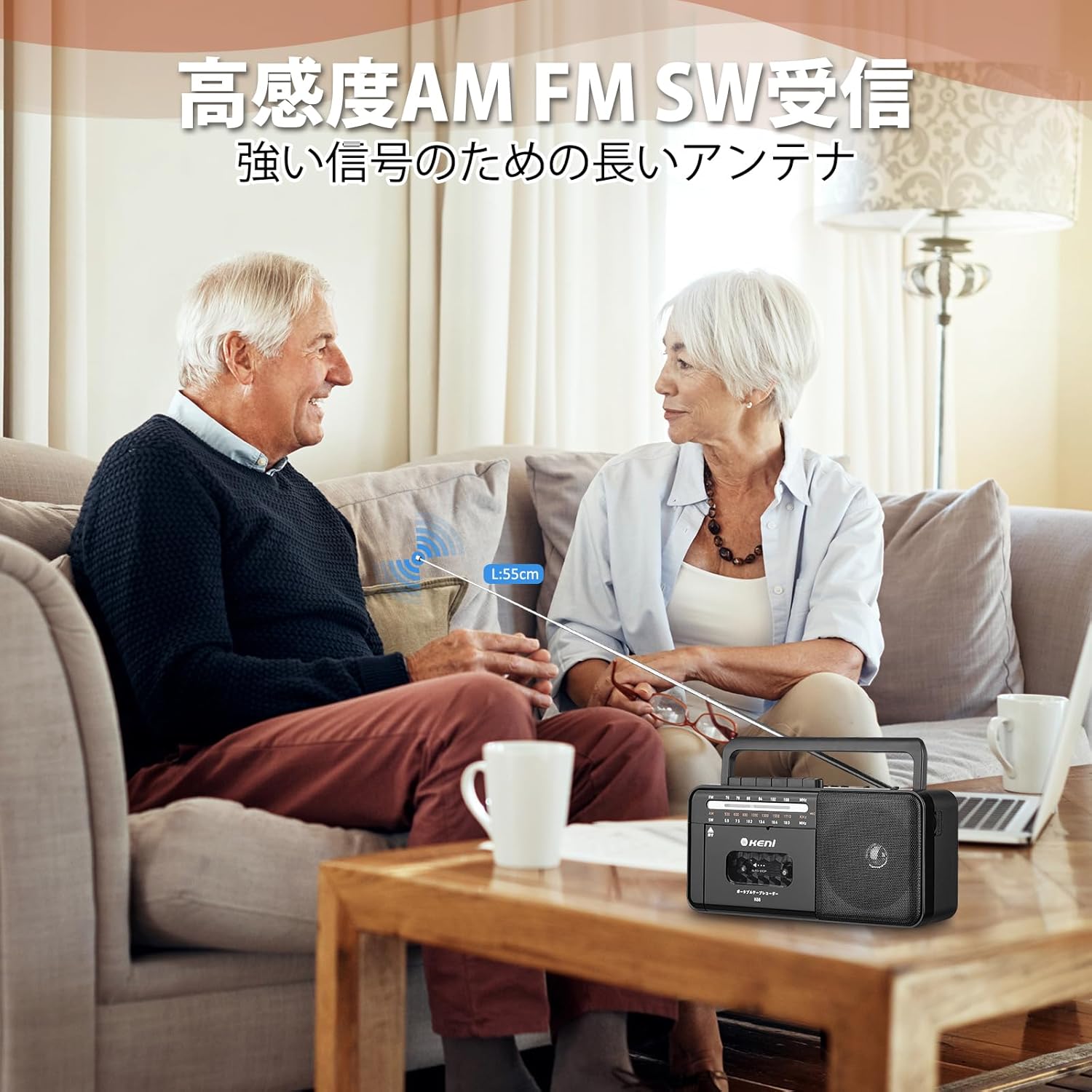
- Superior Radio Reception: Equipped with a high-sensitivity 3-band radio (AM/FM/SW) and a 55cm telescopic antenna for enhanced signal reception.
- High-Quality Audio & Private Listening: Features a high-quality built-in speaker for clear sound output. Includes a 3.5mm headphone jack for personal listening.
- User-Friendly Design & Portability: Designed with large, easy-to-operate buttons for simple control. Its compact size and integrated carrying handle ensure convenient portability.
- Dual Power Options: Operates on AC 100V power or 4 D-size batteries (batteries not included), providing flexibility for indoor and outdoor use.

Overview of the G Keni K66's key features, including tape functions, radio bands, and connectivity options.
3. Setup
3.1 Powering the Device
The K66 offers two power options:
- AC Power: Connect the provided AC power cord to the AC input jack on the unit and then to a standard wall outlet (120V/60Hz).
- Battery Power: For portable use, insert 4 D-size batteries into the battery compartment located on the bottom of the unit. Ensure correct polarity (+/-) when inserting batteries. Note: Batteries are not included.
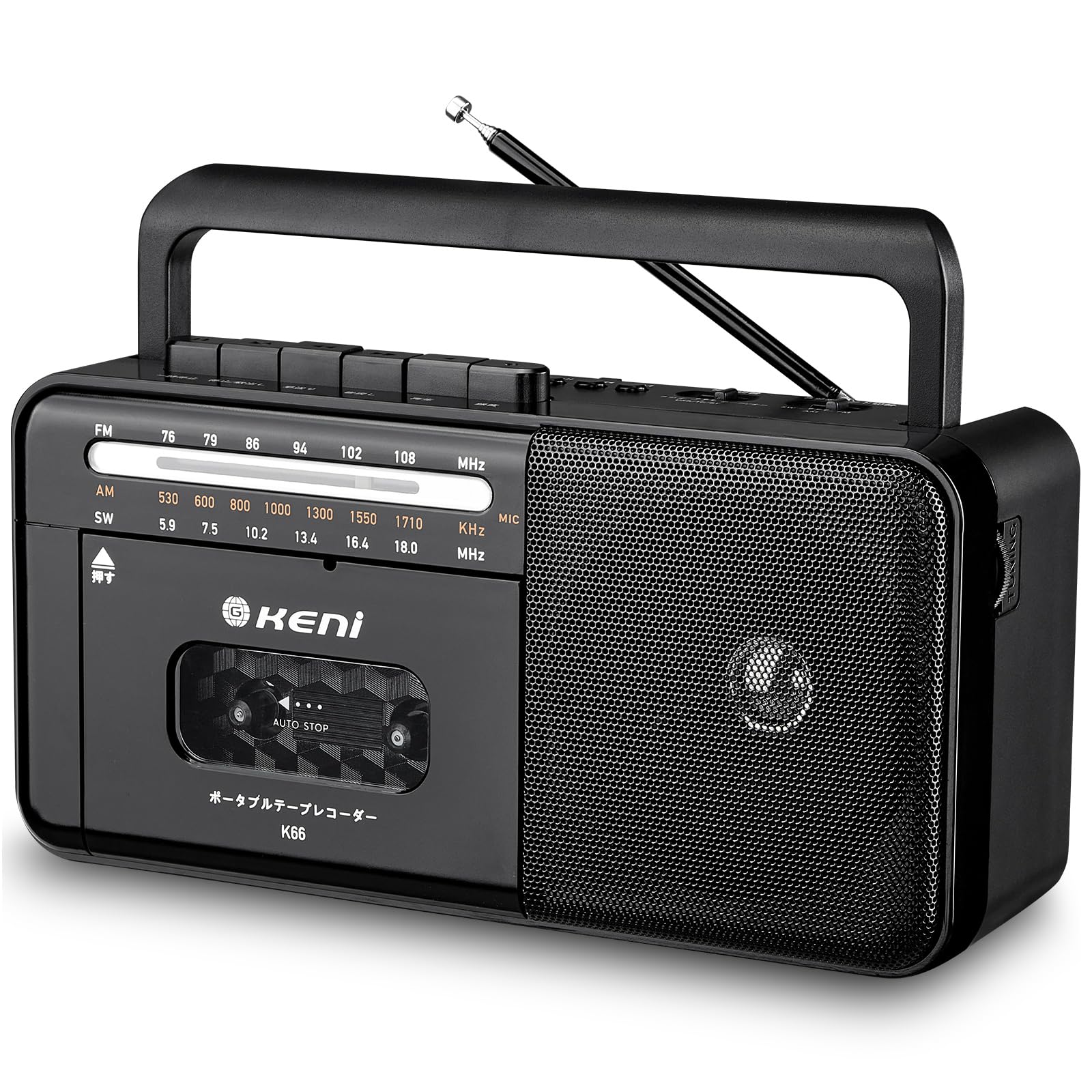
Illustration of AC power connection and battery installation for the G Keni K66.
3.2 Antenna Adjustment
For optimal radio reception, extend the telescopic antenna fully and adjust its direction. For AM reception, rotating the unit itself may improve signal quality.
4. Operating Instructions
4.1 Radio Operation
- Turn the unit ON using the Power/Volume knob.
- Select the desired band (AM, FM, or SW) using the band selector switch.
- Rotate the Tuning knob to find your desired station. Extend and adjust the antenna for best reception.

The radio tuning dial displaying frequency ranges for AM, FM, and SW bands.

Extending the antenna for optimal radio signal reception.
4.2 Cassette Playback and Recording
- Open the cassette compartment door and insert a cassette tape. Close the door securely.
- Press the PLAY button to begin playback.
- To record, ensure a blank or recordable tape is inserted. Press the RECORD button (usually simultaneously with PLAY) to start recording. The built-in microphone will capture ambient sound.
- Use the FAST FORWARD (FF) and REWIND (REW) buttons to navigate the tape.
- Press the STOP/EJECT button to stop playback/recording or to eject the tape.

The G Keni K66 in use, demonstrating cassette playback or recording.

Enjoying music from cassette tapes on the G Keni K66.
4.3 USB/TF Card Playback
- Insert a USB flash drive into the USB port or a TF card into the TF card slot.
- The unit should automatically switch to USB/TF playback mode. If not, use the Mode button to select the correct input.
- Use the Play/Pause, Next, and Previous buttons to control playback.
4.4 Headphone Use
For private listening, plug standard 3.5mm headphones into the headphone jack. The built-in speaker will automatically mute.
Using the 3.5mm earphone jack for private audio enjoyment.
5. Maintenance
- Cleaning: Use a soft, dry cloth to clean the exterior of the unit. Do not use liquid cleaners or abrasive materials. For the cassette head, use a specialized head cleaning kit periodically.
- Battery Replacement: Replace all D-size batteries simultaneously when they are depleted to ensure consistent performance. Remove batteries if the unit will not be used for an extended period.
- Storage: Store the unit in a cool, dry place away from direct sunlight, extreme temperatures, and high humidity.
6. Troubleshooting
| Problem | Possible Cause | Solution |
|---|---|---|
| No power | AC cord not connected; Batteries depleted or incorrectly inserted. | Check AC connection; Replace batteries or ensure correct polarity. |
| Poor radio reception | Antenna not extended or adjusted; Weak signal area. | Extend and adjust antenna; Try repositioning the unit. |
| Cassette not playing/recording | Tape damaged; Play/Record buttons not fully pressed. | Try a different tape; Ensure buttons are fully engaged. |
| No sound from speaker | Volume too low; Headphones connected. | Increase volume; Disconnect headphones. |
7. Specifications
- Model Number: K66
- Color: Black
- Power Source: AC 100V (corded), DC 6V (4 x D-size batteries, not included)
- Radio Frequency Ranges:
- AM: 530 - 1710 KHz
- FM: 76 - 108 MHz
- SW: 5.9 - 18.0 MHz
- Connectivity: AUX input, USB port, TF card slot, 3.5mm Headphone Jack
- Dimensions: Approximately 29 cm (Length) x 16.1 cm (Width) x 13.1 cm (Height)
- Weight: Approximately 1.2 kg
- Included Accessories: 1x Radio Unit, 1x USB Cable, 1x Instruction Manual

Physical dimensions and weight of the G Keni K66 unit.
8. Warranty and Support
G Keni products are manufactured with quality and reliability in mind. For any questions, technical support, or warranty inquiries, please refer to the contact information provided with your purchase or visit the official G Keni website. Please retain your proof of purchase for warranty claims.