1. Introduction
This manual provides essential information for the safe and efficient installation, operation, and maintenance of your VariForma 5000W Hybrid Solar Inverter. Please read this manual thoroughly before installation and operation to ensure proper use and to prevent damage to the unit or injury to personnel. Keep this manual for future reference.
2. Safety Information
Always observe the following safety precautions to reduce the risk of electric shock, fire, or injury.
- Installation must be performed by qualified personnel.
- Ensure all wiring is correctly polarized and securely connected.
- Do not disassemble the inverter. There are no user-serviceable parts inside.
- Disconnect all power sources (PV, battery, AC utility) before performing any maintenance or wiring.
- Wear appropriate personal protective equipment (PPE) during installation and maintenance.
- Ensure adequate ventilation around the inverter to prevent overheating.
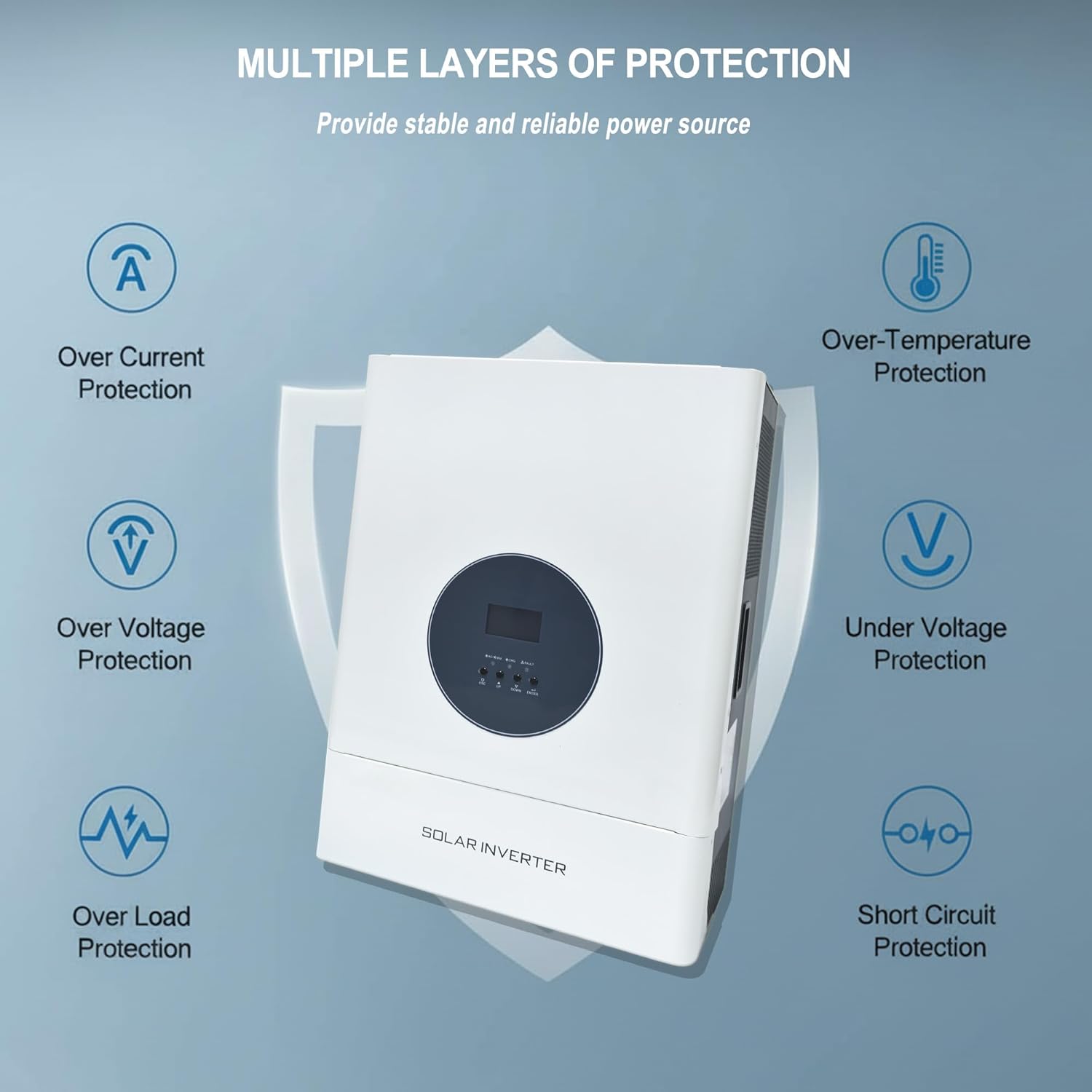
Figure 2.1: Multiple Layers of Protection. This image highlights the inverter's built-in safety features, including protection against over current, over voltage, overload, over temperature, under voltage, and short circuits, ensuring stable and reliable power delivery.
3. Product Overview
The VariForma 5000W Hybrid Solar Inverter is a versatile power solution designed for home, RV, and truck applications. It converts 48V DC to 110V/240VAC and features a 120A MPPT solar charge controller. It supports various 48V battery types, including Flooded, AGM, Gel, and LiFePO4.
3.1 Key Features
- Rated Output Power: 5000W
- Max PV Input Power: 6400W, 150VDC
- MPPT Charge Controller: 120A, 60-150 VDC range
- Output Voltage: 110V/240VAC ±10%
- Built-in AC Charger: 50A
- Pure Sine Wave Output: For optimal safety and performance.
- Communication Interfaces: BMS/RS485, RS232, Dry Contact.
- Cooling: Dual cooling fans.
3.2 Component Identification

Figure 3.1: Product Appearance. This image shows the inverter's front and top panels with key components labeled for easy identification.
- LCD Display
- LED Indicators
- Function Keys
- Power On/Off Switch
- AC Input
- AC Output
- Communication Port
- PV Input
- Battery Input
4. Setup and Installation
Before beginning installation, ensure the mounting location is dry, well-ventilated, and away from flammable materials. The inverter should be mounted vertically on a sturdy surface.
4.1 Wiring Diagram
Follow the wiring diagrams carefully. Incorrect wiring can cause damage to the inverter and connected devices.

Figure 4.1: Split-Phase 110V/220VAC Wiring Diagram. This diagram illustrates how to connect the AC input and output for 110V and 220V loads, showing ground, live, and neutral wire connections.
Steps for setting output 110V/220V:
- Press and hold the set button for approximately 10 seconds to enter the settings mode.
- After entering the settings mode, select the output voltage in the 11th setting item. The default output is 110V/220V. At this point, the screen shows "OU" on the left, "11" in the middle, and either 110 or 220 on the right. Adjust as needed.

Figure 4.2: Inverter Connection Diagram. This diagram provides a comprehensive overview of how to connect the inverter to AC input sources (utility grid or generator), PV input (solar panels), AC output loads, and the battery bank.
Ensure all connections are made according to local electrical codes and safety standards. Double-check all polarities before powering on the system.
5. Operating Modes
The inverter offers flexible charging and discharge modes to suit various energy management needs.
5.1 Charge Modes
- Solar-Only: Charges batteries exclusively from solar power.
- Utility Priority: Charges batteries primarily from the utility grid, using solar as a secondary source if available.
- Solar Priority: Charges batteries primarily from solar power, using the utility grid as a backup.
5.2 Discharge Modes (Output Modes)
- PV Priority: Prioritizes solar power for loads, using battery/utility as backup.
- Utility Priority: Prioritizes utility power for loads, using battery/solar as backup.
- Inverter Priority: Prioritizes battery power for loads, using utility/solar as backup.
These modes can be configured via the LCD display and function keys as described in the setup section or the full user manual.
6. Maintenance
Regular maintenance ensures the longevity and optimal performance of your inverter.
- Cleaning: Periodically clean the exterior of the inverter with a dry cloth. Ensure ventilation openings are free from dust and debris. Do not use liquid cleaners.
- Connections: Annually inspect all wiring connections for tightness and signs of corrosion. Loose connections can lead to overheating and system failure.
- Environment: Ensure the operating environment remains within specified temperature and humidity ranges.
- Battery Health: Monitor battery voltage and health according to battery manufacturer guidelines.
7. Troubleshooting
This section provides solutions for common issues. For problems not listed here, contact customer support.
| Problem | Possible Cause | Solution |
|---|---|---|
| Inverter not powering on | No battery connection; Battery voltage too low; Power switch off. | Check battery connections; Charge battery; Turn on power switch. |
| No AC output | Overload; Short circuit; Inverter in fault mode. | Reduce load; Check for short circuits in wiring; Restart inverter. |
| PV input not charging | Insufficient solar irradiance; PV array disconnected; MPPT range exceeded. | Check solar conditions; Verify PV connections; Ensure PV voltage is within 60-150 VDC. |
| Unusual noise from inverter | Loose components; Fan obstruction; Internal fault. | Ensure inverter is securely mounted; Check for fan obstructions; Contact support if noise persists. |
8. Specifications
| Parameter | Value |
|---|---|
| Model Name | 5KW-SPLIT |
| Rated Output Power | 5000W |
| Max PV Input Power | 6400W |
| Max PV Input Voltage | 150VDC |
| MPPT Input Voltage Range | 60-150 VDC |
| Max PV Input Current | 120A |
| Max AC Input Current | 50A |
| Output Frequency | 50Hz/60Hz |
| Output Voltage | 110V/220Vac ±10% |
| Battery Voltage | 48VDC |
| Compatible Battery Types | Flooded, AGM, Gel, LiFePO4, User-defined |
| Communication Interfaces | BMS/RS485, RS232, Dry Contact |
9. Warranty and Support
For warranty information and technical support, please refer to the documentation included with your purchase or contact VariForma customer service. Ensure you have your model number (5KW-SPLIT) and purchase date available when contacting support.
For further assistance, please visit the official VariForma website or contact your local distributor.


