
1. Introduction
Thank you for choosing the T&G TG534 Portable Bluetooth Speaker. This speaker is designed to provide high-fidelity stereo sound with deep bass and clear highs, suitable for various environments including outdoor activities, parties, and travel. It features IPX4 waterproof protection, a built-in microphone, and multiple playback options.
Please read this manual carefully before using the product to ensure proper operation and to maximize your listening experience.
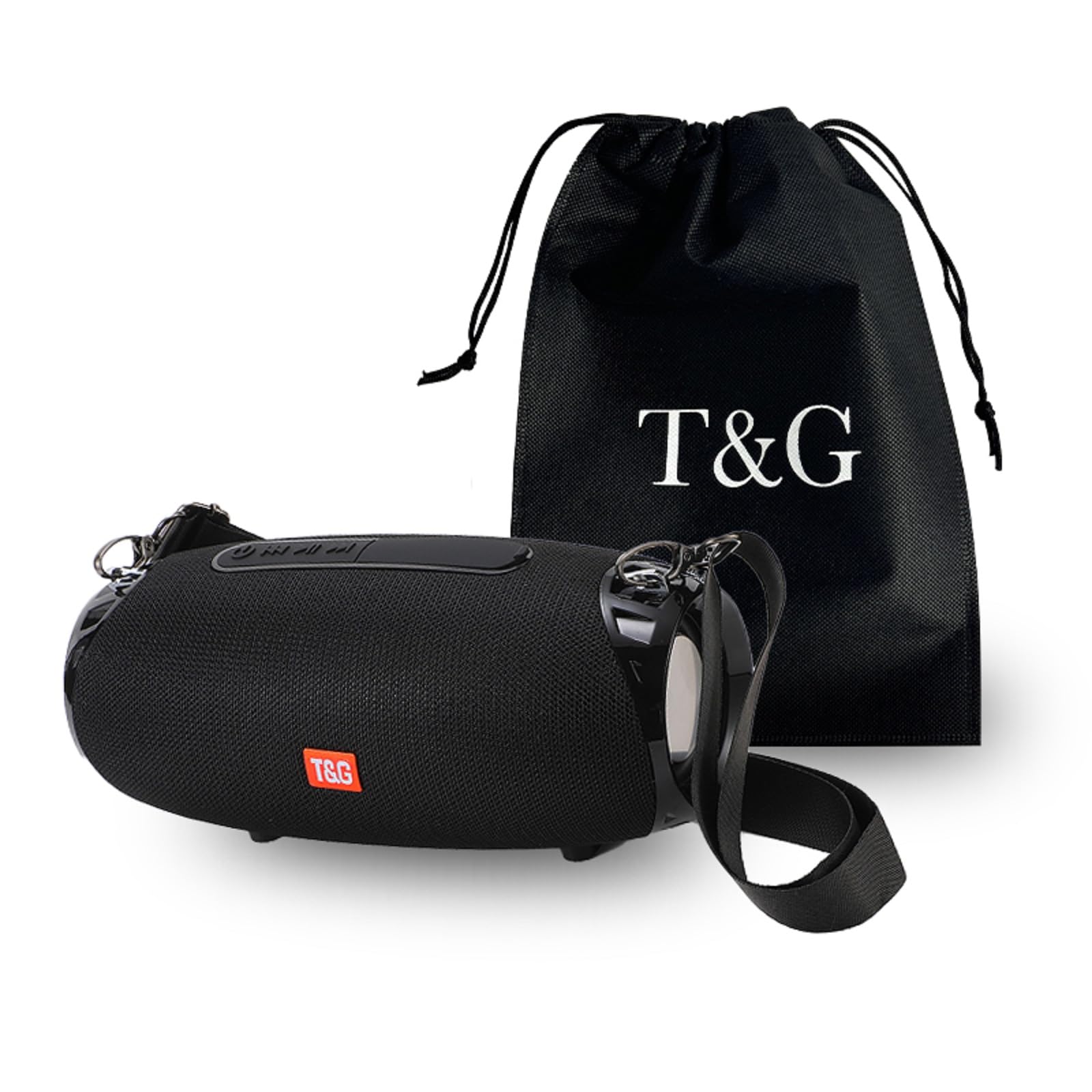
Image 1.1: The T&G TG534 Portable Bluetooth Speaker, showcasing its design and portability in an outdoor environment.
2. Package Contents
- T&G TG534 Portable Bluetooth Speaker
- USB Charging Cable
- Audio Cable (AUX)
- User Manual
- Lanyard
3. Setup
3.1 Charging the Speaker
- Connect the provided USB charging cable to the speaker's charging port.
- Connect the other end of the USB cable to a USB power adapter (not included) or a computer's USB port.
- The charging indicator light will illuminate, typically red, during charging.
- Once fully charged, the indicator light will change or turn off (refer to specific LED behavior in the quick start guide if available). A full charge provides up to 30 hours of playtime at medium volume.
3.2 Powering On/Off
- To power on, press and hold the power button for a few seconds until you hear an audible prompt or see the LED indicator light up.
- To power off, press and hold the power button again for a few seconds.
3.3 Bluetooth Pairing
- Ensure the speaker is powered on and in Bluetooth pairing mode (indicated by a flashing LED, typically blue).
- On your device (smartphone, tablet, computer), enable Bluetooth and search for available devices.
- Select "TG534" (or similar name) from the list of devices.
- Once paired, you will hear a confirmation sound, and the LED indicator will typically turn solid blue.
3.4 True Wireless Stereo (TWS) Pairing
To achieve a stereo sound experience, you can pair two TG534 speakers together:
- Ensure both TG534 speakers are powered on and not connected to any other Bluetooth device.
- On one speaker, press the TWS button (if available) or a designated pairing button. Repeat for the second speaker.
- The speakers will automatically search and pair with each other. A confirmation sound will indicate successful TWS pairing.
- Once TWS paired, connect your device to one of the speakers via Bluetooth as described in section 3.3. Both speakers will now play audio in stereo.

Image 3.1: The T&G TG534 speaker being used by individuals outdoors, highlighting its portability and suitability for shared listening experiences.
4. Operating Instructions
4.1 Basic Controls
- Power Button: Press and hold to power on/off. Short press for play/pause (in Bluetooth mode).
- Volume Up (+): Short press to increase volume. Long press for next track.
- Volume Down (-): Short press to decrease volume. Long press for previous track.
- Mode Button (M): Short press to switch between Bluetooth, TF Card, USB Drive, and FM Radio modes.
- Call Button: Short press to answer/end calls. Long press to reject calls. Double press to redial last number.
4.2 Playback Modes
The TG534 speaker supports multiple playback options:
- Bluetooth Mode: Connect wirelessly to your device for audio streaming.
- TF Card Mode: Insert a TF (MicroSD) card with audio files into the designated slot. The speaker will automatically switch to TF Card mode and begin playback.
- USB Drive Mode: Insert a USB flash drive with audio files into the USB port. The speaker will automatically switch to USB Drive mode and begin playback.
- FM Radio Mode: Press the Mode button to switch to FM Radio. Use the volume buttons to scan for stations (long press +/-) or change stations (short press +/- after scanning).
- AUX Mode: Connect an external audio device using the 3.5mm audio cable (AUX cable) to the AUX input port. The speaker will automatically switch to AUX mode.

Image 4.1: Visual representation of the speaker's key functionalities, including True Wireless Stereo (TWS), call handling, TF card support, wireless connectivity, FM radio, and USB playback.
4.3 Hands-Free Calling
When connected via Bluetooth to your smartphone, the built-in microphone allows for hands-free calling. Use the Call button to manage incoming and outgoing calls.
5. Maintenance
- Cleaning: Wipe the speaker with a soft, dry cloth. Do not use abrasive cleaners or solvents.
- Water Resistance: The speaker has an IPX4 waterproof rating, meaning it is resistant to splashing water from any direction. Do not submerge the speaker in water. Ensure all port covers are securely closed before exposure to water.
- Storage: Store the speaker in a cool, dry place away from direct sunlight and extreme temperatures.
- Battery Care: To prolong battery life, avoid fully discharging the battery frequently. Charge the speaker regularly, even if not in use for extended periods.

Image 5.1: The T&G TG534 speaker demonstrating its IPX4 waterproof capability in a beach environment, suitable for outdoor use.
6. Troubleshooting
| Problem | Possible Cause | Solution |
|---|---|---|
| Speaker does not power on | Low battery; Power button not pressed long enough | Charge the speaker; Press and hold the power button for 3-5 seconds |
| Cannot pair via Bluetooth | Speaker not in pairing mode; Device Bluetooth off; Speaker too far from device | Ensure speaker is flashing blue LED; Turn on device Bluetooth; Move speaker closer to device (within 10 meters) |
| No sound | Volume too low; Incorrect input mode; Device not playing audio | Increase speaker and device volume; Press 'M' button to select correct mode; Ensure audio is playing on your device |
| Poor sound quality | Low battery; Obstructions between speaker and device; Source audio quality | Charge the speaker; Reduce distance or remove obstructions; Try different audio source |
| TWS pairing fails | Speakers already connected to another device; Not in TWS pairing mode | Disconnect speakers from other devices; Ensure both speakers are in TWS pairing mode |
7. Specifications
| Feature | Detail |
|---|---|
| Model Name | TG534 |
| Brand | T&G |
| Connectivity Technology | Wireless (Bluetooth) |
| Speaker Type | Outdoor |
| Waterproof Rating | IPX4 |
| Audio Features | Hi-Res Audio, Bass Boost, DSP Technology |
| Playback Time | Up to 30 hours (at medium volume) |
| Supported Media | TF Card, USB Drive |
| Built-in Microphone | Yes |
| Dimensions (L x D) | 23 cm (9.06 in) x 10.8 cm (4.25 in) |

Image 7.1: Product size diagram illustrating the length and diameter of the T&G TG534 speaker.
8. Warranty and Support
8.1 Warranty Information
Specific warranty details for the T&G TG534 Portable Bluetooth Speaker are typically provided at the point of purchase or within separate warranty documentation. Please refer to your purchase receipt or contact the seller for information regarding warranty coverage and duration.
8.2 Customer Support
For technical assistance, troubleshooting beyond this manual, or warranty claims, please contact the seller or manufacturer directly. Contact information can usually be found on the product packaging, the seller's website, or your purchase invoice.


