
Quican IDW13 Plus
Quican IDW13 Plus Smart Watch User Manual
Model: IDW13 Plus
1. Introduction
This manual provides essential information for setting up, operating, and maintaining your Quican IDW13 Plus Smart Watch. Designed for both men and women, this smartwatch features a 1.85-inch HD touchscreen, Bluetooth calling, comprehensive health tracking, and over 100 sports modes. Please read this manual carefully before use to ensure optimal performance and longevity of your device.
2. What's in the Box
Upon opening your Quican IDW13 Plus Smart Watch package, you should find the following items:
- Smartwatch × 1
- Charging Cable × 1
- Multiple Languages User Manual × 1
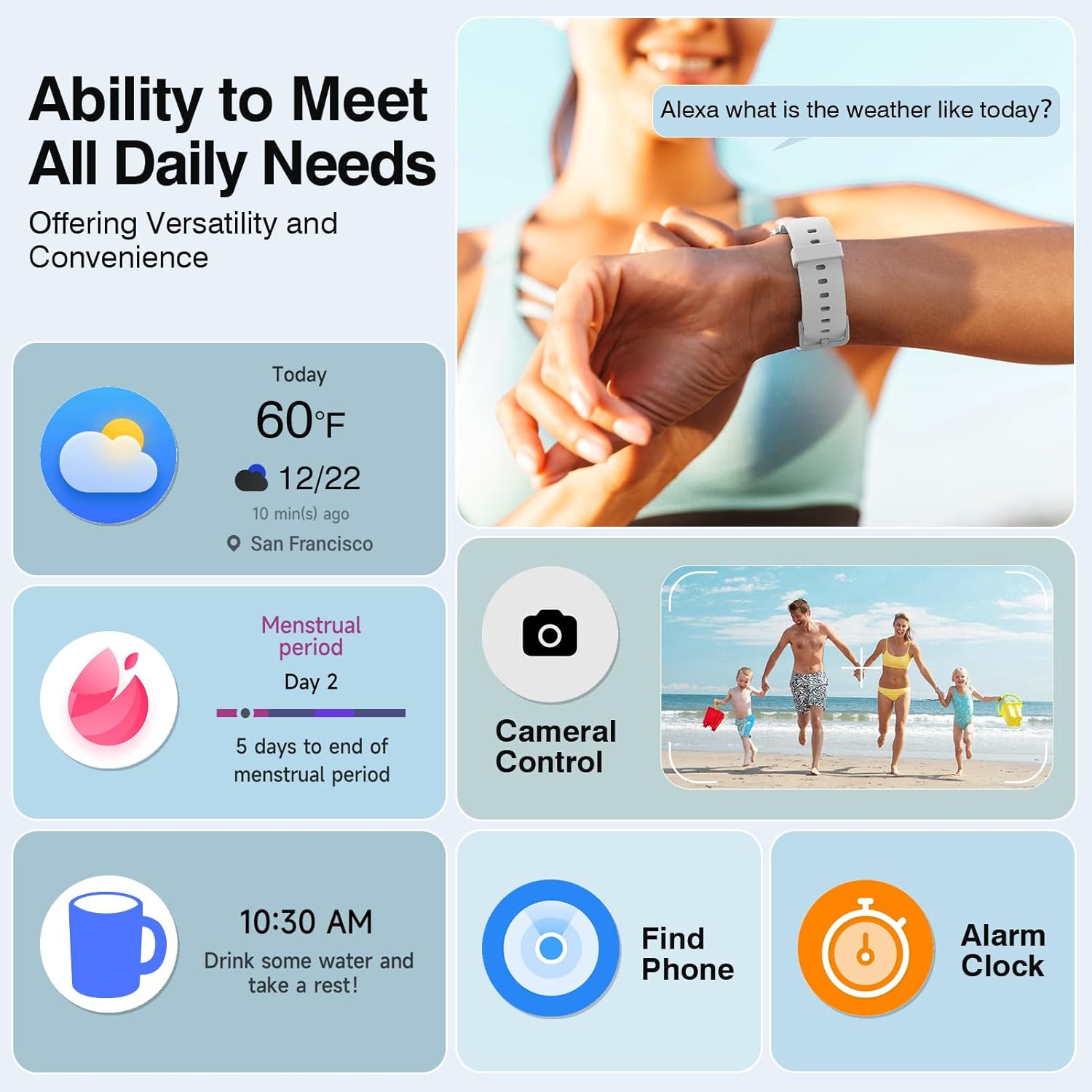
Image: Contents of the Quican IDW13 Plus Smart Watch box, including the smartwatch, charging cable, and user manual.
3. Setup
3.1 Initial Charging
Before first use, fully charge your smartwatch. Connect the magnetic charging cable to the charging points on the back of the watch and plug the USB end into a power source. A full charge takes approximately 2.5 hours and provides up to 12 days of typical use.

Image: The Quican IDW13 Plus Smart Watch being charged with its magnetic cable, displaying 100% battery, and a person swimming, illustrating its 2ATM waterproof rating.
3.2 App Installation and Pairing
To unlock all features and track your data, download the "VeryFit" app from the Google Play Store (for Android 8.0+ devices) or the Apple App Store (for iOS 13.0+ devices). Follow the in-app instructions to pair your smartwatch via Bluetooth 5.3. Ensure your phone's Bluetooth is enabled and the watch is sufficiently charged.

Image: A person's hand holding a smartphone displaying the VeryFit app interface, with a Quican smartwatch on the wrist, illustrating the app installation and pairing process.
Video: Official product video demonstrating the Quican IDW13 Plus Smart Watch's features, including call and message notifications, health monitoring, and various sports modes.
4. Operating Your Smart Watch
4.1 Bluetooth Call & Message Notifications
The smartwatch features a high-definition speaker and microphone for seamless Bluetooth 5.3 calling. Receive call, text, and app notifications directly on the 1.85-inch HD smartwatch screen. Simply raise your wrist to see who's calling or check your messages. Note: Message or text reply is not supported directly from the watch.
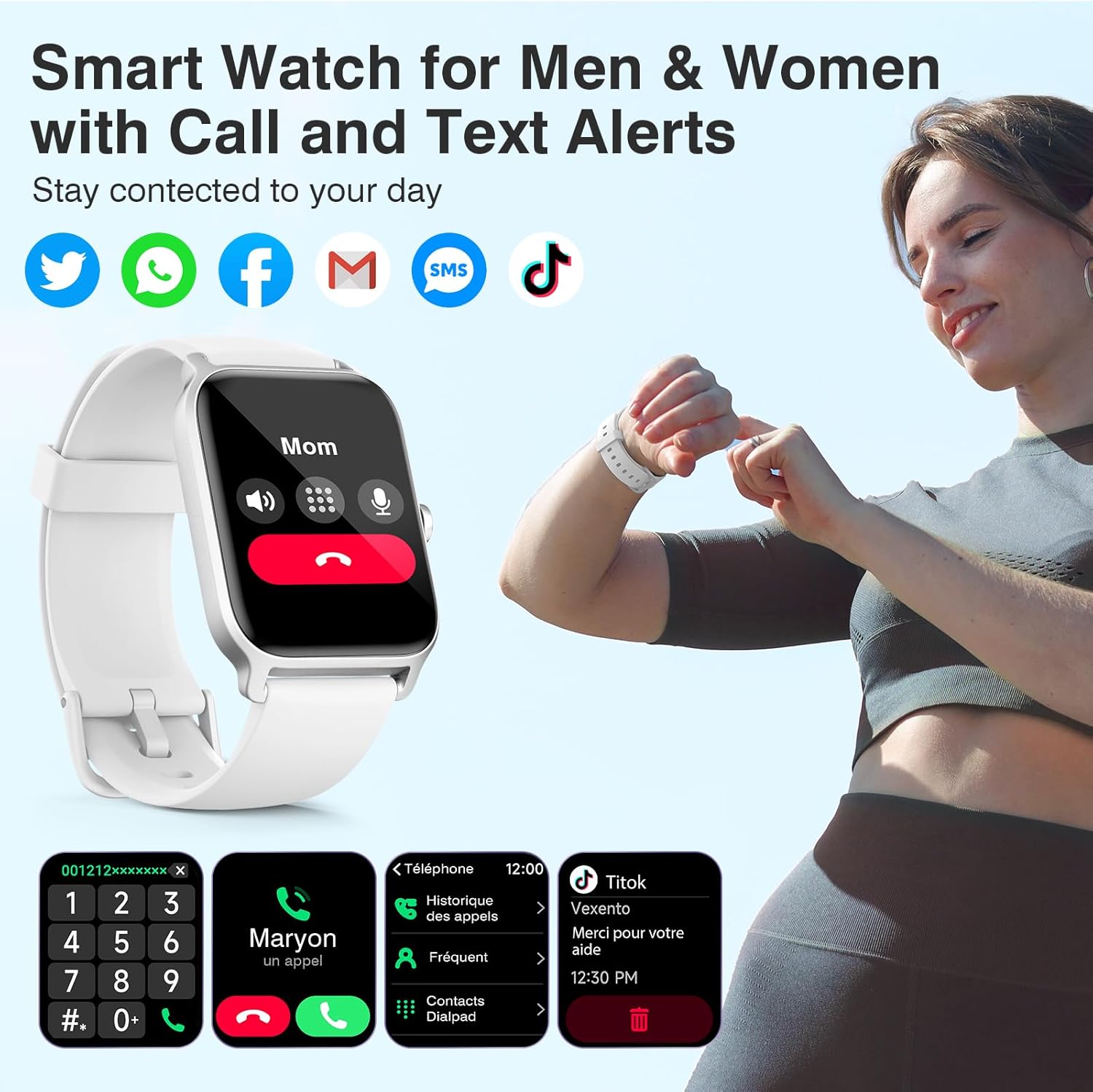
Image: A close-up of the Quican IDW13 Plus Smart Watch screen showing an incoming call from 'Mom' and various app notification icons (Twitter, WhatsApp, Facebook, Mail, SMS, TikTok).
4.2 24/7 Health Tracking
Built-in optical sensors provide comprehensive health insights through continuous heart rate, stress levels, and blood oxygen (SpO2) monitoring. All data is displayed clearly on your smartwatch and phone via the VeryFit app. This device is for non-medical use.
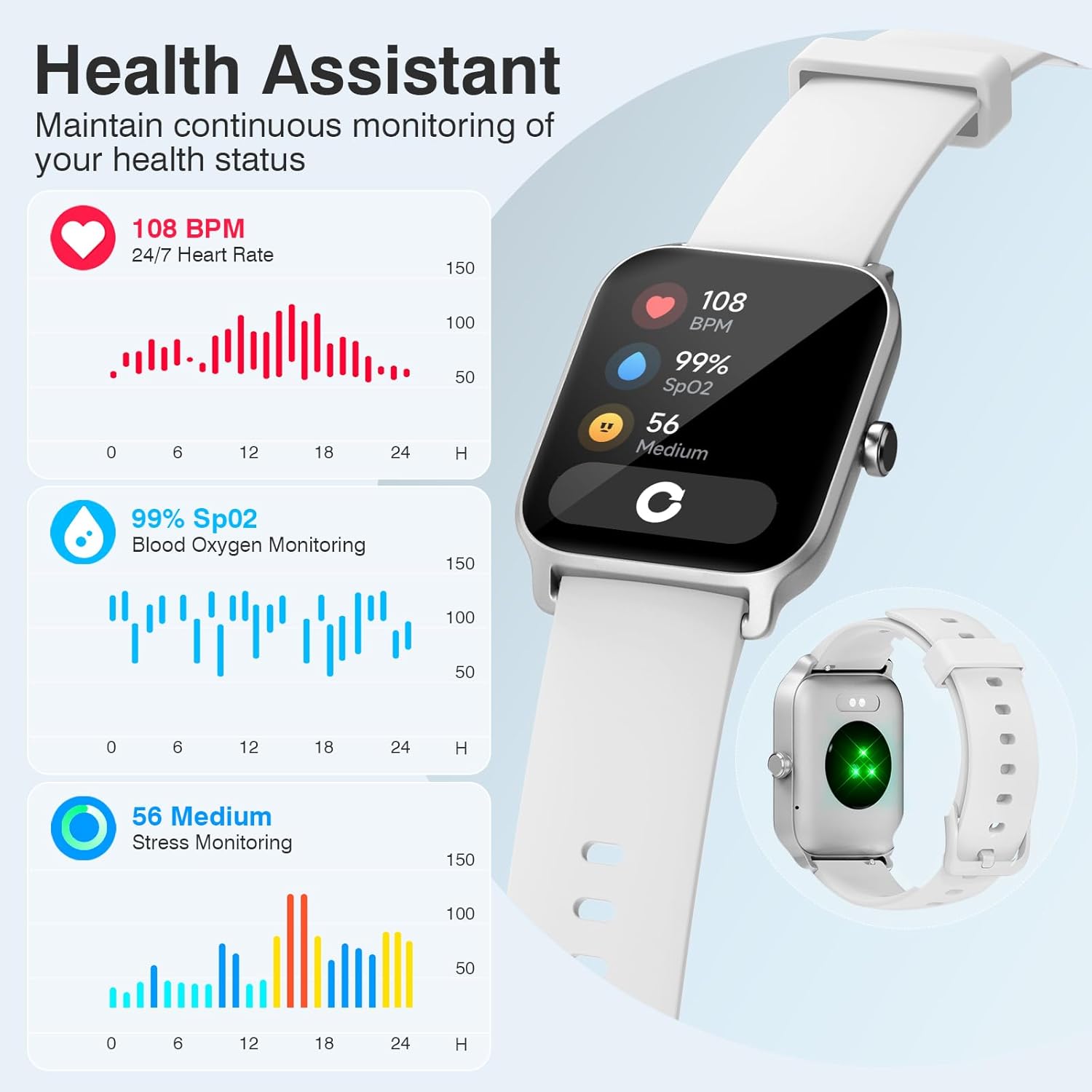
Image: The Quican IDW13 Plus Smart Watch displaying health metrics: 108 BPM heart rate, 99% SpO2 blood oxygen, and 56 (medium) stress level, with a green light sensor visible on the back of the watch.
4.3 Sleep & Fitness Tracking
The fitness watch offers activity tracking for over 100 sports modes, including running, walking, hiking, and yoga. It accurately monitors your exercise time and calories burned. The smartwatch also comprehensively tracks your rest patterns, analyzing light and deep sleep stages to help you achieve better sleep.
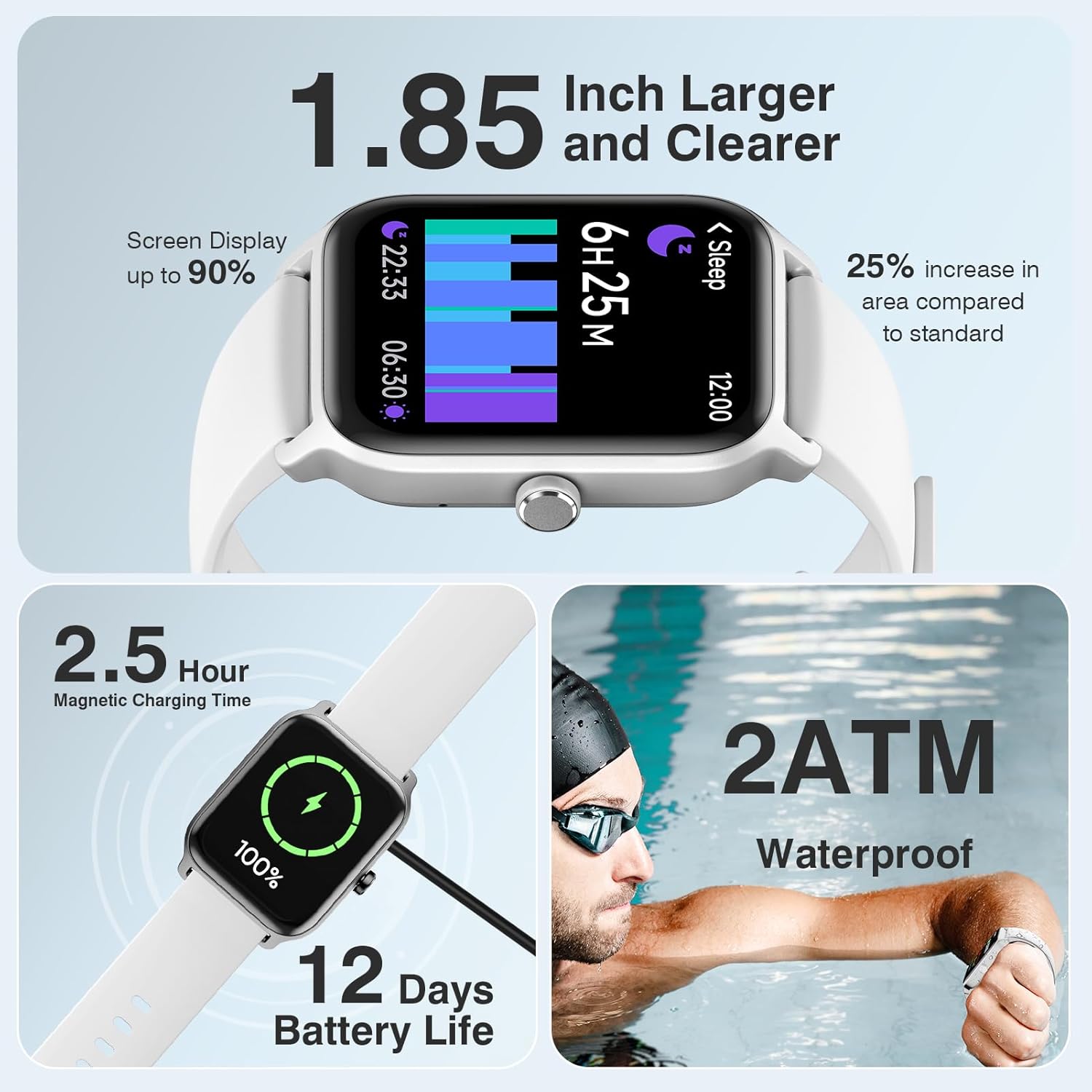
Image: A split image showing a person running outdoors with the Quican IDW13 Plus Smart Watch displaying activity data (650 kcal, 00:43:07 time, 8 km distance, 11200 steps), and another person sleeping with the watch displaying sleep tracking data (7 hours 15 minutes total sleep, deep sleep, light sleep).

Image: The Quican IDW13 Plus Smart Watch displaying a workout activity screen showing 20000 steps, 259 kcal, 22/30 min, and 5/12 hrs. Surrounding images show people engaged in various sports like cycling, stretching, and running, representing the 100+ sports modes.
4.4 Alexa Built-in & Customizable Dials
The watch features Alexa Built-in, offering multiple functions such as weather forecasts, schedule updates, alarms, flashlight, music and camera control. It is equipped with over 100 watch faces, allowing you to customize and create unique fitness tracker screens.

Image: The Quican IDW13 Plus Smart Watch displaying an Alexa voice command 'Alexa what is the weather like today?' and other features like weather forecast, menstrual period tracking, camera control, find phone, and alarm clock.

Image: A close-up of the Quican IDW13 Plus Smart Watch on a wrist, displaying a customizable watch face with time, date, steps, heart rate, and battery level. Other watch faces are shown in the background, highlighting DIY dial options.
5. Maintenance
5.1 Charging
To charge your watch, align the magnetic charging cable with the charging contacts on the back of the watch. Ensure a secure connection. A full charge takes approximately 2.5 hours. Avoid using damaged cables or chargers.
5.2 Waterproofing
The Quican IDW13 Plus Smart Watch has a 2ATM waterproof rating, making it safe for washing hands, face, or during daily sweating. It is suitable for activities like swimming in a pool or open water. However, it is not recommended for hot showers, saunas, or diving, as steam and high temperatures may affect its water resistance.
6. Troubleshooting
- Watch not turning on: Ensure the watch is fully charged. Long press the function button to power it on.
- Unable to pair with phone: Make sure Bluetooth is enabled on your phone and the VeryFit app is open. Ensure the watch is within range and not connected to another device. Restart both the watch and your phone if necessary.
- Notifications not appearing: Check app permissions on your phone to ensure VeryFit has access to notifications. Verify that notifications are enabled within the VeryFit app settings for specific applications.
- Inaccurate health data: Ensure the watch is worn snugly on your wrist, not too tight or too loose. Clean the sensor on the back of the watch regularly.
- Short battery life: Reduce the frequency of continuous health monitoring (e.g., heart rate, SpO2) in the app settings. Lower screen brightness or shorten screen-on time.
7. Specifications
| Model Name | IDW13 Plus |
| Screen Size | 1.85 Inches |
| Display Type | LCD |
| Connectivity Technology | Bluetooth 5.3 |
| Battery Capacity | 350 Milliamp Hours |
| Battery Average Life | 12 days |
| Battery Charge Time | 2.5 Hours |
| Waterproof Rating | 2 ATM (20 Meters) |
| Compatible Devices | iOS 13.0+ or Android 8.0+ Smartphones |
| Memory Storage Capacity | 128 MB |
| Band Material Type | Silicone |
| Case Material Type | Stainless Steel |
| Item Weight | 100 Grams |
8. Warranty and Support
8.1 Warranty Information
Quican provides a 5-Year warranty for the IDW13 Plus Smart Watch. This warranty covers manufacturing defects and ensures your device functions as intended under normal use.
8.2 Customer Support
For any issues, questions, or support needs regarding your smartwatch, please contact our dedicated customer service team. Refer to the contact information provided in the packaging or on the official Quican website for assistance.
Related documentsIDW13 Plus


Ask a question about this manual
Ask about setup, troubleshooting, compatibility, parts, safety, or missing instructions. Manuals+ will review the question and use this page’s manual context to help answer it.