1. Introduction
This manual provides detailed instructions for the assembly, setup, operation, maintenance, and troubleshooting of your Jocoevol Folding Dining Table. Please read this manual thoroughly before assembly and use to ensure safe and correct operation. Keep this manual for future reference.
2. Safety Information
WARNING: Failure to follow these safety instructions may result in injury or damage to the product.
- Avoid overloading the tabletop. The maximum weight capacity is 150 lbs (68 kg).
- Keep the storage drawer and casters clear of obstructions to prevent tip-overs.
- Be cautious of sharp edges and corners when using and storing the table.
- Ensure all screws and fasteners are tightened securely during assembly and periodically check for looseness.
- Do not stand or sit on the table.
- Use the lockable casters to secure the table in place when in use to prevent unintended movement.
3. Package Contents
Before beginning assembly, verify that all parts listed below are present and undamaged. If any parts are missing or damaged, contact customer support immediately.
- Main Table Frame (with integrated storage unit)
- Folding Table Leaves (2 pieces)
- Storage Drawer
- Lockable Casters (4 pieces)
- Assembly Hardware (screws, hinges, brackets, etc.)
- Assembly Tool (Hex key/screwdriver)
- Instruction Manual
4. Assembly Instructions
Follow these steps carefully for proper assembly. It is recommended to assemble the table on a soft, clean surface to prevent scratches.
Step 1: Attach Casters to the Base Unit
Carefully turn the main table frame (storage unit) upside down. Attach the four lockable casters to the designated holes on the bottom of the unit using the provided screws. Ensure they are securely fastened.
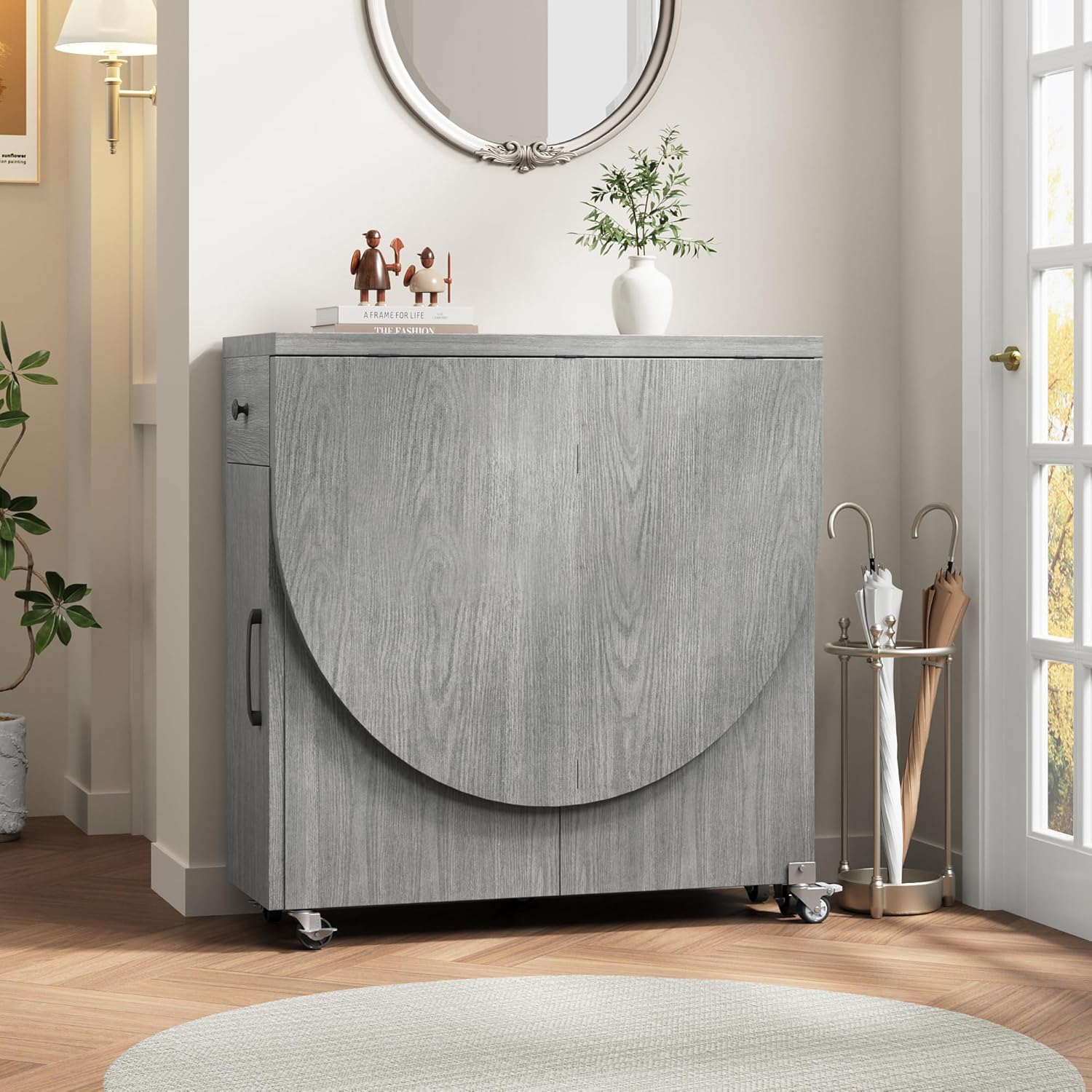
Image: Detail of the 360° lockable caster wheel and storage drawer.
Step 2: Install the Storage Drawer
Slide the storage drawer into its designated slot within the main table frame. Ensure the drawer slides smoothly and the handle is facing outwards. If necessary, attach the drawer handle using the provided screw.

Image: The table in its fully open configuration, highlighting the storage drawer and shelves.
Step 3: Attach Folding Table Leaves
Position one folding table leaf against the main table frame. Align the hinges on the leaf with the pre-drilled holes on the frame. Secure the leaf using the provided screws. Repeat for the second folding leaf on the opposite side. Ensure the leaves can pivot freely.

Image: The table used as a kitchen island, demonstrating the foldable countertop and a visible safety lock.
Step 4: Verify Stability
Once all components are assembled, gently test the table for stability. Ensure all screws are tight and the folding mechanisms operate smoothly. If any wobbling occurs, re-check all connections.
5. Setup
5.1 Unfolding the Table
- From Fully Folded (Console Mode): Unlock the casters. Gently pull one of the folding leaves outwards. The support leg will automatically extend. Push the leaf down until it is level with the main table surface. Repeat for the other leaf if desired.
- From Half-Folded (Desk/Island Mode): If one leaf is already extended, unlock the casters. Pull the second folding leaf outwards and push it down until it is level with the main table surface.

Image: The table demonstrating its versatility in three modes: dining table, console table, and office table.
5.2 Locking the Casters
Once the table is in your desired position and configuration, press down on the locking levers on each caster wheel to secure the table and prevent accidental movement.
6. Operation
The Jocoevol Folding Dining Table offers multiple configurations to suit various needs:
6.1 Fully Extended (Dining Table Mode)
With both leaves extended, the table provides a spacious surface for dining, accommodating 4 to 6 people. Ensure both leaves are securely locked into place and casters are locked before use.

Image: The table fully extended, serving as a dining table.
6.2 Half-Folded (Desk or Kitchen Island Mode)
Fold one leaf down to create a compact desk or an extension for your kitchen island. This mode is ideal for smaller spaces or individual tasks. Remember to lock the casters.

Image: The table in its half-folded configuration, functioning as a workspace.
6.3 Fully Folded (Console Table Mode)
When not in use, fold both leaves down to transform the table into a compact console unit. This space-saving design allows for easy storage in entryways or corners. Unlock casters for movement, then lock them once stored.
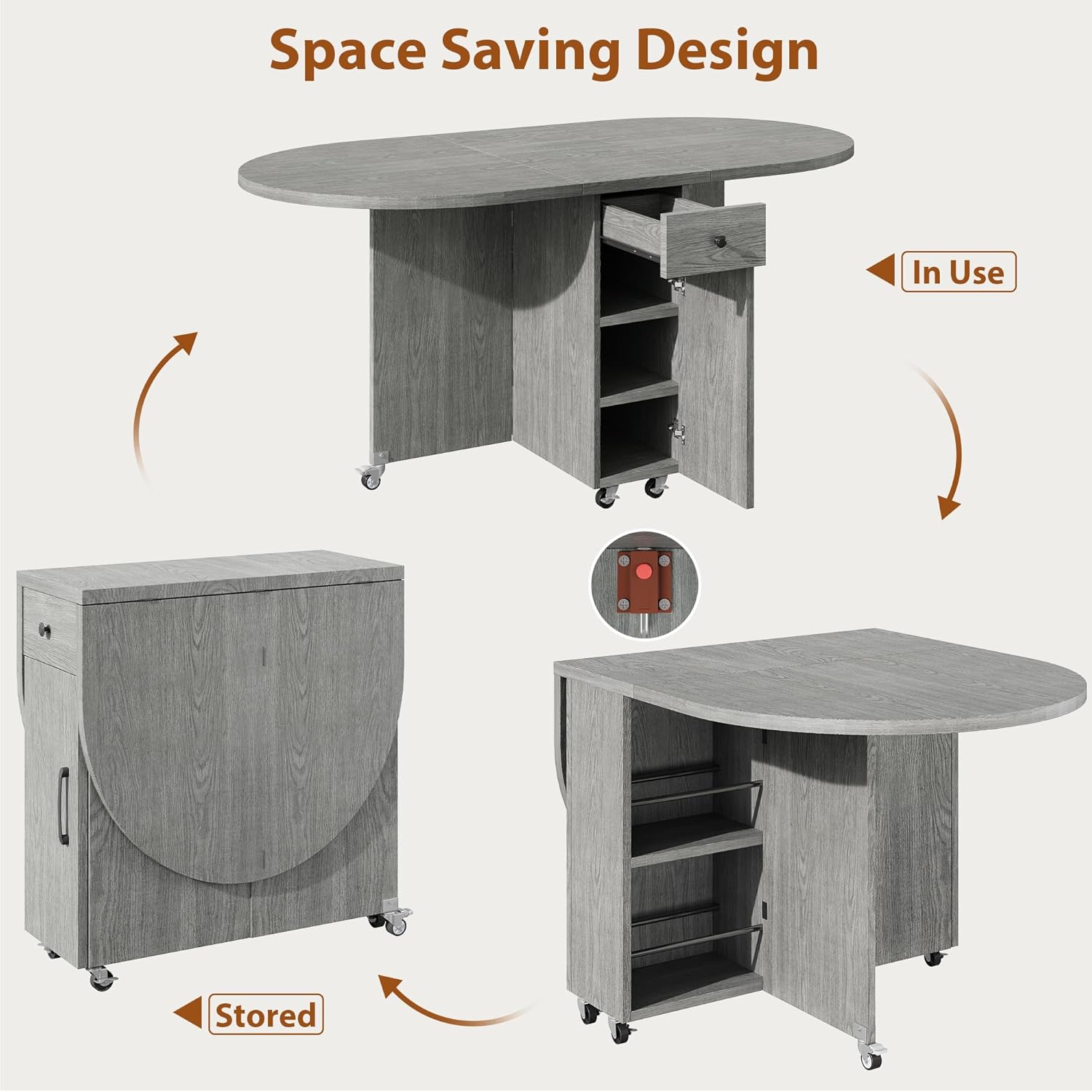
Image: The table fully folded, serving as a space-saving console table.
6.4 Using the Storage Drawer and Shelves
The integrated storage unit features a drawer and two-tier shelves. Use these for storing dinnerware, utensils, or other small items. Ensure items are placed securely to prevent them from falling when the table is moved.
7. Maintenance
- Cleaning: Wipe the table surfaces with a soft, damp cloth. Avoid harsh chemicals or abrasive cleaners, which can damage the finish. Dry immediately with a clean cloth.
- Spills: Clean up spills immediately to prevent staining or damage to the engineered wood.
- Hardware Check: Periodically check all screws, bolts, and hinges to ensure they are tight. Re-tighten if necessary to maintain stability and prevent wobbling.
- Caster Care: Keep caster wheels free of debris (hair, dust, etc.) to ensure smooth movement.
- Avoid Extreme Conditions: Do not expose the table to extreme temperatures, humidity, or direct sunlight for prolonged periods, as this may cause warping or discoloration.
8. Troubleshooting
Problem: Table is wobbly.
Solution: Check all assembly screws and bolts, especially those connecting the leaves and the main frame. Tighten any loose hardware. Ensure the table is on a level surface and the casters are locked.
Problem: Leaves do not fold/unfold smoothly.
Solution: Inspect the hinges for any obstructions or damage. Ensure the support legs are extending and retracting correctly. Apply a small amount of silicone lubricant to the hinges if they are stiff.
Problem: Drawer is sticking or difficult to open/close.
Solution: Check if the drawer is properly aligned on its runners. Ensure no items inside the drawer are obstructing its movement. Clear any debris from the drawer runners.
Problem: Casters are not rolling or locking properly.
Solution: Check for debris (e.g., hair, lint) wrapped around the caster wheels. Clean them if necessary. Ensure the locking mechanism is fully engaged or disengaged. If a caster is damaged, contact customer support for a replacement.
9. Specifications
| Brand: | Jocoevol |
| Model Number: | dining table |
| Material: | Engineered Wood |
| Color: | Grey |
| Product Dimensions (Fully Extended): | 47 x 23.6 x 30 inches (L x W x H) |
| Item Weight: | 80 pounds |
| Weight Capacity: | Up to 150 lbs (68 kg) |
| Special Feature: | Storage, Foldable, Lockable Casters |
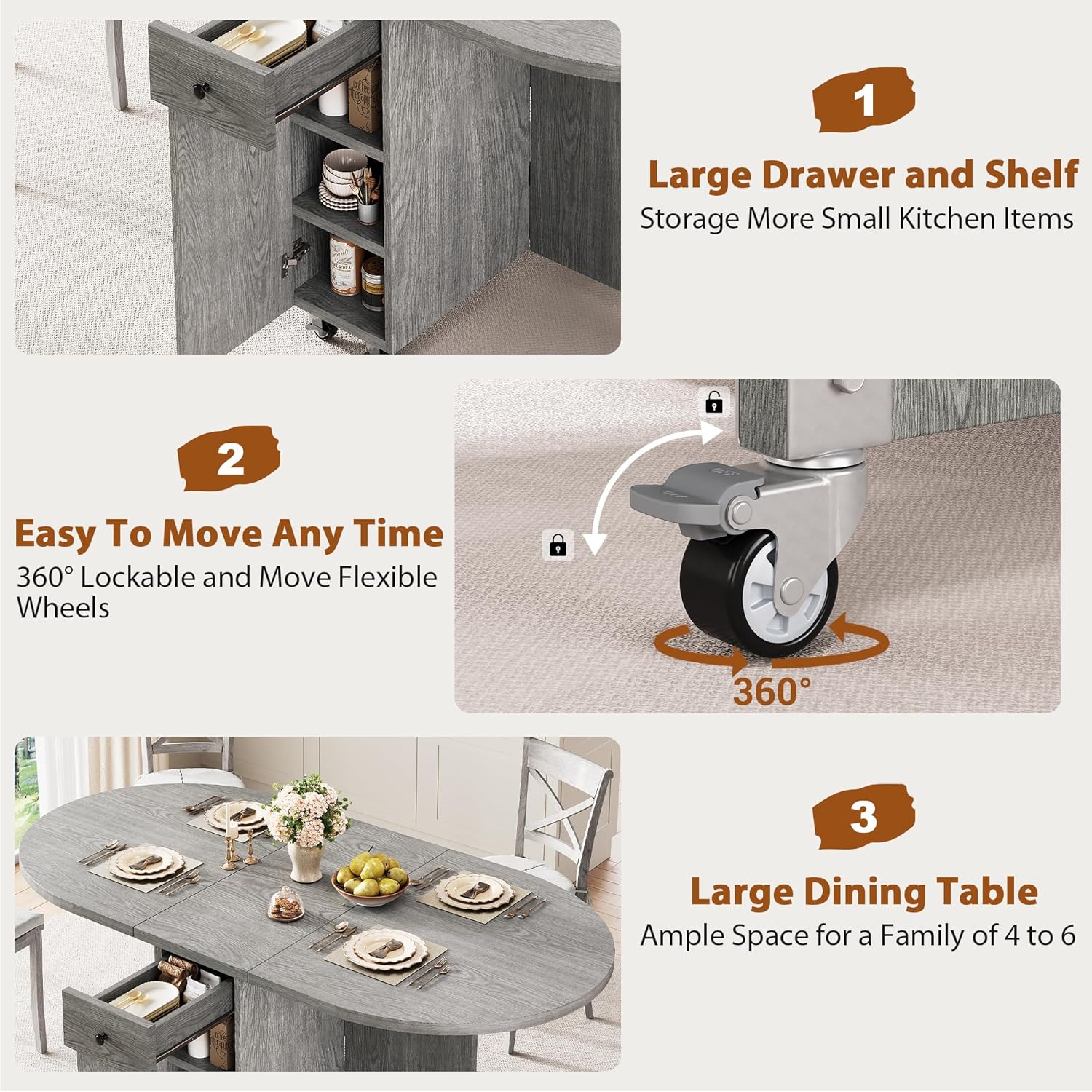
Image: Dimensional drawing of the table and its integrated drawer.
10. Warranty and Customer Support
Jocoevol products are designed for quality and durability. For specific warranty details, please refer to the warranty card included with your purchase or visit the official Jocoevol website.
If you encounter any issues during assembly or use, or if you have questions about your product, please contact our customer support team. Our responsive customer service team is here to help and aims to reply within 24 hours.
Contact Information: Please refer to your purchase documentation or the Jocoevol brand store for the most current contact details.
You can visit the Jocoevol Store for more information: Jocoevol Store on Amazon


