
Introduction
This manual provides essential information for setting up, operating, maintaining, and troubleshooting your HP ProDesk 600 G3 MT Desktop PC. Please read these instructions carefully before using your computer to ensure optimal performance and longevity.
The HP ProDesk 600 G3 MT is a renewed desktop computer featuring an Intel Pentium G4400 processor, 8GB DDR4 RAM, a 256GB SSD, and Windows 11 Pro operating system. It is designed for business, education, and everyday use.
Package Contents
Verify that all items are present in the package:
- HP ProDesk 600 G3 MT Desktop Computer
- RGB Keyboard
- Mouse
- AC Adapter (Power Cord)
- Wi-Fi/Bluetooth Adapter
Setup
1. Unpacking and Placement
Carefully remove the computer and all accessories from the packaging. Place the computer on a stable, flat surface with adequate ventilation. Avoid placing it near heat sources or in direct sunlight.
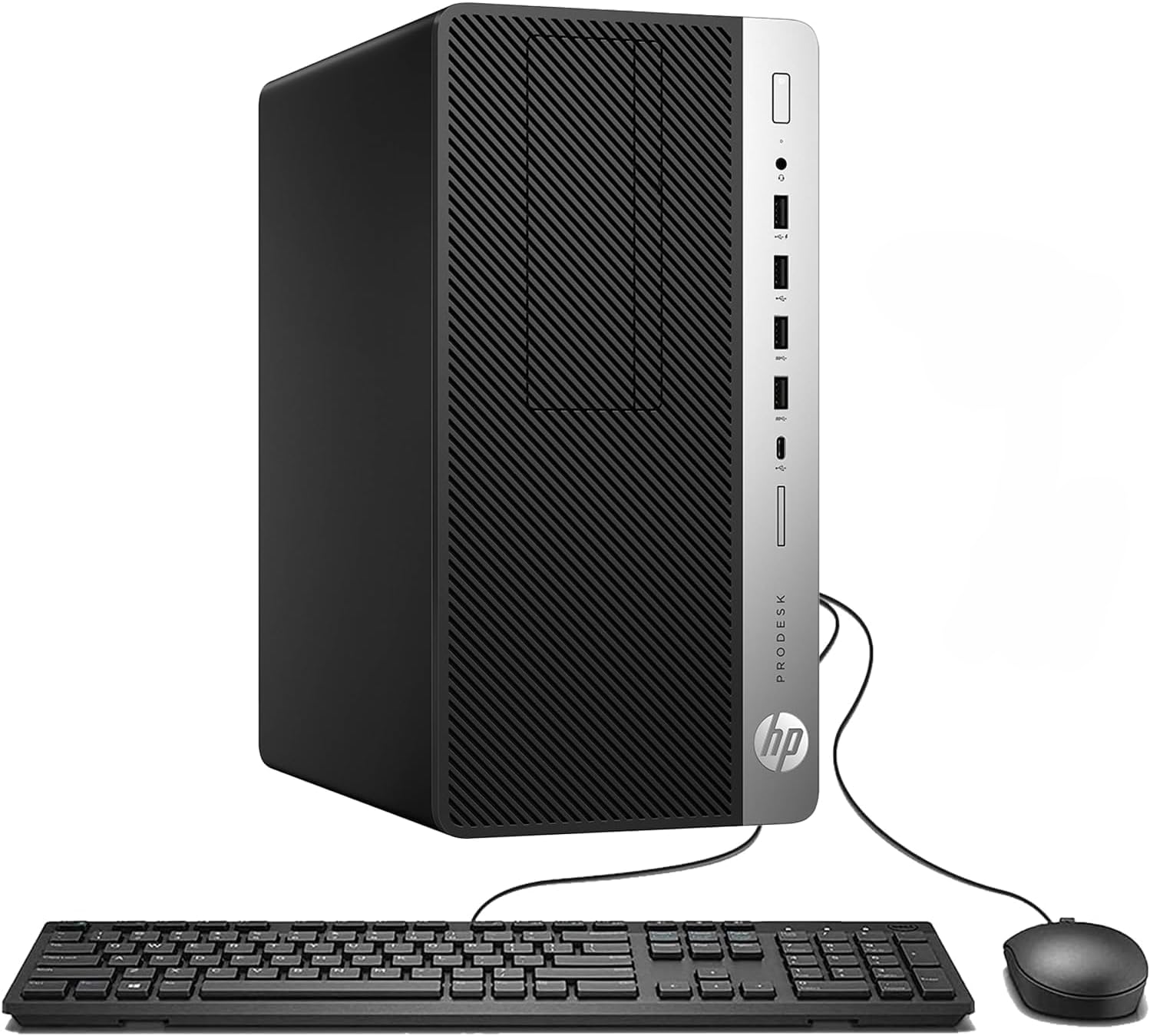
Image: Front-left view of the HP ProDesk 600 G3 MT desktop tower, showcasing its compact design and front panel.
2. Connecting Peripherals
- Monitor: Connect your monitor to the appropriate video output port (e.g., DisplayPort, HDMI, VGA) on the back of the computer.
- Keyboard and Mouse: Connect the USB keyboard and mouse to any available USB ports on the front or back of the computer.
- Power: Connect the AC adapter to the power input on the back of the computer, then plug the power cord into a wall outlet.
- Network (Optional): For a wired internet connection, connect an Ethernet cable from your router or modem to the LAN (RJ45) port on the back of the computer.
- Wi-Fi/Bluetooth Adapter: If using the included external Wi-Fi/Bluetooth adapter, plug it into an available USB port.

Image: Close-up view of the front panel of the HP ProDesk 600 G3 MT, showing USB ports, audio jacks, and the power button.
3. Initial Power-On
Press the power button located on the front of the computer. The system will boot up, and you will be guided through the initial Windows 11 Pro setup process. Follow the on-screen instructions to configure your language, region, network, and user account.
Operating Instructions
Power On/Off and Restart
- Power On: Press the power button on the front of the computer.
- Shut Down: Click the Start button in Windows, then select Power > Shut down.
- Restart: Click the Start button in Windows, then select Power > Restart.
Using the RGB Keyboard
The included RGB keyboard features customizable backlighting. To switch between different backlight modes, locate and press the Scroll Lock button on the keyboard.

Image: An RGB keyboard and mouse. The image highlights the 'Scroll Lock' button on the keyboard, indicating its function to change backlight modes.
Connecting to Networks
- Wired Network: Ensure an Ethernet cable is connected to the LAN port. The system should automatically detect the connection.
- Wireless Network: If using the Wi-Fi adapter, click the network icon in the Windows taskbar, select your Wi-Fi network, enter the password, and connect.
Using USB Ports
The computer is equipped with multiple USB ports (USB 2.0 and USB 3.0) for connecting external devices such as USB drives, printers, and other peripherals. USB 3.0 ports offer faster data transfer speeds.
Maintenance
Cleaning the Computer
- Always power off the computer and disconnect the power cord before cleaning.
- Use a soft, lint-free cloth slightly dampened with water or a mild cleaning solution to wipe the exterior surfaces.
- Avoid spraying liquids directly onto the computer.
- Use compressed air to clear dust from vents and ports periodically to maintain proper airflow.
Software Updates
Regularly update your Windows operating system and drivers to ensure security, stability, and optimal performance. Windows Update can be accessed via the Settings menu.
Data Backup
It is recommended to regularly back up your important data to an external drive or cloud storage to prevent data loss.
Troubleshooting
This section addresses common issues you might encounter.
No Power
- Ensure the power cord is securely connected to both the computer and the wall outlet.
- Verify the wall outlet is functional by plugging in another device.
- Check the power button for any damage.
No Display on Monitor
- Confirm the monitor is powered on and its power indicator light is active.
- Check that the video cable is securely connected to both the computer and the monitor.
- Ensure the monitor's input source is set correctly (e.g., DisplayPort, HDMI, VGA).
Slow Performance
- Close unnecessary applications running in the background.
- Run a disk cleanup and defragmentation (for HDD, not typically needed for SSD).
- Check for malware or viruses using antivirus software.
- Ensure Windows and drivers are up to date.
Network Connectivity Issues
- Wired: Verify the Ethernet cable is properly connected. Restart your router/modem.
- Wireless: Ensure the Wi-Fi adapter is correctly installed. Check if Wi-Fi is enabled in Windows settings. Restart your router/modem.
- Confirm you are connecting to the correct network with the correct password.
Specifications
| Feature | Detail |
|---|---|
| Model | HP ProDesk 600 G3 MT |
| Processor | Intel Pentium G4400 (3.3 GHz, 2 Cores) |
| RAM | 8GB DDR4 SDRAM |
| Storage | 256GB SSD |
| Operating System | Windows 11 Pro |
| Graphics | Intel HD Graphics (Integrated) |
| USB Ports | 4x USB 2.0, 4x USB 3.0 (Total 10 USB ports including unspecified) |
| Audio Ports | 1x Audio line-in, 1x Audio line-out |
| Network | Gigabit LAN (RJ45), Wi-Fi (via adapter), Bluetooth (via adapter) |
| Dimensions (W x D x H) | 338 x 274 x 170 mm (approx. 13.3 x 10.8 x 6.7 inches) |
| Weight | 7.14 kg (approx. 14.87 pounds) |
| Max Screen Resolution | 1920 x 1080 |
Warranty and Support
Product Condition
This HP ProDesk 600 G3 MT Desktop PC is a renewed product. Renewed products undergo inspection and testing to ensure they function and look like new.
Return Policy
This product is eligible for a 90-day refund or replacement return policy from the date of purchase. Please refer to your retailer's specific return terms for detailed information.
Technical Support
For technical assistance, driver downloads, or further product information, please visit the official HP support website or contact your product reseller. Have your product model number (ProDesk 600 G3 MT) and serial number ready when seeking support.


