
Important Safety Information
Please read and understand all safety instructions before assembly and use. Failure to follow these instructions may result in injury or product damage.
- Always assemble with two people to prevent injury.
- Be cautious of sharp edges during handling and assembly.
- Do not lift or move the TV stand alone due to its heavy weight (approximately 99 pounds).
- Keep away from children and pets to prevent tip-over risks. Ensure the TV stand is placed on a stable, level surface.
- Do not overload the TV stand. The top surface can hold up to 200 lbs.
- Ensure all connections for the power outlet and LED lights are secure and follow electrical safety guidelines.
Product Overview
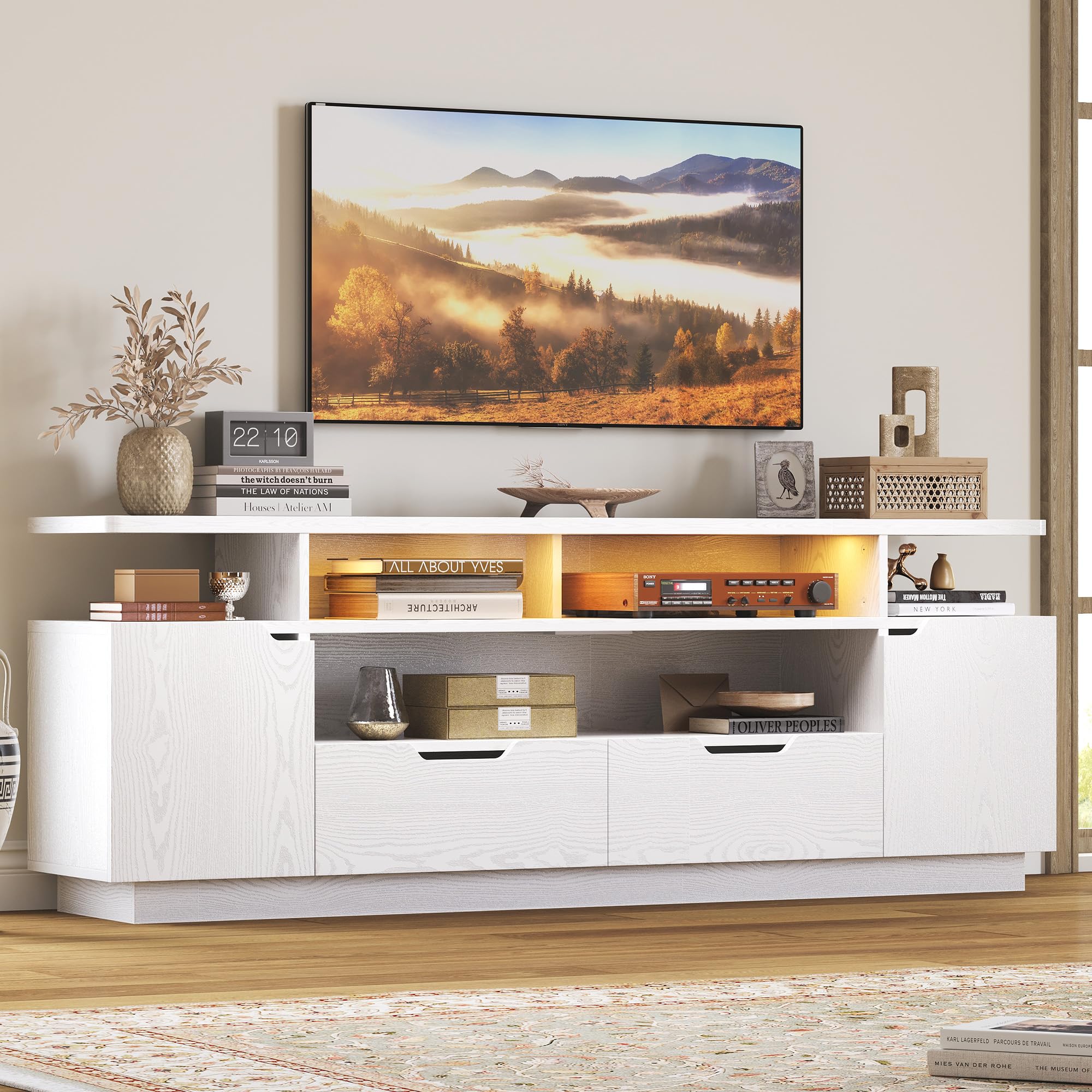
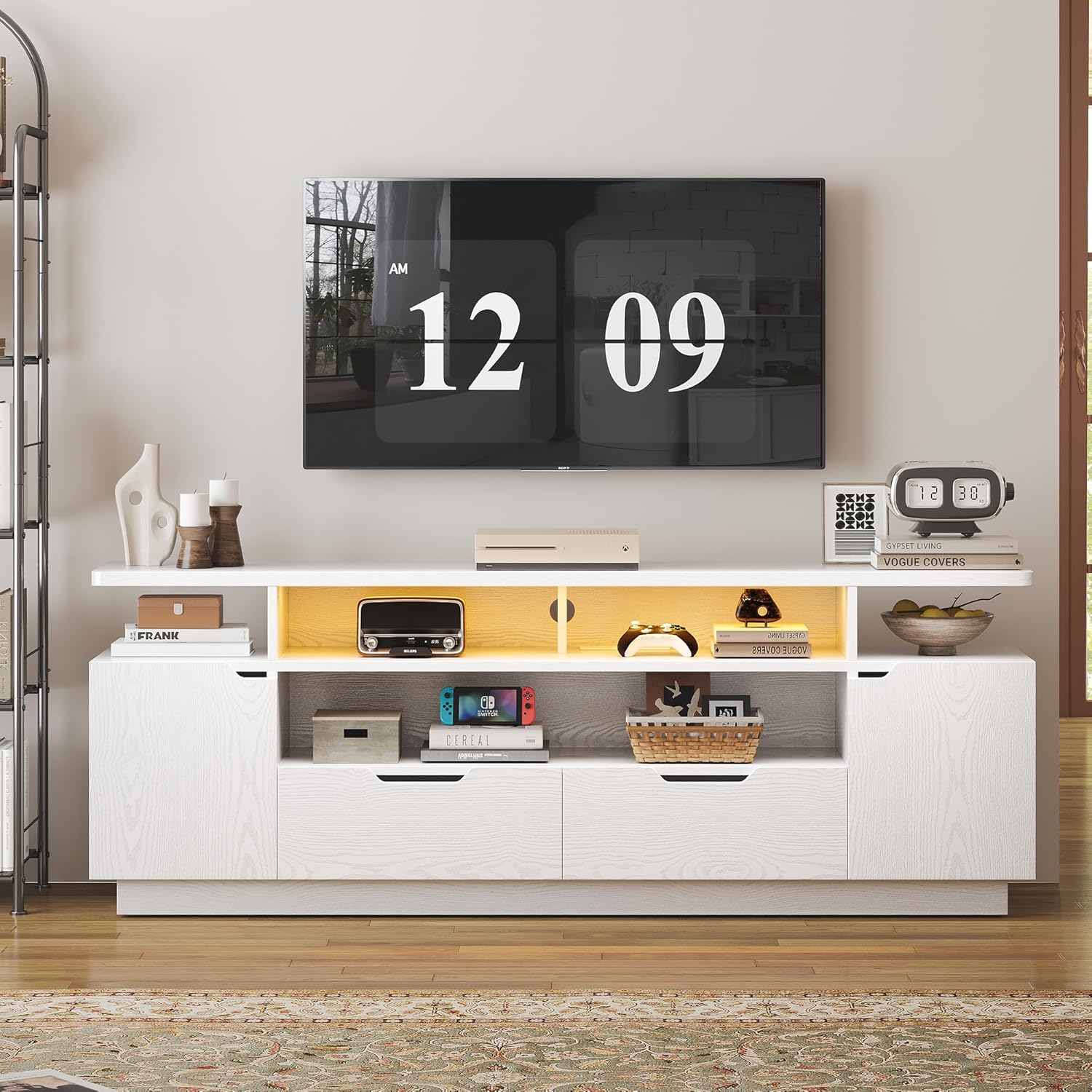
The IRONCK TV Stand (Model HK-TS-TV06B) is a modern entertainment center designed to accommodate televisions up to 85 inches. It features a durable engineered wood construction with a white finish, providing both functionality and aesthetic appeal to your living space. The stand includes ample storage options, integrated LED lighting, and a built-in power outlet for convenience.
Key Features:
- Large Storage Capacity: Features a spacious top surface, open shelves, two large-capacity storage cabinets, and two drawers for media equipment, gaming consoles, DVDs, and other items.
- TV Size Compatibility: Designed for TVs 85 inches and larger, ensuring a suitable fit for modern large screen televisions.
- Durable Construction: Made from high-quality P2 grade MDF, offering a sturdy, waterproof, and odorless structure.
- Integrated Power Outlet: Includes a built-in power strip with 3 AC outlets (125V/12A) and 2 USB ports (5V/2A) for convenient charging and powering of devices.
- LED Lighting System: Features a 7-color adjustable LED light strip with dynamic modes and a timing function, controllable via remote.
- Cable Management: Equipped with cable holes to help organize and conceal wires, maintaining a tidy appearance.
- Soft-Close Hinges: Cabinets are fitted with soft-close hinges for quiet and smooth operation.


Specifications
| Feature | Detail |
|---|---|
| Model Number | HK-TS-TV06B |
| Brand | IRONCK |
| Material | Engineered Wood (P2 Grade MDF) |
| Color | White |
| Product Dimensions (L x W x H) | 70 x 13.7 x 24.8 inches |
| Item Weight | 99 pounds |
| Number of Drawers | 2 |
| TV Size Compatibility | Up to 85 inches |
| Top Surface Weight Capacity | Up to 200 lbs |
| Power Outlet | 3 AC Outlets (125V/12A), 2 USB Ports (5V/2A), 4.9 FT Power Cord |
| LED Lights | 7-color adjustable strip, remote control, dynamic modes, timing function |
| Special Features | Charging Station, LED Lights, Large Storage Space, Cable Management, Soft-Close Hinges |
| Waterproof | Yes |
Assembly Instructions
The IRONCK TV Stand requires assembly. A detailed instruction manual and all necessary hardware are included in the packaging. Each accessory is labeled to facilitate the installation process.
- Preparation: Unpack all components and verify that all parts and hardware are present according to the included parts list. Lay out components on a soft, clean surface to prevent scratches.
- Two-Person Assembly: Due to the size and weight of the TV stand, assembly is significantly easier and safer with two people. This also helps prevent potential injury and damage to the product.
- Follow Steps Carefully: Adhere strictly to the step-by-step instructions provided in the physical manual. Do not skip steps or overtighten screws.
- Tool Requirements: Basic hand tools (e.g., screwdriver, hammer) may be required and are typically not included.
- Cable Management: During assembly, route cables through the designated cable holes to ensure a neat and organized setup.
If you encounter any difficulties during assembly, please refer to the troubleshooting section or contact customer support.
Operating Instructions
LED Lighting System:
The integrated LED light strip can be controlled using the provided remote control.
- Power On/Off: Press the "ON" or "OFF" button on the remote to activate or deactivate the lights.
- Color Selection: Use the color buttons (e.g., R, G, B, W) or the color wheel on the remote to select from 7 available colors.
- Dynamic Modes: Cycle through various dynamic lighting effects (e.g., flash, strobe, fade, smooth) using the designated mode buttons.
- Brightness Adjustment: Use the brightness up/down buttons to adjust the intensity of the lights.
- Timing Function: Set a timer for the lights to automatically turn off after a specified duration (refer to remote control specific instructions for details).
Built-in Power Outlet:
The TV stand includes a built-in power strip for convenient access to power.
- Connection: Ensure the power cord of the TV stand is securely plugged into a functional wall outlet.
- AC Outlets: Use the 3 standard AC outlets (125V/12A) to power your television, media players, gaming consoles, or other electronic devices.
- USB Ports: Use the 2 USB ports (5V/2A) to charge smartphones, tablets, or other USB-powered devices.
- Overload Protection: Avoid overloading the power strip. Do not exceed the maximum rated wattage.
Maintenance
Proper care and maintenance will help prolong the life and appearance of your IRONCK TV Stand.
- Cleaning: Wipe the surfaces with a dry, soft cloth. For stubborn marks, a slightly damp cloth can be used, followed immediately by a dry cloth. Avoid abrasive cleaners, harsh chemicals, or excessive moisture.
- Spills: Clean up spills immediately to prevent staining or damage to the engineered wood.
- Sunlight Exposure: Avoid prolonged direct sunlight exposure to prevent fading or discoloration of the finish.
- Heat and Moisture: Keep the TV stand away from direct heat sources and areas of high humidity.
- Hardware Check: Periodically check all screws and fasteners to ensure they remain tight. Retighten if necessary, but do not overtighten.
Troubleshooting
This section addresses common issues you might encounter with your IRONCK TV Stand.
- Issue: LED lights are not turning on or functioning correctly.
-
- Check Power Connection: Ensure the LED light strip is properly connected to its power source and that the TV stand's main power cord is plugged into a working outlet.
- Remote Control Battery: Verify that the remote control has a working battery and that there are no obstructions between the remote and the LED receiver.
- LED Strip Connection: Inspect the connection points of the LED strip to ensure they are secure.
- Issue: Power outlets or USB ports are not providing power.
-
- Main Power: Confirm the TV stand's main power cord is securely plugged into a live wall outlet. Test the wall outlet with another device.
- Overload: Ensure you are not exceeding the maximum wattage capacity of the power strip. Unplug some devices and try again.
- Device Compatibility: Verify that the devices you are trying to power or charge are functioning correctly.
- Issue: Drawers or cabinet doors do not close smoothly or are misaligned.
-
- Assembly Check: Re-examine the assembly steps for the drawers and hinges. Ensure all components are installed correctly and screws are tightened appropriately.
- Obstructions: Check for any objects or debris obstructing the drawer slides or hinge mechanisms.
- Level Surface: Ensure the TV stand is placed on a completely level surface. Uneven surfaces can cause misalignment.
- Hinge Adjustment: Soft-close hinges often have adjustment screws to fine-tune door alignment. Refer to the assembly manual for specific hinge adjustment instructions.
- Issue: The TV stand feels unstable or wobbly.
-
- Level Surface: Ensure the TV stand is on a firm, level floor. Use shims if necessary to stabilize.
- Tighten Fasteners: Double-check that all assembly screws and fasteners are securely tightened.
- Weight Distribution: Distribute items evenly within the storage compartments to maintain balance.
Warranty and Customer Support
For warranty information, specific product support, or to report missing/damaged parts, please contact IRONCK customer service directly. Refer to the contact information provided in your product packaging or visit the official IRONCK website.
Contact Information: Please refer to the contact details provided with your purchase or on the IRONCK official website.

