
Introduction
Welcome to your new Hovadova Rolling TV Stand. This manual provides essential information for the safe and correct assembly, operation, and maintenance of your TV stand. Please read it thoroughly before use to ensure proper functionality and longevity of the product.
Important Safety Information
- Ensure all components are present and undamaged before assembly. Do not use if any parts are missing or defective.
- Do not exceed the maximum weight capacity of 88 lbs (40 kg).
- Ensure your TV's VESA mounting pattern (75x75mm to 200x200mm) and size (10-46 inches) are compatible with this stand.
- Always tighten all screws and bolts securely. Periodically check for loose connections.
- Distribute weight evenly on the shelf.
- Use caution when moving the stand, especially on uneven surfaces or with a TV mounted. Lock casters when the stand is stationary.
- Keep children and pets away from the stand during assembly and operation.
Package Contents
Please verify that all parts are included in your package. If any parts are missing or damaged, contact customer support.

Image: All components of the Hovadova Rolling TV Stand laid out, including the base, main pole, TV bracket, shelf, and hardware.
| Component | Description |
|---|---|
| Base with Wheels | Provides stability and mobility for the stand. |
| Main Support Pole | Vertical support structure for the TV and shelf. |
| TV Mounting Bracket | Attaches to the back of your television. |
| Adjustable Shelf | For media devices, remote controls, or other accessories. |
| Hardware Kit | Assorted screws, washers, and tools required for assembly. |
Setup and Assembly
Follow these steps carefully for proper assembly. It is recommended to have a second person assist with mounting the TV.
Step 1: Assemble the Base and Main Pole
Attach the main support pole to the base. Ensure all screws are securely fastened. The base includes smooth-rolling casters for mobility.
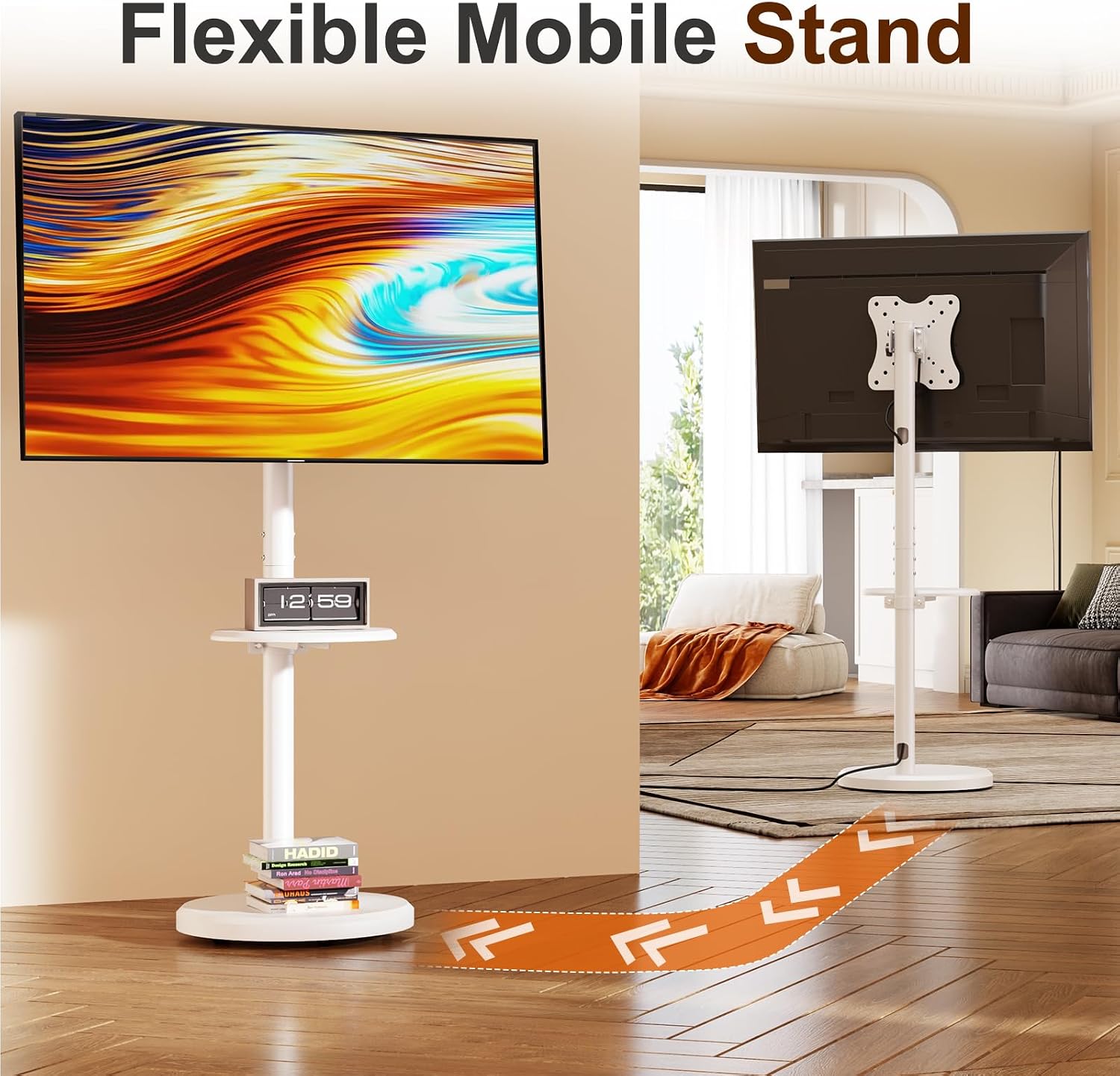
Image: The Hovadova Rolling TV Stand with its base and main pole assembled, showing an arrow indicating movement.
Step 2: Install the Adjustable Shelf
Secure the adjustable shelf to the main support pole at your desired height. Use the provided screws and tools.
Video: This video demonstrates the process of installing the adjustable shelf onto the main pole of the TV stand. The shelf can be positioned at various heights to suit your needs.
Step 3: Attach the TV Mounting Bracket to your TV
Identify the VESA mounting holes on the back of your TV. Select the appropriate screws and spacers from the hardware kit. Attach the TV mounting bracket securely to your TV.

Image: This image illustrates the VESA mounting pattern on the TV bracket and the maximum load capacity of 88 lbs. Ensure your TV's VESA pattern matches and its weight does not exceed the limit.
Step 4: Mount the TV onto the Stand
Carefully lift your TV (with the bracket attached) and hook it onto the main support pole's mounting plate. Secure it in place using the locking mechanisms.

Image: A 46-inch TV mounted on the Hovadova Rolling TV Stand in a living room setting.

Image: Diagram showing the 4-level height adjustment range of the TV stand from 42.9 to 47.64 inches.
Operating Instructions
Adjusting TV Angle and Orientation
Your Hovadova TV stand offers flexible adjustments for optimal viewing.
- Tilt Adjustment: Loosen the tilt knobs on the side of the TV bracket. Adjust the screen vertically from -10° to +10°. Tighten the knobs to secure.
- Swivel Adjustment: The TV can swivel horizontally from -30° to +30°. Gently rotate the TV to your desired angle.
- Rotation (Landscape/Portrait): The TV can be rotated 90° to switch between landscape and portrait orientation. Loosen the rotation lock, adjust, and re-tighten.

Image: This image demonstrates the flexible adjustments of the TV stand, including a ±30° horizontal swivel and a ±10° vertical tilt, allowing for various viewing angles.

Image: The TV stand allows for 90° rotation, enabling you to switch the screen orientation between landscape and portrait modes for diverse content viewing.
Video: This video demonstrates the tilting functionality of the Hovadova Rolling TV Stand, showing how the screen can be adjusted vertically for comfortable viewing.
Moving the TV Stand
Unlock the casters on the base of the stand. Gently push the stand to its new location. Once in position, lock the casters to prevent unintended movement.
Image: The image illustrates the ease of moving the TV stand with its smooth-rolling casters, allowing you to reposition your TV effortlessly across different rooms.
Maintenance
- Regularly check all bolts and screws to ensure they are tight.
- Clean the stand with a soft, damp cloth. Avoid abrasive cleaners.
- Keep the casters free of debris to ensure smooth movement.
- Inspect cables for wear or damage and replace if necessary.
Troubleshooting
Issue: TV appears unstable or tilts unintentionally.
Solution: Ensure all mounting screws and adjustment knobs are fully tightened. Verify that the TV's weight does not exceed the stand's capacity (88 lbs). Check that the VESA plate is securely attached to the TV and the stand.
Issue: Stand is difficult to move or casters are stiff.
Solution: Ensure the caster locks are disengaged. Clean any debris from the caster wheels. If issues persist, inspect casters for damage.
Issue: Cable clutter.
Solution: Utilize the integrated cable management system within the main support pole to route and conceal cables.

Image: This image highlights the integrated cable management design within the TV stand's pole, allowing for a tidy and organized entertainment area by concealing cables.
Specifications
| Feature | Detail |
|---|---|
| Model Number | SR-XZ02 |
| Compatible TV Sizes | 10-46 inches |
| Maximum Weight Capacity | 88 lbs (40 kg) |
| VESA Compatibility | 75x75mm, 100x100mm, 200x100mm, 200x200mm |
| Tilt Adjustment | -10° to +10° |
| Swivel Adjustment | -30° to +30° |
| Rotation | 90° (Landscape to Portrait) |
| Height Adjustment Range | 42.9 - 47.64 inches |
| Material | Metal |
| Color | White |
| UPC | 758451878425 |
Warranty and Support
This Hovadova product comes with a 1-year warranty from the date of purchase. This warranty covers manufacturing defects under normal use. It does not cover damage caused by misuse, accidents, unauthorized modifications, or exceeding weight limits.
For warranty claims, technical support, or replacement parts, please contact Hovadova-US customer service. Refer to your purchase documentation for contact details or visit the official Hovadova website.
Link to Hovadova Store: Hovadova Official Store