
1. Introduction
The FOXWELL NT630 Plus is a professional diagnostic scan tool designed for comprehensive vehicle system analysis. It provides advanced functions for Anti-lock Braking System (ABS) and Supplemental Restraint System (SRS) diagnostics, along with full OBD2 capabilities. This manual provides instructions for setting up, operating, maintaining, and troubleshooting the device to ensure accurate and efficient vehicle diagnostics.
2. Product Overview
The NT630 Plus scanner features a 2.8-inch color screen and an intuitive button layout for easy navigation. It comes with a durable carrying case for protection and portability.

Image: The FOXWELL NT630 Plus scanner with its protective carrying case, displaying the main menu interface.
The included carrying case is designed to securely hold the scanner and its accessories, offering organized protection.

Image: The interior of the FOXWELL carrying case, showing compartments for the scanner and cables.
The case dimensions are optimized for portability and protection.

Image: Diagram illustrating the dimensions of the FOXWELL NT630 Plus carrying case.
3. Setup
3.1 Initial Power-On and Connection
- Locate the vehicle's OBD2 port, typically found under the dashboard on the driver's side.
- Connect the NT630 Plus scanner to the vehicle's OBD2 port using the provided cable.
- Turn the vehicle's ignition to the 'ON' position (engine off). The scanner will power on automatically.
- Follow the on-screen prompts to select language and regional settings.
3.2 Software Updates
The NT630 Plus offers lifetime free WiFi updates to ensure the software remains current with the latest vehicle models and diagnostic protocols. No subscription or PC is required for updates.
- Ensure the scanner is connected to a stable Wi-Fi network.
- Navigate to the 'Update' menu on the device.
- Select 'Check for Updates' and follow the on-screen instructions to download and install any available updates.
4. Operating Instructions
4.1 Basic OBD2 Functions
The NT630 Plus supports all 10 OBDII test modes for comprehensive engine diagnostics and emissions testing.

Image: Screen display showing various OBD2 functions including Freeze Frame, Sensor Test, On-Board Monitor Test, EVAP Monitor, Auto VIN, and DTC Lookup.
- Read Codes: Retrieves Diagnostic Trouble Codes (DTCs) from the vehicle's computer.
- Clear Codes: Erases DTCs from the vehicle's computer after repairs are completed.
- Live Data Stream: Displays real-time data parameters (e.g., RPM, fuel trim, temperature) in text or graph format.
- I/M Readiness: Checks the status of emission-related monitors to determine if the vehicle is ready for an emissions test.
- On-Board Monitor Test: Retrieves results for emission-related powertrain components and systems.
- EVAP Monitor Test: Initiates a test of the Evaporative Emission Control System.
- O2 Sensor Test: Retrieves O2 sensor monitor test results.
- DTC Lookup: Provides detailed descriptions of generic and manufacturer-specific DTCs.
- AutoVIN: Automatically identifies vehicle information (availability varies by vehicle).
4.2 ABS and SRS System Diagnostics
The NT630 Plus provides comprehensive diagnostic capabilities for the Anti-lock Braking System (ABS) and Supplemental Restraint System (SRS).

Image: Diagram illustrating the ABS, SRS, and OBD2 systems within a vehicle, highlighting the scanner's ability to read and clear codes, view live data, and freeze frames.
- Read ABS/SRS DTCs: Identifies fault codes related to the ABS and SRS systems.
- Clear ABS/SRS DTCs: Erases fault codes after necessary repairs. Note: This tool reads SRS codes only and cannot reset or erase airbag crash-related fault codes.
- Live ABS Data: Displays real-time parameters such as wheel speeds (FR/FL), total mileage, brake pressure, and ABS pump status.
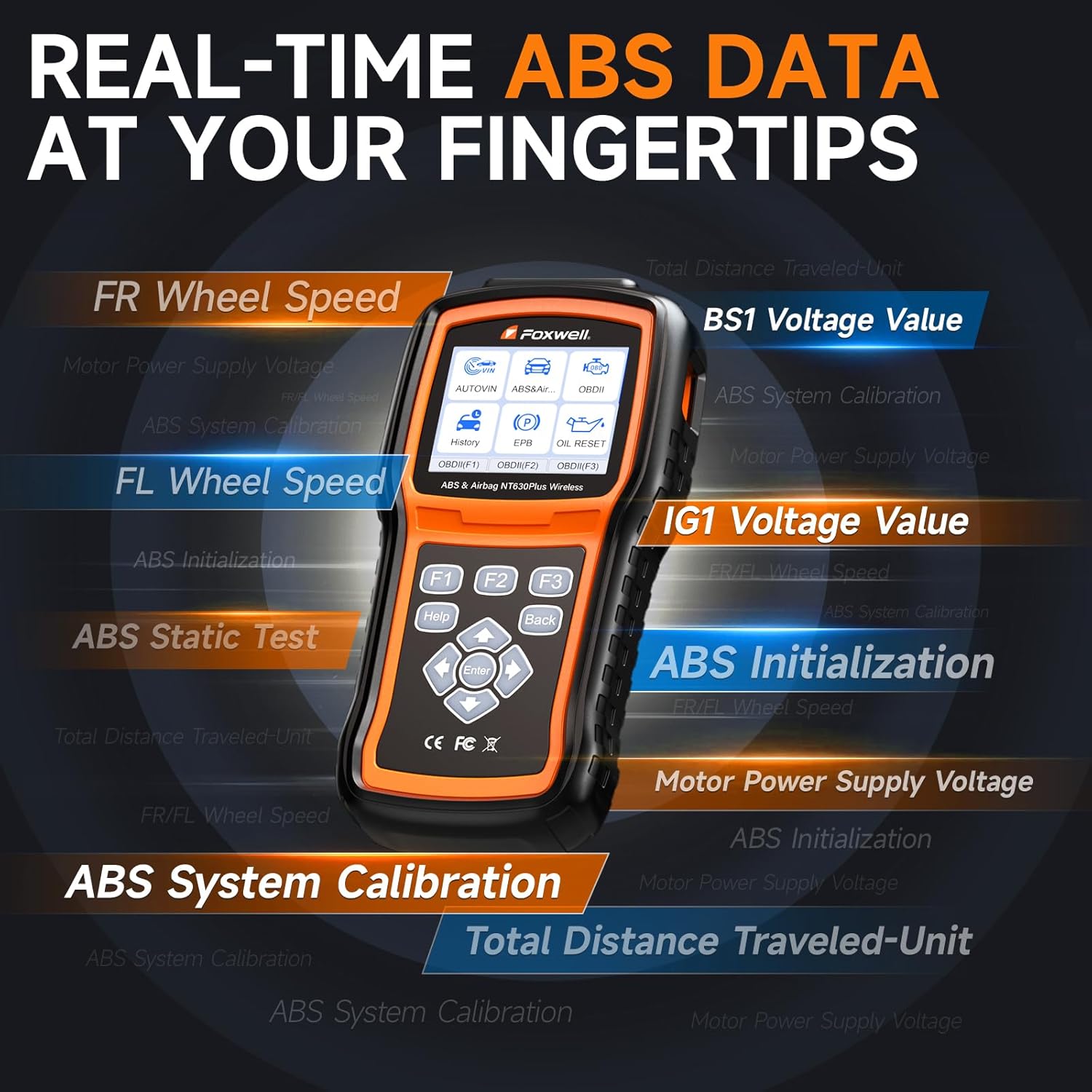
Image: The scanner's display showing various real-time ABS data parameters like FR Wheel Speed, FL Wheel Speed, ABS System Calibration, and Motor Power Supply Voltage.
4.3 Bi-directional Control (Active Test)
The NT630 Plus supports bi-directional control, allowing the user to send commands to vehicle systems to test component functionality.

Image: The scanner connected to a vehicle, illustrating the bi-directional communication for active tests such as ABS Manual Control Test, Auto Bleed Test, ABS Motor Test, ABS Version Test, and Actuator Test.
- ABS Pump/Valve Activation: Activate the ABS pump and valves to diagnose hydraulic or circuit problems.
- Actuator Tests: Perform various actuator tests to verify component operation.
4.4 Special Reset Functions
The scanner includes essential reset functions to assist with common vehicle maintenance procedures.
- SAS Calibration: Performs Steering Angle Sensor calibration.
- Oil Light Reset: Resets the oil service light after an oil change.
- EPB Maintenance: Services the Electronic Parking Brake system, including deactivating and reactivating the brake control system, bleeding brake fluid, opening and closing brake pads, and setting brakes after disc or pad replacement.
5. Maintenance
5.1 ABS Auto Bleed
The ABS auto bleed function helps remove air from the brake lines after replacing brake components or fluid, restoring firm brake pedal response.

Image: A visual representation of the ABS auto bleed process, showing replacement of the ABS pump, adding brake fluid, and the resulting firm brake pedal.
Note: ABS auto bleeding is supported only on specific vehicle models and is incompatible with vehicles that lack an integrated ABS auto-bleed function. Consult your vehicle's service manual for compatibility.
- Ensure the vehicle is safely supported and the brake fluid reservoir is at the correct level.
- Connect the NT630 Plus scanner to the vehicle.
- Navigate to the 'ABS' menu and select 'Auto Bleed'.
- Follow the on-screen instructions, which may involve opening and closing bleed screws at each wheel while the scanner activates the ABS pump.
5.2 General Device Care
- Keep the device clean and free from dust and moisture.
- Store the scanner in its protective carrying case when not in use.
- Avoid dropping the device or exposing it to extreme temperatures.
6. Troubleshooting
6.1 Common Issues and Solutions
- Scanner does not power on:
- Ensure the OBD2 cable is securely connected to both the scanner and the vehicle's OBD2 port.
- Verify the vehicle's ignition is in the 'ON' position.
- Check the vehicle's fuse for the OBD2 port.
- Communication error with vehicle:
- Confirm the vehicle supports the OBD2 protocol (most vehicles manufactured after 1996 do).
- Ensure the vehicle's battery has sufficient charge.
- Try connecting to a different vehicle to rule out scanner malfunction.
- DTCs cannot be cleared:
- Ensure the underlying fault causing the DTC has been repaired. Codes will reappear if the issue persists.
- Some critical SRS crash-related codes cannot be cleared by this tool.
- ABS Auto Bleed not working:
- Verify that your specific vehicle model supports the integrated ABS auto-bleed function.
- Ensure all steps in the auto bleed procedure are followed correctly.
7. Specifications
| Feature | Description |
|---|---|
| Brand | FOXWELL |
| Model | NT630 Plus |
| ASIN | B0G1BZ2HPD |
| Display | 2.8-inch Color Screen |
| Connectivity | OBD2 Cable, Wi-Fi for updates |
| Update Policy | Lifetime Free WiFi Updates |
8. Warranty and Support
The FOXWELL NT630 Plus comes with lifetime free WiFi updates, ensuring your device always has the latest software and vehicle coverage without additional subscription fees. For technical assistance, product support, or warranty inquiries, please refer to the official FOXWELL website or contact their customer service through the channels provided with your product packaging.


