
1. Introduction
Thank you for choosing the GEVEELIFE 520Ft-lbs Brushless Cordless Impact Wrench. This tool is designed for efficient and powerful fastening and loosening tasks. Please read this manual carefully before operation to ensure safe and effective use. Keep this manual for future reference.
2. Safety Information
Always follow basic safety precautions to reduce the risk of fire, electric shock, and personal injury.
- Wear Eye Protection: Always wear appropriate eye protection (safety glasses or goggles) when operating the impact wrench.
- Wear Hearing Protection: Prolonged use may cause hearing damage.
- Keep Work Area Clean: Cluttered areas invite accidents.
- Avoid Dangerous Environments: Do not use power tools in damp or wet locations, or expose them to rain.
- Secure Workpiece: Always secure the workpiece with clamps or a vise. Holding it by hand is dangerous.
- Use Correct Tool: Do not force the tool or attachment to do a job for which it was not designed.
- Maintain Tools With Care: Keep tools sharp and clean for better and safer performance. Follow instructions for lubricating and changing accessories.
- Disconnect Tools: Disconnect the battery pack from the tool when not in use, before servicing, or when changing accessories.
- Check for Damaged Parts: Before further use of the tool, a guard or other part that is damaged should be carefully checked to determine that it will operate properly and perform its intended function.
- Battery Safety: Use only specified battery packs and chargers. Do not incinerate the battery pack even if it is severely damaged or completely worn out.
3. Package Contents
Verify that all items are present and in good condition upon opening the package.
- 1x GEVEELIFE 1/2" Cordless Impact Wrench
- 2x 4.0Ah Lithium-Ion Batteries
- 1x Fast Charger
- 6x Impact Sockets (14mm, 17mm, 18mm, 19mm, 21mm, 22mm)
- 6x Screwdriver Bits
- 8x Drill Bits
- 4x O-rings & Fixed Pins
- 1x Toolbox
- 1x User Manual (this document)

Image: All components included in the GEVEELIFE Impact Wrench kit.
4. Product Features
- Brushless Motor: Equipped with a pure copper brushless motor, providing 700 N.m (520 Ft-lbs) maximum torque, enhanced lifespan, efficient power delivery, faster heat dissipation, and reduced energy consumption.
- Dual 4.0Ah Batteries: Two 21V 4.0Ah lithium-ion batteries offer extended runtime, up to 120 minutes of continuous operation on a single charge. The wireless design ensures portability.
- 2 Speed Modes & Auto Stop: Features two speed settings (Low: 0-2600 RPM, High: 0-3300 RPM) to adapt to various tasks. Two automatic stop modes enhance safety and accuracy during fastening and loosening.
- Lightweight Design: Weighing approximately 3.75 pounds (tool only), it is easy to handle and maneuver, reducing user fatigue during prolonged use.
- Built-in LED Light: An integrated LED light illuminates the work area, improving visibility in dark or confined spaces.
- Forward/Reverse Control: A convenient switch allows for quick changes between tightening and loosening directions.
- Ergonomic Grip: Designed with a vibration-absorbing, non-slip handle for comfortable and secure handling, even during extended use.
- Versatile Application: Suitable for various tasks including automotive repairs, construction, home DIY projects, and industrial applications.

Image: The GEVEELIFE Impact Wrench showcasing its brushless motor and torque capabilities.

Image: Two 4.0Ah batteries and the fast charger for the impact wrench.
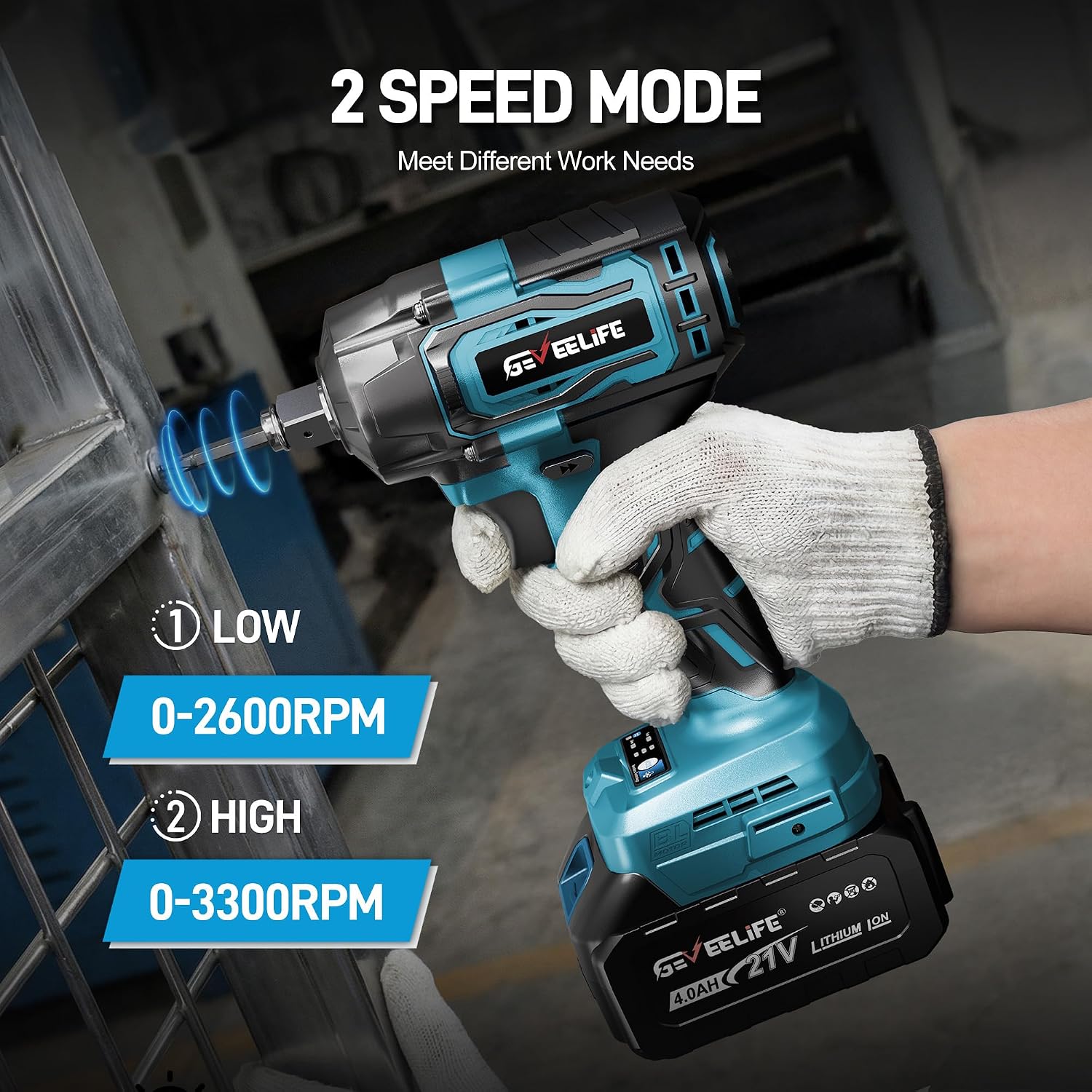
Image: Illustration of the two speed modes available on the impact wrench.

Image: The built-in LED light in action, providing illumination for precision work.

Image: Visual representation of the forward, lock, and reverse functions.

Image: Examples of wide applications for the impact wrench.
5. Setup
5.1 Charging the Battery
- Connect the fast charger to a standard power outlet.
- Slide the 4.0Ah lithium-ion battery onto the charger until it clicks into place.
- The charger indicator light will show the charging status (refer to charger manual for specific light patterns).
- Once fully charged, remove the battery from the charger.
5.2 Installing/Removing the Battery
- Installation: Align the battery with the base of the impact wrench and slide it in until it locks securely.
- Removal: Press the battery release button (usually on the sides of the battery) and slide the battery out.
5.3 Attaching/Removing Sockets and Bits
- Ensure the tool is off and the battery is removed for safety.
- For Sockets: Push the desired 1/2" impact socket onto the square drive anvil until it snaps into place. For added security, use the provided O-rings and fixed pins by aligning the pin with the hole in the socket and securing it with the O-ring.
- For Screwdriver/Drill Bits: Insert the hex shank of the bit into the 1/2" chuck. The chuck is designed to accept these directly without an adapter.
- Removal: Pull the socket or bit firmly off the anvil/chuck.

Image: Step-by-step guide for installing accessories.
6. Operating Instructions
6.1 Powering On/Off
The tool is activated by pressing the trigger switch. Release the trigger to turn off the tool.
6.2 Selecting Speed Modes
Use the speed selector button (typically located near the handle) to cycle between Low (0-2600 RPM) and High (0-3300 RPM) speed settings. Choose the appropriate speed for your task.
6.3 Forward/Reverse Operation
The forward/reverse lever (usually above the trigger) controls the rotation direction:
- Push the lever to the left for forward rotation (tightening).
- Push the lever to the right for reverse rotation (loosening).
- Center the lever to lock the trigger and prevent accidental startup.
6.4 Auto Stop Mode
The impact wrench features two auto stop modes designed to prevent over-tightening or dropping fasteners:
- Tightening Auto Stop: The tool will automatically stop impacting once a certain torque is reached, preventing over-tightening.
- Loosening Auto Stop (Brake Stop Mode): When loosening a fastener, the tool will reduce speed or stop once the fastener is loose, preventing it from falling off completely.

Image: Explanation of the Brake Stop Mode feature.
6.5 Using the LED Light
The built-in LED light activates automatically when the trigger is pressed, illuminating your work area. It will turn off shortly after the trigger is released.
7. Maintenance
7.1 Cleaning
Regularly clean the tool's ventilation openings to prevent dust and debris buildup. Use a soft, damp cloth. Do not use harsh chemicals or abrasive cleaners.
7.2 Battery Care and Storage
- Store batteries in a cool, dry place away from direct sunlight and extreme temperatures.
- For long-term storage, charge batteries to approximately 50% capacity.
- Avoid fully discharging batteries before recharging to prolong their lifespan.
7.3 Inspection
Periodically inspect the tool for any signs of damage, loose screws, or worn parts. If any damage is found, discontinue use and contact customer support.
8. Troubleshooting
- Tool Not Starting: Ensure the battery is fully charged and properly installed. Check if the forward/reverse lever is in the locked (center) position.
- Low Power/Reduced Performance: The battery may be low; recharge it. Ensure the correct speed mode is selected for the task.
- Battery Not Charging: Verify the charger is properly plugged into a working outlet and the battery is correctly seated on the charger. Check for any visible damage to the charger or battery.
- Excessive Vibration or Noise: Discontinue use immediately. Inspect the tool for loose parts or damage. Contact customer support if the issue persists.
9. Specifications
| Feature | Specification |
|---|---|
| Brand | GEVEELIFE |
| Model | 700N |
| Power Source | Battery Powered |
| Motor Type | Brushless |
| Maximum Torque | 700 N.m (520 Ft-lbs) |
| Maximum Rotational Speed | 3300 RPM |
| Speed Modes | 2 (Low: 0-2600 RPM, High: 0-3300 RPM) |
| Chuck Size | 1/2 Inch |
| Battery Capacity | 4.0Ah (4000 mAh) |
| Battery Voltage | 21V |
| Battery Type | Lithium Ion |
| Tool Weight (approx.) | 3.75 Pounds |
| Material | Alloy Steel |
10. Warranty and Support
GEVEELIFE is committed to providing high-quality products and excellent customer service.
- Warranty: This product is covered by a 24-month after-sales warranty from the date of purchase.
- Return Policy: Enjoy a 30-day hassle-free return policy.
- Customer Support: We offer lifetime customer and technical support. For any inquiries or assistance, please contact us. We aim to provide a quick reply within 24 hours.

Image: GEVEELIFE's commitment to after-sales service and support.