
Introduction
Thank you for choosing the COMITOK MOCA iPhone Camera Grip. This device is designed to enhance your mobile photography and videography experience by providing a comfortable grip, a magnetic fill light, a mirror, and a detachable remote control. It is optimized for iPhone 17 running iOS 26, and compatible with iOS 17 and iOS 18. Please read this manual carefully to ensure proper use and maintenance of your device.
What's in the Box
Verify that all items listed below are included in your package:
- MOCA Camera Grip
- Magnetic Fill Light & Mirror
- Charging Cable (USB-C)
- Wrist Strap
- Lanyard Pad
- Magnetic Plate (for non-MagSafe compatible phones/cases)
- User Manual
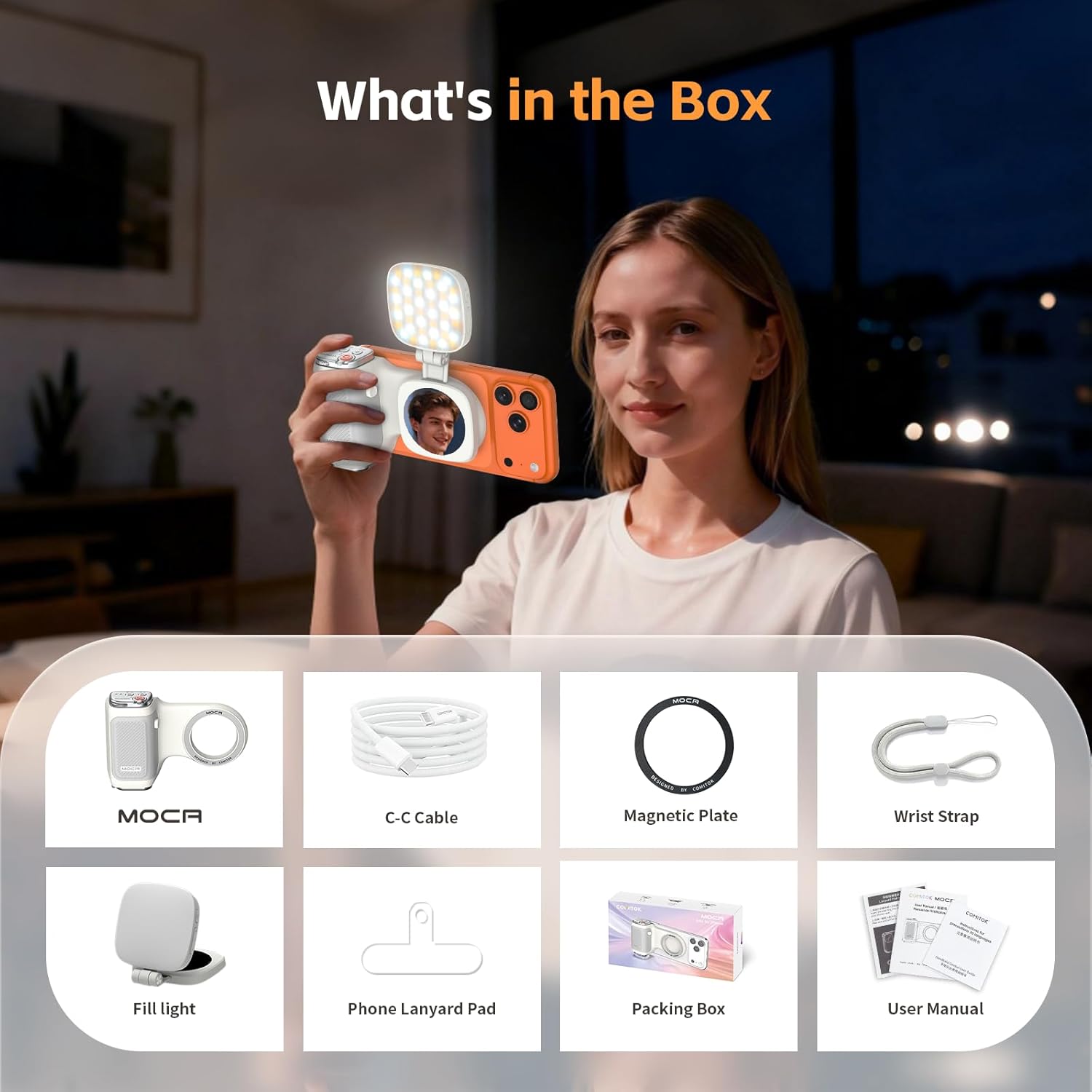
Image: All components included in the COMITOK MOCA iPhone Camera Grip package, laid out for clear viewing.
Setup Instructions
- Charging the Device: Connect the provided USB-C charging cable to the charging port on the MOCA grip and a power source. The battery indicator will show charging status.
- Attaching to iPhone:
- For MagSafe compatible iPhones (iPhone 12 and later) or cases: Simply align the MOCA grip with the back of your iPhone. The strong magnets will securely attach the grip.
- For iPhone 11 and earlier models, or non-MagSafe cases: Use the included magnetic plate. Adhere the magnetic plate to the center of your phone or case, then attach the MOCA grip to the plate.

Image: The MOCA grip being magnetically attached to the back of an iPhone, illustrating the secure connection.
- Pairing the Remote Control:
- Ensure the remote is charged.
- Turn on the remote by pressing the power button. The Bluetooth indicator will flash.
- On your iPhone, go to Settings > Bluetooth and select 'COMITOK MOCA' from the available devices to pair. The Bluetooth indicator on the remote will turn solid green once paired.
- Accessibility Settings (iOS 26.1 and later): If the MOCA grip does not automatically open the Camera app, navigate to iPhone Settings > Camera > Tap to Open Camera from Lock Screen and ensure this setting is ON.
Operating Instructions
Using the Camera Grip
The ergonomic design of the MOCA grip provides a comfortable and stable hold for both portrait and landscape shooting.

Image: A person holding an iPhone with the MOCA grip, highlighting the comfortable and secure hold for photography.
Detachable Remote Control Functions
The remote control offers various functions for convenient operation:
- Shutter Button (Red): Press to capture photos or start/stop video recording.
- Mode Select Button (Three Lines Icon): Press to switch between different camera modes (Photo, Video, Cinematic, etc.).
- Camera Flip Button (Camera Icon): Press to switch between front and rear cameras.
- Exposure/Brightness Button (Sun Icon): Press to adjust exposure or lock exposure and adjust brightness.
- Zoom Dial: Rotate the dial to zoom in or out.
- Quick Launch: Long-press the shutter button to quickly launch the native camera app from the lock screen.
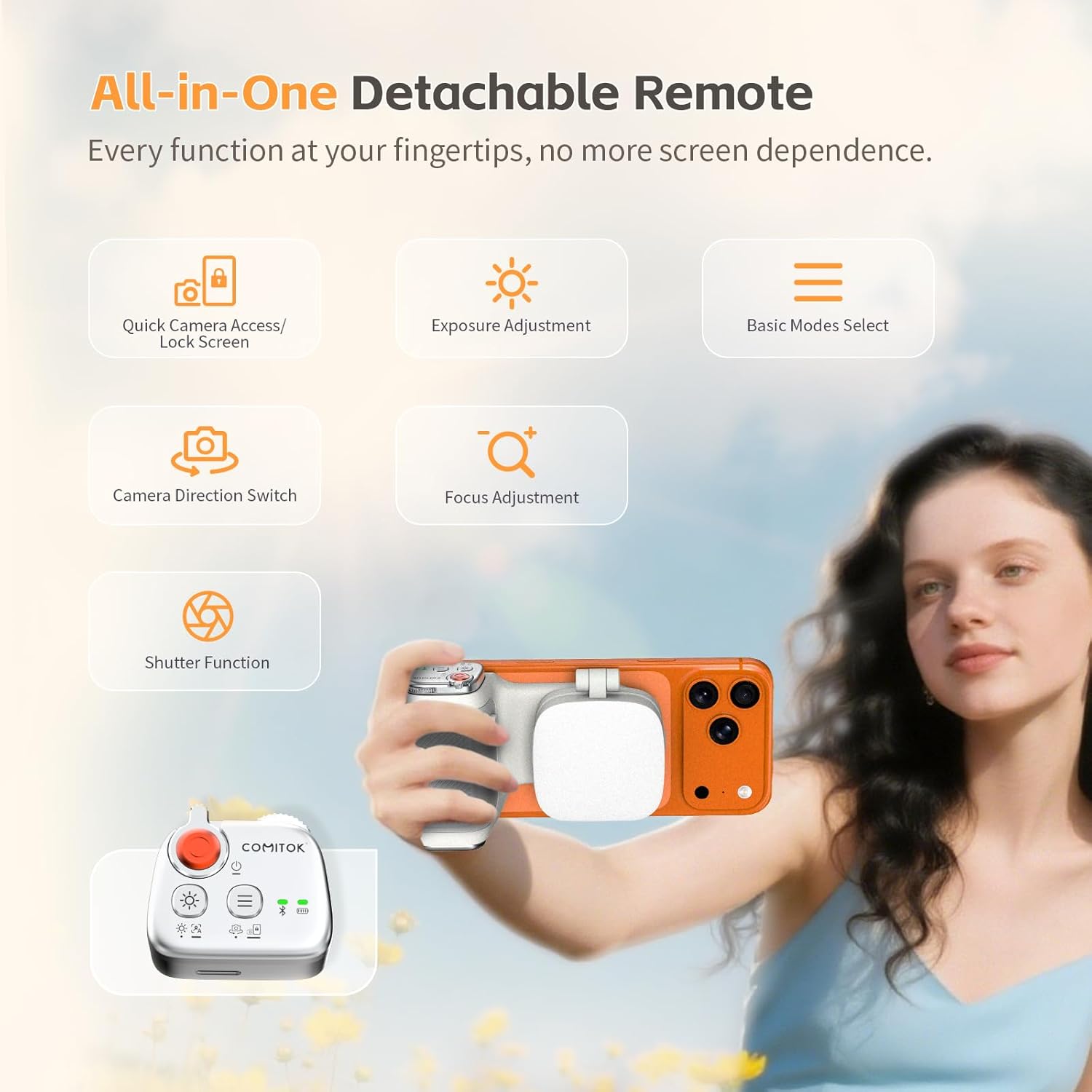
Image: An illustration detailing the various buttons and their functions on the detachable remote control.
Magnetic Fill Light & Mirror
The integrated fill light and mirror provide versatile lighting and framing options:
- Activating the Fill Light: Press the power button on the fill light to turn it on/off.
- Adjusting Brightness: Use the +/- buttons on the fill light to cycle through brightness levels.
- Rotation: The fill light rotates 270° vertically and 360° horizontally for optimal lighting angles.
- Mirror: The built-in mirror is ideal for self-framing and makeup touch-ups.

Image: The magnetic fill light demonstrating its 270-degree vertical and 360-degree horizontal rotation capabilities.
Universal Mounting Options
The MOCA grip features a 1/4" thread for tripod mounting, allowing for stable shots and hands-free use in both portrait and landscape orientations.

Image: The MOCA grip attached to a tripod, showcasing its versatility for stable shooting and use as a phone stand.
Keychain Clip
The built-in keychain clip allows for easy portability. Simply attach it to your bag or belt for quick access.

Image: A person walking with the MOCA grip clipped to their bag, demonstrating its portable design.
Maintenance
- Cleaning: Wipe the silicone handle and device surfaces with a soft, damp cloth. Avoid harsh chemicals or abrasive materials.
- Storage: Store the MOCA grip in a cool, dry place away from direct sunlight and extreme temperatures.
- Battery Care: For optimal battery life, charge the device regularly and avoid fully discharging it for extended periods.
Troubleshooting
| Problem | Possible Cause | Solution |
|---|---|---|
| Device not turning on | Low battery | Charge the device using the provided USB-C cable. |
| Remote not pairing | Bluetooth not enabled or device not in pairing mode | Ensure Bluetooth is enabled on your iPhone. Long-press the power button on the remote to enter pairing mode (flashing blue light). |
| Camera app not launching (iOS 26.1+) | Accessibility setting for camera launch is off | Go to iPhone Settings > Camera > Tap to Open Camera from Lock Screen and set to ON. |
| Magnetic attachment is weak | Non-MagSafe phone/case or improper alignment | Ensure proper alignment. If your phone/case is not MagSafe compatible, use the included magnetic plate. |
Specifications
- Product Dimensions: 6.97 x 1.6 x 3.94 inches
- Item Weight: 3.77 ounces
- Material: Silicone
- Battery: 1 A battery (included)
- Connectivity: Wireless (Bluetooth)
- Manufacturer: Shenzhen JX ROBOT Technology Co., Ltd
Official Product Video
Video: An official product video demonstrating the features and usage of the COMITOK MOCA Magnetic Lifestyle Shot Phone Grip for iPhone 17 iOS 26.
Warranty & Support
For warranty information or technical support, please contact COMITOK customer service through the retailer where you purchased the product or visit the official COMITOK website. Please have your product model and purchase date available when contacting support.


