
1. Introduction
This manual provides instructions for the BrickSoul LED Light Up Kit, designed to illuminate your Lego Mineral Collection 21362 Building Set. This kit enhances the visual presentation of your model, transforming it into an illuminated display piece. Please note that the Lego model itself is not included with this lighting kit.
2. Safety Information
- Ensure all connections are secure before powering on the lights.
- The kit operates on a safe 3-5V USB input. Do not use power sources exceeding this voltage.
- Keep small components away from young children to prevent choking hazards.
- Do not attempt to modify the wiring or components, as this may damage the kit and void the warranty.
- If any wires are damaged, discontinue use immediately and contact customer support.
3. Package Contents
Please verify that all items listed below are present in your package:
- Light Control Button (integrated into USB cable)
- Light Kits (various LED components and wires)
- Service Guide
- Tweezers
- Battery Box (AAA batteries not included)
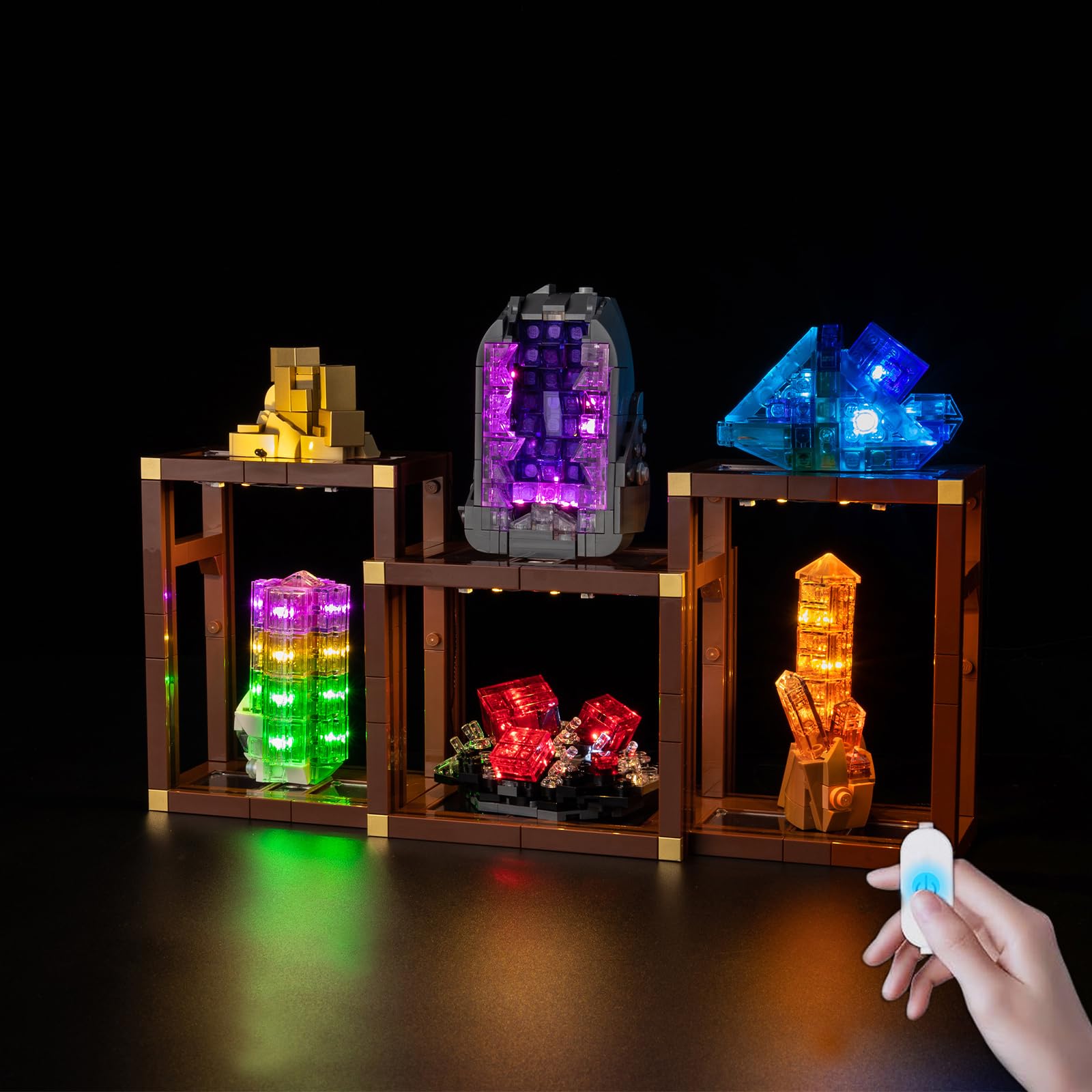
Image 3.1: Overview of included components. The package contains the light control button, various light kits, a service guide, tweezers, and a battery box. AAA batteries are required but not supplied.
4. Setup and Installation
The BrickSoul LED kit is designed for straightforward installation. It is recommended to follow the detailed, numbered step-by-step instructions provided in the included PDF guide or video tutorial for your specific Lego model (Lego Mineral Collection 21362).
- Prepare Your Model: Carefully disassemble specific sections of your Lego Mineral Collection 21362 model as indicated in the detailed installation guide.
- Install LED Components: Place the LED lights and wires into the designated areas of your model. The kit is designed for a seamless fit, ensuring wires are neatly integrated without clutter.
- Connect Wires: Use the provided tweezers to connect the wires to the main circuit board. Ensure all connections are firm.
- Reassemble Model: Reassemble the Lego bricks around the installed lighting components, ensuring no wires are pinched or damaged.
- Connect Power: Connect the USB cable to the battery box (with AAA batteries installed) or a compatible USB power source (3-5V).

Image 4.1: An example of the BrickSoul LED lighting integrated into a Lego mineral display, showcasing the illumination effect.

Image 4.2: This image demonstrates the clean wiring integration of the BrickSoul lighting kit within the Lego model, designed to avoid clutter.
5. Operating Instructions
The BrickSoul LED Light Up Kit features an upgraded USB cable with an integrated control button for easy operation.
- Power On/Off: Tap the button on the USB cable once to turn the lights on or off.
- Adjust Brightness: Press and hold the button to adjust the brightness level. The lights will cycle through brightness settings, allowing you to release the button when the desired level is reached.

Image 5.1: Illustration of the dimmable function. The USB button allows users to turn the lights on/off with a tap or adjust brightness by holding the button.
6. Maintenance
To ensure the longevity and optimal performance of your BrickSoul LED Light Up Kit, follow these maintenance guidelines:
- Cleaning: Use a soft, dry cloth to gently wipe away dust from the LED components and wires. Do not use liquid cleaners.
- Storage: If storing the kit for an extended period, disconnect it from the power source and, if using a battery box, remove the batteries.
- Handling: Handle wires and LED components with care to avoid bending or breaking.
7. Troubleshooting
If you encounter any issues with your BrickSoul LED Light Up Kit, please refer to the following common solutions:
- Lights Not Turning On:
- Check if the USB cable is securely connected to a power source.
- If using the battery box, ensure AAA batteries are correctly inserted and have sufficient charge.
- Verify all individual wire connections within the Lego model are secure.
- Lights Flickering:
- Ensure the power source provides a stable 3-5V output.
- Check for any loose wire connections.
- Some Lights Not Working:
- Inspect the specific LED component and its connections for damage or dislodgement.
- If a component is damaged, refer to the warranty information for replacement options.
If these steps do not resolve the issue, please contact BrickSoul customer support for further assistance.
8. Specifications
| Feature | Detail |
|---|---|
| Model Name | BS-21362-tvw |
| Compatible With | Lego Mineral Collection 21362 Building Set |
| Power Input | USB 3-5V |
| Material | ABS Plastic, Copper Wire |
| Control Feature | On/Off, Dimmable (via USB button) |
| Product Dimensions | 15.49 x 13.16 x 3 cm |
| Item Weight | 136.08 g |
9. Warranty and Support
BrickSoul offers a worry-free warranty for its products. If you experience any issues such as a bent connector or a broken wire due to accidental damage, we provide quick and hassle-free replacements.
For support, replacements, or any questions regarding your BrickSoul LED Light Up Kit, please refer to the contact information provided in the included Service Guide or visit the official BrickSoul website.
