
1. Product Overview
The SEDETA 59 Inch L Shaped Electric Standing Desk is designed to enhance your home office or gaming setup with its adjustable height, integrated storage, and smart features. This manual provides detailed instructions for assembly, operation, and maintenance to ensure you get the most out of your desk.
Key Features:
- Electric Height Adjustment: Seamlessly transition between sitting and standing positions with a range of 31.5" to 50.4" and three customizable height presets.
- Integrated Storage: Features three dedicated drawers for organizing office supplies, files, and personal items.
- Built-in Power Outlets: Includes a power strip with 3 AC outlets and 2 USB ports for convenient charging of devices.
- Smart RGB LED Lighting: Offers over 60,000 colors and 29 dynamic modes, controllable via remote or app, with music sync functionality.
- Monitor Stand: A full-size monitor stand helps maintain correct posture and reduces neck strain.
- Durable Construction: Industrial-grade steel frame and P2 particle board desktop support up to 200 lbs, powered by a quiet motor (less than 45 dB).

Image: The SEDETA 59 Inch L Shaped Electric Standing Desk in brown, showcasing its L-shape, monitor stand, and integrated drawers.
2. Setup and Assembly
Assembly of the SEDETA L Shaped Electric Standing Desk requires careful attention to detail. It is recommended to have at least two people for assembly due to the size and weight of the components. Ensure all parts are present before beginning.
2.1 Unpacking and Inventory
Carefully unpack all components and lay them out on a clean, soft surface to prevent scratches. Verify that all parts listed in the included assembly guide are present. If any parts are missing or damaged, contact customer support immediately.
2.2 Assembly Steps (General Guidance)
- Frame Assembly: Begin by assembling the industrial-grade steel frame components according to the provided diagrams. Ensure all connections are secure.
- Leg Installation: Attach the T-shaped leg bases to the main frame. These provide stability for the desk.
- Desktop Attachment: Carefully place the P2 particle board desktop onto the assembled frame. Secure it using the designated screws.
- Drawer Installation: Install the three storage drawers into their respective compartments. Ensure they slide smoothly.
- Monitor Stand Placement: Position the monitor stand on the desktop.
- Electrical Connections: Connect the electric motor for height adjustment and the built-in power strip. Route cables neatly to avoid entanglement.
- LED Light Installation: Install the RGB LED lighting strip in the designated area. Connect it to the power source.
Note: A power drill with hex bits is highly recommended for efficient assembly. Refer to the detailed diagrams in your physical instruction manual for specific screw types and placement.

Image: Detailed product dimensions, illustrating the overall size and individual component measurements for assembly planning.
3. Operating Instructions
This section details how to operate the various features of your SEDETA Electric Standing Desk.
3.1 Height Adjustment
The desk features an electric lifting mechanism for seamless height adjustments.
- Adjusting Height: Use the "Up" and "Down" buttons on the control panel to raise or lower the desk. The height range is from 31.5" to 50.4".
- Memory Presets: The control panel includes 3 customizable height presets. To save a height, adjust the desk to your desired level, then press and hold one of the preset buttons (1, 2, or 3) until the display confirms it's saved. To recall a saved height, simply press the corresponding preset button.
- Reset Function (RST): If the desk encounters an error or does not move smoothly, press and hold the "RST" button to reset the system.

Image: Close-up of the desk's control panel, showing the LED display, Up/Down buttons, 3 memory height presets, and Reset (RST) button.

Image: Visual representation of the desk's flexible height adjustment, demonstrating the range from sitting (29.5") to standing (46.8").
3.2 Power Outlets and USB Ports
The desk includes a built-in power strip for convenient device charging.
- AC Outlets: Utilize the 3 AC outlets (120V/12A) for powering monitors, laptops, or other office equipment.
- USB Ports: The 2 USB ports (5V/2A) are suitable for charging smartphones, tablets, and other USB-powered devices.
- Power Cord: The integrated power strip connects to a wall outlet via a 6.6 ft power cord.

Image: A close-up view of the built-in power strip, showing 3 AC outlets and 2 USB ports, with devices charging.
3.3 Smart RGB LED Lighting
The integrated RGB LED lighting system offers customizable ambiance.
- Color and Mode Selection: Choose from over 60,000 colors and 29 dynamic modes using the included remote control or a compatible smartphone application.
- Music Sync: The lighting can sync to music via an adjustable microphone, creating an immersive experience.
- Timing Function: Set timers for the lights to turn on or off automatically.

Image: The L-shaped desk illuminated by RGB LED lights, highlighting the various control options including remote and app control.
3.4 Storage Drawers
The desk features three integrated drawers for organization.
- Accessing Drawers: Gently pull the handles to open the drawers.
- Organization: Use the drawers to store documents, stationery, and other office essentials, keeping your workspace tidy.

Image: An aerial view of the desk with its three drawers open, demonstrating ample storage space for various items.
4. Maintenance
Proper maintenance ensures the longevity and optimal performance of your SEDETA Electric Standing Desk.
4.1 Cleaning
- Desktop: Wipe the desktop surface with a soft, damp cloth. Avoid abrasive cleaners or harsh chemicals that could damage the P2 particle board.
- Frame: Clean the steel frame with a dry or slightly damp cloth.
- Electrical Components: Ensure the desk is unplugged before cleaning near any electrical components. Use a dry cloth to wipe dust.
4.2 General Care
- Weight Limit: Do not exceed the maximum weight capacity of 200 lbs on the desktop.
- Liquid Exposure: Keep the desk away from excessive moisture and promptly wipe any spills to prevent damage to the engineered wood and electrical components.
- Heat Sources: Avoid placing the desk near direct heat sources to prevent material warping or damage.
- Cable Management: Regularly check and organize cables to prevent tangles and potential hazards.
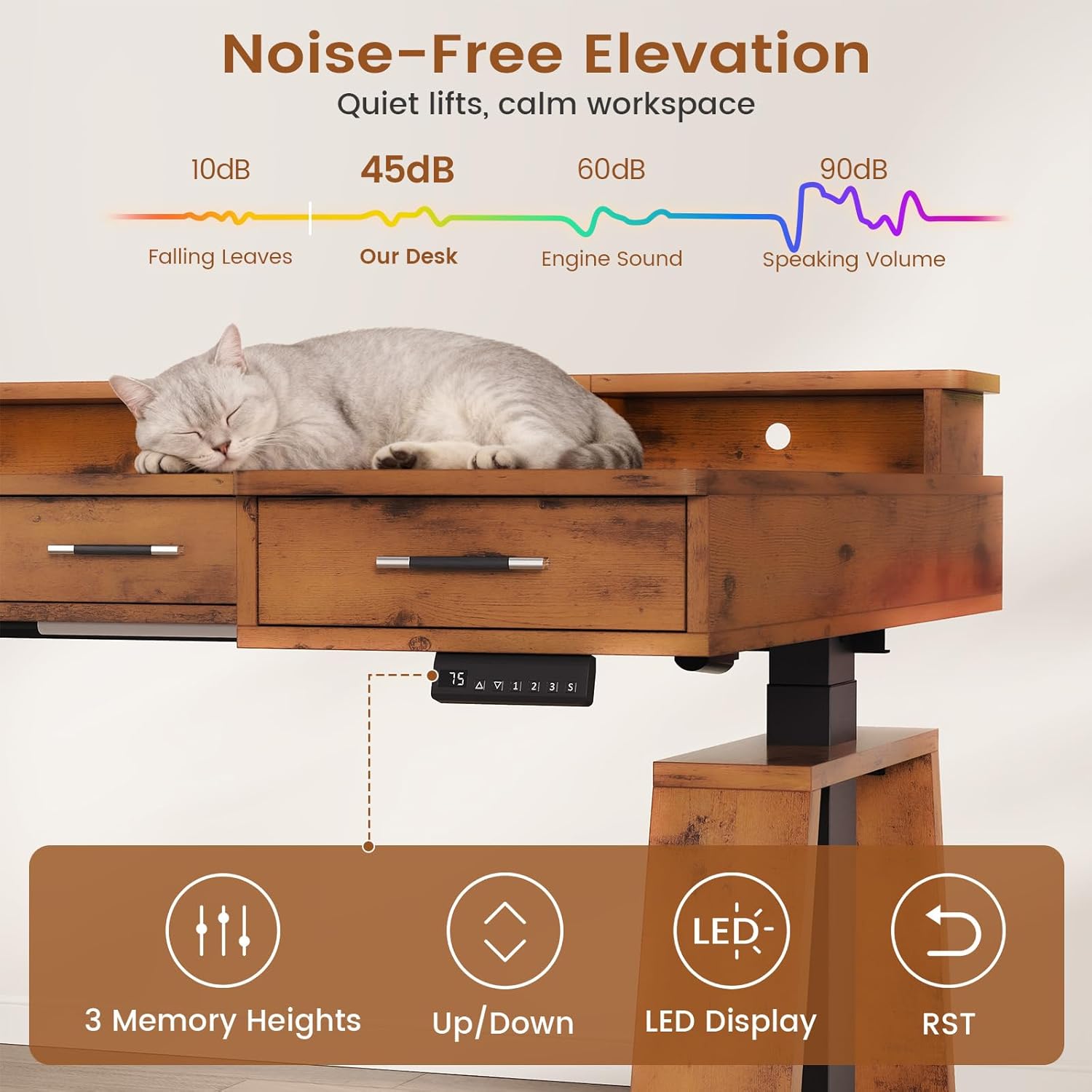
Image: A demonstration of the desk's anti-scratch and waterproof surface, showing a liquid spill being wiped away and a screwdriver not damaging the surface.
5. Troubleshooting
This section addresses common issues you might encounter with your electric standing desk.
| Problem | Possible Cause | Solution |
|---|---|---|
| Desk does not move up or down. | Power cable disconnected, motor error, or overload. |
|
| Desk moves unevenly or makes unusual noises. | Loose connections, obstruction, or motor issue. |
|
| LED lights are not working. | Power connection issue, remote battery, or app connectivity. |
|
| Drawers are stiff or do not slide smoothly. | Improper installation or obstruction. |
|
If the problem persists after attempting these solutions, please contact customer support for further assistance.
6. Product Specifications
| Feature | Detail |
|---|---|
| Brand | SEDETA |
| Model | 59 Inch L Shaped Electric Standing Desk |
| Shape | Rectangular (L-shaped configuration) |
| Product Dimensions (D x W x H) | 31.5"D x 59"W x 29.5"H |
| Adjustable Height Range | 31.5" to 50.4" |
| Color | Brown |
| Style | Modern |
| Base Material | Engineered Wood, Metal/Combined Materials |
| Top Material Type | Engineered Wood |
| Weight Capacity | Up to 200 lbs |
| Lifting Mechanism | Electric |
| Motor Noise Level | Less than 45 dB |
| Number of Drawers | 3 |
| Power Outlets | 3 AC Outlets (120V/12A) |
| USB Ports | 2 USB Ports (5V/2A) |
| Power Cord Length | 6.6 ft |
| LED Lighting | RGB, 60,000+ colors, 29 dynamic modes, music sync, timing function |
| Assembly Required | Yes |
| Item Weight | 101.4 Pounds |
7. Warranty and Support
7.1 Warranty Information
The SEDETA 59 Inch L Shaped Electric Standing Desk comes with a Limited Warranty. Please refer to the warranty card included with your product for specific terms and conditions, including coverage details and duration.
7.2 Customer Support
For any questions, concerns, or assistance with your product, including missing or damaged parts, please contact SEDETA customer support. You can typically find contact information on the product packaging or the seller's official website.
When contacting support, please have your purchase details and product model information readily available to expedite the process.
8. Product Videos
Video: An overview of the SEDETA L Shaped Electric Standing Desk, demonstrating its adjustable height, storage drawers, and other features.
Video: A user demonstration of the SEDETA 59 Inch L Shaped Electric Standing Desk with Drawers, highlighting its functionality and storage.
