
Introduction
Thank you for choosing the AGM Motion Open Buds 1 In-Ear Headphones. These headphones are designed to provide a clear sound experience with an open-ear design, ensuring you stay connected to your surroundings while enjoying audio. This manual provides instructions for setup, operation, maintenance, and troubleshooting to ensure optimal performance and longevity of your device.
Product Overview
The AGM Motion Open Buds 1 feature an ergonomic open-ear design, Bluetooth 5.4 connectivity, and intuitive touch controls. They are built for daily use and sports, offering water and sweat resistance.
Key Features:
- Open-Ear Design: Allows awareness of surroundings while listening to audio.
- Clear Sound: Equipped with 13 mm speakers and high microphone sensitivity for balanced audio and clear calls.
- Long Battery Life: Up to 6 hours of music playback on a single charge, with a total of approximately 24 hours using the charging case.
- Fast Charging: Universal Type-C charging port, fully charged in 2 hours.
- IPX4 Protection: Resistant to daily splashes of water and sweat.
- Bluetooth 5.4: Stable connection with a range of 10m, compatible with iOS and Android devices.
- Automatic Pairing: Simplifies connection process upon opening the charging box.
- Lightweight & Compact: Designed for comfort during extended wear.
- Intuitive Touch Control: Easy management of music playback and calls.

Figure 1: The AGM Open Buds 1 feature an open-ear design with Active Noise Cancellation (ANC) capabilities, allowing users to enjoy audio while remaining aware of their environment. Intelligent microphones and algorithms reduce background noise for clear sound.

Figure 2: The Open Buds 1 and their charging case weigh approximately 38 grams, featuring a slim, ergonomic open-ear design that rests gently outside the ear canal for comfortable wear.
Setup
1. Charging the Device
Before first use, fully charge the headphones and the charging case.
- Charging Case: Connect the provided Type-C charging cable to the charging port on the case and a power source. The case can be fully charged in approximately 2 hours.
- Earbuds: Place the earbuds into the charging case. They will charge automatically. The earbuds provide up to 6 hours of music playback (at 70% volume) or 5 hours of talk time on a single charge. The 300 mAh charging case extends the total usage time to approximately 24 hours.
- Battery Indicator: The charging case features an LED battery smart display to show the current charge level.
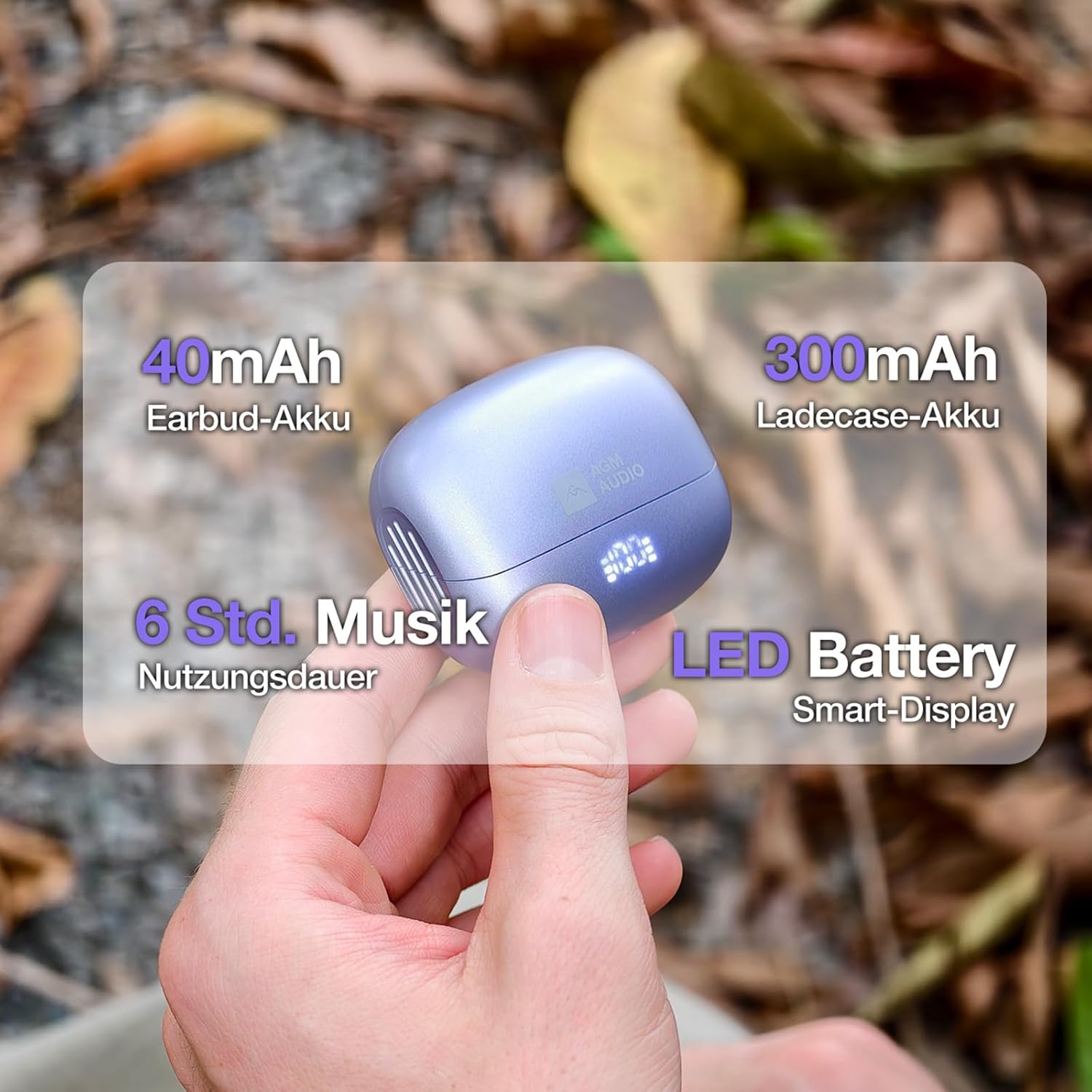
Figure 3: The charging case has a 300mAh battery, providing approximately 24 hours of total usage time. Each earbud contains a 40mAh battery, offering up to 6 hours of music playback. An LED display on the case indicates battery status.
2. Pairing with a Device
- Open the charging case. The earbuds will automatically power on and enter pairing mode.
- On your smartphone or Bluetooth-enabled device, go to the Bluetooth settings.
- Search for available devices and select "S65D" from the list.
- Once connected, you will hear a confirmation tone, and the earbuds will be ready for use.
The earbuds support Bluetooth 5.4 for a stable connection up to 10 meters and are compatible with both iOS and Android devices.
Operating Instructions
Touch Controls:
The AGM Motion Open Buds 1 feature intuitive touch controls on each earbud. Specific functions may vary slightly depending on your device and application.
- Play/Pause: Single tap on either earbud.
- Answer/End Call: Single tap on either earbud.
- Reject Call: Press and hold either earbud for 2 seconds.
- Next Track: Double tap the right earbud.
- Previous Track: Double tap the left earbud.
- Voice Assistant: Triple tap either earbud (if supported by your device).
Power On/Off:
- Power On: Open the charging case, and the earbuds will automatically power on.
- Power Off: Place the earbuds back into the charging case and close the lid. They will automatically power off after 2-3 seconds.
Maintenance
Proper maintenance ensures the longevity and performance of your headphones.
- Cleaning: Use a soft, dry, lint-free cloth to clean the earbuds and charging case. Do not use harsh chemicals or abrasive materials.
- Water Resistance: The headphones are IPX4 rated, meaning they are resistant to splashes of water and sweat. Do not submerge them in water or expose them to heavy rain. Ensure they are dry before placing them back in the charging case.
- Storage: When not in use, store the headphones in their charging case to protect them from dust and damage. Avoid extreme temperatures.
- Battery Care: The battery can withstand up to 300 charging cycles. To prolong battery life, avoid fully discharging the battery frequently.

Figure 4: The Open Buds 1 are IPX4 certified, making them sweat and splash resistant. This makes them suitable for active lifestyles, including jogging, hiking, or daily activities where exposure to light moisture may occur.
Troubleshooting
If you encounter issues with your AGM Motion Open Buds 1, refer to the following common solutions:
| Problem | Solution |
|---|---|
| Earbuds not pairing |
|
| No sound from one earbud |
|
| Charging case not charging |
|
| Poor sound quality |
|
Specifications
| Feature | Detail |
|---|---|
| Model Number | AGM open buds 1 |
| Brand | AGM |
| Connectivity Technology | Wireless (Bluetooth 5.4) |
| Bluetooth Chipset | JL6983D2 |
| Bluetooth Protocols | A2DP, AVRCP, HSP, HFP |
| Wireless Range | ≥10 m |
| Speaker Size | Φ13 mm full-range speakers |
| Speaker Impedance | 32Ω |
| Speaker Rated Power | 3mW |
| Frequency Response | 20Hz~20KHz |
| Audio Signal-to-Noise Ratio | ≥90 dB |
| Microphone Sensitivity | -42 dB±3 |
| Earbud Battery Capacity | 40 mAh |
| Charging Case Battery Capacity | 300 mAh |
| Music Playback Time | Up to 6 hours (at 70% volume) |
| Talk Time | Up to 5 hours |
| Total Playback Time (with case) | Approx. 24 hours |
| Charging Time | Approx. 2 hours (for full charge) |
| Standby Time | Up to 40 hours |
| Charging Port | Type-C |
| Water Protection Rating | IPX4 |
| Material | PC + ABS plastic |
| Earbud Dimensions | 34.26mm × 25.05mm × 21.29mm |
| Charging Case Dimensions | 61.4mm × 50mm × 25.8mm |
| Total Weight | Approx. 37.3g |
Warranty and Support
For warranty information and customer support, please refer to the documentation included with your purchase or visit the official AGM website. Keep your proof of purchase for any warranty claims.

