
MAGGIFT AI-01
MAGGIFT AI Robot Desk Companion Model AI-01 User Manual
Your guide to setting up, operating, and maintaining your AI Robot.
Introduction
The MAGGIFT AI Robot Desk Companion Model AI-01 is an interactive smart robot designed to provide companionship, educational guidance, and entertainment. Featuring real-time voice interaction and dynamic expressions, this robot serves as a versatile companion for both children and adults. Its portable design and multi-language capabilities enhance its utility in various settings.
What's Included
Before you begin, please ensure all components are present in the package:
- Robot
- Charger (Type-C Charging Cable)
- Instruction Manual
- Non-Slip Pads (2)
- Lanyard

Image: The MAGGIFT AI Robot with its accessories, including the Type-C charging cable, non-slip pads, and lanyard.
Setup
1. Initial Charging
Before first use, fully charge your AI Robot. Connect the provided Type-C charging cable to the robot's charging port and a compatible USB power source. A full charge takes approximately 90 minutes and provides up to 120 minutes of runtime.
2. Wi-Fi Connection
The AI Robot requires a 2.4GHz Wi-Fi network for full functionality, including real-time interaction and access to educational content. Follow these steps to connect:
- Power on the robot.
- Access the network configuration interface via your mobile phone. The device only supports 2.4GHz Wi-Fi signals.
- When using a mobile phone hotspot for setup, ensure your phone's Wi-Fi hotspot is set to 2.4GHz.
- Follow the on-screen prompts to select your Wi-Fi network and enter the password.
- The robot's eyes will indicate successful connection.
Note: If the connection process is not completed quickly enough, the robot may turn off. Ensure a stable 2.4GHz Wi-Fi connection for optimal performance.
3. System Updates
The system update process typically takes 1 to 2 minutes. During this time, do not turn off the device to avoid interrupting the update and potentially damaging the robot's software.
Operating Instructions
1. Voice Interaction
The AI Robot features real-time voice interaction. Simply speak to the robot, and it will respond to commands and engage in conversations. Its dynamic blue eyes will blink and react to your interactions, providing an emotional connection.

Image: The AI Robot engaging in a conversation with a child, demonstrating its interactive capabilities.
2. Language Switching
The robot supports multiple languages, including Chinese and English. Refer to the robot's settings or voice commands to switch between languages, making it a versatile language learning partner.
3. Educational and Companion Modes
The AI Robot can intelligently switch roles to provide various functions:
- Casual Conversation: Engage in natural dialogue for companionship.
- Learning Guidance: Receive assistance with educational topics.
- Science Education: Explore scientific concepts through interactive Q&A.
- Storyteller: Enjoy stories and narratives.
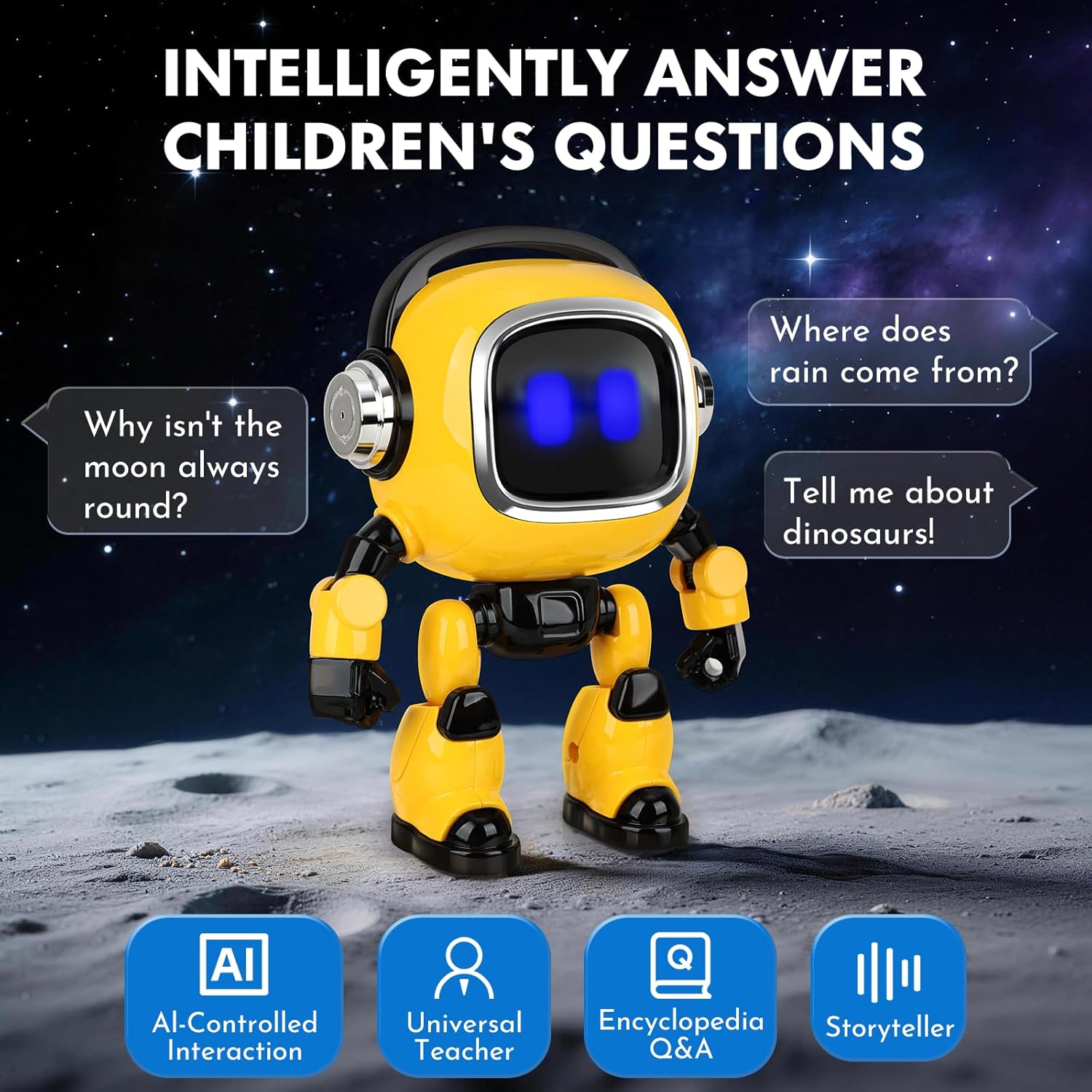
Image: The AI Robot demonstrating its ability to answer children's questions on various topics.
4. Poseable Joints
The robot features flexible joints in its arms and legs, allowing you to adjust its posture. This enables various poses for display or interactive play. Ensure careful handling when adjusting joints to prevent damage.

Image: Multiple views of the AI Robot demonstrating its flexible and adjustable joints.
5. Portable Use
Utilize the included lanyard for easy and secure carrying of your AI Robot, preventing loss and allowing for interactive fun anywhere.

Image: A child using the AI Robot outdoors, highlighting its portability with the lanyard design.
Maintenance
1. Cleaning
To clean the robot, gently wipe its surface with a soft, dry cloth. Avoid using harsh chemicals or abrasive materials, as these can damage the ABS plastic finish.
2. Battery Care
To prolong battery life, avoid fully discharging the robot frequently. Recharge the built-in 500mAh battery using only the provided Type-C cable. Store the robot in a cool, dry place when not in use for extended periods.
3. Non-Slip Pads
Ensure the non-slip pads are clean and free of debris to maintain stability and prevent the robot from sliding or tipping over during use.
Troubleshooting
| Problem | Possible Cause | Solution |
|---|---|---|
| Robot does not power on. | Low battery. | Charge the robot using the Type-C cable for at least 90 minutes. |
| Difficulty connecting to Wi-Fi. | Incorrect Wi-Fi band (not 2.4GHz); unstable network; setup not completed quickly enough. | Ensure your Wi-Fi network is 2.4GHz. Verify network stability. Complete the connection steps promptly. |
| Robot is unresponsive or goes to sleep quickly. | Inactivity; low battery; software issue. | Interact with the robot regularly. Ensure it is fully charged. If issues persist, try a soft reset (refer to manufacturer support). |
| System update fails or gets stuck. | Device powered off during update; unstable connection. | Do not turn off the device during an update. Ensure a stable power source and Wi-Fi connection. If stuck, contact customer support. |
Specifications
| Feature | Detail |
|---|---|
| Model Name | AI-01 |
| Brand | MAGGIFT |
| Material | ABS plastic (Acrylonitrile Butadiene Styrene) |
| Color | Yellow |
| Item Dimensions (L x W x H) | 3.74" x 3.74" x 5.11" (9.5 x 9.5 x 13 cm) |
| Item Weight | 4.8 ounces |
| Battery Type | Built-in 500mAh rechargeable battery |
| Charging Time | Approx. 90 minutes |
| Runtime | Approx. 120 minutes |
| Connectivity | 2.4GHz Wi-Fi |
| Recommended Age | 6+ years |
| Educational Objective | Providing educational content and promoting learning |
Warranty and Support
For warranty information and customer support, please refer to the documentation included with your product or visit the official MAGGIFT website. Keep your purchase receipt for warranty claims.
If you encounter any issues not covered in this manual, please contact MAGGIFT customer service for assistance.
Ask a question about this manual
Ask about setup, troubleshooting, compatibility, parts, safety, or missing instructions. Manuals+ will review the question and use this page’s manual context to help answer it.