
FOLKSMATE OKDMX-ZT-04
FOLKSMATE Solar Post Cap Lights Instruction Manual
Model: OKDMX-ZT-04
Introduction
Thank you for choosing FOLKSMATE Solar Post Cap Lights. These lights are designed to provide efficient and versatile outdoor illumination for your fence, deck, patio, or porch. Featuring two lighting modes (cool white and warm white), a durable waterproof design, and easy installation, these solar-powered lights enhance your outdoor ambiance while being energy-efficient.
Package Contents
- FOLKSMATE Solar Post Cap Lights (8 units)
- Mounting Screws
- Instruction Manual
Setup and Installation
Before installation, ensure the lights are placed in direct sunlight for 5-6 hours to allow the internal battery to fully charge. This initial charge ensures optimal performance.
Compatibility
These solar post cap lights are compatible with standard 3.5x3.5 inch and 4x4 inch wood, vinyl, and PVC posts.
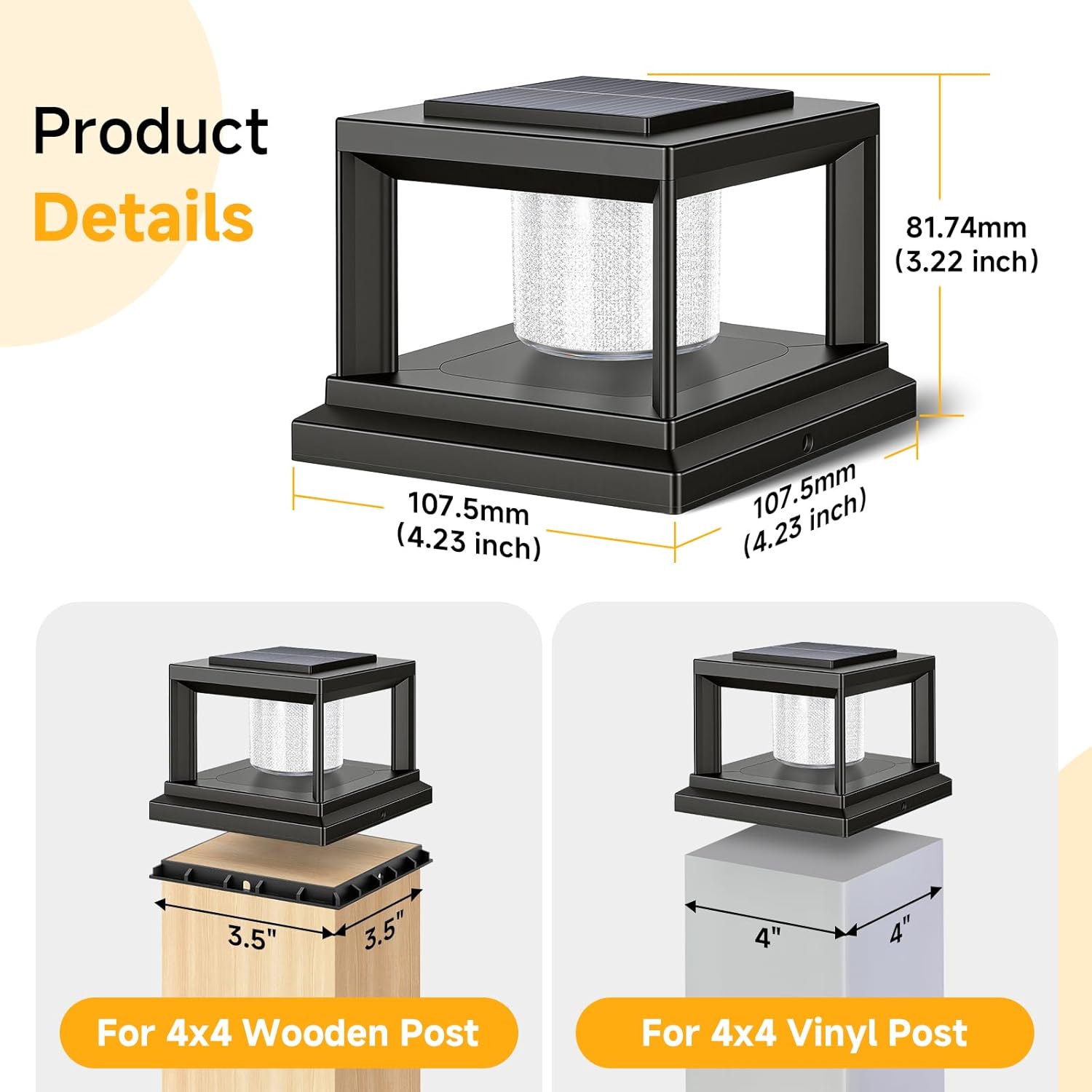
Image: Product dimensions and post compatibility. The light measures 4.23 inches (107.5mm) in length and width, and 3.22 inches (81.74mm) in height. It is shown fitting on both 4x4 wooden posts (actual 3.5x3.5 inches) and 4x4 vinyl posts.
Installation Steps
- Unpack: Carefully remove all components from the packaging.
- Select Location: Choose a location for your post cap lights that receives ample direct sunlight throughout the day. This is crucial for efficient charging of the solar panel.
- Prepare Post: Ensure the top surface of your post is clean and dry.
- Attach Base (if applicable): For 3.5x3.5 inch wooden posts, you may need to use the included base adapter. Secure the base to the top of the post using the provided screws. For 4x4 inch vinyl posts, the light can be placed directly on top.
- Mount Light: Place the solar post cap light onto the prepared post or base. Secure it in place using the provided screws, ensuring a snug fit. No wiring is required.

Image: Detailed view of the high-efficiency solar panels, the unique crystal shade, and the easily accessible lighting switch with 'CW OFF WW' settings.
Operating Instructions
Initial Activation
Locate the switch on the underside of the solar panel unit. Slide the switch to either 'CW' (Cool White) or 'WW' (Warm White) to activate the desired lighting mode. The 'OFF' position will keep the light off and allow it to charge without illuminating.
Automatic Operation
Once activated, the lights will automatically turn on at dusk and turn off at dawn. The integrated solar panel charges the internal battery during the day.

Image: Demonstration of the two lighting modes, Cool White and Warm White, and the switch to select between them.
Charging and Runtime
The lights require 5-6 hours of direct sunlight for a full charge. A full charge provides 8-10 hours of stable illumination throughout the night.

Image: Illustrates direct sun exposure for charging (5-6 hours) and dusk-to-dawn illumination (8-10 hours).
Official Product Video
Video: An official product video demonstrating the FOLKSMATE Solar Post Cap Lights in use, showcasing their features and appearance on outdoor posts.
Maintenance
Cleaning
Regularly wipe the solar panel with a soft, damp cloth to remove dust, dirt, or debris. A clean solar panel ensures maximum charging efficiency. Avoid using abrasive cleaners or harsh chemicals.
Weather Resistance
These lights are designed with an IP44 waterproof rating, making them resistant to rain, snow, heat, and frost. While durable, extreme weather conditions may temporarily affect performance.
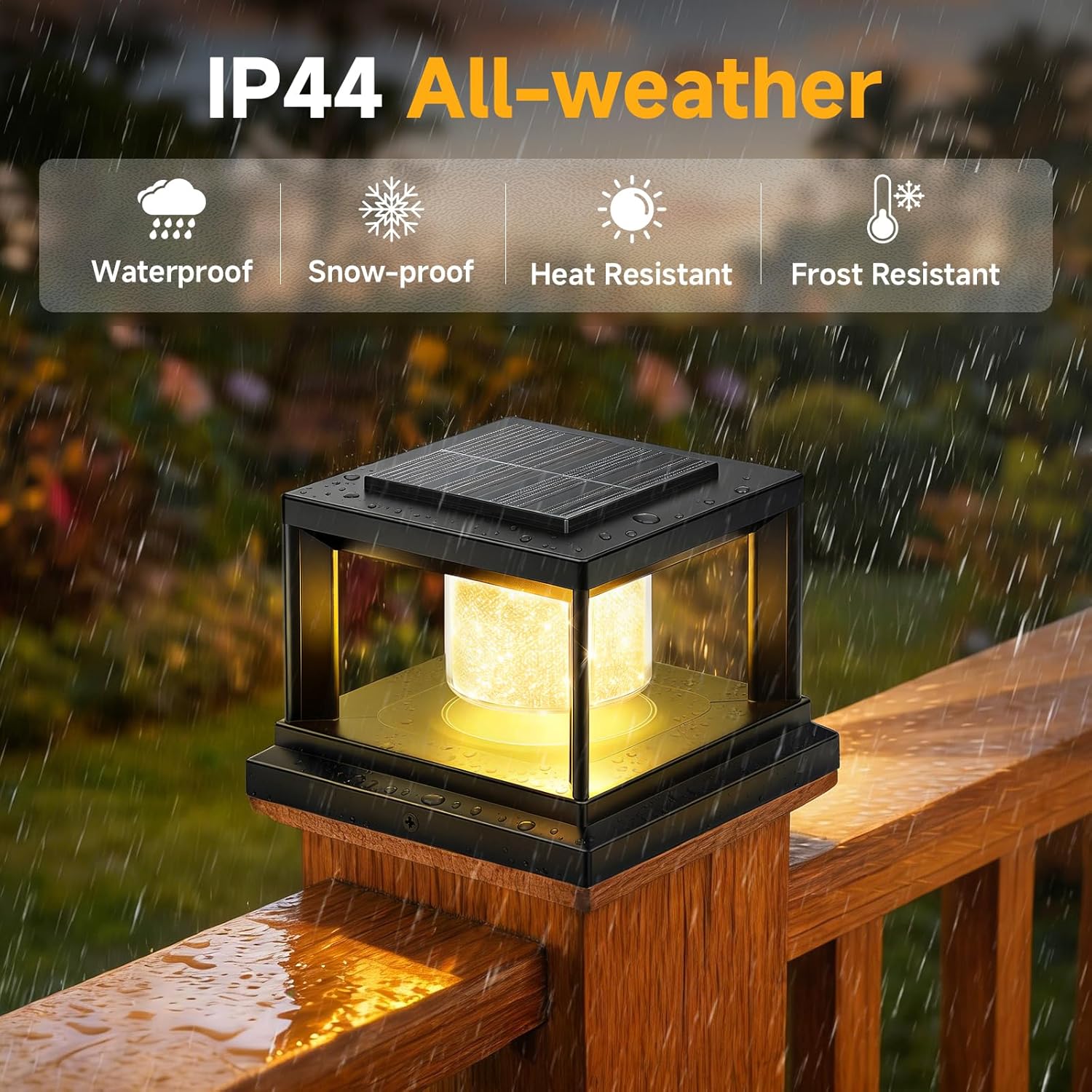
Image: Illustrates the IP44 all-weather resistance of the solar post cap light, highlighting its waterproof, snow-proof, heat-resistant, and frost-resistant properties.
Battery Replacement
The lights are equipped with a built-in, large-capacity battery. For battery replacement or service, please contact FOLKSMATE customer support. Attempting to replace the battery yourself may void the warranty or damage the product.
Troubleshooting
- Light does not turn on at night:
- Ensure the switch is set to 'CW' or 'WW', not 'OFF'.
- Verify the solar panel receives at least 5-6 hours of direct sunlight daily. Relocate if necessary.
- Check for any obstructions (e.g., leaves, dirt) on the solar panel and clean it.
- The battery may not be fully charged. Allow for a full day of charging in direct sunlight.
- Light runtime is shorter than expected:
- Insufficient sunlight during the day can lead to reduced runtime. Ensure optimal sun exposure.
- Extreme temperatures can affect battery performance.
- The battery may be nearing the end of its lifespan. Contact customer support for assistance.
- Light flickers or is dim:
- This often indicates a low battery charge. Allow the light to charge for a full day.
- Ensure the solar panel is clean.
Specifications
| Brand | FOLKSMATE |
| Model Number | OKDMX-ZT-04 |
| Color | Black |
| Material | ABS+PP +PC |
| Light Source | LED |
| Number of Light Sources | 8 |
| Light Color | Cool White, Warm White |
| Power Source | Solar Powered |
| Indoor/Outdoor Usage | Outdoor |
| Water Resistance Level | Waterproof (IP44) |
| Mounting Type | Deck Mount / Post Mount |
| Item Dimensions (L x W x H) | 4.23" x 4.23" x 3.22" |
| Charging Time | 5-6 hours (direct sunlight) |
| Illumination Time | 8-10 hours (fully charged) |
Warranty and Support
FOLKSMATE products are manufactured to high-quality standards. For warranty information, technical support, or any questions regarding your solar post cap lights, please contact FOLKSMATE customer service through the retailer where the product was purchased or visit the official FOLKSMATE website for contact details.
Ask a question about this manual
Ask about setup, troubleshooting, compatibility, parts, safety, or missing instructions. Manuals+ will review the question and use this page’s manual context to help answer it.