
Introduction
Thank you for choosing the Acer Gadget Golf Rangefinder SW-1000E. This device is designed to provide precise distance measurements for golf, hunting, and other outdoor activities. Featuring advanced laser technology, 6X magnification, slope compensation, and flag pole locking with vibration, it enhances accuracy and improves your experience.
What's in the Box
- Golf Rangefinder
- Gift box
- Portable soft case
- User Manual
- Hand Strap
- USB Type-C Cable
- Lens Cleaning Cloth


Setup
Charging the Device
The rangefinder is equipped with a 750 mAh USB-C rechargeable battery, providing up to 20,000 measurements per full charge. A clear charging indicator helps monitor battery status.
- Connect the provided USB-C cable to the charging port on the device.
- Connect the other end of the USB-C cable to a compatible power source (e.g., computer, wall adapter).
- The charging indicator will show the charging status.
Adjusting the Eyepiece
Rotate the eyepiece to adjust the focus and achieve a clear view of the display and target.
Slope Switch
The device features a one-touch slope switch. Slide the switch to enable or disable slope compensation, making it suitable for both practice and tournament play (USGA compliant when slope is off).

Operating Instructions
The Acer Gadget Golf Rangefinder offers multiple modes for various applications. Use the 'M' button to cycle through the available modes.
General Operation
- Press the Power button once to activate the device.
- Look through the eyepiece and aim the crosshairs at your target.
- Press the Power button again to take a measurement.
- Hold the 'M' button (2 seconds) to enter unit settings (switch between meters/yards).
Available Modes
- Golf Mode (Flag Lock with Vibration): Designed for golf, this mode uses anti-shake technology to prevent errors from hand tremors. It locks onto the flag pole and provides vibration alerts to confirm target acquisition.
- Slope Compensation Mode: Calculates uphill/downhill distance adjustments for accurate shot planning.
- Speed Mode: Measure the speed of moving objects.
- Distance Mode: Provides precise linear distance measurements (3-1200 yards with ±0.5 yd accuracy).
- Horizontal/Vertical Distance Mode: Measures both horizontal and vertical distances to a target, useful for various outdoor scenarios.
- Scan Mode: Allows continuous scanning of multiple targets for quick measurements.


Official Product Videos
This video demonstrates the Acer Golf Range Finder's features, including its slope functionality and rechargeable battery. It provides a quick overview of the device's capabilities and ease of use.
A short preview showcasing the multi-mode functionality of the rangefinder, highlighting its user-friendly operation for various measurement needs.
This preview demonstrates the rangefinder's ease of use and versatility, making it suitable for multiple purposes beyond just golf.
Maintenance
Cleaning
- Use the provided lens cleaning cloth to gently wipe the lenses. Avoid using abrasive materials or harsh chemicals.
- Keep the device free from dust and debris.
Durability and Storage
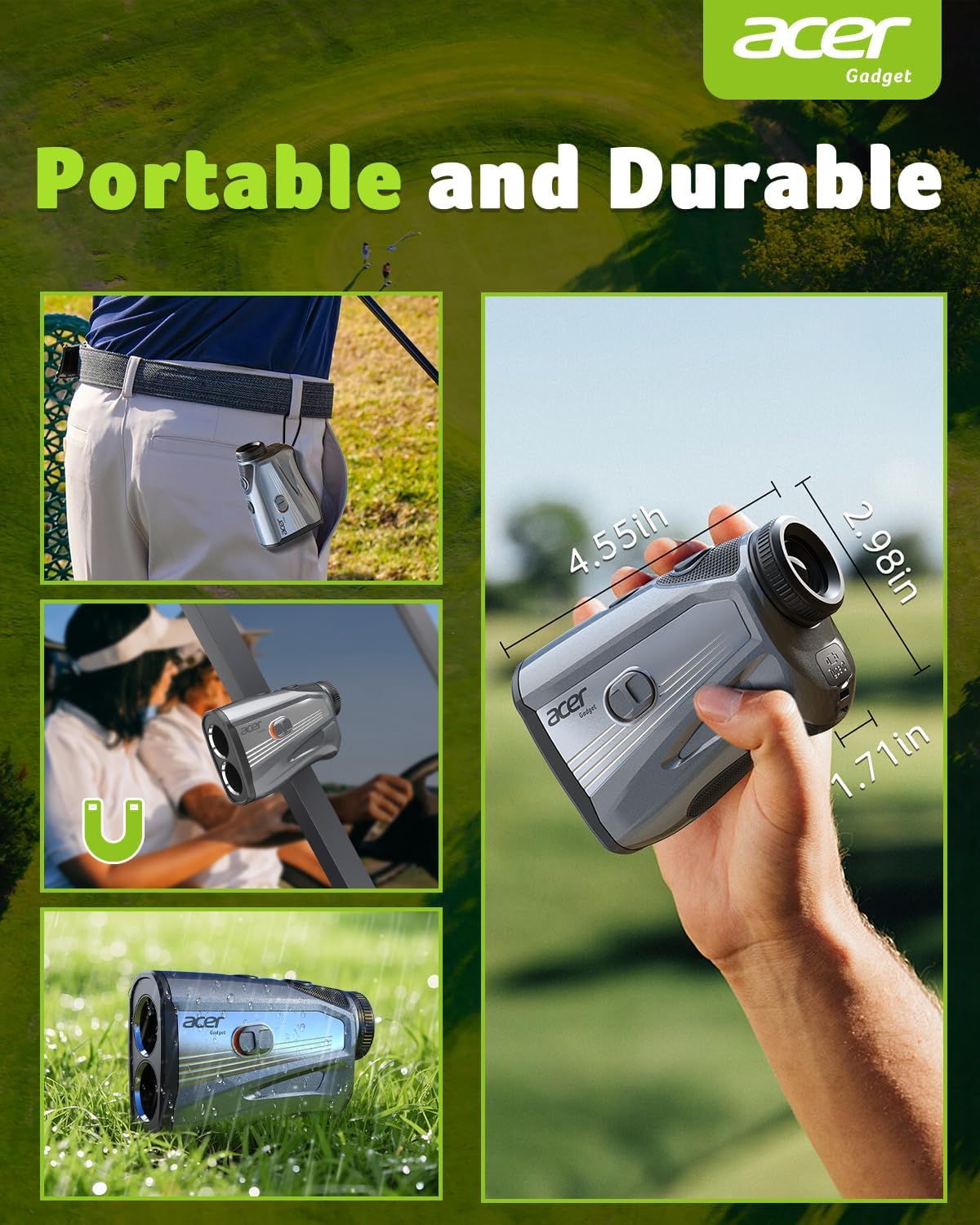
The rangefinder is designed for outdoor use with IP5 dustproof and IP4 waterproof ratings. Store the device in its portable soft case when not in use to protect it from impacts and environmental elements.

Troubleshooting
If you encounter any issues with your Acer Gadget Golf Rangefinder, please consider the following general tips:
- No Power: Ensure the device is fully charged using the provided USB-C cable.
- Unclear Display: Adjust the eyepiece by rotating it until the display is sharp and clear.
- Inaccurate Readings: Ensure the lenses are clean. Verify that you are in the correct measurement mode (e.g., meters vs. yards) and that the slope compensation is set appropriately for your use.
- Target Acquisition Issues: For golf, ensure you are using the Flag Lock mode and aiming steadily. Anti-shake technology helps, but extreme hand tremors may affect performance.
Specifications
| Feature | Detail |
|---|---|
| Brand | acer |
| Model Number | SW-1000E |
| Measuring Range | 3-1200 yards |
| Magnification | 6X |
| Battery Type | Rechargeable, USB-C, Lithium-Ion (750 mAh) |
| Material | Polycarbonate (PC) |
| Color | Black |
| Item Weight | 7.26 Ounces |
| Item Dimensions (L x W x H) | 18"L x 12.12"W x 12.83"H |
| Waterproof Rating | IP4 |
| Dustproof Rating | IP5 |
Warranty and Support
The Acer Gadget Golf Rangefinder SW-1000E comes with a 1-year warranty. For any questions or support needs, please contact Acer Gadget Inc. customer service. We are committed to providing high-quality products and excellent 24/7 support.
For additional support, please refer to the contact information provided in your product packaging or visit the official Acer Gadget website.
