
Introduction
Thank you for choosing MANAYO MY-H30pro Bluetooth Headphones. These headphones are designed for comfort and superior audio quality, featuring adaptive hybrid active noise cancellation (ANC) and a long-lasting battery. This manual provides detailed instructions to help you get the most out of your new headphones.
What's in the Box
- MANAYO MY-H30pro Bluetooth Headphones
- USB-Type C charging cable
- 3.5 mm audio cable
- User Manual
- Hard shell carrying case
- Replacement ear cushions
- Tool for ear cushion replacement
Product Overview
The MANAYO MY-H30pro headphones combine a minimalist design with ergonomic features for extended comfort. The adjustable stainless steel headband and soft, breathable ear pads ensure a secure yet comfortable fit.
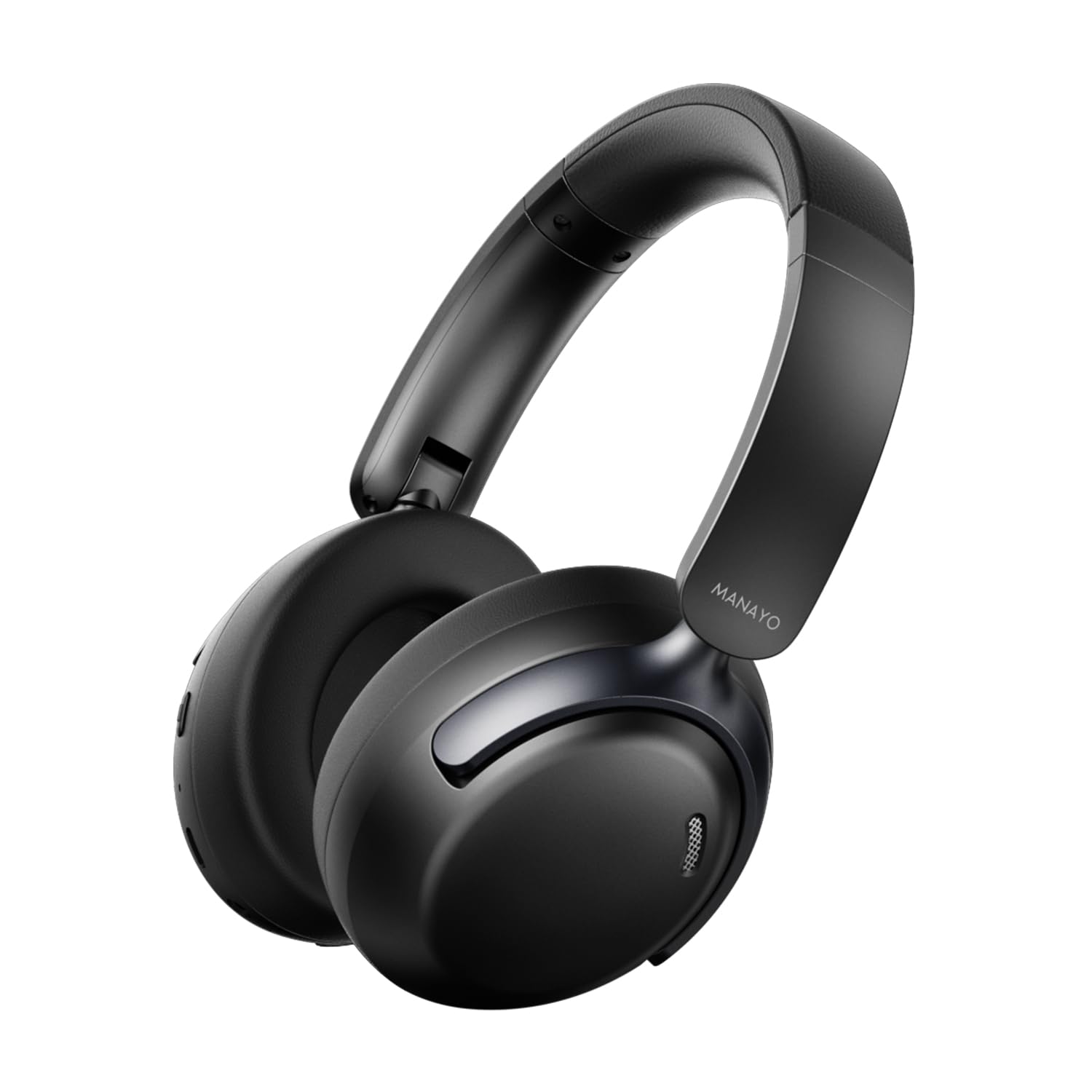
Image: MANAYO MY-H30pro Bluetooth Headphones, showcasing the sleek black design and over-ear cups.
Key Features:
- Adaptive Hybrid Active Noise Cancellation (ANC): Reduces ambient noise for an immersive listening experience.
- Long Battery Life: Up to 150 hours of music playback (at 30% volume without ANC).
- Bluetooth 5.3: Ensures stable and efficient wireless connectivity.
- Foldable Design: For easy storage and portability.
- Built-in Microphone: For hands-free calls.
- Wired Mode Option: Includes a 3.5mm audio cable for wired connection.
- Comfortable Fit: Adjustable headband and soft ear cushions for prolonged wear.
Controls and Ports:
The controls are conveniently located on the earcups for easy access.
- Volume Up/Down: Adjust audio levels.
- Play/Pause Button: Control music playback and answer/end calls.
- ANC On/Off Button: Activate or deactivate Active Noise Cancellation.
- USB-C Charging Port: For charging the headphones.
- 3.5mm Audio Jack: For wired connection to devices.
- Microphone: For voice calls.
Setup
1. Charging the Headphones
- Connect the provided USB-Type C charging cable to the charging port on the headphone.
- Connect the other end of the cable to a USB power source (e.g., wall adapter, computer USB port).
- The LED indicator will show charging status. A full charge typically takes approximately 2-3 hours.
- The LED indicator will change or turn off once fully charged.
2. Bluetooth Pairing
- Ensure the headphones are fully charged.
- Press and hold the Multi-Function (MF) button (usually the power button) for a few seconds until the LED indicator flashes blue and red, indicating pairing mode.
- On your device (smartphone, tablet, computer), go to Bluetooth settings and turn Bluetooth on.
- Search for "MY-H30pro" (or similar model name) in the list of available devices.
- Select the headphones to pair. Once connected, the LED indicator will typically show a solid blue light or flash blue slowly.
- If prompted for a passcode, enter "0000".
3. Wired Connection
- Insert one end of the 3.5mm audio cable into the audio jack on the headphones.
- Insert the other end into the 3.5mm audio output port of your device.
- The headphones will automatically switch to wired mode. Bluetooth functionality will be disabled.
Operating Instructions
Power On/Off
- Power On: Press and hold the MF button for 2-3 seconds.
- Power Off: Press and hold the MF button for 3-5 seconds.
Music Playback
- Play/Pause: Press the MF button once.
- Next Track: Press and hold the Volume Up button.
- Previous Track: Press and hold the Volume Down button.
- Volume Control: Short press the Volume Up or Volume Down button.
Call Management
- Answer/End Call: Press the MF button once.
- Reject Call: Press and hold the MF button for 2 seconds.
- Redial Last Number: Double-press the MF button.
Active Noise Cancellation (ANC)
- Activate/Deactivate ANC: Press the dedicated ANC button (usually located on one of the earcups). The LED indicator will confirm ANC status.
Game Mode
- Activate/Deactivate Game Mode: Refer to the specific instructions in the included user manual or the companion app for activating low-latency game mode.
Maintenance
- Clean the headphones regularly with a soft, dry cloth.
- Avoid exposing the headphones to extreme temperatures, humidity, or liquids.
- Store the headphones in the provided hard shell carrying case when not in use to prevent damage.
- Replace ear cushions as needed using the provided tool and replacement cushions.
Troubleshooting
- No Power: Ensure the headphones are fully charged.
- Cannot Pair: Make sure Bluetooth is enabled on your device and the headphones are in pairing mode (flashing blue/red LED). Try restarting both devices.
- No Sound: Check volume levels on both the headphones and your connected device. Ensure the correct audio output is selected on your device.
- ANC Not Working: Ensure the ANC feature is activated using its dedicated button.
- Poor Sound Quality: Ensure the headphones are within Bluetooth range of your device. For wired connection, ensure the 3.5mm cable is securely connected.
Specifications
| Feature | Detail |
|---|---|
| Model Name | MY-H16 bluetooth headphone (Note: Product title is MY-H30pro BK, but specifications list MY-H16. Please refer to product packaging for exact model.) |
| Connectivity Technology | Wireless (Bluetooth 5.3) |
| Battery Capacity | 800mAh Lithium Ion |
| Playtime (without ANC) | Up to 150 hours (at 30% volume) |
| Special Features | Adjustable Headband, Fast Charging, Foldable, Microphone Included, Multipoint Pairing, ANC, Noise Cancellation, Noise Isolation |
| Material | Acrylonitrile Butadiene Styrene (ABS), Stainless Steel |
| Ear Placement | Over Ear |
| Headphones Jack | 3.5 mm Jack |
| Item Weight | 2.2 pounds |
Warranty and Support
For warranty information, technical support, or customer service inquiries, please refer to the contact details provided in the product packaging or visit the official MANAYO website. Keep your purchase receipt for warranty claims.