
1. Introduction
This user manual provides comprehensive instructions for the safe and efficient operation, setup, and maintenance of your LOLARAN N71 Money Counter Machine and the accompanying cleaning cards. Please read this manual thoroughly before using the product to ensure proper function and to prevent damage to the device or injury to the user. Retain this manual for future reference.
2. Safety Information
- Always connect the money counter to a grounded power outlet with the correct voltage as specified on the device.
- Do not operate the machine with wet hands or in damp environments.
- Keep the machine away from water, direct sunlight, and heat sources.
- Do not attempt to open or repair the machine yourself. Refer all servicing to qualified personnel.
- Ensure the machine is turned off and unplugged before performing any cleaning or maintenance.
- Keep cleaning cards out of reach of children.
3. Package Contents
Carefully unpack the box and ensure all items listed below are present. If any items are missing or damaged, contact customer support.
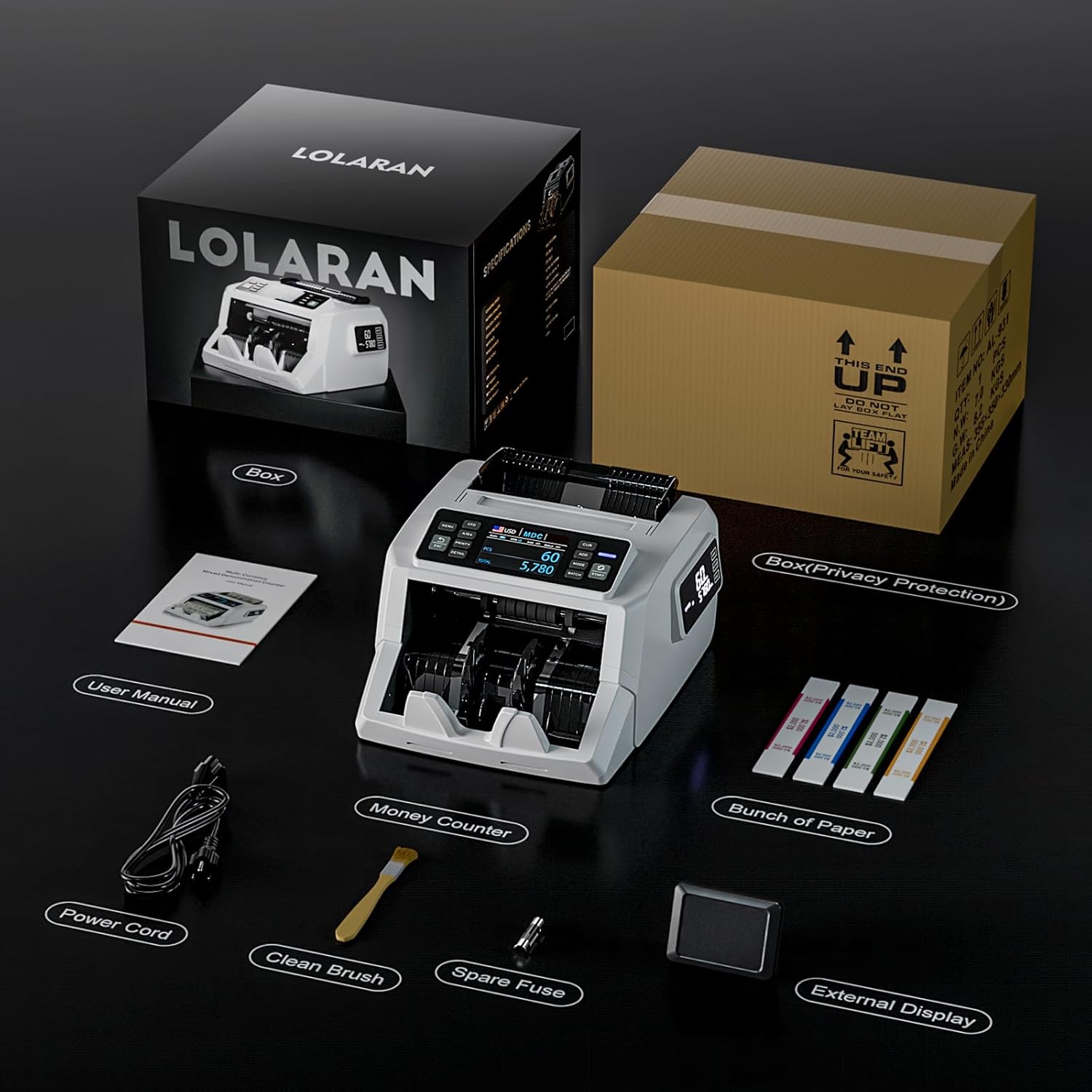
Image: All components included in the LOLARAN N71 Money Counter Machine package.
- LOLARAN N71 Money Counter Machine
- User Manual
- Power Cord
- Cleaning Brush
- Spare Fuse
- External Display
- Cleaning Cards (Box of 25)
4. Product Overview: N71 Money Counter Machine
The LOLARAN N71 is a high-performance money counter designed for accuracy and efficiency in various commercial environments. It features advanced detection technologies and user-friendly displays.
4.1 Key Features
- Advanced Counterfeit Detection: Equipped with IR (Infrared), UV (Ultraviolet), MG (Magnetic), and DD (Dimension Detection) technologies to ensure accurate identification of fraudulent notes.
- Dual-Screen Display: Features a 3.5-inch TFT main display and a unique side screen for clear visibility of counting data from multiple angles, enhancing user convenience and customer interaction.
- High-Speed Performance: Counts up to 1,200 bills per minute while maintaining low noise levels and precision.
- Mixed Denomination Counting: Capable of counting and calculating the total value of mixed denominations.
- Multi-Currency Support: Supports counting for up to 5 different currencies.
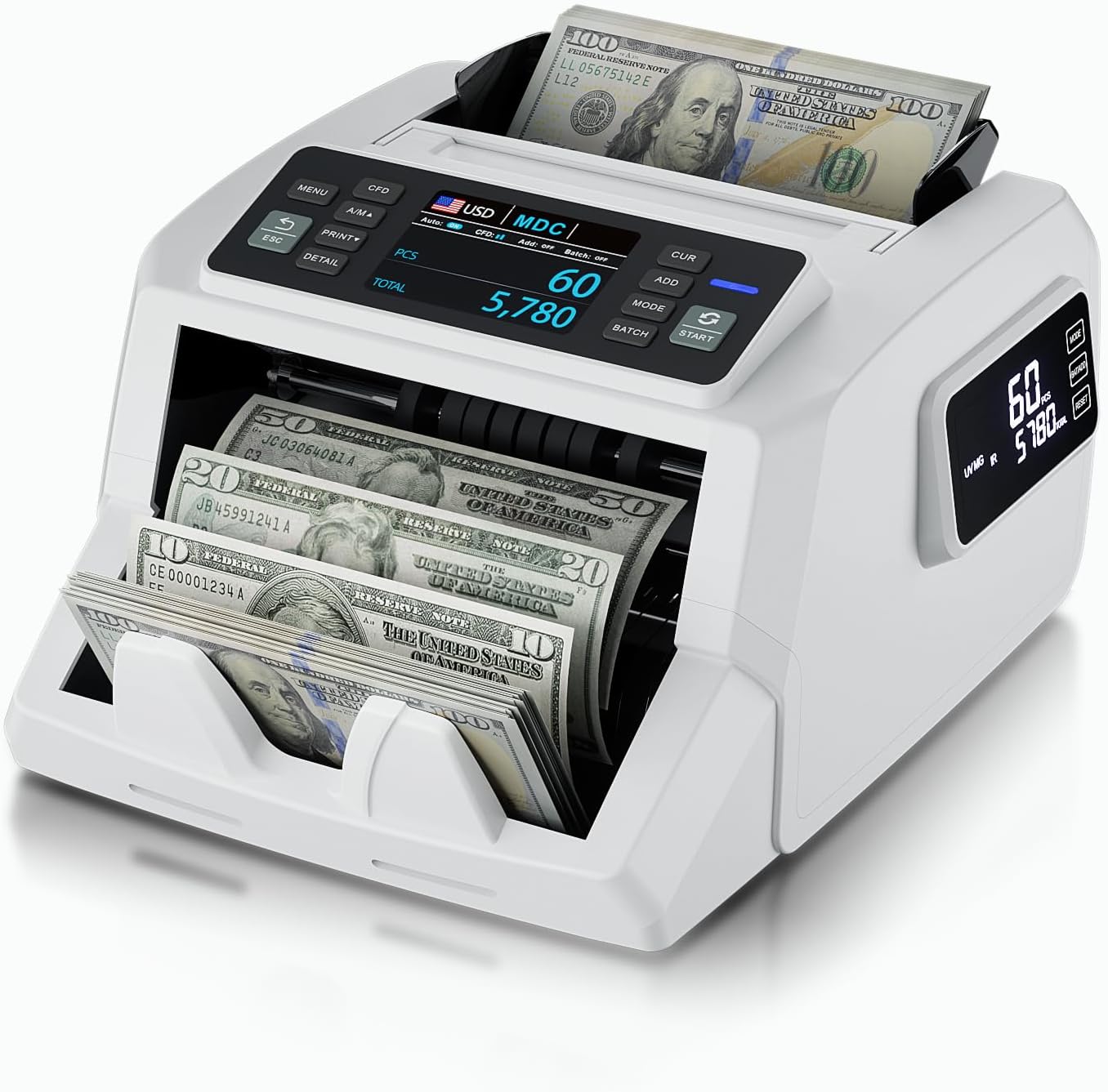
Image: The N71 Money Counter Machine in operation, displaying counted bills.

Image: A close-up view of the N71's dual screens, showing counting data.
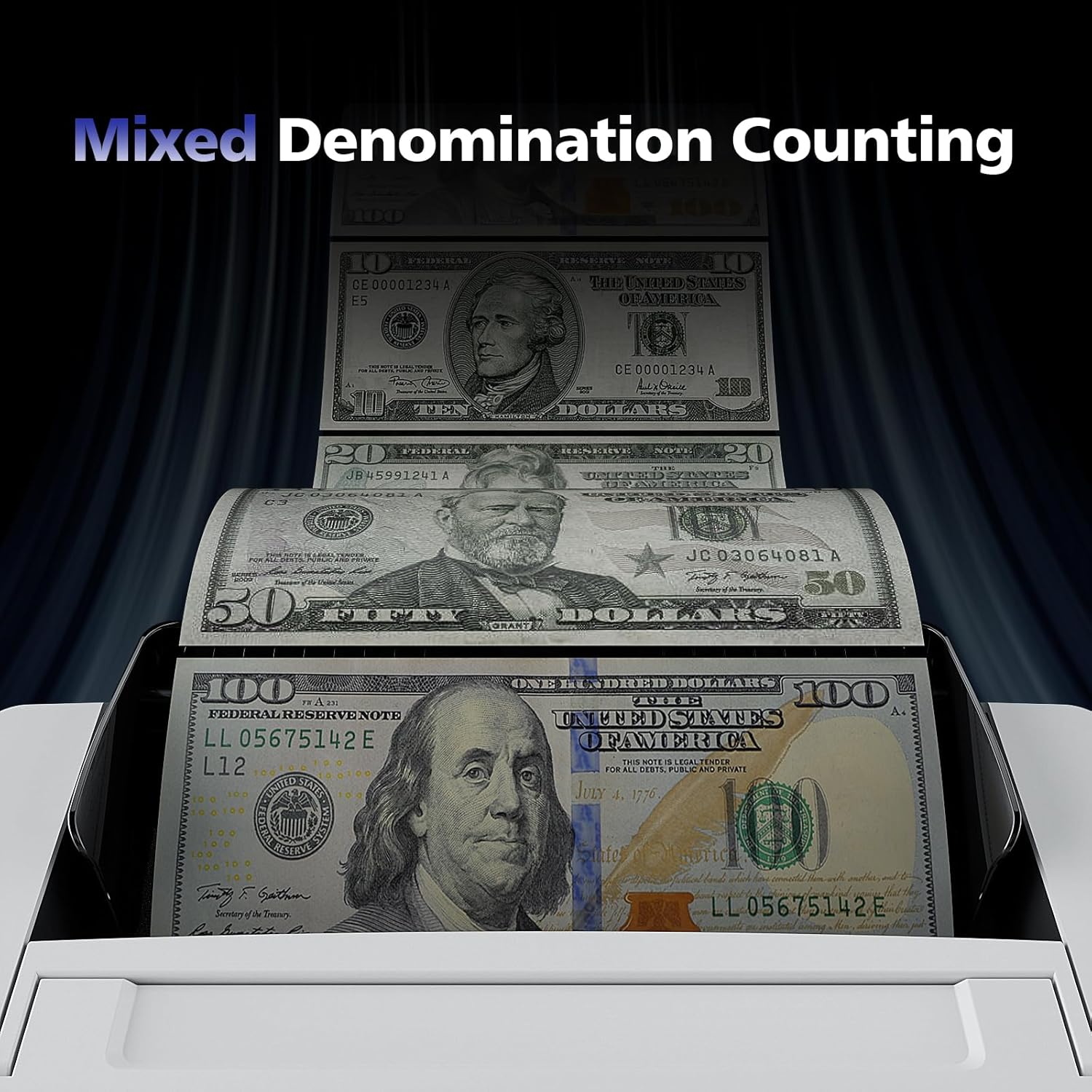
Image: The N71 Money Counter processing various bill denominations simultaneously.

Image: The N71 Money Counter illustrating its capability to support multiple currencies.
5. Setup
5.1 Initial Setup of the Money Counter
- Placement: Place the money counter on a stable, flat, and dry surface. Ensure there is adequate space around the machine for operation and ventilation.
- Power Connection: Connect the power cord to the power input port on the back of the money counter, then plug the other end into a suitable electrical outlet.
- External Display (Optional): If using the external display, connect its cable to the designated port on the money counter.
- Power On: Press the power switch, usually located on the back or side of the machine, to turn on the money counter. The display should illuminate.
6. Operating Instructions
6.1 Basic Money Counting
- Prepare Bills: Ensure bills are neatly stacked, unfolded, and free from foreign objects like paper clips or rubber bands.
- Load Bills: Place the stack of bills into the hopper (input tray) of the money counter. Ensure the bills are aligned correctly and not exceeding the maximum capacity.
- Start Counting: The machine will typically start counting automatically once bills are detected, or you may need to press a 'Start' button.
- Read Display: The main display will show the count and, if applicable, the total value and denomination breakdown.
- Collect Bills: Once counting is complete, remove the counted bills from the stacker (output tray).
6.2 Using Cleaning Cards
The cleaning cards are designed to remove dirt, dust, and residue from the sensors and rollers of your money counter, ensuring optimal performance and preventing jams.

Image: LOLARAN cleaning cards showing usage instructions on the individual packaging.
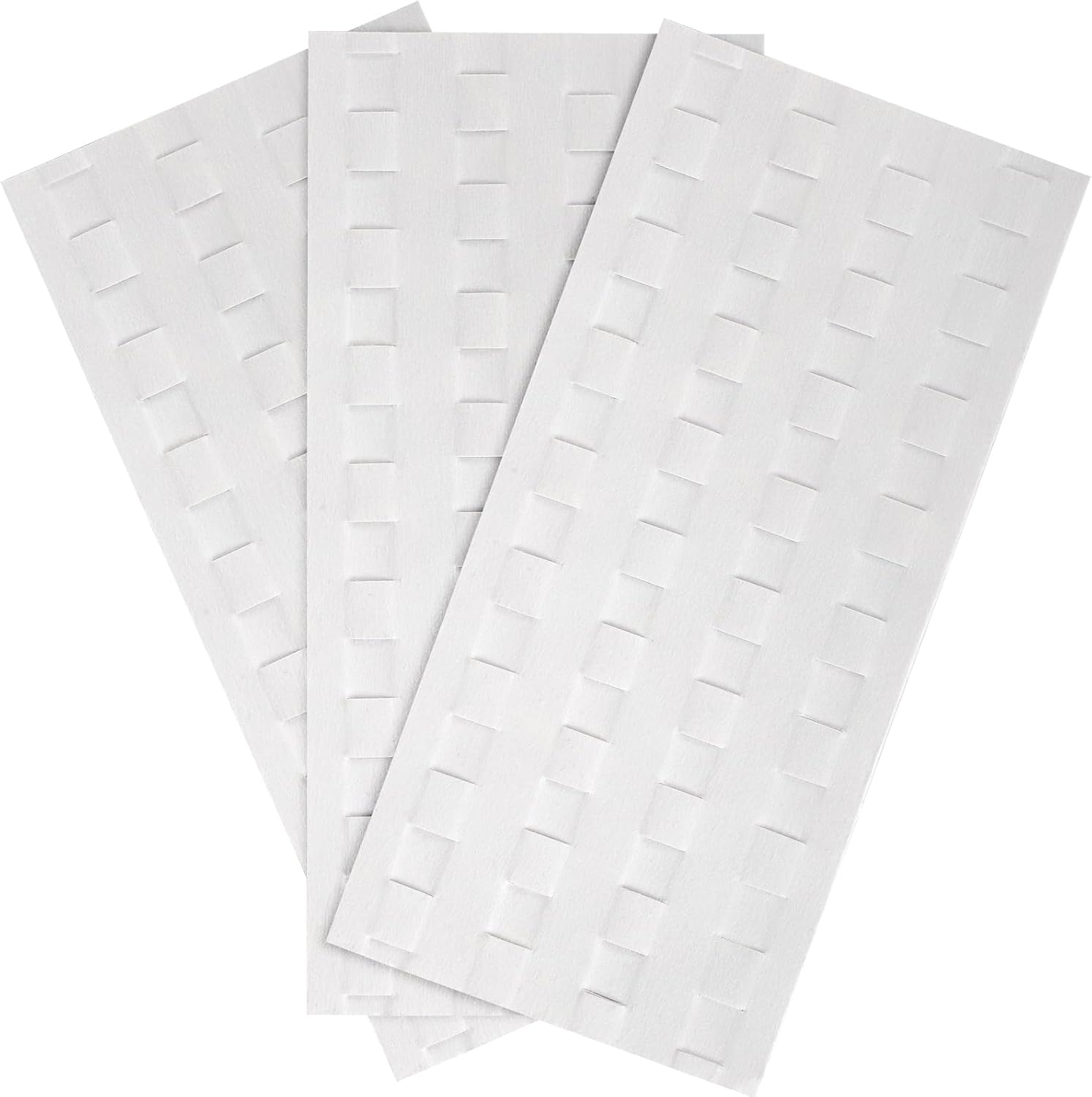
Image: The textured surface of the cleaning cards, designed for effective debris removal.
- Open Pouch: Open the individual pouch and remove one cleaning card.
- Power On: Ensure the money counter machine is powered on.
- Insert Card: Insert the cleaning card into the bill hopper as you would a regular bill. The machine will feed the card through.
- Repeat: Allow the machine to count the cleaning card approximately 5 times.
- Discard: Discard the used cleaning card after use. Do not reuse cleaning cards.
Recommended Usage: Clean the money counter after every 1,000 uses or at least once a week to maintain optimal accuracy and prevent jams.

Image: A cleaning card after use, demonstrating its effectiveness in collecting dirt from the machine.
7. Maintenance
7.1 Regular Cleaning
- Cleaning Cards: Use the provided cleaning cards as described in Section 6.2. This is the primary method for maintaining internal components.
- External Cleaning: Use a soft, dry cloth to wipe the exterior of the machine. For stubborn dirt, a slightly damp cloth with mild detergent can be used, ensuring no liquid enters the machine.
- Cleaning Brush: Use the included cleaning brush to gently remove dust and debris from accessible areas like the hopper and stacker, especially around sensors and rollers. Always ensure the machine is unplugged before using the brush inside.
7.2 Storage
When not in use for extended periods, store the money counter in a cool, dry place, away from direct sunlight and extreme temperatures. Cover the machine to protect it from dust.
8. Troubleshooting
If you encounter issues with your LOLARAN N71 Money Counter, refer to the following common problems and solutions:
| Problem | Possible Cause | Solution |
|---|---|---|
| Machine does not power on | Power cord not connected; Power outlet faulty; Fuse blown | Check power cord connection; Try a different outlet; Replace fuse with the spare provided (refer to fuse replacement instructions in the full manual if available). |
| Bills jam frequently | Bills are not aligned; Bills are worn/damaged; Sensors/rollers are dirty | Align bills properly; Remove damaged bills; Use cleaning cards (Section 6.2) and cleaning brush. |
| Inaccurate counting | Sensors are dirty; Bills are heavily worn/damaged | Clean sensors with cleaning cards (Section 6.2); Ensure bills are in good condition. |
| Counterfeit detection errors | Detection sensors are dirty; Bills are heavily worn/damaged; Incorrect currency settings | Clean detection sensors with cleaning cards; Ensure bills are genuine and in good condition; Verify currency settings. |
If the problem persists after attempting these solutions, please contact LOLARAN customer support.
9. Specifications
| Feature | Detail |
|---|---|
| Brand | LOLARAN |
| Model | N71 |
| Counterfeit Detection | IR, UV, MG, DD |
| Counting Speed | Up to 1,200 bills per minute |
| Display | 3.5" TFT Main Display, Side Screen |
| Mixed Denomination | Yes |
| Multi-Currency Support | Yes (up to 5 currencies) |
| Cleaning Card Technology | Waffle technology |
| Date First Available | August 28, 2024 |
10. Warranty and Support
The LOLARAN N71 Money Counter Machine comes with a standard manufacturer's warranty. Please refer to the warranty card included in your package for specific terms and conditions. For technical support, troubleshooting assistance, or warranty claims, please contact LOLARAN customer service through the contact information provided on the product packaging or the official LOLARAN website.