
1. Important Safety Instructions
Please read all instructions carefully before operating the Newhai Commercial Vegetable Slicer. Failure to follow these safety guidelines may result in injury or damage to the appliance.
- Power Supply: Ensure the machine is connected to a grounded power outlet with the correct voltage as specified on the product label.
- Automatic Safety Switch: The machine is equipped with an automatic safety switch that immediately cuts power when the cover is opened. Do not attempt to bypass or disable this safety feature.
- Moving Parts: Keep hands, hair, loose clothing, and utensils away from moving parts, especially the blades and conveyor belt, during operation.
- Forbidden During Operation: It is strictly forbidden to open the cover or reach inside the machine while it is operating.
- Cleaning: Always unplug the machine from the power source before cleaning or performing any maintenance. Refer to the 'Maintenance and Cleaning' section for detailed instructions.
- Supervision: This appliance is not intended for use by persons with reduced physical, sensory, or mental capabilities, or lack of experience and knowledge, unless they have been given supervision or instruction concerning use of the appliance by a person responsible for their safety.
- Intended Use: Use this machine only for its intended purpose of slicing vegetables and soft fruits. Do not use it for hard items like bones, frozen foods, or other non-food items.
2. Product Overview
The Newhai Commercial Vegetable Slicer Model 92AB is a high-efficiency automatic slicing machine designed for commercial kitchen environments. It features a conveyor belt system and adjustable thickness settings for versatile food preparation.
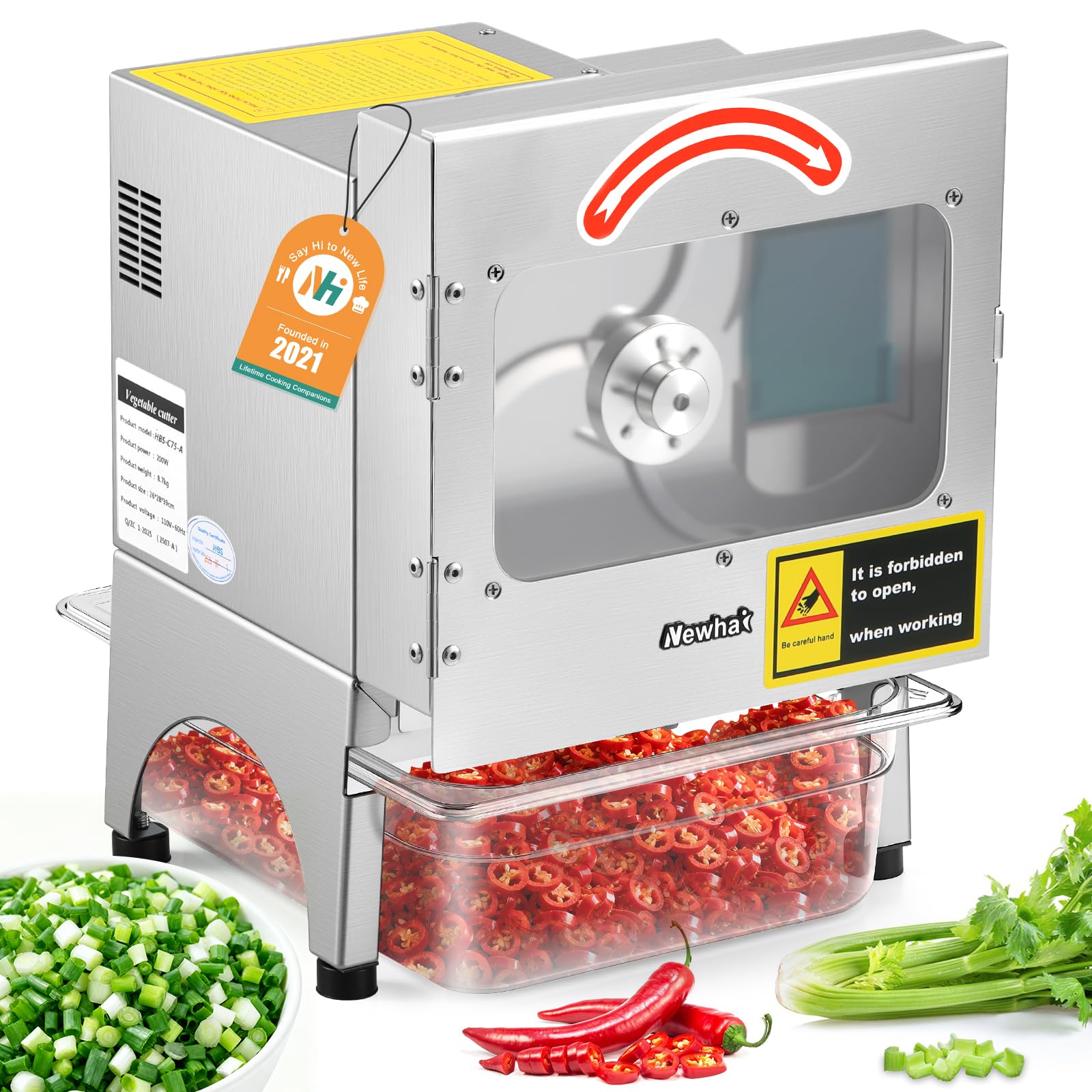
Figure 2.1: Overall view of the Newhai Commercial Vegetable Slicer, demonstrating its high efficiency compared to manual cutting.
Key Features:
- High-Efficiency Performance: Operates at 700r/min with an output of 400LB/H.
- Conveyor Belt System: Automatically feeds long produce like spring onions and celery.
- Durable Construction: Made with thickened, high-quality stainless steel and sharp stainless steel blades.
- Adjustable Thickness: Slice thickness can be adjusted from 1-35mm using independent controls for blade and belt speed.
- Safety Features: Automatic power shutoff when the cover is opened.
3. Setup and Installation
Follow these steps to set up your Newhai Commercial Vegetable Slicer for first use.
- Unpacking: Carefully remove the slicer from its packaging. Retain packaging for future transport or storage.
- Inspect for Damage: Check the machine for any signs of damage that may have occurred during shipping. If damaged, do not operate and contact customer support.
- Placement: Place the slicer on a stable, level, and dry surface capable of supporting its weight (approximately 18 lbs). Ensure adequate ventilation around the machine.
- Install Food Receiving Basin: Position the included food receiving basin beneath the discharge chute.
- Initial Cleaning: Before first use, clean all parts that will come into contact with food. Refer to the 'Maintenance and Cleaning' section.
- Power Connection: Plug the power cord into a suitable grounded electrical outlet.
4. Operating Instructions
This section details how to operate your Newhai Commercial Vegetable Slicer safely and effectively.
4.1 Preparing the Machine
- Ensure the machine is clean and the food receiving basin is in place.
- Verify the cover is securely closed to allow the safety switch to engage.
- Turn on the power switch.
4.2 Adjusting Slice Thickness
The slicer allows for precise control over slice thickness (1-35mm) by adjusting two independent knobs: Spindle Speed and Belt Speed.

Figure 4.1: Control panel for adjusting spindle (blade) speed and conveyor belt speed to achieve desired slice thickness.
- Spindle Speed (Blade Speed): Controls how fast the blade rotates. Higher speeds generally result in finer, thinner cuts.
- Belt Speed (Conveyor Belt Speed): Controls how fast the produce is fed into the blade. Slower belt speeds, combined with higher blade speeds, produce thinner slices. Faster belt speeds, combined with lower blade speeds, produce longer, thicker segments.
- Experimentation: It is recommended to test with a small amount of produce to find the optimal settings for your desired cut size and ingredient type.

Figure 4.2: Key principles for adjusting blade and belt speeds to achieve different cut types.

Figure 4.3: Example settings for chopping scallions/leeks to different sizes.
4.3 Loading Produce
The conveyor belt system is designed to handle various types of produce efficiently.
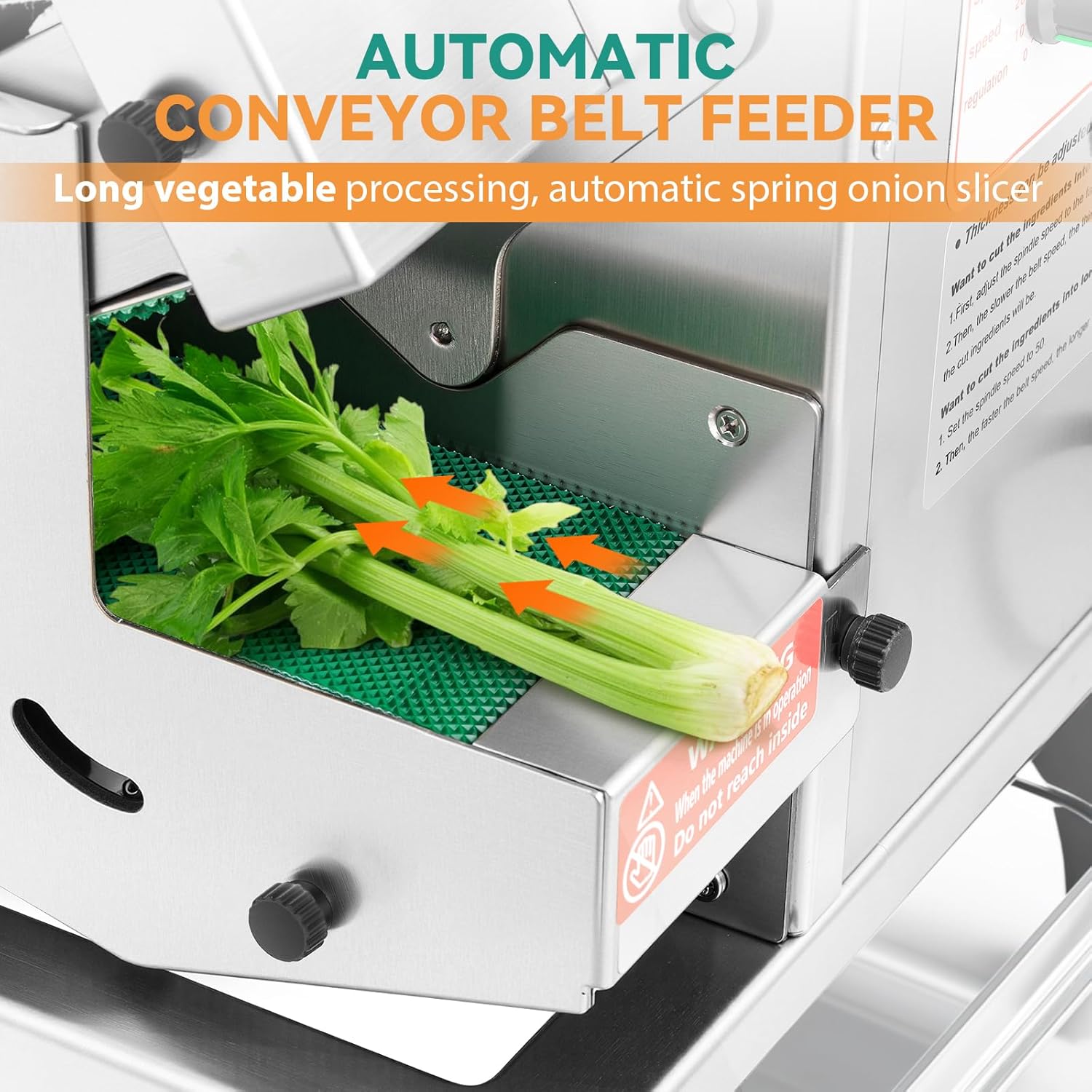
Figure 4.4: The automatic conveyor belt feeder handles long produce like celery.
- Long Produce: For items like spring onions, celery, or chives, place them onto the conveyor belt. The belt will automatically feed them into the blades.
- Other Produce: For shorter or softer items, place them directly into the feeding opening.
- Ingredient Compatibility: The machine processes soft and firm vegetables, as well as soft fruits like bananas. It is not suited for very large-diameter ingredients that do not fit the feed opening.

Figure 4.5: Examples of versatile ingredient compatibility, including long, short, soft, and hard items.
4.4 Monitoring Operation
A large viewing window allows you to observe the slicing process.

Figure 4.6: The slicing process involves the sharp blade, conveyor belt, and a viewing window for monitoring.
4.5 Official Product Videos
Video 4.1: Demonstration of the Newhai Vegetable Slicer Machine in action, showcasing its capabilities with various produce.
Video 4.2: A detailed look at the Newhai Commercial Vegetable Slicer Machine's operation and features.
Video 4.3: Overview of the Newhai 200W Commercial Vegetable Slicer, highlighting its efficiency and ease of use.
5. Maintenance and Cleaning
Regular cleaning and maintenance will ensure the longevity and optimal performance of your slicer.
5.1 Daily Cleaning
- Unplug: Always unplug the machine from the power outlet before cleaning.
- Remove Basin: Detach the food receiving basin and empty its contents. Wash it with warm, soapy water and rinse thoroughly.
- Hand Wash Only: The main unit and blades should be hand washed. Do not immerse the electrical components in water.
- Clean Blades: Use the included cleaning brush to carefully remove any food residue from the blades and internal components. Exercise extreme caution around the sharp blades.
- Wipe Surfaces: Wipe down all stainless steel surfaces with a damp cloth and mild detergent. Dry thoroughly with a clean cloth to prevent water spots and corrosion.
- Conveyor Belt: Clean the conveyor belt with a damp cloth, ensuring no food particles remain.
5.2 Blade Care
- The stainless steel blades are designed for durability. Avoid cutting extremely hard objects that could dull or damage them.
- If blades become dull over time, contact Newhai customer support for replacement options. Do not attempt to sharpen them yourself.
6. Troubleshooting
This section addresses common issues you might encounter with your slicer.
| Problem | Possible Cause | Solution |
|---|---|---|
| Machine does not turn on | 1. Power cord not plugged in 2. Power outlet malfunction 3. Safety cover not closed properly 4. Internal fuse blown | 1. Ensure power cord is securely plugged in. 2. Test outlet with another appliance. 3. Close the safety cover completely. 4. Contact customer support for assistance. |
| Inconsistent slice thickness | 1. Incorrect speed settings 2. Produce not fed evenly 3. Blades are dull | 1. Adjust spindle and belt speed knobs as per Section 4.2. 2. Ensure produce is placed evenly on the conveyor belt. 3. Contact customer support for blade replacement. |
| Machine jams or slows down | 1. Overloading the machine 2. Hard or unsuitable produce 3. Food residue buildup | 1. Reduce the amount of produce fed at one time. 2. Ensure only recommended produce types are used. 3. Unplug and clean the machine thoroughly, especially around the blades. |
| Unusual noise during operation | 1. Loose components 2. Foreign object inside 3. Motor issue | 1. Unplug and check for any loose parts. Tighten if possible. 2. Unplug and carefully inspect for any foreign objects. Remove if safe. 3. Discontinue use and contact customer support. |
If you encounter a problem not listed here, or if the suggested solutions do not resolve the issue, please contact Newhai customer support.
7. Specifications
| Brand | Newhai |
| Model Number | 92AB |
| Power | 200W |
| Output Capacity | Up to 400 LB/H |
| Product Dimensions (L x W x H) | 11" x 10.5" x 15" |
| Item Weight | 18 Pounds |
| Material | Stainless Steel |
| Blade Material | Stainless Steel |
| Operation Mode | Automatic |
| Adjustable Slice Thickness | 1-35mm |
| Special Features | Automatic power shutoff, Conveyor Belt System, Viewing Window |
| Included Components | Small wrench, Food receiving basin, Cleaning brush |

Figure 7.1: Dimensions of the Newhai Commercial Vegetable Slicer.
8. Warranty and Support
For warranty information, please refer to the documentation included with your purchase or contact the seller directly. Newhai is committed to providing quality products and customer satisfaction.
Customer Support:
If you have any questions, require technical assistance, or need to report an issue, please contact Newhai customer support through the retailer where the product was purchased or visit the official Newhai website for contact details.
