
Costzon 07084
Costzon Kids Grocery Store Playset Instruction Manual
Model: 07084
Introduction
This manual provides instructions for the assembly, operation, and maintenance of your Costzon Kids Grocery Store Playset, Model 07084. Please read these instructions carefully before assembly and use to ensure safe and proper operation.
The Costzon Kids Grocery Store Playset is a wooden pretend play toy designed for children aged 3 years and older. It features an interactive checkout counter, cash register, vending machine, coffee maker, and various play food accessories to provide an immersive shopping experience.
Safety Information
- Suitable for children aged 3 years and up.
- Adult assembly is required.
- Ensure all fasteners are securely tightened before use.
- Regularly check for loose parts or damage. Discontinue use if any damage is found.
- Keep small parts away from young children during assembly to prevent choking hazards.
- The product features a splinter-free surface and rounded edges for safety.
- This product complies with ASTM and CPSIA standards.
What's Included
The package includes the following components:
- 1 x Kids Grocery Store Playset
- 1 x Shopping Cart
- 1 x Filter
- 1 x VIP Card
- 3 x Coffee Beans
- 6 x Tableware
- Instruction Manual
- Approximately 30 pieces of play food and accessories (exact count may vary)
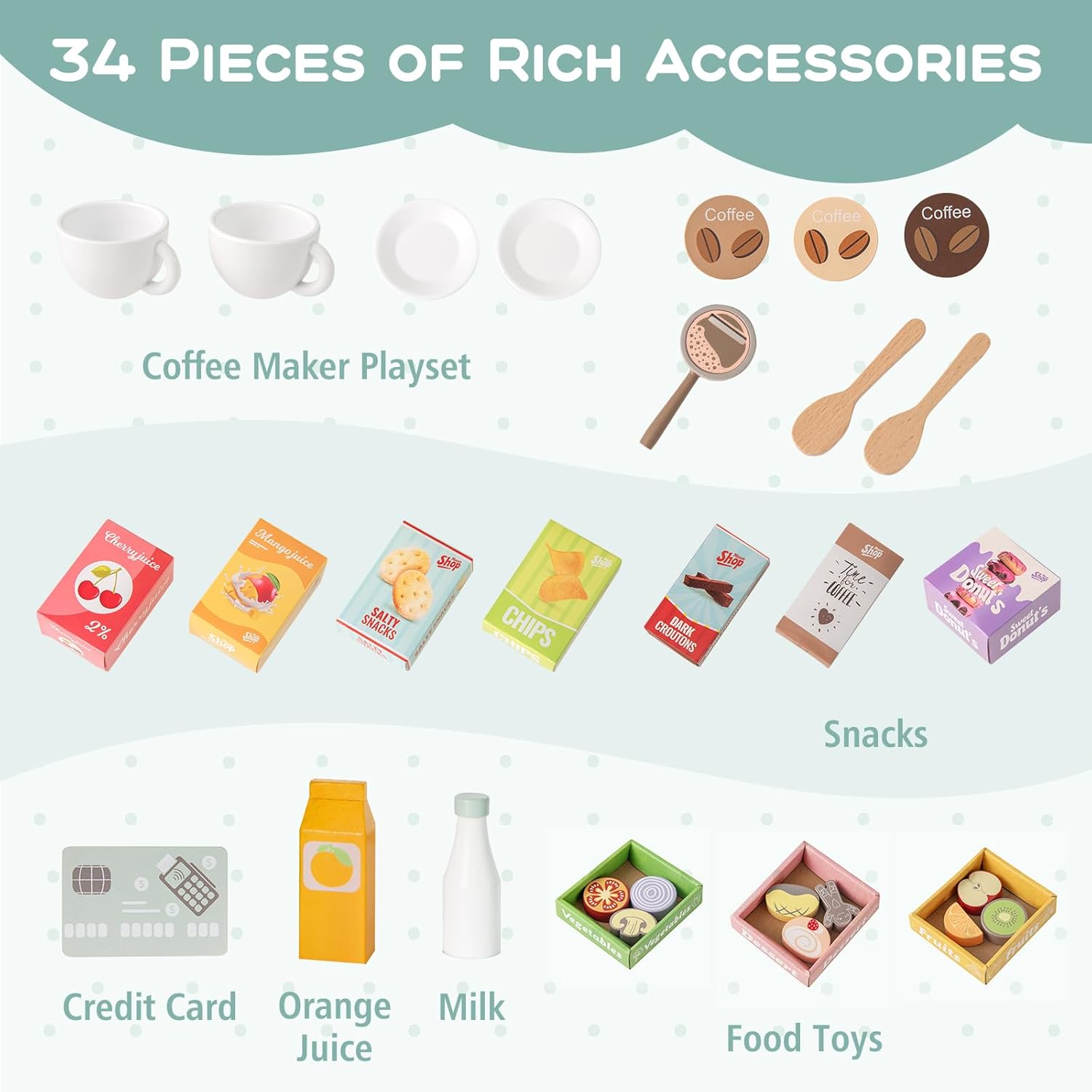
Figure 1: Included Accessories. This image displays the various play food items and accessories that come with the grocery store playset, such as coffee cups, coffee beans, snack boxes, a credit card, and milk cartons.
Setup and Assembly
Assembly of the Costzon Kids Grocery Store Playset is required. Please follow the detailed instructions provided in the separate assembly guide included in your package. Ensure all parts are accounted for before beginning assembly.
General Assembly Tips:
- Lay out all components and hardware on a clean, flat surface.
- Identify each part using the diagrams in the assembly guide.
- Use appropriate tools as specified in the assembly guide.
- Do not overtighten screws to avoid damaging the wood.
- Ensure all connections are secure and stable before allowing children to play.

Figure 2: Assembled Playset. This image shows the fully assembled grocery store playset with two children engaged in pretend play, demonstrating its versatile use for both shopping and selling.
Operating Instructions
1. Vending Machine Operation
- Place Items: Open the vending machine door and place desired play food items inside.
- Select Item: Press the corresponding button on the vending machine panel for the chosen item.
- Retrieve Item: The item will drop into the collection slot at the bottom.

Figure 3: Vending Machine Steps. This image visually guides users through the process of loading, selecting, and retrieving items from the playset's vending machine.
2. Cash Register and Checkout Counter
- Scanning Area: Place play items on the scanning area for pretend checkout.
- Cash Register: Use the cash register for pretend transactions. It features realistic lights and sounds.
- Credit Card Payment: Utilize the credit card slot for simulated card payments.
- Money Box: Store play money in the designated money box.
3. Coffee Maker Station
- Choose Coffee Bean: Select a play coffee bean.
- Place in Grinder: Insert the coffee bean into the grinder.
- Grind: Turn the handle to simulate grinding the coffee beans.
- Extract Coffee: Position a cup under the dispenser and press the lever to simulate coffee extraction.

Figure 4: Coffee Maker Steps. This image illustrates the sequence of actions for using the playset's coffee maker, from selecting beans to extracting coffee.
4. Oven and Storage
- Oven: The playset includes a pretend oven for baking activities. Open the oven door using the handle.
- Display Shelves: Utilize the open shelves and two-tier display rack for organizing play food and accessories. Some shelves have anti-falling baffles for security.
- Storage Cabinets: The vending machine section includes storage cabinets for additional items.
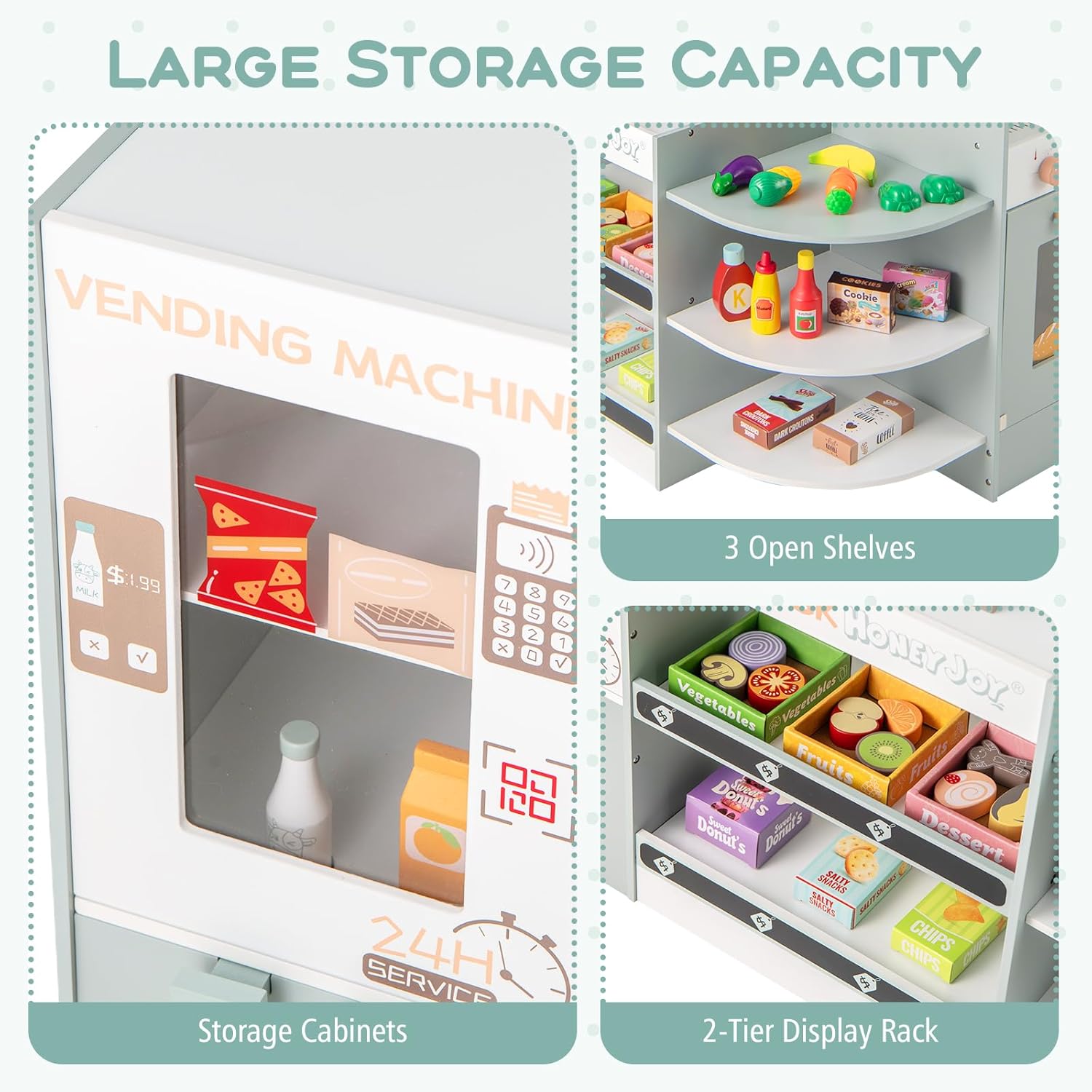
Figure 5: Storage Capacity. This image highlights the various storage options available on the playset, including cabinets and open shelves for organizing play items.
5. Interactive Features
- Rotatable Clock: Adjust the hands on the clock to learn about telling time.
- Rotary Knobs: Turn the knobs on the coffee maker/oven area; they produce clicking sounds for realistic play.
- Writable Chalkboards: Use chalk (not included) on the dual blackboards to write specials or draw.

Figure 6: Interactive Features. This image showcases close-ups of the playset's interactive elements, such as the oven, chalkboard, clicking knobs, and adjustable clock.
6. Shopping Cart
- The included shopping cart features smooth wheels and an easy-to-grip handle for easy movement around the play area.
Product in Action
Video 1: Costzon Kids Grocery Playset Demonstration. This video provides a brief overview of the playset's features and how children can interact with the vending machine, coffee maker, and other elements.
Maintenance
- Cleaning: Wipe surfaces with a soft, damp cloth. Avoid abrasive cleaners or harsh chemicals.
- Inspection: Periodically check all screws and fasteners to ensure they are tight. Retighten if necessary.
- Storage: Store the playset in a dry environment away from direct sunlight or extreme temperatures to prevent warping or damage to the wood.
- Damage: If any part of the playset becomes damaged, discontinue use immediately and contact customer support for replacement parts or advice.
Troubleshooting
| Problem | Possible Cause | Solution |
|---|---|---|
| Playset feels wobbly after assembly. | Screws or fasteners are not fully tightened. | Check all assembly points and tighten screws securely. Do not overtighten. |
| Vending machine items do not dispense. | Item is jammed or not placed correctly. | Ensure items are placed properly and not too large for the mechanism. Gently clear any obstructions. |
| Cash register lights/sounds not working. | Batteries may be low or incorrectly installed. | Check battery compartment for correct installation and replace batteries if necessary. |
| Shopping cart wheels are stiff or fall off. | Wheels may be loose or obstructed. | Ensure wheels are securely attached. Check for any debris obstructing wheel movement. |
Specifications
| Feature | Detail |
|---|---|
| Model Number | 07084 |
| Brand | Costzon |
| Material | Engineered Wood |
| Dimensions (Supermarket) | 31" (D) x 23" (W) x 35" (H) (Note: Current variant B0FZZJ1G6L is 37" x 24" x 33") |
| Dimensions (Shopping Cart) | 17" (L) x 12" (W) x 19" (H) |
| Net Weight | 36.5 lbs |
| Suitable Ages | 3+ Years Old (Manufacturer Minimum Age: 36 Months) |
| Included Components | Grocery Store, Cart, Filter, VIP Card, Coffee Beans, Tableware |
| Safety Compliance | ASTM, CPSIA |

Figure 7: Product Dimensions. This image provides a visual representation of the playset's overall dimensions and key measurements for different sections.
Warranty Information
Specific warranty details for the Costzon Kids Grocery Store Playset are not provided in this document. Please refer to the product packaging or contact Costzon customer support for information regarding warranty coverage and terms.
Customer Support
For further assistance, replacement parts, or any inquiries regarding your Costzon Kids Grocery Store Playset, please contact Costzon customer support.
You can visit the official Costzon store for more information: Costzon Store on Amazon
Ask a question about this manual
Ask about setup, troubleshooting, compatibility, parts, safety, or missing instructions. Manuals+ will review the question and use this page’s manual context to help answer it.