
Introduction
The Huepar Pro ZK04CG-LR300 is a professional-grade 4x360° green cross line laser level designed for precise leveling and alignment tasks in various construction and DIY projects. This tool features four ultra-bright 360° laser planes, a high-precision receiver for extended outdoor use, and a rechargeable battery with power bank functionality. Its robust design ensures durability and reliability in demanding work environments.
Setup
What's in the Box
Before starting, ensure all components are present:
- 1 x Huepar Pro ZK04CG Laser Level
- 1 x Huepar Pro LR300 Laser Receiver
- 1 x Receiver Clamp
- 1 x Power Adapter
- 1 x Type-C Cord
- 1 x Green Glasses
- 1 x Green Laser Target Plate
- 1 x Rechargeable Battery
- 1 x Remote Control
- 1 x Magnetic Bracket
- 1 x Lifting Base
- 1 x User Manual for ZK04CG
- 1 x User Manual for LR300 Receiver
- 1 x Hard Carry Case
- 1 x Color Paper Box

Battery Installation and Charging
The device is equipped with a rechargeable battery. Insert the battery into the designated compartment on the laser level. To charge, connect the Type-C cord to the laser level and the power adapter, then plug into a power source. The battery provides over 8 hours of continuous runtime and can also function as a power bank via its USB output port to charge other devices.

Mounting Options
The laser level offers versatile mounting options:
- Magnetic Bracket: Use the included magnetic bracket for quick attachment to metal surfaces. It features fine-tuning knobs for vertical, horizontal, and 360° rotational adjustments.
- Lifting Base: The lifting base allows for height adjustments from 1 inch to 3.54 inches, ideal for floor tiling or precise low-level applications.
- Tripod/Pole Mount: The device includes 1/4"-20 and 5/8"-11 threaded mounts for compatibility with standard tripods or pole mounts (not included).

Operating Instructions
Powering On/Off
To power on the device, slide the pendulum lock switch to the unlocked position. The laser lines will activate. To power off, slide the pendulum lock switch back to the locked position. This also protects the pendulum during transport.
Self-Leveling Mode
When the pendulum is unlocked, the laser tool automatically self-levels within 3 seconds. If the tilt exceeds ±3°, the laser tool will emit a beeping sound and the laser lines will flash, indicating that adjustment is needed to bring the device within its self-leveling range.
Manual Mode
To project laser lines at any angle, lock the pendulum. This disables the self-leveling function and allows for manual positioning of the laser lines, suitable for tasks like installing handrails or decorative projects.

Line Selection and 4x360° Coverage
The ZK04CG-LR300 features four 360° laser planes: two horizontal and two vertical. You can independently select each of these lines using the 'H' and 'V' buttons on the keypad or the included remote control. The bottom 360° horizontal line projects as low as 0.7 inches, making it ideal for floor tiling.

Pulse Mode and Outdoor Use with Receiver
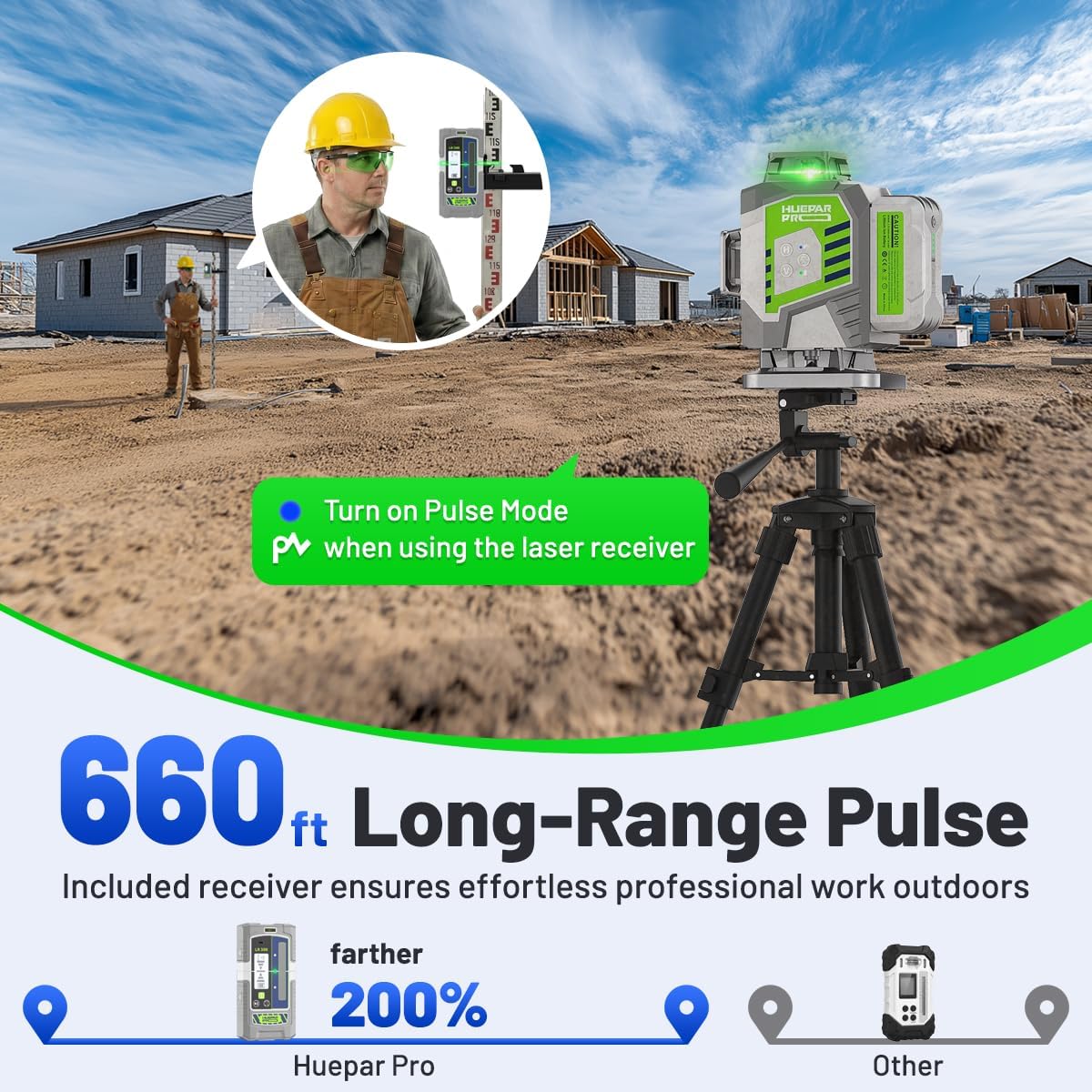
For outdoor use or long-distance applications up to 660 feet, activate Pulse Mode. This mode enhances the laser's visibility when used with the LR300 laser receiver. The receiver offers dual accuracy settings: ±1/13" at 33ft for precision and ±1/8" at 33ft for standard leveling.
Remote Control Operation
The included remote control allows you to switch laser lines and activate/deactivate pulse mode from up to 32.8 feet away, providing convenience and efficiency without needing to constantly adjust the unit directly.

Official Product Videos
Video: This video provides an overview of the Huepar Pro 4D Outdoor Laser Level Set, highlighting its features and components, including the laser receiver.
Video: A detailed look at the Huepar Pro ZK04CG Laser Level Set with Receiver, showcasing its functionality and practical applications.
Maintenance
Cleaning
Regularly clean the laser level and receiver with a soft, damp cloth. Do not use harsh chemicals or abrasive cleaners. Keep the laser apertures free from dust and debris to maintain optimal beam clarity and accuracy.
Storage
When not in use, store the laser level in its hard carrying case in a dry, cool place, away from direct sunlight and extreme temperatures. Ensure the pendulum lock is engaged to protect the internal mechanism during storage and transport.
Battery Care
To prolong battery life, avoid fully discharging the battery frequently. Charge the battery regularly, even if the device is not in use for extended periods. Store the battery in a cool, dry place.
Troubleshooting
- Laser lines are flashing and beeping in self-leveling mode: This indicates the device is tilted beyond its ±3° self-leveling range. Reposition the laser level on a flatter surface until the alarm stops and the lines become steady.
- Laser lines are dim or invisible outdoors: Ensure Pulse Mode is activated and you are using the LR300 laser receiver. The receiver is essential for detecting the laser beam over long distances and in bright conditions.
- Remote control not working: Check the battery in the remote control. Ensure there are no obstructions between the remote and the laser level.
- Device not powering on: Check if the battery is properly installed and charged. Ensure the pendulum lock switch is in the unlocked position.
- Inaccurate readings: Ensure the device is properly calibrated. If persistent inaccuracies occur, contact customer support.
Specifications
| Feature | Detail |
|---|---|
| Brand | Huepar Pro |
| Model Number | HPZK04CG-LR300 |
| Laser Class | Class 2 (IEC/EN60825-1/2014), <1mW |
| Laser Color | Green Beam |
| Laser Lines | 4 x 360° (2 Horizontal, 2 Vertical) |
| Accuracy | ±1/13 inch at 33Ft |
| Self-Leveling Range | ±3° |
| Operation Mode | Self-leveling/Manual Mode/Pulse Mode |
| Working Range (with Receiver) | Up to 660ft (in Pulse Mode) |
| Battery Life | Up to 8 hours |
| Power Source | Rechargeable Battery with USB Output |
| Mounting Thread | 1/4"-20 and 5/8"-11 |
| IP Rating | IP54 (Water and Dust Resistant) |
| Material | Acrylonitrile Butadiene Styrene |
Warranty and Support
Warranty Information
Huepar Pro offers a 5-Year Warranty for all 3D/4D models. The device itself is covered for 5 years, and the battery for 2 years (non-human damage). During the first year, a free replacement of a brand-new full set (device, battery, accessories) is provided. For years 2-5, free replacement with a refurbished or equivalent unit is offered for any non-repairable issues.
Technical Support
Huepar Pro is committed to providing best-in-class service with a 24/7 service team (response within 24 hours, solution within 48 hours). Lifetime technical support is available for setup and troubleshooting assistance. A worldwide maintenance center ensures faster repair or replacement services.
For support, you can contact Huepar Pro via:
- Email: cs@hueparpro.com
- WhatsApp: +16262545609


