
1. Introduction
This manual provides detailed instructions for the safe and effective use of your MMWOWARTS Hybrid Active Noise Cancelling Bluetooth Headphones. Please read this manual thoroughly before using the product and retain it for future reference.

Image 1.1: MMWOWARTS Hybrid Active Noise Cancelling Bluetooth Headphones, black color, shown from a slight angle.
2. Package Contents
Ensure all items are present in the package:
- Hybrid Active Noise Cancelling Headphones
- Owner's Manual (this document)
- Type-C Charging Cable
3. Product Overview
3.1 Headphone Components

Image 3.1: Diagram illustrating the functional components of the headphones, including volume controls, MFB button, audio interface, charging port, ANC button, microphone, and digital display.
- Volume +/-: Adjusts audio volume.
- MFB (Multi-Function Button): Power On/Off, Play/Pause, Answer/End Calls.
- Audio Interface: 3.5mm port for wired connection.
- Charging Port: USB Type-C port for charging.
- ANC Button: Activates/Deactivates Active Noise Cancellation or Transparency Mode.
- Microphone: For calls and voice assistant.
- Digital Display: Shows battery level and status indicators.
3.2 Ergonomic Design Features
- Adjustable Headband: Ensures a secure and comfortable fit for various head sizes.
- Rotatable Earcups: Earcups can rotate 90 degrees for flat storage.
- Swiveling Earcups: Earcups swivel 90 degrees for flexible fit.
- Memory Foam Ear Cups: Provides comfort and minimizes pressure during extended use.

Image 3.2: Detail of the adjustable headband with size markings.
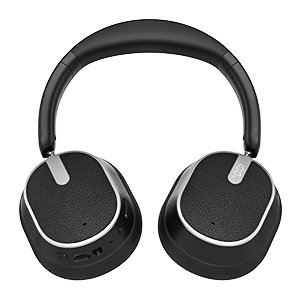
Image 3.3: Headphones with earcups swiveled, indicating flexibility.
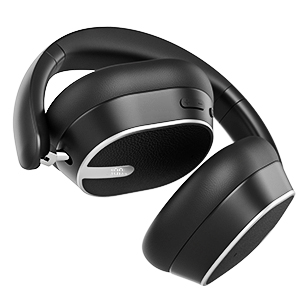
Image 3.4: Headphones folded for compact storage and portability.
4. Setup
4.1 Charging the Headphones
Before first use, fully charge the headphones. Connect the supplied Type-C cable to the charging port on the headphones and the other end to a USB power source (e.g., computer, wall adapter). The digital display will indicate charging status. A full charge provides up to 60 hours of playtime in standard mode. A 5-minute quick charge provides approximately 4 hours of playback.

Image 4.1: Headphones illustrating battery life features, including 60 hours music time and quick charge capability.
4.2 Powering On/Off
- To Power On: Press and hold the MFB button for approximately 3 seconds until the indicator light illuminates and an audible prompt is heard.
- To Power Off: Press and hold the MFB button for approximately 3 seconds until the indicator light turns off and an audible prompt is heard.
4.3 Bluetooth Pairing
The headphones utilize Bluetooth 6.0 for stable and high-speed connections.
- Ensure the headphones are powered off.
- Press and hold the MFB button for 5-7 seconds until the indicator light flashes red and blue alternately, indicating pairing mode.
- On your device (smartphone, tablet, laptop), enable Bluetooth and search for available devices.
- Select "MMWOWARTS Headphones" (or similar name) from the list.
- Once connected, the indicator light will flash blue slowly, and an audible prompt will confirm the connection.
- The headphones will automatically reconnect to the last paired device when powered on, if within range.

Image 4.2: Graphic illustrating the advanced Bluetooth 6.0 technology for stable and low-latency connections.
4.4 Wired Connection (AUX)
To use the headphones with a wired connection, connect a 3.5mm audio cable (not included) to the audio interface on the headphones and your audio source. The headphones can be used in wired mode even if the battery is depleted.
5. Operating Instructions
5.1 Basic Controls
- Play/Pause: Short press the MFB button.
- Volume Up: Short press the Volume + button.
- Volume Down: Short press the Volume - button.
- Next Track: Long press the Volume + button.
- Previous Track: Long press the Volume - button.
5.2 Call Functions
- Answer/End Call: Short press the MFB button.
- Reject Call: Long press the MFB button.
- Redial Last Number: Double press the MFB button.

Image 5.1: Headphones demonstrating voice assistant compatibility and built-in microphone for hands-free calls.
5.3 Active Noise Cancellation (ANC) & Transparency Mode
The headphones feature Hybrid ANC technology to reduce ambient noise and a Transparency Mode to allow environmental sounds.
- Activate ANC: Short press the ANC button. The ANC indicator light will turn on.
- Activate Transparency Mode: Short press the ANC button again. The ANC indicator light will change to indicate Transparency Mode.
- Deactivate ANC/Transparency Mode: Short press the ANC button a third time. The ANC indicator light will turn off.
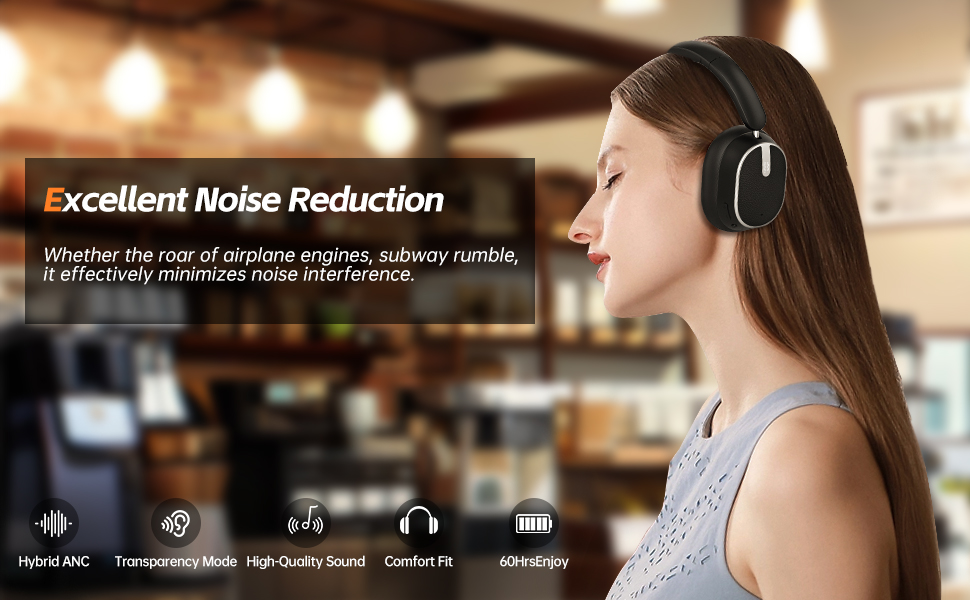
Image 5.2: User experiencing excellent noise reduction, minimizing interference from ambient sounds.

Image 5.3: User staying connected with surroundings using Transparency Mode.
5.4 Voice Assistant
To activate your device's voice assistant (e.g., Siri, Google Assistant), triple press the MFB button. Ensure your device's voice assistant is enabled.
5.5 Sound Effects
The headphones support multiple sound effects. Refer to the product's digital display or accompanying app (if available) for specific controls to switch between modes like Pop, Rock, Vocal, Jazz, BassUp, and Classic.

Image 5.4: Headphones displaying various sound effect options such as Pop, Rock, Vocal, Jazz, BassUp, and Classic.
6. Maintenance
Proper maintenance ensures the longevity of your headphones.
- Cleaning: Use a soft, dry cloth to clean the headphones. Do not use abrasive cleaners or solvents.
- Storage: When not in use, store the headphones in a cool, dry place, away from direct sunlight and extreme temperatures.
- Water Exposure: While the headphones are rated as waterproof, avoid prolonged submersion in water. Dry thoroughly if exposed to moisture.
- Charging: Charge the headphones regularly, even if not in frequent use, to maintain battery health.
7. Troubleshooting
If you encounter issues, refer to the following common solutions:
| Problem | Possible Solution |
|---|---|
| Headphones do not power on. | Ensure the headphones are charged. Connect to a power source using the Type-C cable. |
| Cannot pair with device. | Ensure headphones are in pairing mode (flashing red/blue). Turn off and on your device's Bluetooth. Move closer to the device. |
| No sound or low volume. | Check headphone and device volume levels. Ensure headphones are properly paired. Try a different audio source. |
| ANC not working effectively. | Ensure ANC is activated. Adjust headphone position for a better seal around the ears. |
| Intermittent connection. | Ensure no obstacles are between the headphones and the device. Move closer to the device. Avoid strong electromagnetic interference. |
8. Specifications
| Feature | Detail |
|---|---|
| Brand | MMWOWARTS |
| Model | B0FZT5G1HB |
| Wireless Communication Technology | Bluetooth |
| Bluetooth Version | 6.0 |
| Bluetooth Range | 15 Meters |
| Form Factor | Over Ear |
| Material | Plastic |
| Item Weight | 14 ounces |
| Battery Life (Music Time) | Up to 60 hours (standard mode) |
| Charging Port | USB Type-C |
| Control Method | Button, Touch |
| Special Feature | Portable, Hybrid Active Noise Cancellation |
| Water Resistance Level | Waterproof |
| Compatible Devices | Smartphone, MP3 Player, Laptop |
9. Warranty and Support
9.1 Warranty Information
For warranty details, please refer to the warranty card included with your product or visit the official MMWOWARTS website. Warranty terms and conditions may vary by region and retailer.
9.2 Customer Support
If you have any questions, concerns, or require technical assistance, please contact MMWOWARTS customer support through the contact information provided on the official website or your purchase platform.