
Introduction
Thank you for choosing the STRICH ComboFX Pedal Board. This compact and versatile pedal board is designed for guitarists seeking a portable and efficient solution for their effects pedals. Featuring a built-in 10000mAh rechargeable battery and a multi-output power supply, it allows for operation without external power, making it ideal for various performance and practice environments. This manual provides essential information for the proper setup, operation, and maintenance of your pedal board.
What's in the Box
Please check the contents of your package to ensure all items are present:
- STRICH ComboFX Pedal Board
- Pedal Cables (for connecting pedals to the power supply)
- Carrying Bag
- Hook-and-Loop Strips (for securing pedals)
- Power Adapter (for charging the built-in battery)

Image: The STRICH ComboFX Pedal Board neatly packed in its large-capacity nylon carrying bag, alongside included accessories like pedal cables and hook-and-loop strips.
Product Features
- Compact Multi-Output Power Supply: Features 5 x 9V 100mA and 2 x 9V 300mA outputs, suitable for powering multiple effects pedals.
- Rechargeable Battery Power: Integrated 10000mAh battery allows for portable operation without an external power source.
- Power Switch and Battery Indicator: An independent power switch controls the entire board, and an integrated LED indicator displays real-time battery status.
- Lightweight Aluminum Design: Constructed from high-strength aluminum alloy with an open frame for durability, light weight, and efficient cable management.
- Angled Pedalboard: A 10-degree angled surface enhances foot control and pedal accessibility.

Image: The STRICH ComboFX Pedal Board with various guitar pedals arranged, demonstrating its capability to organize and power effects for a mobile setup.
Setup
- Unpack and Inspect: Carefully remove all components from the packaging and inspect for any damage.
- Attach Pedals: Use the provided hook-and-loop strips to secure your effects pedals to the pedal board surface. Ensure they are firmly attached to prevent movement during use.
- Connect Power Cables: Use the included pedal cables to connect your effects pedals to the appropriate power outputs on the STRICH ComboFX Pedal Board. Refer to the 'Powering Pedals' section for output specifications.
- Cable Management: Utilize the hollow design of the pedal board to route and organize your cables underneath, keeping the top surface tidy and preventing tripping hazards.

Image: A top view of the pedal board with pedals connected, showing how to achieve an organized setup.
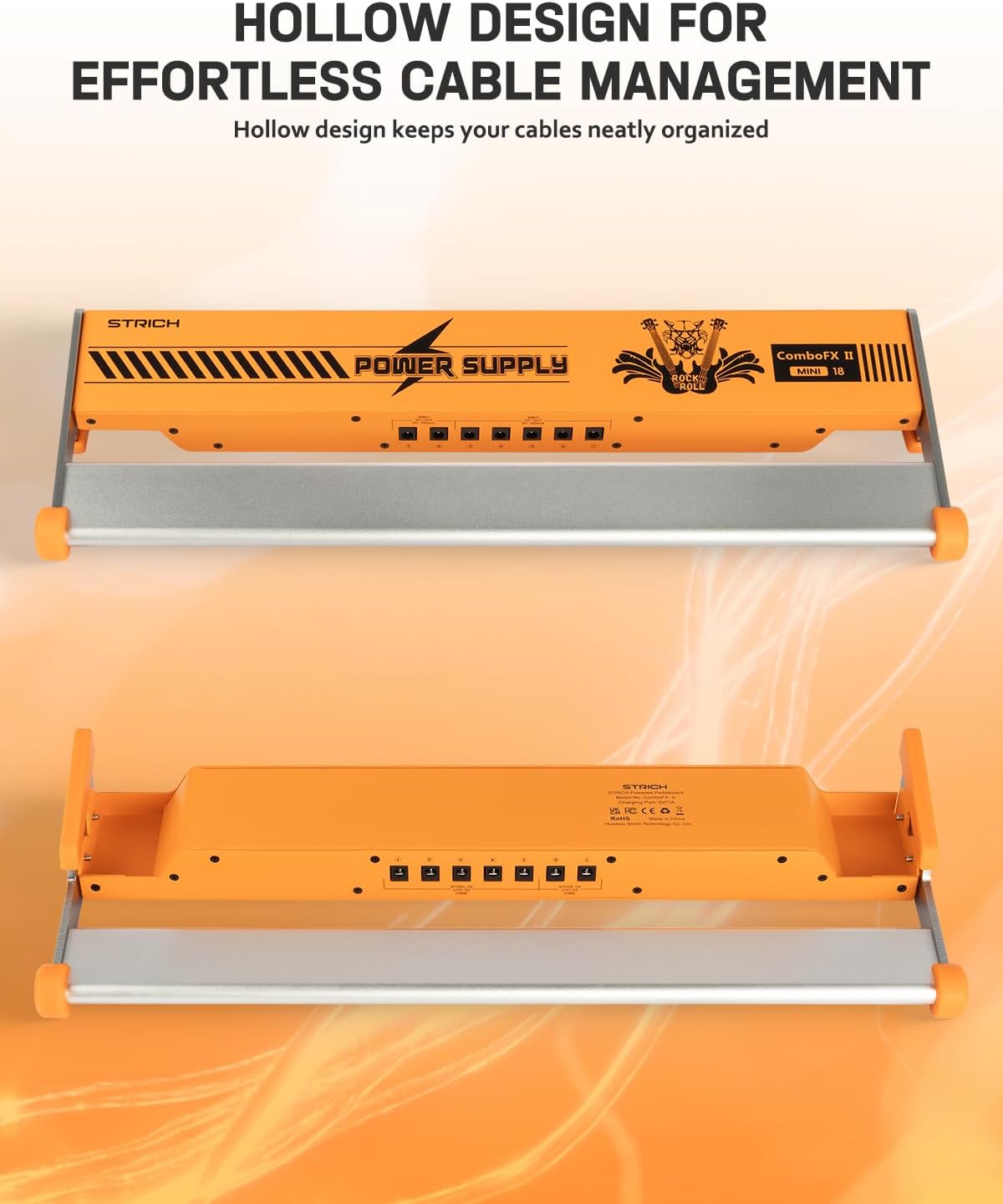
Image: The hollow design of the pedal board, allowing for efficient routing and concealment of cables underneath.
Operating Instructions
Powering On/Off
To power on the pedal board and connected pedals, locate the independent power switch on the side of the unit and toggle it to the 'ON' position. To power off, toggle the switch to 'OFF'.
Battery Indicator
The integrated battery level indicator lights provide a visual representation of the remaining battery charge. Monitor these lights to prevent unexpected power loss during use.

Image: The power switch and LED indicators showing the battery status (25%, 50%, 75%, 100%).
Charging the Battery
The STRICH ComboFX Pedal Board features a built-in 10000mAh rechargeable battery. To charge the battery:
- Connect the provided power adapter to the charging port (USB-C) on the pedal board.
- Plug the power adapter into a standard wall outlet.
- The battery indicator lights will illuminate to show the charging progress. All lights will be solid when fully charged.
A full charge allows for approximately 1.5-2 hours of operation with all ports powered simultaneously, depending on the power draw of your pedals.

Image: Close-up of the USB-C charging port and the indication of the 10000mAh high-capacity battery.
Powering Pedals
The pedal board offers a versatile power supply with isolated outputs to ensure stable and clean power for your effects. It includes:
- 5 x 9V 100mA outputs: For standard low-current pedals.
- 2 x 9V 300mA outputs: For higher-current pedals.
Always ensure that the voltage and current requirements of your pedals match the output specifications to prevent damage. Use the provided pedal cables for connections.

Image: A clear view of the isolated power outputs, indicating 5 x 9V 100mA and 2 x 9V 300mA ports for various pedals.
Maintenance
- Cleaning: Wipe the pedal board with a soft, dry cloth. Avoid using abrasive cleaners or solvents.
- Storage: When not in use, store the pedal board in its carrying bag in a cool, dry place away from direct sunlight and extreme temperatures.
- Battery Care: For optimal battery life, avoid fully discharging the battery frequently. Recharge it regularly, even if not in constant use.
- Cable Inspection: Periodically check all power and audio cables for signs of wear or damage. Replace any faulty cables immediately.

Image: The durable aluminum construction of the pedal board, designed for longevity and resistance to wear.
Troubleshooting
- No Power to Pedals:
- Ensure the pedal board's power switch is in the 'ON' position.
- Check the battery indicator lights; if low, recharge the battery.
- Verify that pedal cables are securely connected to both the pedal and the correct output on the power supply.
- Confirm that the pedal's voltage and current requirements match the output it's connected to.
- Humming or Noise from Pedals:
- Ensure all connections are secure.
- Test pedals individually to identify if a specific pedal is causing the noise.
- While the power supply is isolated, some sensitive analog pedals may still pick up interference. Try connecting the problematic pedal to a different output or a separate power source to diagnose.
- Check for ground loops in your overall setup.
- Battery Drains Quickly:
- High-current draw pedals (e.g., digital multi-effects units) will deplete the battery faster.
- Ensure the battery is fully charged before use.
- Consider the total current draw of all connected pedals. If it exceeds the battery's capacity for extended periods, external power may be necessary.
Specifications
| Model | STRICH ComboFX Pedal Board (18 x 5.8" With Built-in Battery) |
| Dimensions (L x W x H) | 18.11" x 5.83" x 2.17" (46cm x 14.8cm x 5.5cm) |
| Item Weight | 2.2 LB (1.0 kg) |
| Body Material | Aluminum Alloy |
| Battery Capacity | 10000mAh |
| Power Outputs | 5 x 9V 100mA, 2 x 9V 300mA |
| Charging Port | USB-C |
| DC 5V Output Interface | 1A |

Image: Detailed dimensions of the pedal board, including length, width, and height.
Warranty Information
This product comes with a standard manufacturer's warranty. Please refer to the warranty card included in your packaging or contact STRICH customer support for detailed information regarding warranty terms and conditions.
Support
For technical assistance, troubleshooting, or any questions regarding your STRICH ComboFX Pedal Board, please contact STRICH customer support. Contact information can typically be found on the product packaging, the official STRICH website, or through your retailer.