
Introduction
Welcome to the user manual for your F7G Smart Watch V2.0 AMOLED Outdoor Fitness Smartwatch. This device is designed to enhance your fitness journey and daily life with its advanced features, including a vibrant AMOLED display, comprehensive health monitoring, built-in GPS, barometer, and voice assistant capabilities. Please read this manual carefully to ensure proper setup, operation, and maintenance of your smartwatch.
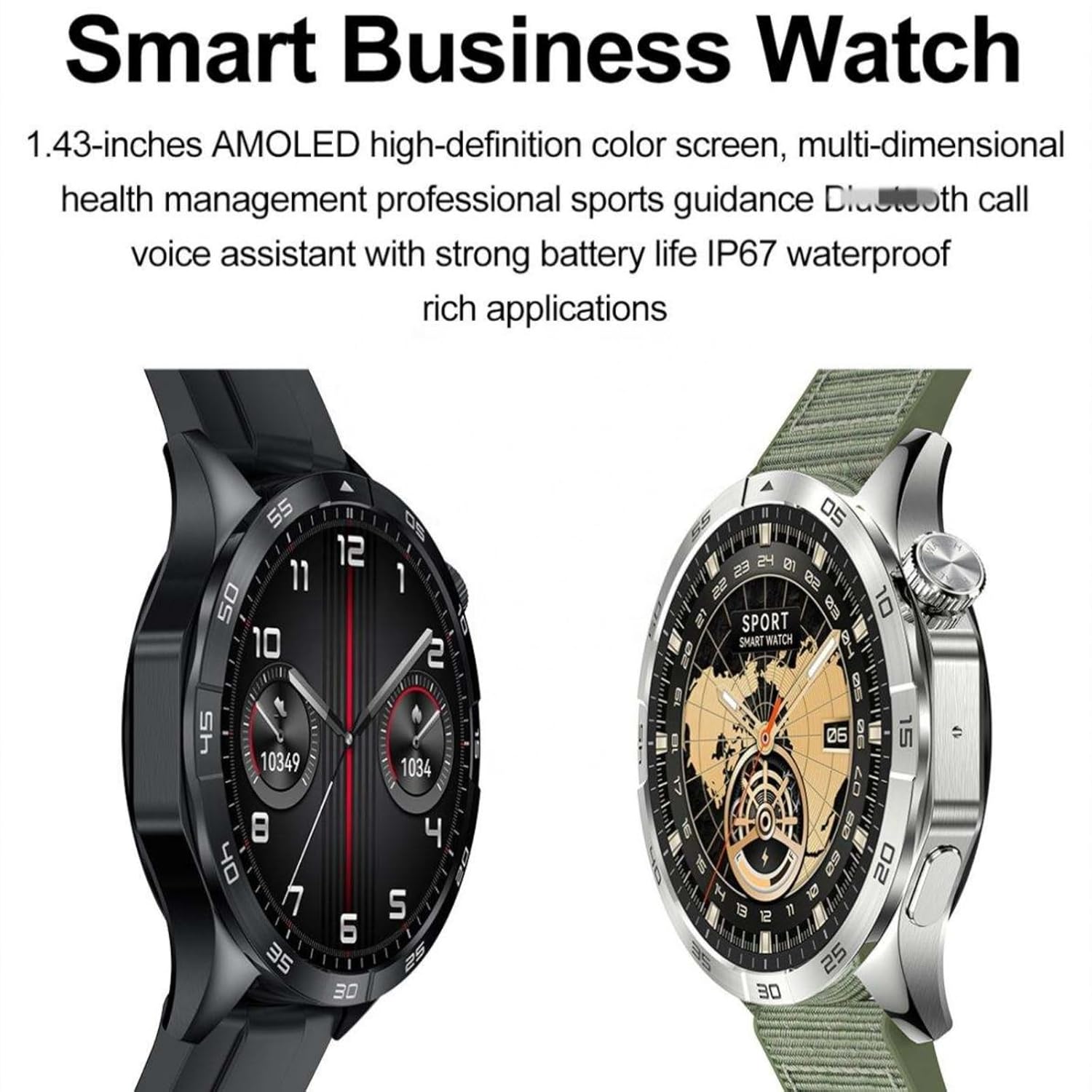
Image: The F7G Smart Watch V2.0, showcasing its sleek design and vibrant AMOLED display.
What's in the Box
Upon unboxing your F7G Smart Watch, please verify that all components are present:
- F7G Smart Watch V2.0
- Charging Cable
- User Manual (this document)
Setup
1. Charging the Smartwatch
Before initial use, fully charge your smartwatch. Connect the charging cable to the charging port on the back of the watch and plug the other end into a USB power adapter (not included). A full charge typically takes approximately 2 hours.

Image: The F7G Smart Watch V2.0 displaying its charging interface.
2. Power On/Off
- Power On: Press and hold the side button until the F7G logo appears on the screen.
- Power Off: Press and hold the side button, then select 'Power Off' from the options displayed on the screen.
3. App Installation and Pairing
To unlock the full potential of your F7G Smart Watch, install the companion application on your smartphone. The app is compatible with Android smartphones.
- Scan the QR code provided in the quick start guide or search for the official F7G app in your smartphone's app store.
- Install the application and create an account if prompted.
- Enable Bluetooth on your smartphone.
- Open the F7G app, navigate to the device pairing section, and select your F7G Smart Watch from the list of available devices.
- Follow the on-screen prompts to complete the pairing process.
4. SIM Card Installation (Optional)
The F7G Smart Watch supports independent call functionality via a SIM card. If you wish to use this feature, carefully insert a compatible SIM card into the designated slot on the watch. Refer to the watch's physical design for the exact location of the SIM card tray.
Operating Instructions
1. Display Navigation
The F7G Smart Watch features a 1.43-inch AMOLED touchscreen display with a resolution of 466x466 pixels. Navigate the interface using the following gestures:
- Swipe Up/Down: Scroll through menus and notifications.
- Swipe Left/Right: Access different widgets or quick settings.
- Tap: Select an item or open an application.
- Press and Hold: Customize watch faces or access context menus.
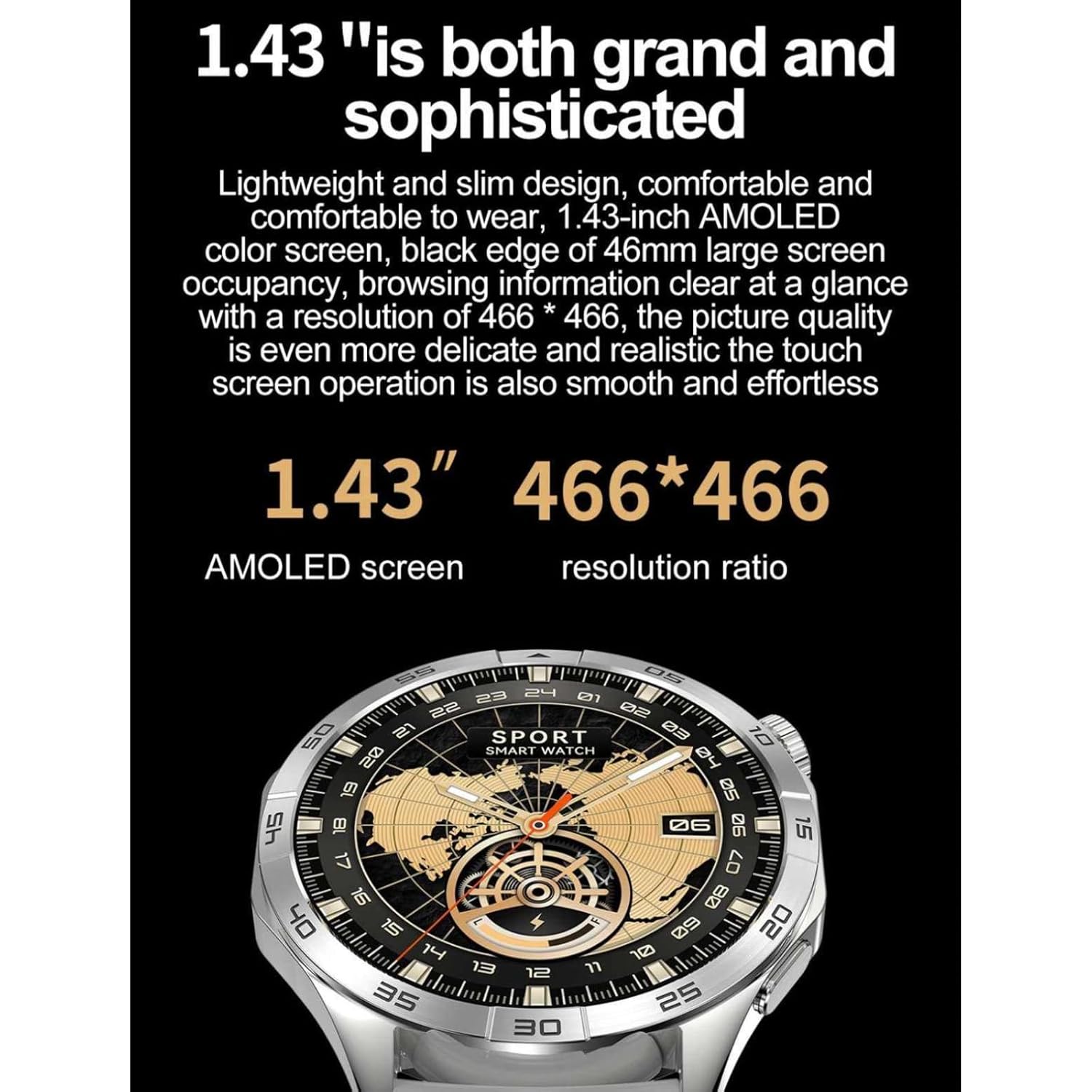
Image: A close-up view of the F7G Smart Watch V2.0's AMOLED display, highlighting its clarity and detail.
2. Health Monitoring
Your smartwatch is equipped with advanced sensors to monitor key health metrics:
- Heart Rate Monitor: Provides continuous or on-demand heart rate readings.
- Blood Oxygen Monitor (SpO2): Measures your blood oxygen saturation levels.
- Barometer: Offers atmospheric pressure data, useful for outdoor activities.
Access these features through the dedicated health monitoring applications on your watch or the companion app.
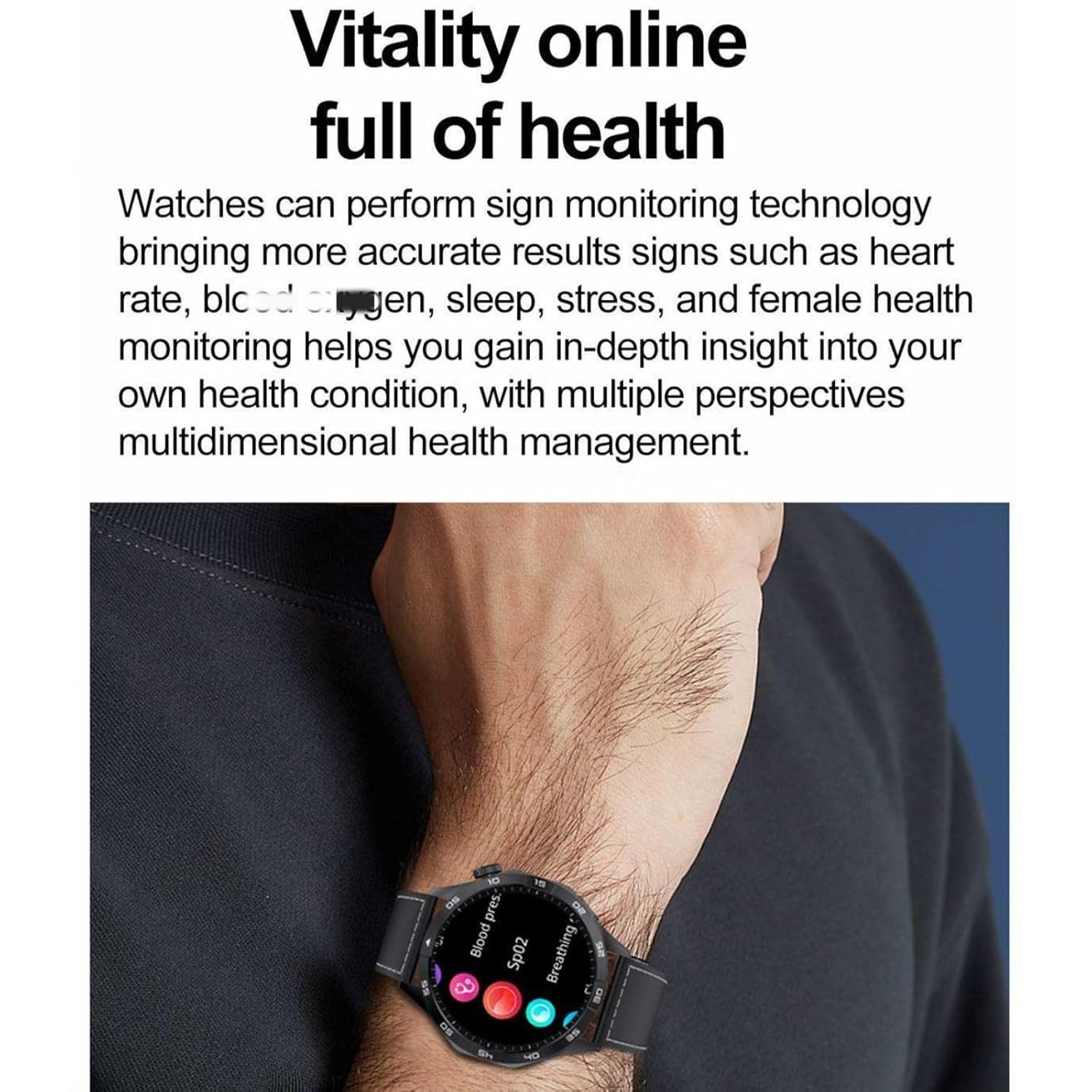
Image: The F7G Smart Watch V2.0 worn on a wrist, displaying various health metrics.
3. GPS Functionality
The built-in GPS allows for accurate tracking of your outdoor activities, including running and other sports. Activate GPS tracking within the relevant sport modes to record your routes, distance, and pace.
4. Voice Assistant
Utilize the integrated voice assistant for hands-free control. Activate the voice assistant by a designated gesture or button press (refer to on-screen prompts) and issue commands for various functions, such as setting alarms, checking weather, or initiating calls.
5. Fitness Tracking
The smartwatch supports comprehensive workout monitoring with multiple sport modes. Select your desired activity from the fitness application to track performance analytics, including calories burned, steps taken, and activity duration.
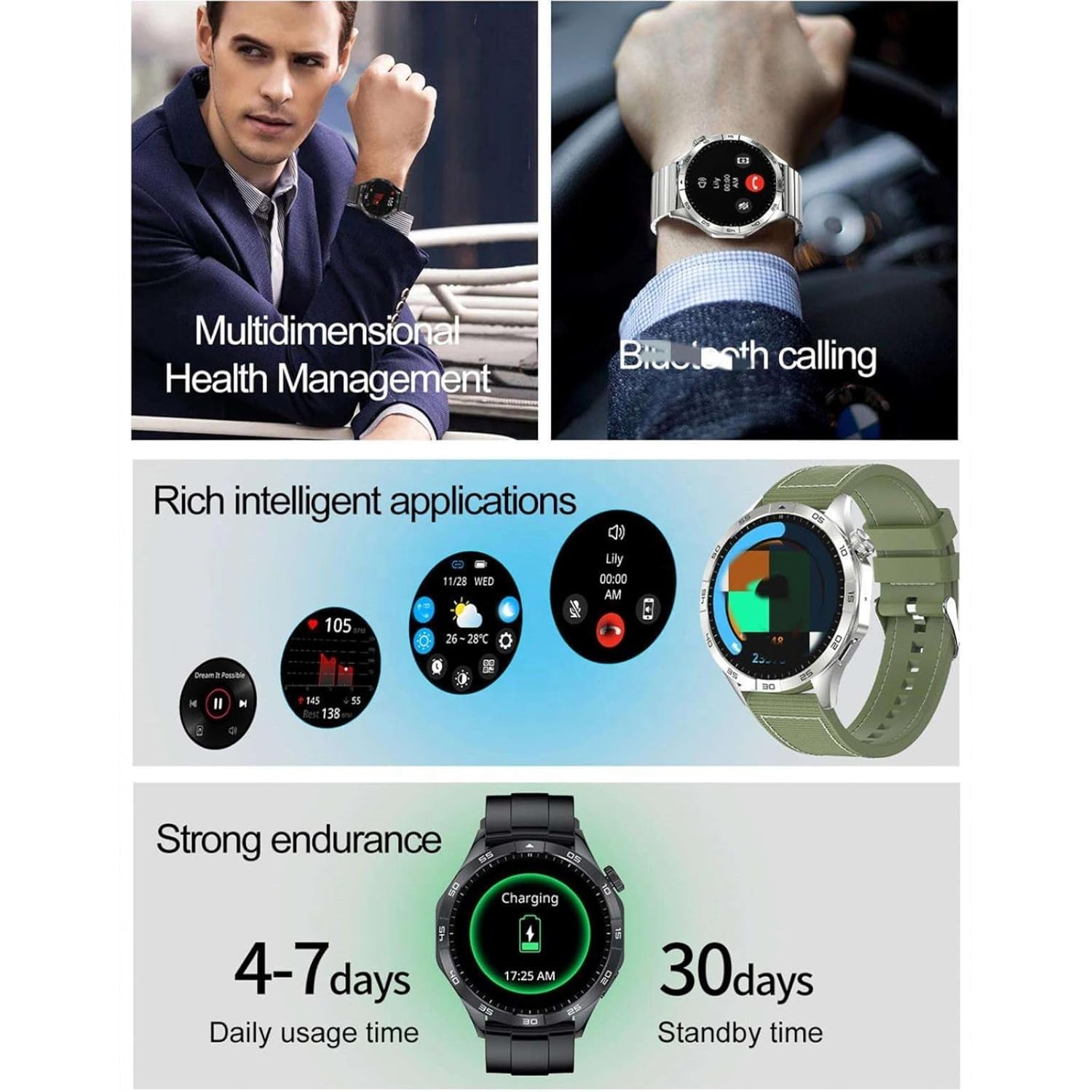
Image: The F7G Smart Watch V2.0 displaying a selection of its intelligent applications.
6. Bluetooth Calling
When paired with your smartphone, the F7G Smart Watch allows you to make and receive calls directly from your wrist. Ensure your watch is connected via Bluetooth to your phone for this feature to function.
Maintenance
1. Cleaning
Regularly clean your smartwatch to maintain its appearance and functionality. Use a soft, dry, lint-free cloth to wipe the screen and watch body. For stubborn dirt, slightly dampen the cloth with water. Avoid using harsh chemicals or abrasive materials.
2. Water Resistance
The F7G Smart Watch is water-resistant with an IP68 rating and can withstand depths of up to 50 meters. This means it is suitable for daily use, including hand washing, rain, and swimming in shallow water. However, it is not recommended for diving, high-pressure water activities, or prolonged submersion in hot water.

Image: The F7G Smart Watch V2.0 submerged in water, illustrating its IP68 water resistance.
3. Battery Care
To maximize battery life, avoid extreme temperatures and fully discharging the battery frequently. The typical daily usage time is 4-7 days, with a standby time of up to 30 days.
Troubleshooting
- Watch not powering on: Ensure the watch is fully charged. Connect it to the charger for at least 30 minutes before attempting to power it on again.
- Cannot pair with smartphone: Make sure Bluetooth is enabled on your phone and the watch. Ensure the watch is within range and not paired with another device. Restart both the watch and your phone, then try pairing again.
- Inaccurate health readings: Ensure the watch is worn snugly on your wrist, not too tight or too loose. Clean the sensor on the back of the watch. Avoid excessive movement during readings.
- Short battery life: Reduce screen brightness, disable unnecessary notifications, and limit continuous heart rate monitoring. Ensure background apps are closed on the watch.
Specifications
| Feature | Specification |
|---|---|
| Model Name | F7g-v2.0 |
| Operating System | Proprietary OS |
| Memory Storage Capacity | 4 GB |
| Display Type | AMOLED |
| Screen Size | 1.43 Inches |
| Maximum Display Brightness | 450 Nit |
| Connectivity Technology | Bluetooth |
| Wireless Communication Standard | Bluetooth |
| GPS Geotagging Functionality | Built-in GPS For Outdoor Tracking |
| Metrics Measured | Barometer, Blood Oxygen Monitor, Heart Rate Monitor |
| Water Resistance Level | Water Resistant (IP68) |
| Water Resistance Depth | 50 Metres |
| Band Material Type | Silicone |
| Case Material Type | Metal |
| Human Interface Input | Touchscreen, Voice Control |
| Battery Charge Time | 2 Hours |
| Item Weight | 65 Grams |
| Compatible Devices | Smartphone (Android Smartphones) |
Warranty Information
This F7G Smart Watch V2.0 comes with a manufacturer's warranty. The warranty period is 7 days from the date of purchase. Please retain your proof of purchase for any warranty claims. The warranty covers manufacturing defects under normal use conditions.
Support
For further assistance, technical support, or warranty inquiries, please contact the seller or manufacturer. Refer to your purchase documentation for specific contact details.