
1. Setup Guide
This section provides instructions for the initial setup of your XIAOMI Poco M8 5G smartphone.
1.1 Unboxing and Package Contents
Carefully unpack your device and verify all contents. The standard package includes:
- XIAOMI Poco M8 5G Smartphone
- USB Cable (Type-C)
- Phone Case
- SIM Tray Ejector
- User Manual (this document)
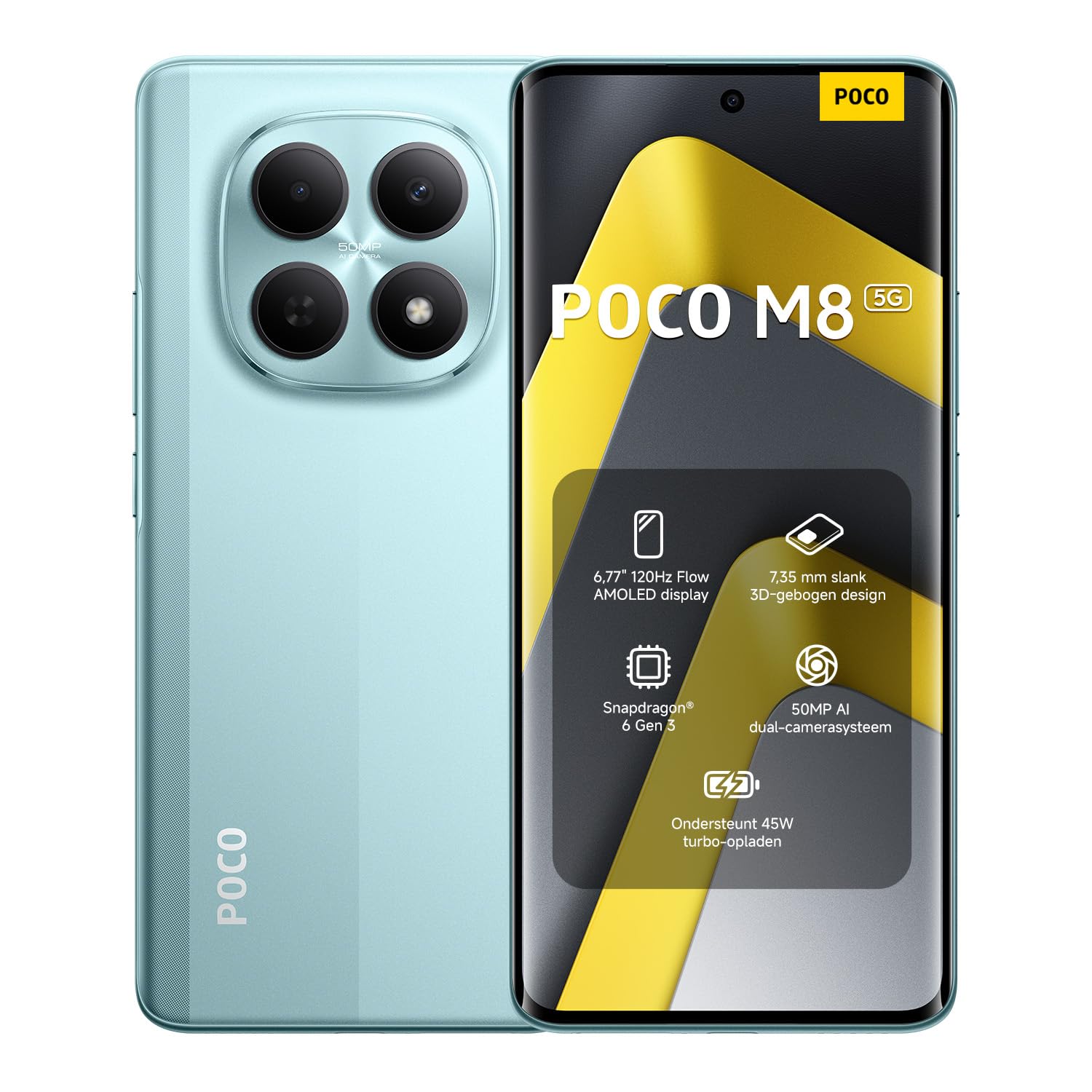
Image: The XIAOMI Poco M8 5G smartphone, USB-C cable, phone case, and SIM tray ejector pin, as typically found in the product box.
1.2 SIM Card Installation
Your Poco M8 5G supports a nano SIM 1 and a hybrid slot for either a second nano SIM or a microSD card. eSIM is not supported.
- Locate the SIM tray on the side of your device.
- Insert the SIM tray ejector tool into the small hole next to the tray and press gently until the tray pops out.
- Place your nano SIM card(s) and/or microSD card into the tray with the gold contacts facing down, ensuring they are correctly oriented.
- Carefully reinsert the SIM tray into the device until it clicks into place.
1.3 Initial Power On and Network Compatibility
Press and hold the power button until the XIAOMI logo appears. Follow the on-screen instructions to complete the initial setup, including language selection, Wi-Fi connection, and account setup.
Network Compatibility:
- USA Market: This device is compatible with T-Mobile, Mint, Tello, or any carrier operating on the T-Mobile network. A pre-activated SIM card is required.
- Outside USA: The device works with any GSM carrier worldwide.
- Supported Bands:
- 5G: 1/2/3/5/7/8/20/28/38/40/41/48/66/71/77/78
- 4G LTE FDD: B1/2/3/4/5/7/8/18/19/20/26/28/66/71
- 4G LTE TDD: B38/40/41/42/48
- 3G WCDMA: B1/2/4/5/6/8/19
- 2G: Quad Band
2. Operating Instructions
Learn how to use the key features of your XIAOMI Poco M8 5G smartphone.
2.1 Display and User Interface
The Poco M8 5G features a 6.77-inch Flow AMOLED display with a resolution of 2392 x 1080 pixels. Key display features include:
- Refresh Rate: Up to 120Hz (adjustable for supported apps).
- Touch Sampling Rate: 240Hz, with an instant touch sampling rate of 2560Hz activated under Game Turbo Mode.
- Brightness: Up to 3200 nits peak brightness, 800 nits typical.
- Color Depth: 12-bit (68.7 billion colors) with DCI-P3 wide color gamut.
- Dimming: 3840 PWM dimming and 16,000 (Hardware Solution) for eye comfort.
- Operating System: The device runs on Hyper OS 2.
2.2 Camera Functions
Capture high-quality photos and videos with the integrated camera system.
- Rear Camera:
- Main Camera: 50MP with Light Fusion 400 sensor (1/2.88", 1.22µm 4-in-1 Super Pixel, f/1.8 aperture, 5P lens).
- Depth Camera: 2MP.
- Video Recording: Supports 4K at 30fps, 1080p at 30fps, and 720p at 30fps.
- Front Camera:
- 20MP sensor (1/4", f/2.2 aperture, 4P lens).
- Video Recording: Supports 1080p at 30fps and 720p at 30fps.
2.3 Audio and Connectivity
Experience immersive audio and seamless connectivity.
- Audio: Dual speakers with Dolby Atmos certification and Hi-Res Audio certification. Features a 3.5mm headphone jack.
- Connectivity: Supports 5G, Wi-Fi, Bluetooth, NFC, and GPS (L1 | GLONASS: G1 | BDS: B1I+B1C | Galileo E1).
- Sensors: Virtual proximity sensor, ambient light sensor, accelerometer, electronic compass, IR blaster, gyroscope, in-screen fingerprint sensor, and AI face unlock.
2.4 Wet Touch Technology 2.0
The device features Wet Touch Technology 2.0, which intelligently detects water, oil, foam, sweat, and more, ensuring responsive and accurate screen operation even with wet or oily fingers.
3. Maintenance
Proper care and maintenance will extend the lifespan of your XIAOMI Poco M8 5G.
3.1 Battery Care
- The device is equipped with a 5520mAh (typical) battery and supports 45W turbo charging.
- To optimize battery longevity, avoid extreme temperatures and fully discharging the battery frequently.
- The silicon-carbon battery technology is designed to retain over 80% capacity after 1,600 charge cycles.
- Use only approved chargers and cables.
3.2 Screen and Device Cleaning
- The display features high-durability glass. To clean the screen, gently wipe it with a soft, lint-free cloth.
- For stubborn smudges, slightly dampen the cloth with water or a screen cleaner specifically designed for electronics.
- Avoid using harsh chemicals, abrasive materials, or excessive moisture.
- Keep the device free from dust and debris, especially around ports and speaker grilles.
4. Troubleshooting
This section addresses common issues you might encounter with your device.
4.1 Common Issues and Solutions
- Device not powering on: Ensure the battery is charged. Connect the device to its charger for at least 15 minutes before attempting to power it on again.
- Screen unresponsive: If the screen is unresponsive, try a forced restart by holding the power button for approximately 10-15 seconds.
- Network connectivity issues:
- Check if your SIM card is properly inserted.
- Verify that mobile data is enabled in your settings.
- Ensure you are within network coverage.
- Restart the device.
- Battery draining quickly:
- Close unused applications running in the background.
- Reduce screen brightness.
- Disable features like Wi-Fi, Bluetooth, or GPS when not in use.
- Check for app updates, as outdated apps can sometimes consume more power.
- Apps crashing or freezing:
- Clear the cache and data for the problematic app in settings.
- Update the app to its latest version.
- If the issue persists, uninstall and reinstall the app.
If you encounter issues not covered here or require further assistance, please refer to the Warranty & Support section.
5. Specifications
Detailed technical specifications for the XIAOMI Poco M8 5G smartphone.
| Model Name | Poco M8 5G |
| Item Model Number | MZB0NF7EU |
| Display Size | 6.77 Inches Flow AMOLED |
| Resolution | 2392 x 1080 |
| Refresh Rate | Up to 120Hz |
| Processor | Snapdragon 6 Gen 3 Mobile Platform (4nm, Octa-core up to 2.4GHz) |
| RAM | 8 GB |
| Storage | 256 GB (Expandable up to 1TB via microSD in hybrid slot) |
| Operating System | Hyper OS 2 |
| Rear Camera | 50MP Main + 2MP Depth |
| Front Camera | 20MP |
| Battery Capacity | 5520 mAh (typical) |
| Charging | 45W Turbo Charge |
| Connectivity | 5G, Wi-Fi, Bluetooth, NFC, GPS |
| Audio Jack | 3.5 mm |
| Dimensions | 7.05 x 3.54 x 1.65 inches (Package) |
| Item Weight | 13 ounces |
| Color | Green (as per current product variant) |
6. Warranty & Support
For warranty information and customer support, please refer to the official XIAOMI resources.
6.1 Product Warranty
Your XIAOMI Poco M8 5G smartphone is covered by a limited manufacturer's warranty. Details regarding the warranty period and terms can typically be found on the official XIAOMI website or within the warranty card included in your product packaging. Please retain your proof of purchase for warranty claims.
6.2 Customer Support
If you require technical assistance, have questions about your device, or need to report an issue, please contact XIAOMI customer support through their official channels. This may include their website, dedicated support hotlines, or authorized service centers.
For the most up-to-date support information, visit the official XIAOMI website: www.mi.com/global/support


