
1. Introduction
The MAIJOFO AI Translation Earbuds, Model YYK-Q16S AI, are designed to facilitate real-time communication across language barriers, enhance audio experiences, and provide smart features for various daily activities. These earbuds integrate translation, music playback, call connectivity, and intelligent meeting transcription into a single device. Featuring four high-precision microphones, the Q16S AI delivers clear audio quality for both music and calls. The accompanying smart AI application assists in generating accurate transcripts, eliminating the need for manual note-taking.
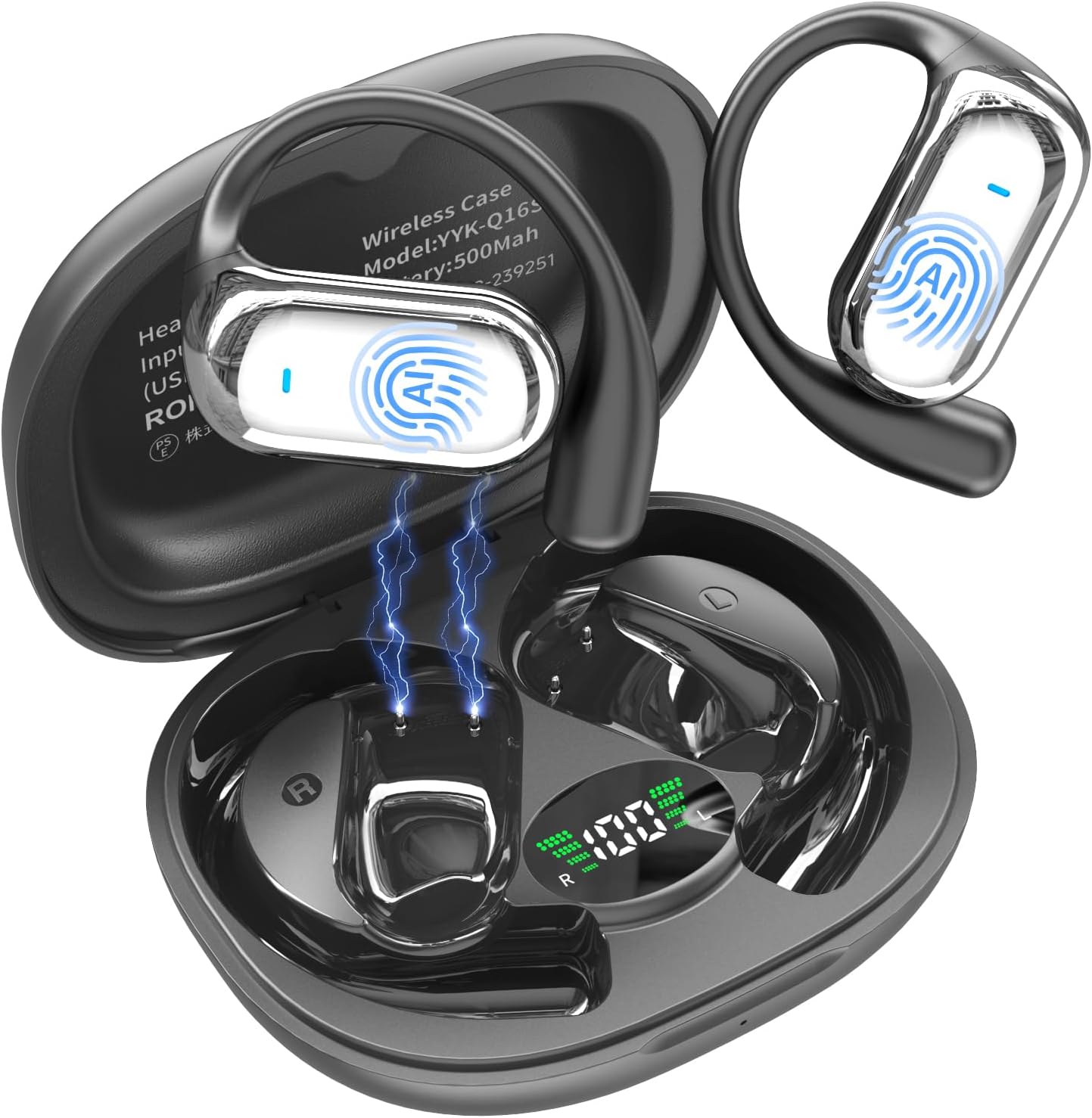
Image 1.1: MAIJOFO AI Translation Earbuds and Charging Case.
2. What's in the Box
Upon opening the product packaging, verify that all the following components are included:
- 2 x Translation Earbuds
- 1 x Charging Case
- 1 x Charging Cable
- 1 x User Manual
- 1 x Product Box

Image 2.1: The MAIJOFO AI Translation Earbuds, charging case, and charging cable.
3. Setup
To begin using your MAIJOFO AI Translation Earbuds, follow these steps:
- Download the App: Scan the QR code provided in the manual or visit bitdynamic.ai/app/download.html to download the companion application.
- Sign Up or Log In: Create a new account or log in to your existing account within the application.
- Pair via Bluetooth: Ensure Bluetooth is enabled on your mobile device. Open the charging case, and the earbuds will enter pairing mode. Select "YYK-Q16S" from your device's Bluetooth settings to connect.
- Explore the App: Once connected, open the app to access various translation modes and features.

Image 3.1: Step-by-step setup guide for the earbuds.
Before initiating any conversation or translation, ensure the earbuds are properly connected to your phone via Bluetooth and the desired languages are selected within the application.
4. Operating Instructions
The MAIJOFO AI Translation Earbuds offer multiple modes to facilitate communication and enhance your audio experience.
4.1. Real-Time Translation
The earbuds provide instant translation in over 188 languages with 99.9% accuracy and a 0.2-second response time. This ensures smooth communication during travel, business meetings, or social interactions.

Image 4.1: Real-time translation capabilities across multiple languages.

Image 4.2: Extensive language and accent support.
4.2. Translation Modes
The headset supports various innovative translation modes:
- Free Talk Mode: For natural, continuous conversation.
- Touch Mode: Tap the earbud to speak, and release to translate.
- Speaker Mode: Use your phone's speaker for translation output.
- Audio Transcription: Converts spoken language to text.
- Photo Translation: Translates text from images.

Image 4.3: Real-time translation interface in the companion app.
4.3. Simultaneous Interpretation
Ideal for international conferences, this mode provides real-time voice translation, allowing participants to understand each other instantly.

Image 4.4: Earbuds used for simultaneous interpretation in a business setting.

Image 4.5: Simultaneous interpretation feature in the app.
4.4. Face-to-Face Translation
For global negotiations or travel, this mode enables two-way translation with voice. You can use one earbud yourself and share the other, allowing both parties to speak and understand in their native languages.

Image 4.6: Face-to-Face Translation using the earbuds and mobile phone.

Image 4.7: Dual-Ear Mode for shared face-to-face translation.
4.5. Live Recording
The earbuds can convert spoken recordings into text, providing accurate transcripts for meeting notes or personal reference.

Image 4.8: Live recording feature for converting speech to text.
5. App Features
The companion app for the MAIJOFO AI Translation Earbuds offers additional functionalities to enhance your experience:
- Audio and Video Call: Conduct online calls with real-time translation. No app is required for the other party, enabling effortless communication.
- Audio and Video History: Easily view call records and support redialing.
- Sleep Aid: A built-in white noise feature provides sounds like rain and ocean waves to assist with falling asleep quickly.

Image 5.1: Audio and video call feature with real-time translation.

Image 5.2: Call history and management within the app.

Image 5.3: Sleep aid feature with white noise options.
6. Charging and Battery
The AI translator earbuds are equipped with an extended battery life, providing up to 6 hours of playtime per charge. The fast-charging case ensures quick recharges, making them ready for translation, calls, or music enjoyment at any time. The total battery life with the charging case is approximately 80 hours.
Image 6.1: Battery life and charging details.
7. Comfort and Design
These earbuds feature an open-ear, ergonomic design that comfortably hugs your ear contours, providing a secure and pressure-free fit for extended use. This design allows you to enjoy audio while remaining aware of your surroundings.

Image 7.1: Proper wearing technique for the earbuds.

Image 7.2: Open-ear comfort design.

Image 7.3: Benefits of open-ear design for comfort.
8. Water Resistance
The earbuds are rated IPX7 waterproof, providing protection against sweat and rain. This makes them suitable for various activities, including cycling, office meetings, and running, without concern for moisture damage.
9. Specifications
| Feature | Detail |
|---|---|
| Model Name | Q16SAI2 |
| Item Model Number | YYK-Q16S AI |
| Connectivity Technology | Wireless (Bluetooth 6.1) |
| Bluetooth Range | 15 Meters |
| Noise Control | Environmental Noise Cancellation |
| Water Resistance Level | Waterproof (IPX7) |
| Control Type | App Control, Touch |
| Driver Size | 14.2mm Bio-Carbon Fiber Dynamic Driver |
| Battery Life (Earbuds) | 6 hours playtime |
| Battery Life (with Case) | 80 hours total |
| Batteries Required | 2 9V batteries (included) |
| Material | Plastic |
| Item Weight | 3.52 ounces |
| Ear Placement | Open Ear |
| Form Factor | On Ear |
10. Maintenance
To ensure the longevity and optimal performance of your MAIJOFO AI Translation Earbuds, follow these maintenance guidelines:
- Cleaning: Regularly wipe the earbuds and charging case with a soft, dry cloth. Avoid using abrasive materials or harsh chemicals.
- Storage: When not in use, store the earbuds in their charging case to protect them from dust and damage. Keep them in a cool, dry place away from direct sunlight and extreme temperatures.
- Charging: Use the provided charging cable and a compatible power adapter. Avoid overcharging or completely draining the battery frequently to prolong battery life.
- Water Exposure: While IPX7 rated, avoid prolonged submersion in water. Dry the earbuds thoroughly if they get wet before placing them back in the charging case.
11. Troubleshooting
If you encounter any issues with your MAIJOFO AI Translation Earbuds, refer to the following common troubleshooting steps:
- Earbuds not pairing: Ensure the earbuds are charged and within range of your device. Turn off and on your device's Bluetooth, then try pairing again.
- No sound: Check the volume levels on both your device and the earbuds. Ensure the earbuds are properly connected and selected as the audio output.
- Translation inaccuracy: Verify that the correct source and target languages are selected in the app. Ensure a clear speaking environment with minimal background noise.
- App not responding: Close and restart the companion application. If the issue persists, try reinstalling the app.
- Charging issues: Ensure the charging cable is securely connected to both the case and a power source. Check for any debris in the charging port.
For further assistance, please contact customer support.
12. Warranty and Support
For information regarding product warranty and customer support, please refer to the documentation included with your purchase or contact the seller directly. The seller, "10Year Headphone Factory (30-Day No-Reason Return)", indicates a commitment to customer satisfaction.
13. Official Product Videos
The following videos provide additional information and demonstrations of the MAIJOFO AI Translation Earbuds:
MAIJOFO AI Language Translation Earbuds
Video 13.1: An overview of the MAIJOFO AI Language Translation Earbuds, highlighting their features and benefits.
AI Translation Earbuds Real Time, 188 Language
Video 13.2: Demonstrates the real-time translation capabilities of the earbuds across 188 languages.
MAIJOFO translator earbuds real time
Video 13.3: A closer look at the real-time translation function of the MAIJOFO earbuds.
MAIJOFO translation earbuds
Video 13.4: Further demonstration of the MAIJOFO translation earbuds in action.