
1. Introduction
Thank you for choosing the Baseus BS1 NC & Bass BC1 Wireless Earbuds. These earbuds are designed to provide a superior audio experience with adaptive hybrid active noise cancellation (ANC) and enhanced bass. This manual will guide you through the setup, operation, and maintenance of your new earbuds to ensure optimal performance and longevity.
2. Package Contents
- Baseus BS1 NC & Bass BC1 Wireless Earbuds (L/R)
- Charging Case
- USB-C Charging Cable
- Eartips (various sizes)
- User Manual
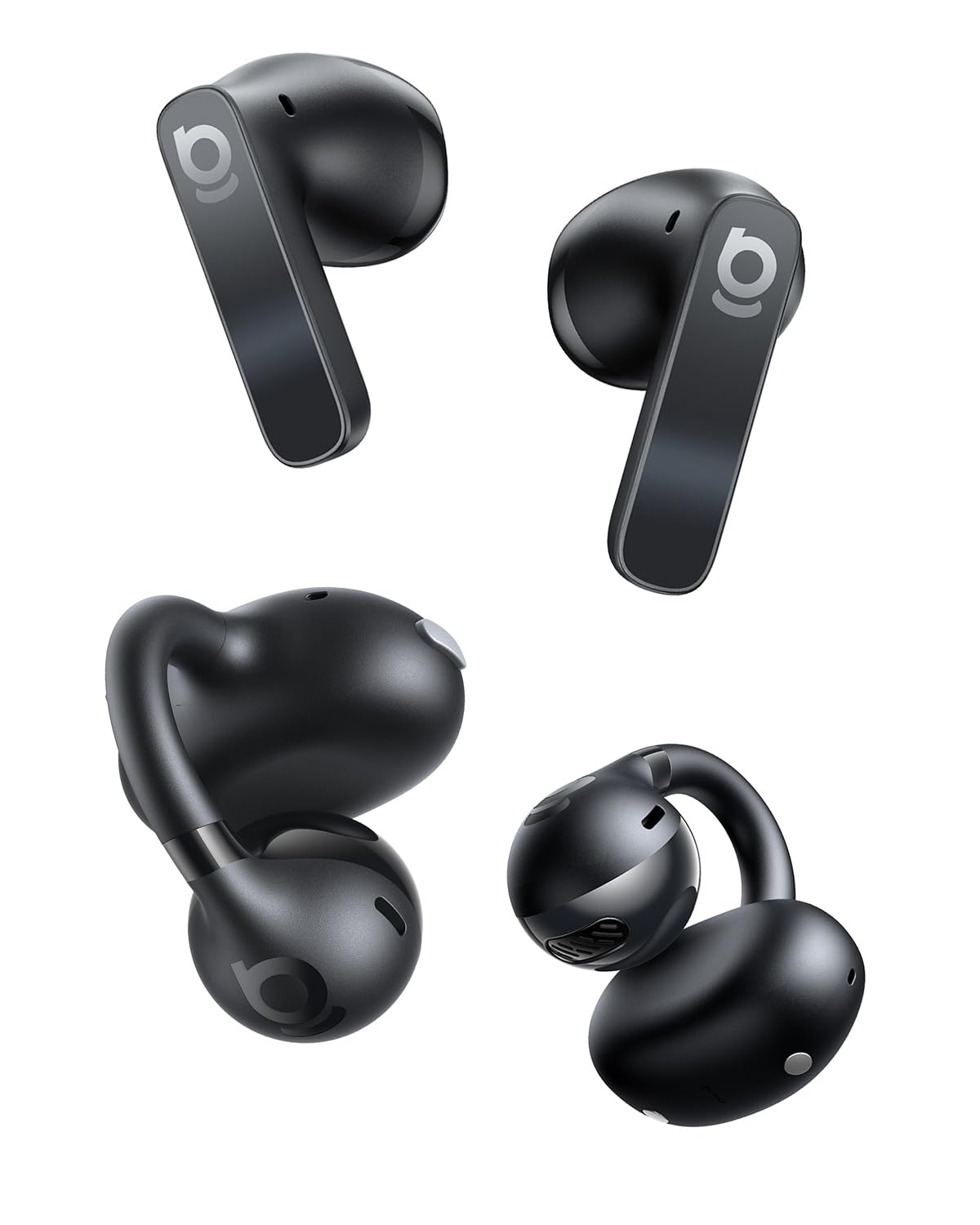
Image: The Baseus BS1 NC & Bass BC1 Wireless Earbuds shown with their charging case, illustrating the complete product package.
3. Product Overview
3.1 Earbud Components
- Touch Control Area: For playback, call management, and ANC mode switching.
- Microphone: For calls and noise cancellation.
- Charging Contacts: For charging inside the case.
- Eartip: Ensures a secure and comfortable fit.
3.2 Charging Case Components
- Charging Port (USB-C): For charging the case.
- Indicator Light: Shows charging status and battery level.
- Earbud Charging Slots: Holds and charges the earbuds.
Image: A close-up view of the Baseus BS1 NC & Bass BC1 Wireless Earbuds, highlighting their ergonomic design and touch control area.
4. Setup
4.1 Initial Charging
- Place both earbuds into the charging case.
- Connect the USB-C charging cable to the charging port on the case and a power source.
- The indicator light on the case will show charging status. A full charge typically takes approximately 1.5 hours for the earbuds and 2 hours for the case.
4.2 Pairing with Your Device
- Ensure the earbuds are charged.
- Open the charging case. The earbuds will automatically enter pairing mode, and the indicator light on the earbuds will flash.
- On your device (smartphone, tablet, etc.), enable Bluetooth.
- Search for available Bluetooth devices and select "Baseus BS1 NC & Bass BC1".
- Once connected, the indicator light on the earbuds will turn off or show a steady light, and you will hear a confirmation tone.
Note: The earbuds will automatically reconnect to the last paired device when taken out of the case, if Bluetooth is enabled on the device.
4.3 Wearing the Earbuds
Choose the eartips that provide the most comfortable and secure fit for your ears. Insert the earbuds gently into your ear canal and rotate them slightly until they feel snug and stable. A proper fit is crucial for optimal sound quality and noise cancellation.
5. Operating Instructions
5.1 Touch Controls
| Function | Action |
|---|---|
| Play/Pause | Double-tap either earbud |
| Next Track | Triple-tap right earbud |
| Previous Track | Triple-tap left earbud |
| Answer/End Call | Double-tap either earbud |
| Reject Call | Press and hold either earbud for 2 seconds |
| Activate Voice Assistant | Press and hold left earbud for 2 seconds |
| Switch ANC/Transparency Mode | Press and hold right earbud for 2 seconds |
5.2 ANC and Transparency Modes
- Active Noise Cancellation (ANC): Reduces ambient noise, ideal for noisy environments.
- Transparency Mode: Allows you to hear your surroundings while listening to audio, useful for awareness.
- Switch between modes by pressing and holding the right earbud's touch control area for 2 seconds.
6. Maintenance
6.1 Cleaning
- Regularly clean the earbuds and charging case with a soft, dry, lint-free cloth.
- Remove eartips and clean them with mild soap and water, then dry thoroughly before reattaching.
- Gently clean the charging contacts on both the earbuds and the case to ensure proper charging.
6.2 Storage
When not in use, store the earbuds in their charging case to protect them from dust, damage, and to keep them charged. Avoid exposing them to extreme temperatures or humidity.
6.3 Battery Care
To prolong battery life, avoid fully discharging the earbuds and charging case frequently. Charge them regularly, even if not used for extended periods.
7. Troubleshooting
7.1 Earbuds Not Pairing
- Ensure both earbuds are charged.
- Turn off Bluetooth on your device and turn it back on.
- Forget "Baseus BS1 NC & Bass BC1" from your device's Bluetooth list and attempt to pair again.
- Place earbuds back in the case, close the lid, wait 5 seconds, then open to re-enter pairing mode.
7.2 No Sound or Low Volume
- Check the volume level on both your device and the earbuds.
- Ensure the earbuds are properly connected to your device.
- Clean any debris from the earbud speaker grilles.
7.3 Charging Issues
- Ensure the charging cable is securely connected to both the case and the power source.
- Clean the charging contacts on the earbuds and inside the case.
- Try a different USB-C cable and power adapter.
8. Specifications
- Model: BS1 NC & Bass BC1
- Bluetooth Version: 5.3 (Typical, may vary)
- Noise Cancellation: Adaptive Hybrid ANC
- Charging Port: USB-C
- Battery Life: Varies by usage and ANC mode (e.g., 6-8 hours earbuds, 30+ hours with case)
- Charging Time: Approx. 1.5 hours (earbuds), 2 hours (case)
- Frequency Response: 20Hz - 20kHz (Typical)
9. Warranty and Support
Baseus products come with a standard manufacturer's warranty. For detailed warranty information, product support, or service inquiries, please refer to the warranty card included in your package or visit the official Baseus website. Please retain your proof of purchase for warranty claims.
For further assistance, you may contact Baseus customer support through their official channels.