
Introduction
The MiLESEEY TNV30i is a compact thermal imaging monocular designed for use with USB-C compatible iPhone, iPad, and Android devices. It features a 512x384 super-resolution sensor with a 50Hz refresh rate and less than 20mK thermal sensitivity, providing clear thermal imagery for various applications such as hunting, building inspection, and night-time detection. This manual provides essential information for setting up, operating, and maintaining your TNV30i thermal monocular.

Image: The MiLESEEY TNV30i thermal monocular, highlighting its compact design and USB-C connection.
Setup Guide
1. Unboxing and Initial Inspection
Carefully unpack all components from the box. Ensure the following items are present:
- TNV30i Thermal Monocular
- Device Grip
- Adapter Cable
- Lens Cloth
- User Manual (this document)
- Carrying Bag
Inspect the monocular and accessories for any visible damage. If any items are missing or damaged, contact customer support.
2. App Installation
The TNV30i requires the MiLESEEY T-Recon app for operation. Download the app from your device's app store:

Image: Screenshot displaying the MiLESEEY T-Recon app download options for both iOS and Android devices.
3. Connecting the Monocular
The TNV30i connects directly to your USB-C compatible smartphone or tablet. You can use it as a direct plug-in or with the included device grip for enhanced stability.
- Ensure your device's operating system is compatible (iOS 15+ or Android 10+ with USB-C).
- Plug the TNV30i monocular directly into your device's USB-C port.
- Alternatively, attach your smartphone to the device grip. Connect the monocular to the grip's USB-C port, then use the adapter cable to connect the grip to your smartphone's USB-C port.
- Launch the MiLESEEY T-Recon app. The app should automatically detect and connect to the monocular.

Image: The TNV30i thermal monocular attached to a smartphone using the device grip and adapter cable, demonstrating a stable setup for observation.

Image: A detailed view of the TNV30i thermal monocular securely mounted on a smartphone with the device grip, highlighting the USB-C connection.
Operating Instructions
The MiLESEEY TNV30i thermal monocular is controlled through the MiLESEEY T-Recon app on your connected smart device. Below are key operational features.
Quick Start for Maximum Clarity
- Turn on Super-Resolution: Access this setting within the app to enhance image detail.
- Set Image Mode to Forest: This mode provides high contrast, ideal for target identification in varied environments.
- Manually Adjust Focus Ring: Rotate the focus ring on the monocular until your target appears sharp and clear on the screen.

Image: Visual guide illustrating the three steps to achieve optimal image clarity: activating Super-Resolution, selecting Forest image mode, and adjusting the physical focus ring on the monocular.
App Features and Settings
The T-Recon app provides comprehensive control over the monocular's functions:
- Super-Resolution: Enhances image detail (512x384 pixels).
- Color Palettes: Choose from 6 different color schemes to visualize thermal data (e.g., White Hot, Black Hot, Iron Red, Sepia, Green Hot).
- Imaging Modes: Select from 4 modes, including "Jungle Mode" for improved target acquisition in dense environments.
- Hot-Spot Tracking: Automatically highlights the hottest point in the field of view.
- FFC Calibration: One-touch Flat Field Correction to ensure uniform image quality and compensate for environmental and sensor drift.
- Crosshair Overlay: Enables manual marking and helps center your target.
- Brightness/Contrast: Manual adjustments for optimal viewing.
- Screen Rotation: Supports automatic screen orientation.
- Picture-in-Picture (PiP): Allows for a visible-light overlay alongside the thermal image.
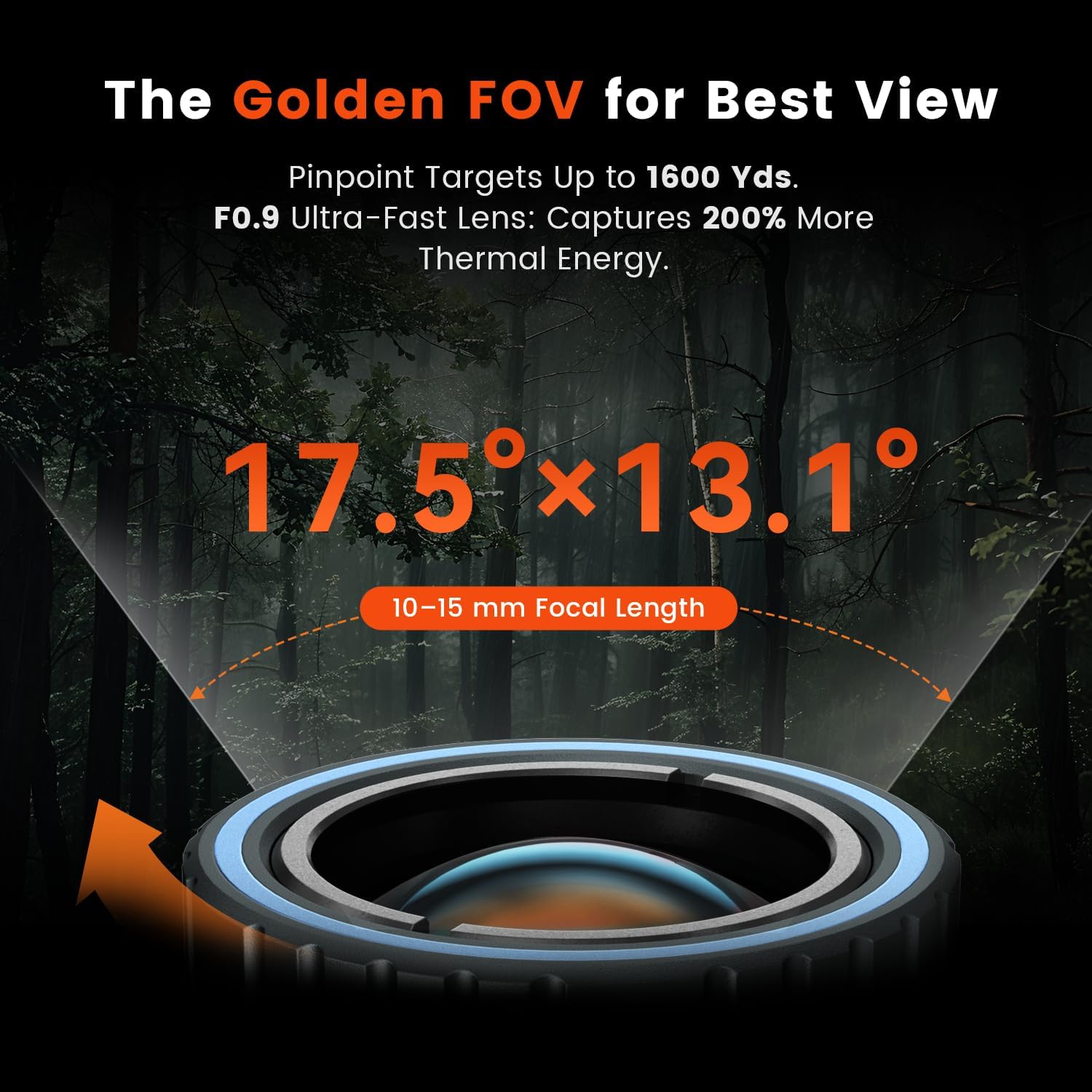
Image: The MiLESEEY T-Recon app interface displaying a range of features including FFC, color palettes, imaging modes, hot spot tracking, reticle settings, super resolution, and brightness/contrast controls.
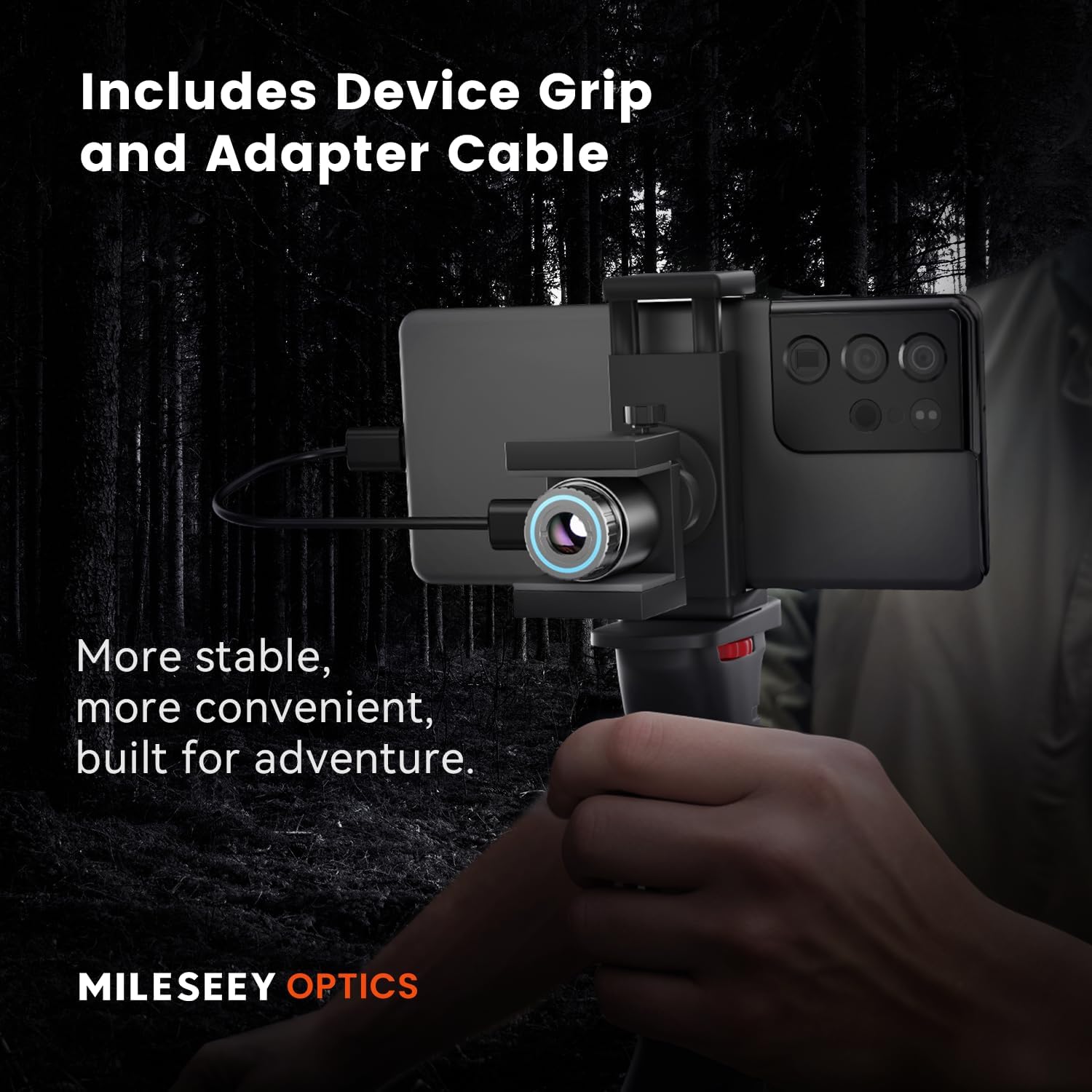
Image: The MiLESEEY T-Recon app demonstrating the Picture-in-Picture (PiP) feature, which overlays a visible-light wide-angle view onto the main thermal image for enhanced context.
Focus and Zoom
The TNV30i features an adjustable-focus lens (10–15 mm) and digital zoom capabilities. Rotate the physical focus ring on the monocular for sharp images. Use the app's controls for digital zoom (e.g., 2x to 8x) to magnify your view.

Image: This image demonstrates the adjustable focus and zoom functionality, showing how to achieve clear thermal images of distant objects by adjusting the focus ring and using digital zoom.
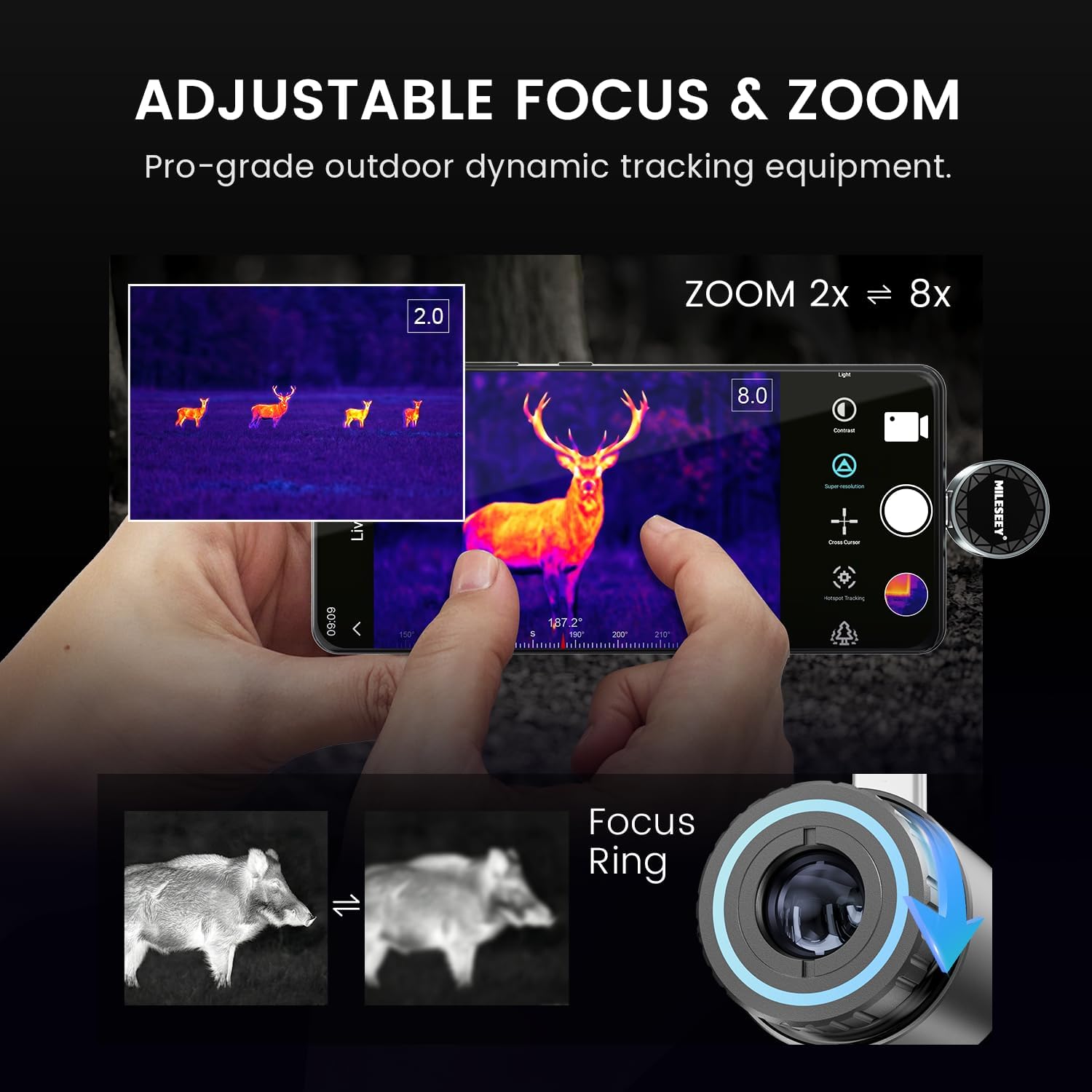
Image: A diagram illustrating the wide field of view (17.5°x13.1°) and the F0.9 ultra-fast lens, which contributes to the monocular's ability to detect targets up to 1600 yards.
Recording Photos and Videos
The TNV30i supports photo and video recording directly through the MiLESEEY T-Recon app. The 50Hz high-refresh thermal imaging ensures real-time visuals without motion lag, making it suitable for capturing dynamic scenes.
Applications
The TNV30i is versatile and can be used for:
- Animal tracking and wildlife observation
- Night-time detection and security
- Building inspection for heat loss or electrical issues
- Water-leak diagnostics
- Search and rescue operations
- Privacy protection (detecting hidden cameras or heat sources)

Image: A collage demonstrating various practical applications of the TNV30i thermal monocular, including wildlife detection, search and rescue, industrial inspections, and privacy protection.
Official Product Video
Video: Official product overview of the MiLESEEY TNV30i Thermal Monocular, showcasing its features and compatibility with USB-C iPhone, iPad, and Android devices.
Maintenance
Cleaning the Lens
Use the provided lens cloth to gently wipe the monocular's lens. Avoid using abrasive materials or harsh chemicals, as these can damage the lens coating. For stubborn smudges, a small amount of lens cleaning solution designed for optics can be applied to the cloth, not directly to the lens.
Storage
When not in use, store the TNV30i in its carrying bag to protect it from dust, moisture, and physical impact. Store in a cool, dry place away from direct sunlight and extreme temperatures.
Troubleshooting
Device Not Connecting / No Image Display
- Check Compatibility: Ensure your smartphone or tablet is USB-C compatible and runs iOS 15 or later, or Android 10.0 or later. Some older Android devices, even with Android 10+, may not provide sufficient power or app compatibility.
- App Version: Verify that you have the latest version of the MiLESEEY T-Recon app installed. Check for updates in your device's app store.
- Secure Connection: Ensure the monocular is firmly plugged into your device's USB-C port or the adapter cable is securely connected to both the monocular and your device.
- Restart App/Device: Close and restart the MiLESEEY T-Recon app. If the issue persists, restart your smartphone or tablet.
- Power Output: Some devices may not provide enough power through their USB-C port. If using an adapter or hub, try a direct connection if possible.
- Alternative App (Android): For some Android devices experiencing issues, the Pixfra Sight application has been noted as a temporary alternative by some users. However, official support is through MiLESEEY T-Recon.
Unclear or Blurry Image
- Adjust Focus Ring: Manually rotate the focus ring on the monocular until the image is sharp. This is crucial for clear viewing.
- Super-Resolution: Ensure Super-Resolution is enabled in the app for enhanced clarity.
- Image Mode: Experiment with different image modes (e.g., Forest mode) to find the best contrast for your environment.
- FFC Calibration: Perform an FFC (Flat Field Correction) calibration via the app to optimize image uniformity.
- Clean Lens: Ensure the lens is clean and free of smudges or dust.
Specifications
Below are the technical specifications for the MiLESEEY TNV30i Thermal Monocular:
| Feature | Detail |
|---|---|
| Brand | MiLESEEY |
| Model | TNV30i |
| Sensor Resolution | 512x384 Super Resolution (196,608 pixels) |
| Pixel Size | 12 µm |
| Thermal Sensitivity (NETD) | < 20 mK |
| Frame Rate | 50 Hz |
| Objective Lens Diameter | 50 millimeters |
| Focal Length | 10–15 mm |
| Aperture | F0.9 |
| Detection Distance | Up to 1600 yards |
| Field of View (FOV) | 17.5° × 13.1° |
| Focus Type | Manual Focus |
| Compatible Devices | iPhone 15 and later, iPad 10th generation and later, Android 10.0 and later (USB-C models) |
| Power Consumption | 0.35 W (ultra-low) |
| Dimensions | 1 × 1 × 1.1 inches |
| Weight | 0.9 oz |

Image: A visual representation of the TNV30i PRO Module's key specifications, including its compact dimensions, light weight, NETD, aperture, and field of view.
Warranty and Support
Warranty Information
The MiLESEEY TNV30i Thermal Monocular comes with a 5-year warranty. Please retain your proof of purchase for warranty claims.
Customer Support
For technical assistance, troubleshooting, or warranty inquiries, please contact MiLESEEY customer support. You can find contact information on the official MiLESEEY website or through the MiLESEEY T-Recon app.
Visit the official MiLESEEY Store for more information: MiLESEEY Store


